
ภาพประกอบการต่อสู้ศิลปะการต่อสู้อะนิเมะ
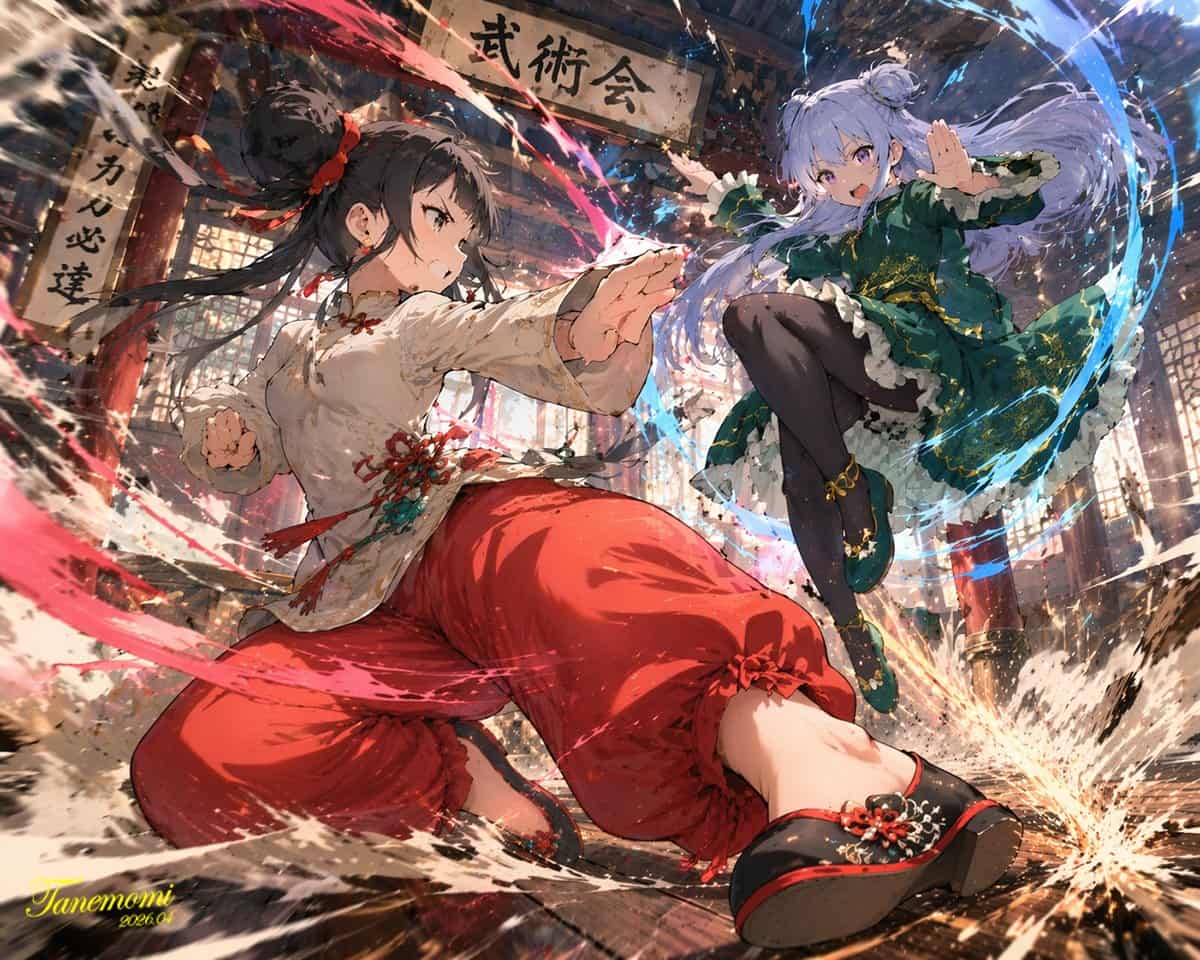
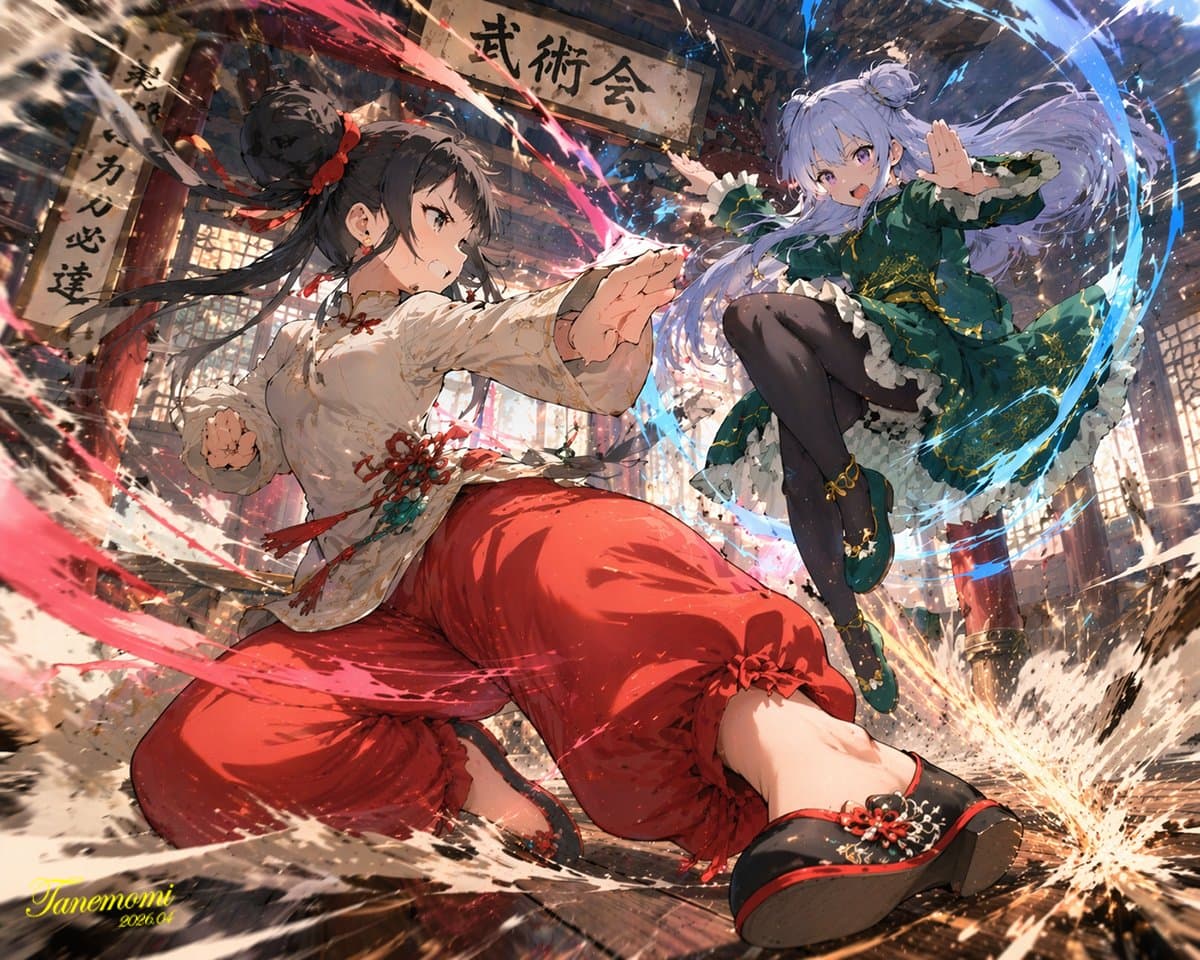
ภาพประกอบสไตล์อะนิเมะของ {argument name="action type" default="high-impact martial arts battle"} ระหว่างนักสู้หญิงสาวสองคนใน {argument name="setting" default="traditional wooden martial arts dojo"} ในเบื้องหน้า เด็กผู้ห…
พรอมต์
ภาพประกอบสไตล์อะนิเมะของ {argument name="action type" default="high-impact martial arts battle"} ระหว่างนักสู้หญิงสาวสองคนใน {argument name="setting" default="traditional wooden martial arts dojo"} ในเบื้องหน้า เด็กผู้หญิงผมสีดำเกล้ามวยสูงสวมชุดศิลปะการต่อสู้แบบจีน {argument name="character 1 color theme" default="red and white"} และกางเกงทรงหลวม เธออยู่ในท่าทางที่มีพลัง ต่ำ และพุ่งไปข้างหน้า ล้อมรอบด้วยพลังงานสีแดงที่หมุนวนและสาดน้ำ ด้านหลังขวา สาวผมสีม่วงอ่อน ผมมวยคู่ สวมชุดจีน {argument name="character 2 color theme" default="green and purple"} ปักสีทอง และกางเกงรัดรูปสีดำ เธอกำลังกระโดดไปในอากาศด้วยท่าเตะเหินฟ้า ล้อมรอบด้วยพลังงานสีน้ำเงินที่หมุนวน พื้นไม้แตกเป็นเสี่ยงจากการกระแทกอย่างรุนแรง โดยมีเศษและฝุ่นปลิวไปในอากาศ ด้านบนมีป้ายไม้ผุกร่อนพร้อมข้อความ "{argument name="sign text" default="武術会"}" แขวนอยู่ ฉากนี้มีการจัดแสงที่น่าทึ่ง มุมมองไดนามิกในมุมต่ำ และเอฟเฟกต์ฉากแอ็คชั่นที่เข้มข้น
วิธีการใช้งานพร้อมท์นี้
อ่านข้อความแจ้ง ภาพประกอบการต่อสู้ศิลปะการต่อสู้อะนิเมะ ฉบับสมบูรณ์ และระบุวัตถุ สไตล์ กล้อง แสง และข้อกำหนดองค์ประกอบก่อนสร้าง
แทนที่ตัวยึดตำแหน่งแบบวงเล็บเหลี่ยมหรือแบบอาร์กิวเมนต์ด้วยข้อกำหนดเกี่ยวกับผลิตภัณฑ์ ตัวละคร แบรนด์ ฉาก ชุดสี หรืออัตราส่วนภาพ
เปิด https://www.gptimagehub.com/th/generate?promptId=cmogwy0pn009jzpdymbkmynpv สร้างรูปภาพ จากนั้นปรับแต่งข้อความแจ้งด้วยหัวข้อ ข้อความ เค้าโครง หรือข้อจำกัดเชิงลบที่เฉพาะเจาะจงมากขึ้น หากจำเป็น
คำถามที่พบบ่อยพร้อมท์
พรอมต์ ภาพประกอบการต่อสู้ศิลปะการต่อสู้อะนิเมะ ใช้ทำอะไรได้ดีที่สุด
ข้อความแจ้งนี้เหมาะที่สุดสำหรับอิมเมจ โปสเตอร์และภาพประกอบ ที่คุณต้องการโครงสร้างที่นำมาใช้ซ้ำได้ ทิศทางของภาพโดยละเอียด และคุณภาพเอาต์พุตที่สม่ำเสมอ
ฉันสามารถแก้ไขพรอมต์ก่อนสร้างได้หรือไม่
ใช่ ข้อความแจ้งแบบเต็มจะปรากฏบนหน้านี้ เพื่อให้คุณสามารถเปลี่ยนชื่อเรื่อง ชื่อผลิตภัณฑ์ สี องค์ประกอบ ข้อกำหนดของกล้อง อัตราส่วนภาพ และหมายเหตุสไตล์ก่อนการสร้าง
ฉันควรใช้รุ่นใดกับข้อความแจ้งนี้
ใช้โมเดลที่แสดงในข้อมูลเมตาของพรอมต์เป็นจุดเริ่มต้นเริ่มต้น หากรูปภาพรุ่นอื่นรองรับอัตราส่วนภาพและรูปแบบคำสั่งเดียวกัน คุณสามารถปรับข้อความแจ้งและเปรียบเทียบผลลัพธ์ได้