
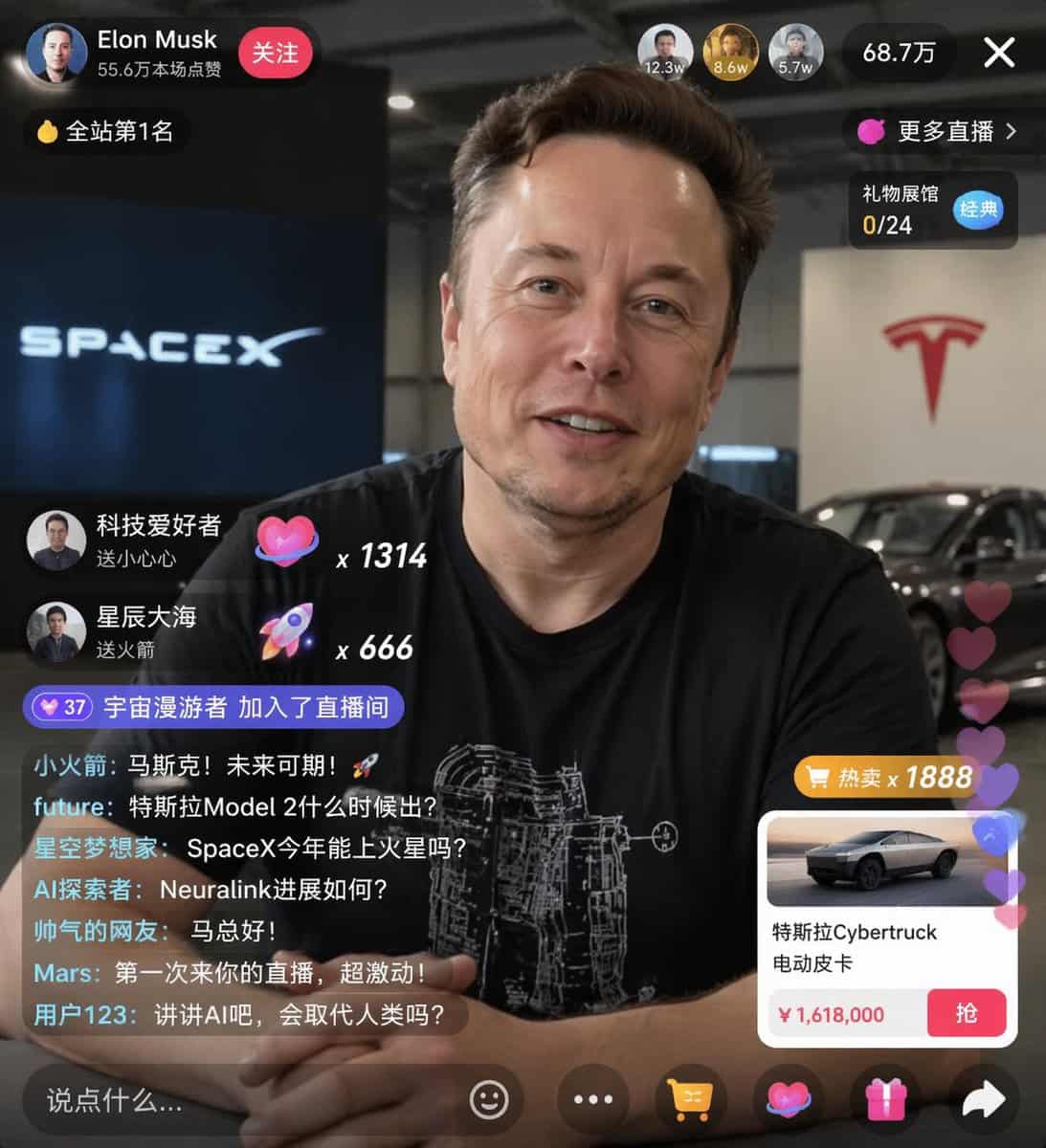
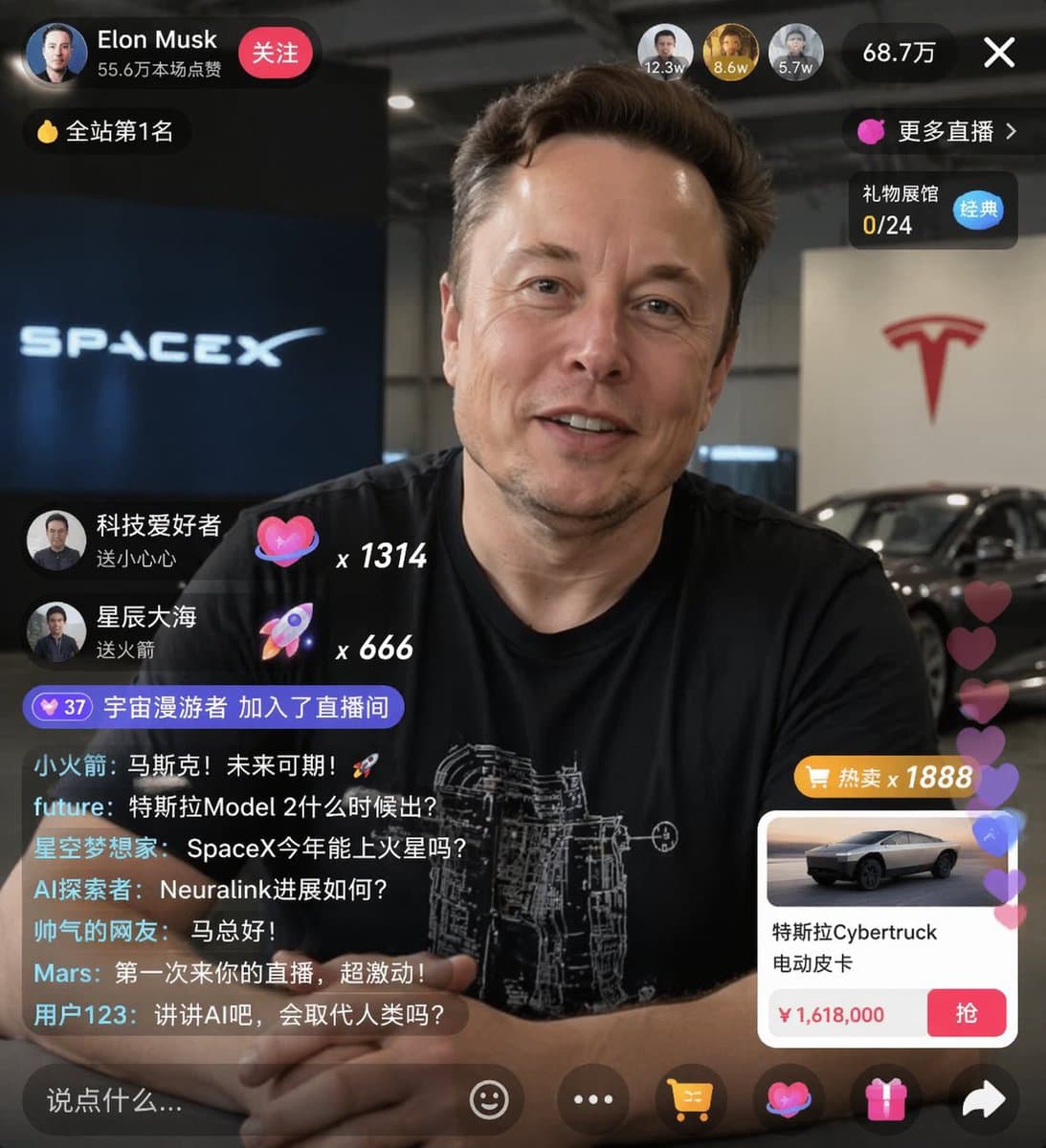
การจำลองสตรีมสดอีคอมเมิร์ซ UI
{ "type": "จำลอง UI สตรีมสด", "หัวเรื่อง": { "description": "ภาพเหมือนของ {argument name=\"host name\" default=\"Elon Musk\"} กำลังยิ้ม สวมเสื้อยืดสีดำพร้อมกราฟิกทางเทคนิคสีขาว", "พื้นหลัง": "ด้านซ้ายแสดงหน้าจอที่มีข้อค…
พรอมต์
{ "type": "จำลอง UI สตรีมสด", "หัวเรื่อง": { "description": "ภาพเหมือนของ {argument name=\"host name\" default=\"Elon Musk\"} กำลังยิ้ม สวมเสื้อยืดสีดำพร้อมกราฟิกทางเทคนิคสีขาว", "พื้นหลัง": "ด้านซ้ายแสดงหน้าจอที่มีข้อความ '{argument name=\"left background logo\" default=\"SPACEX\"}' ด้านขวาแสดงสีแดง '{argument name=\"right background logo\" default=\"Tesla T logo\"}' และรถสีเข้ม" }, "ui_overlay": { "top_header": { "host_info": "อวาตาร์ ชื่อ '{argument name=\"host name\" default=\"Elon Musk\"}' ข้อความย่อย '556,000 ไลค์' ปุ่ม 'ติดตาม' สีแดง", "rank_badge": "ไอคอนเหรียญทองพร้อม 'อันดับ 1 บนเว็บไซต์'", "viewer_stats": "อวตารของผู้ชมสูงสุด 3 รูปที่มีปุ่มปิด '12.3w', '8.6w', '5.7w', รวม '687,000', ปุ่มปิด 'X'", "right_links": "'ถ่ายทอดสดเพิ่มเติม >', 'Gift Exhibition Hall 0/24' พร้อมแท็ก 'Classic' สีน้ำเงิน" }, "mid_left_gifts": { "นับ": 2, "รายการ": [ "อวาตาร์ 'ผู้ชื่นชอบเทคโนโลยี', 'ส่งหัวใจเล็กๆ', ไอคอนหัวใจ x 1314", "อวตาร 'ทะเลเต็มไปด้วยดวงดาว', 'ส่งจรวด', ไอคอนจรวด x 666" ] }, "bottom_left_chat": { "system_message": "เหรียญตราระดับ 37 'ผู้พเนจรอวกาศเข้าร่วมห้องถ่ายทอดสด'", "message_count": 7, "ข้อความ": [ "ลิตเติ้ลร็อคเก็ต: มัสค์! อนาคตสดใส! 🚀", "อนาคต: Tesla Model 2 จะเปิดตัวเมื่อใด", "Star Dreamers: SpaceX สามารถไปดาวอังคารในปีนี้ได้หรือไม่", "AI Explorer: ความคืบหน้าของ Neuralink เป็นอย่างไรบ้าง", "ชาวเน็ตสุดหล่อ: สวัสดีคุณมะ!", "Mars: นี่เป็นครั้งแรกที่ฉันได้มาถ่ายทอดสดของคุณ ตื่นเต้นมาก!", "ผู้ใช้ 123: มาพูดถึง AI กันดีกว่า มันจะมาแทนที่มนุษย์ไหม?" ] }, "bottom_right_product_card": { "hot_tag": "สีส้ม 'ลดราคา x 1888'", "image": "เทสลา ไซเบอร์ทรัค", "title": "{argument name=\"product name\" default=\"特斯拉Cybertruck 电动皮卡\"}", "ราคา": "{argument name=\"product price\" default=\"¥ 1,618,000\"}", "button": "ปุ่ม 'คว้า' สีแดง", "floating_animation": "หัวใจโปร่งแสงลอยขึ้นขอบด้านขวา" }, "bottom_bar": { "input_field": "'พูดอะไรสักอย่าง...'", "icons": ["หน้ายิ้ม", "สามจุด", "ตะกร้าสินค้า", "กล่องของขวัญ", "แบ่งปัน"] } } }
วิธีการใช้งานพร้อมท์นี้
อ่านข้อความแจ้ง การจำลองสตรีมสดอีคอมเมิร์ซ UI ฉบับสมบูรณ์ และระบุวัตถุ สไตล์ กล้อง แสง และข้อกำหนดองค์ประกอบก่อนสร้าง
แทนที่ตัวยึดตำแหน่งแบบวงเล็บเหลี่ยมหรือแบบอาร์กิวเมนต์ด้วยข้อกำหนดเกี่ยวกับผลิตภัณฑ์ ตัวละคร แบรนด์ ฉาก ชุดสี หรืออัตราส่วนภาพ
เปิด https://www.gptimagehub.com/th/generate?promptId=cmogwxwj3009hzpdyjdxym0wy สร้างรูปภาพ จากนั้นปรับแต่งข้อความแจ้งด้วยหัวข้อ ข้อความ เค้าโครง หรือข้อจำกัดเชิงลบที่เฉพาะเจาะจงมากขึ้น หากจำเป็น
คำถามที่พบบ่อยพร้อมท์
พรอมต์ การจำลองสตรีมสดอีคอมเมิร์ซ UI ใช้ทำอะไรได้ดีที่สุด
ข้อความแจ้งนี้เหมาะที่สุดสำหรับอิมเมจ ออกแบบ ui / ux ที่คุณต้องการโครงสร้างที่นำมาใช้ซ้ำได้ ทิศทางของภาพโดยละเอียด และคุณภาพเอาต์พุตที่สม่ำเสมอ
ฉันสามารถแก้ไขพรอมต์ก่อนสร้างได้หรือไม่
ใช่ ข้อความแจ้งแบบเต็มจะปรากฏบนหน้านี้ เพื่อให้คุณสามารถเปลี่ยนชื่อเรื่อง ชื่อผลิตภัณฑ์ สี องค์ประกอบ ข้อกำหนดของกล้อง อัตราส่วนภาพ และหมายเหตุสไตล์ก่อนการสร้าง
ฉันควรใช้รุ่นใดกับข้อความแจ้งนี้
ใช้โมเดลที่แสดงในข้อมูลเมตาของพรอมต์เป็นจุดเริ่มต้นเริ่มต้น หากรูปภาพรุ่นอื่นรองรับอัตราส่วนภาพและรูปแบบคำสั่งเดียวกัน คุณสามารถปรับข้อความแจ้งและเปรียบเทียบผลลัพธ์ได้