
มัสแตงช็อตไลฟ์สไตล์สุดหรู
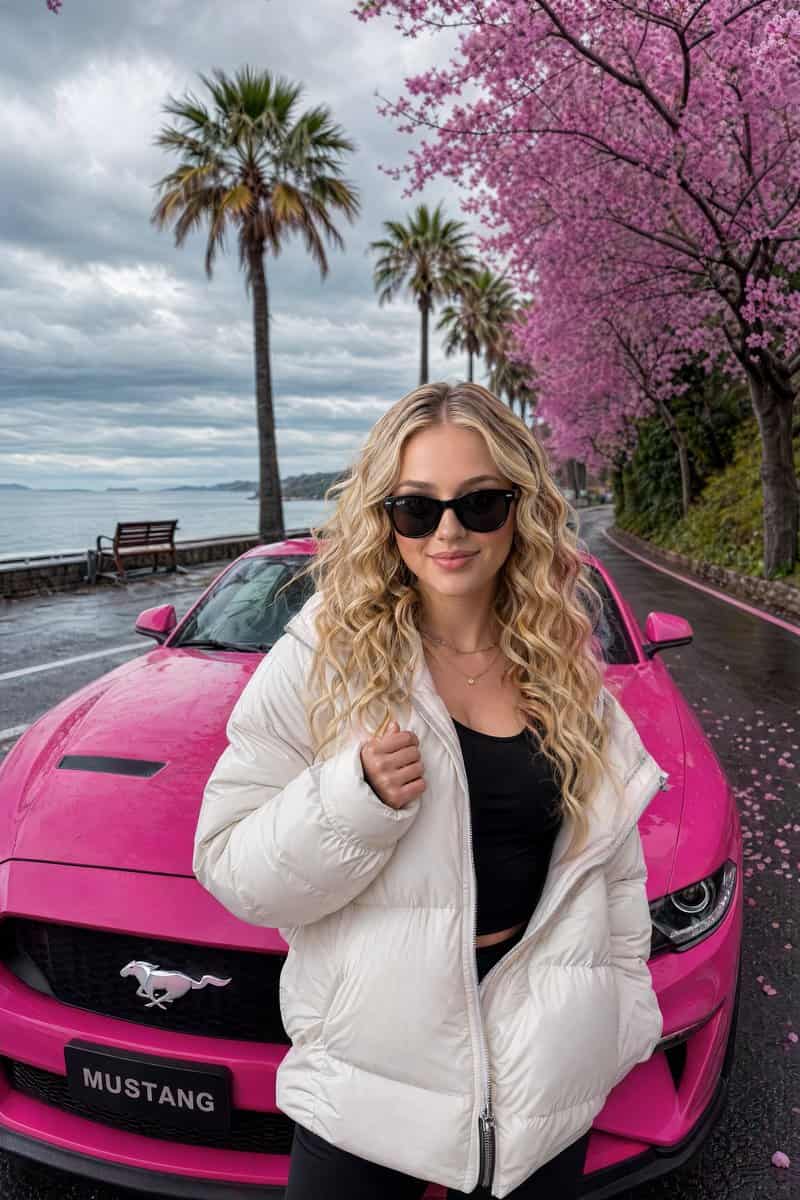
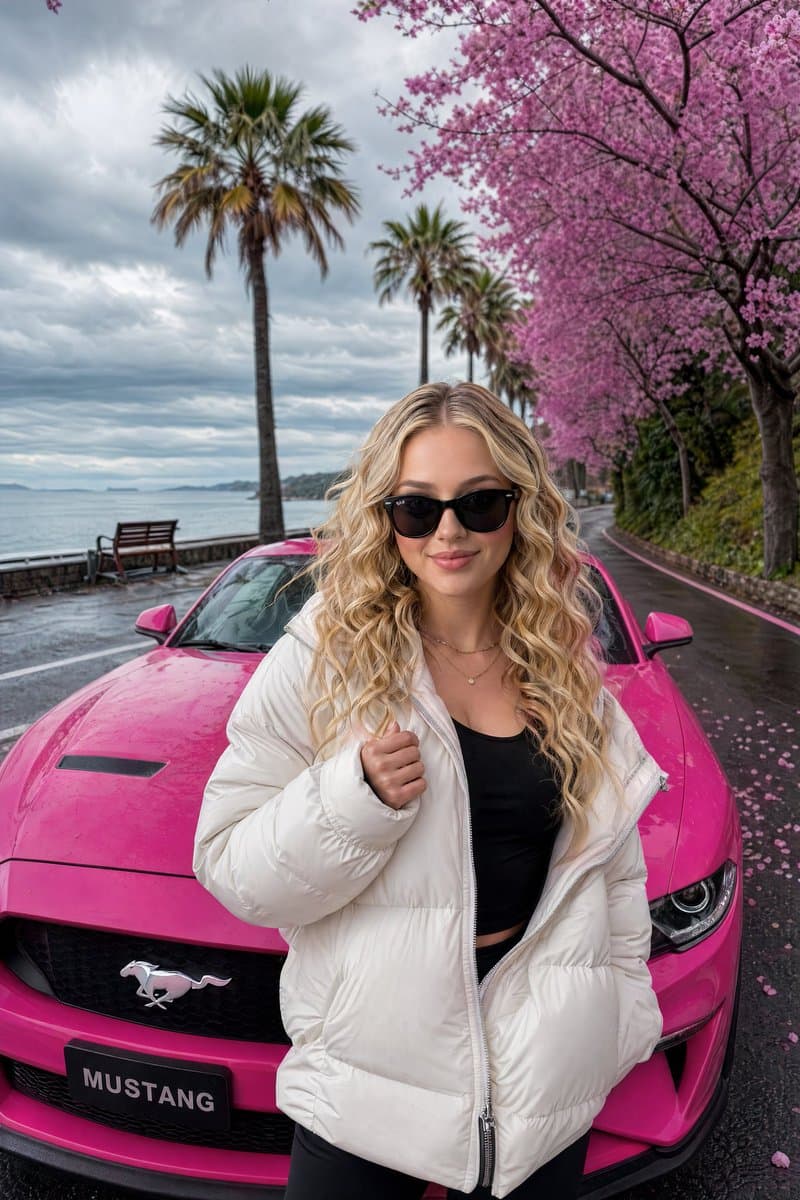
หญิงสาวมีสไตล์ที่มี {argument name="hair style" default="long wavy blonde hair"} โหนกแก้มที่ชัดเจน และการแสดงออกที่มั่นใจ สวมแว่นกันแดดสีดำและมี {argument name="clothing" default="thick white puffer jacket"} ทับเสื้อสีด…
พรอมต์
หญิงสาวมีสไตล์ที่มี {argument name="hair style" default="long wavy blonde hair"} โหนกแก้มที่ชัดเจน และการแสดงออกที่มั่นใจ สวมแว่นกันแดดสีดำและมี {argument name="clothing" default="thick white puffer jacket"} ทับเสื้อสีดำพอดีตัว ยืนอยู่ด้านหน้า {argument name="car" default="vibrant hot-pink Ford Mustang"} อย่างมั่นใจ เธอกำลังวางตัวด้วยมือข้างหนึ่งยกขึ้นเล็กน้อยใกล้กับหน้าอกของเธอ แสดงออกถึงทัศนคติและความสง่างามที่ง่ายดาย รถจอดอยู่บนถนนเลียบชายฝั่งที่สวยงามเรียงรายไปด้วยต้นซากุระสีชมพูบานสะพรั่งและต้นปาล์มสูง ด้านหลังเป็นทะเลอันเงียบสงบภายใต้ท้องฟ้าที่มืดครึ้มอย่างน่าตื่นตาและมีเมฆอ่อนนุ่ม กลีบดอกสีชมพูกระจัดกระจายบนยางมะตอยเปียก ม้านั่งไม้มองเห็นได้ทางด้านซ้ายใกล้ริมน้ำ การจัดแสงระดับภาพยนตร์, สมจริงเหมือนภาพถ่าย, พื้นผิวที่มีรายละเอียดเป็นพิเศษ, การสะท้อนของแสงธรรมชาติ, ภาพถ่ายไลฟ์สไตล์สุดหรูสไตล์ Instagram, สีสันสดใส, บรรยากาศที่เต็มไปด้วยอารมณ์, ความละเอียด 8k --ar 9:16 --stylize 250
วิธีการใช้งานพร้อมท์นี้
อ่านข้อความแจ้ง มัสแตงช็อตไลฟ์สไตล์สุดหรู ฉบับสมบูรณ์ และระบุวัตถุ สไตล์ กล้อง แสง และข้อกำหนดองค์ประกอบก่อนสร้าง
แทนที่ตัวยึดตำแหน่งแบบวงเล็บเหลี่ยมหรือแบบอาร์กิวเมนต์ด้วยข้อกำหนดเกี่ยวกับผลิตภัณฑ์ ตัวละคร แบรนด์ ฉาก ชุดสี หรืออัตราส่วนภาพ
เปิด https://www.gptimagehub.com/th/generate?promptId=cmogx03x400b7zpdykjhtub9z สร้างรูปภาพ จากนั้นปรับแต่งข้อความแจ้งด้วยหัวข้อ ข้อความ เค้าโครง หรือข้อจำกัดเชิงลบที่เฉพาะเจาะจงมากขึ้น หากจำเป็น
คำถามที่พบบ่อยพร้อมท์
พรอมต์ มัสแตงช็อตไลฟ์สไตล์สุดหรู ใช้ทำอะไรได้ดีที่สุด
ข้อความแจ้งนี้เหมาะที่สุดสำหรับอิมเมจ ออกแบบ ui / ux ที่คุณต้องการโครงสร้างที่นำมาใช้ซ้ำได้ ทิศทางของภาพโดยละเอียด และคุณภาพเอาต์พุตที่สม่ำเสมอ
ฉันสามารถแก้ไขพรอมต์ก่อนสร้างได้หรือไม่
ใช่ ข้อความแจ้งแบบเต็มจะปรากฏบนหน้านี้ เพื่อให้คุณสามารถเปลี่ยนชื่อเรื่อง ชื่อผลิตภัณฑ์ สี องค์ประกอบ ข้อกำหนดของกล้อง อัตราส่วนภาพ และหมายเหตุสไตล์ก่อนการสร้าง
ฉันควรใช้รุ่นใดกับข้อความแจ้งนี้
ใช้โมเดลที่แสดงในข้อมูลเมตาของพรอมต์เป็นจุดเริ่มต้นเริ่มต้น หากรูปภาพรุ่นอื่นรองรับอัตราส่วนภาพและรูปแบบคำสั่งเดียวกัน คุณสามารถปรับข้อความแจ้งและเปรียบเทียบผลลัพธ์ได้