
โมเสกพิกเซลนกแก้วเขตร้อน
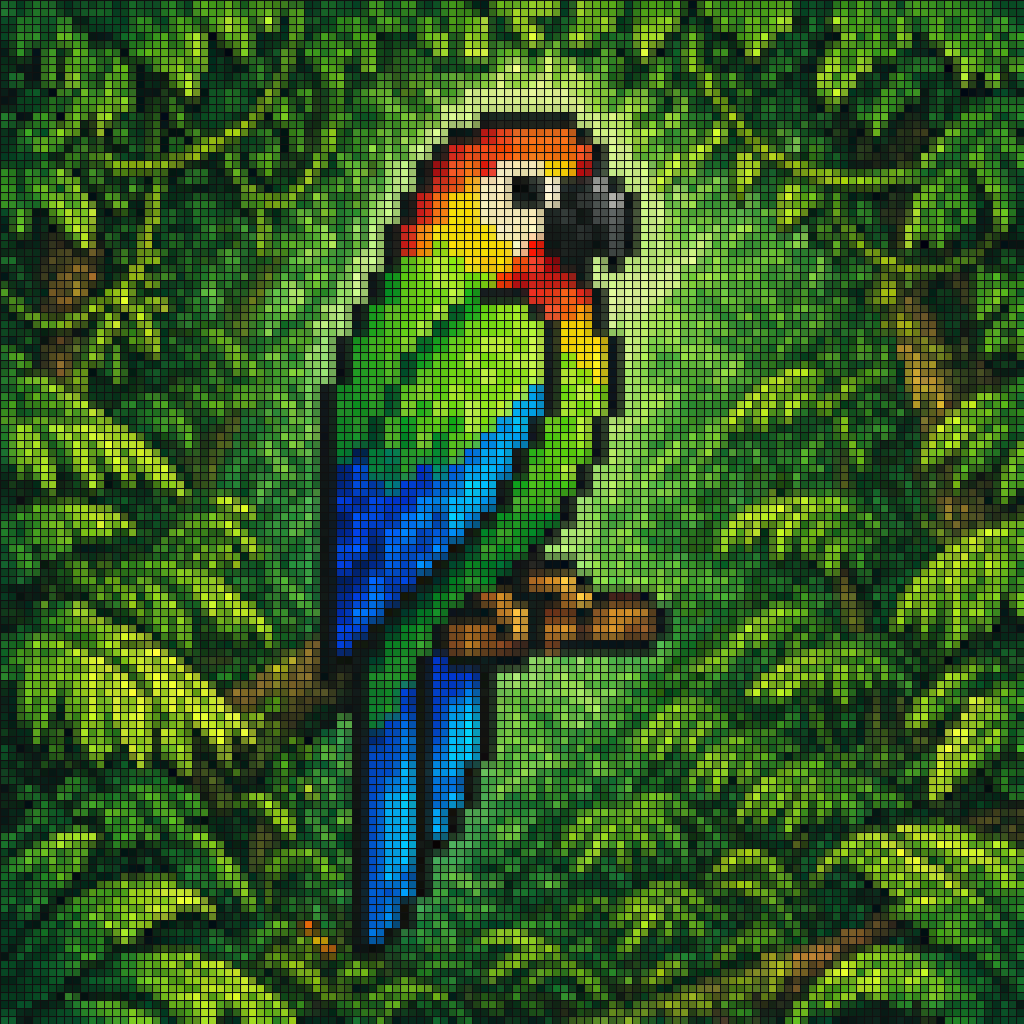
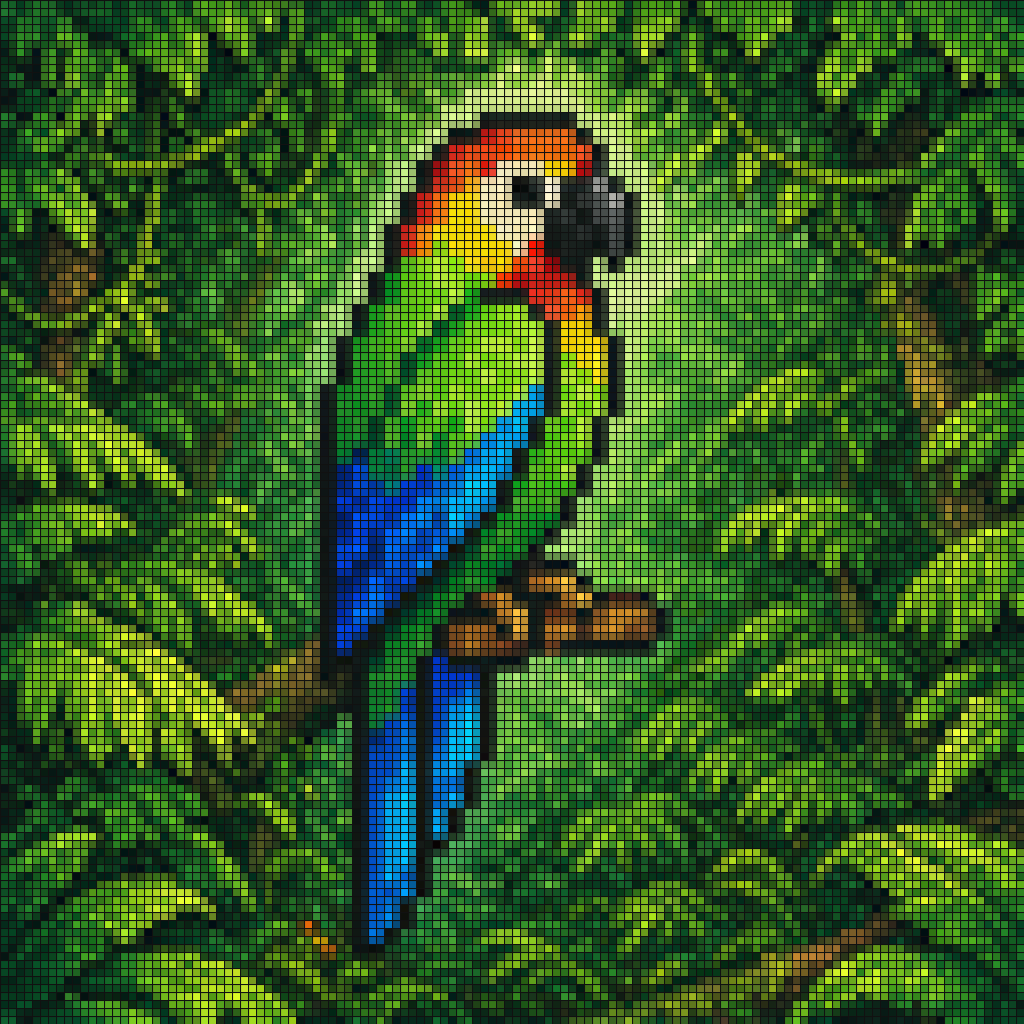
โมเสกสไตล์พิกเซลอาร์ตที่มีชีวิตชีวาของนกแก้วเขตร้อนที่เกาะอยู่บนกิ่งไม้สีน้ำตาลเล็กๆ กลางป่าฝนที่หนาแน่น รูปภาพทั้งหมดถูกเรนเดอร์เป็นตารางที่แน่นหนาของกระเบื้องสี่เหลี่ยมเล็กๆ โดยมีเส้นขอบสีดำที่มองเห็นได้ ทำให้เกิดเอฟเ…
พรอมต์
โมเสกสไตล์พิกเซลอาร์ตที่มีชีวิตชีวาของนกแก้วเขตร้อนที่เกาะอยู่บนกิ่งไม้สีน้ำตาลเล็กๆ กลางป่าฝนที่หนาแน่น รูปภาพทั้งหมดถูกเรนเดอร์เป็นตารางที่แน่นหนาของกระเบื้องสี่เหลี่ยมเล็กๆ โดยมีเส้นขอบสีดำที่มองเห็นได้ ทำให้เกิดเอฟเฟกต์กระจกสีหรือหน้าจอ LED นกแสดงโดยหันด้านข้างไปทางขวา โดยมีจะงอยปากสีดำโค้งขนาดใหญ่ ใบหน้าสีครีมซีด หน้าผากและลำคอสีส้มแดงสด ลำตัวส่วนบนเป็นสีเขียวสดใส ปีกและหางยาวเป็นสีน้ำเงินและสีฟ้าอิ่มตัว ป่าที่อยู่รอบๆ เต็มไปด้วยใบไม้สีเขียวเป็นชั้นๆ ในหลายเฉดสี พร้อมด้วยแสงสีเขียวอ่อนที่เรืองแสงอยู่ด้านหลังนกแก้วเพื่อแยกมันออกจากพื้นหลัง คอนทราสต์ของสีสูง จานสีทรอปิคัลที่เข้มข้น รูปแบบกระเบื้องที่คมชัด องค์ประกอบที่เน้นตรงกลาง ความสวยงามของโมเสกดิจิทัลในการตกแต่ง
วิธีการใช้งานพร้อมท์นี้
อ่านข้อความแจ้ง โมเสกพิกเซลนกแก้วเขตร้อน ฉบับสมบูรณ์ และระบุวัตถุ สไตล์ กล้อง แสง และข้อกำหนดองค์ประกอบก่อนสร้าง
แทนที่ตัวยึดตำแหน่งแบบวงเล็บเหลี่ยมหรือแบบอาร์กิวเมนต์ด้วยข้อกำหนดเกี่ยวกับผลิตภัณฑ์ ตัวละคร แบรนด์ ฉาก ชุดสี หรืออัตราส่วนภาพ
เปิด https://www.gptimagehub.com/th/generate?promptId=cmogwzqkd00avzpdyzifsbxe5 สร้างรูปภาพ จากนั้นปรับแต่งข้อความแจ้งด้วยหัวข้อ ข้อความ เค้าโครง หรือข้อจำกัดเชิงลบที่เฉพาะเจาะจงมากขึ้น หากจำเป็น
คำถามที่พบบ่อยพร้อมท์
พรอมต์ โมเสกพิกเซลนกแก้วเขตร้อน ใช้ทำอะไรได้ดีที่สุด
ข้อความแจ้งนี้เหมาะที่สุดสำหรับอิมเมจ โซเชียลมีเดีย ที่คุณต้องการโครงสร้างที่นำมาใช้ซ้ำได้ ทิศทางของภาพโดยละเอียด และคุณภาพเอาต์พุตที่สม่ำเสมอ
ฉันสามารถแก้ไขพรอมต์ก่อนสร้างได้หรือไม่
ใช่ ข้อความแจ้งแบบเต็มจะปรากฏบนหน้านี้ เพื่อให้คุณสามารถเปลี่ยนชื่อเรื่อง ชื่อผลิตภัณฑ์ สี องค์ประกอบ ข้อกำหนดของกล้อง อัตราส่วนภาพ และหมายเหตุสไตล์ก่อนการสร้าง
ฉันควรใช้รุ่นใดกับข้อความแจ้งนี้
ใช้โมเดลที่แสดงในข้อมูลเมตาของพรอมต์เป็นจุดเริ่มต้นเริ่มต้น หากรูปภาพรุ่นอื่นรองรับอัตราส่วนภาพและรูปแบบคำสั่งเดียวกัน คุณสามารถปรับข้อความแจ้งและเปรียบเทียบผลลัพธ์ได้