
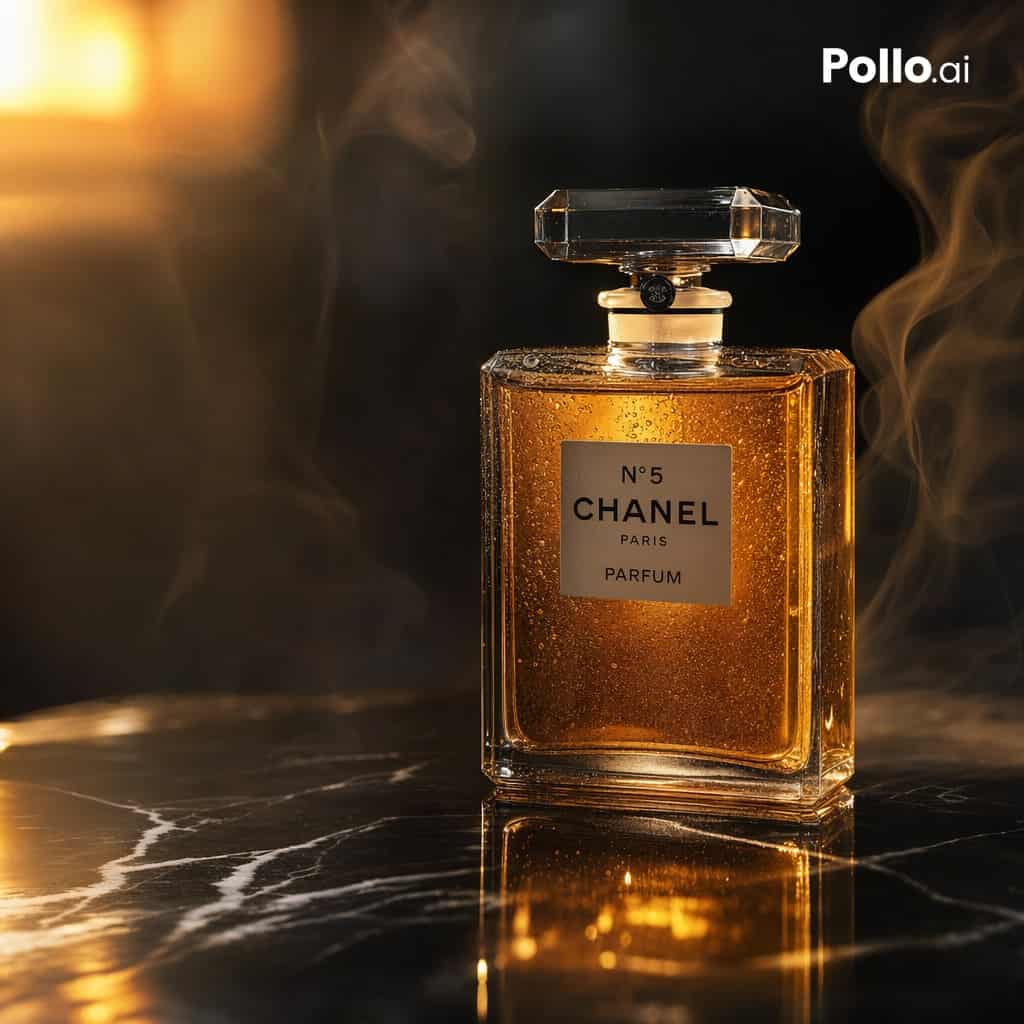
โฆษณาน้ำหอมอำพันสุดหรู
ภาพถ่ายผลิตภัณฑ์ระดับภาพยนตร์ที่หรูหราของขวดน้ำหอมทรงสี่เหลี่ยมผืนผ้าสุดคลาสสิกซึ่งได้รับแรงบันดาลใจจาก {argument name="brand label" default="N°5 CHANEL PARIS PARFUM"} วางตั้งตรงบนพื้นผิวหินอ่อนสีดำมันและมีเส้นสีขาว ขวด…
พรอมต์
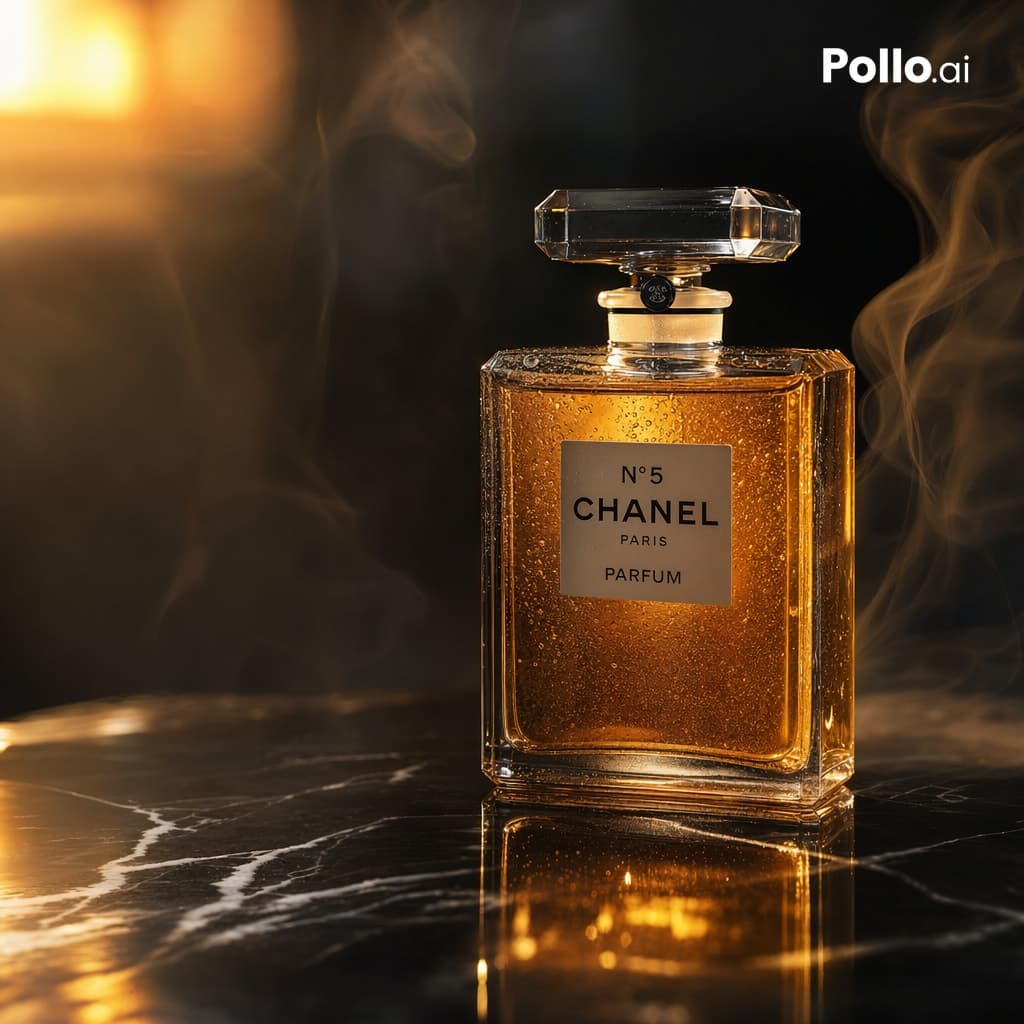
ภาพถ่ายผลิตภัณฑ์ระดับภาพยนตร์ที่หรูหราของขวดน้ำหอมทรงสี่เหลี่ยมผืนผ้าสุดคลาสสิกซึ่งได้รับแรงบันดาลใจจาก {argument name="brand label" default="N°5 CHANEL PARIS PARFUM"} วางตั้งตรงบนพื้นผิวหินอ่อนสีดำมันและมีเส้นสีขาว ขวดอยู่ตรงกลางไปทางขวาเล็กน้อย ทำจากแก้วเจียระไนใสพร้อมจุกคริสตัลใสขนาดใหญ่ เต็มไปด้วยน้ำหอมสีเหลืองอำพันทองที่เปล่งประกายจากภายใน หยดน้ำหยดเล็กๆ ปกคลุมกระจก เพิ่มพื้นผิวและความสมจริง แสงไฟอันอบอุ่นอันน่าทึ่งจากด้านซ้ายบนทำให้เกิดไฮไลท์สีทอง การสะท้อนที่ลึกบนหินอ่อน และแสงอันนุ่มนวลที่เบ่งบานในพื้นหลัง ควันที่สวยงามขดตัวอยู่รอบๆ ขวดทั้งสองด้าน ช่วยเพิ่มความรู้สึกโฆษณาระดับไฮเอนด์ที่ฉุนเฉียว พื้นหลังสีเข้ม ระยะชัดลึกที่ตื้น การถ่ายภาพผลิตภัณฑ์ในสตูดิโอที่มีรายละเอียดเป็นพิเศษ ความสวยงามของแคมเปญความงามที่หรูหรา การโฟกัสที่คมชัดบนขวด การสะท้อนที่สมจริง ชุดสีดำและสีทองที่อบอุ่น เพิ่ม {argument name="corner logo" default="Pollo.ai"} สีขาวเล็กๆ ที่มุมขวาบน องค์ประกอบสี่เหลี่ยมจัตุรัส โฆษณาเชิงพาณิชย์ระดับพรีเมียม สมจริงเหมือนภาพถ่าย คอนทราสต์สูง ประณีตและซับซ้อน
วิธีการใช้งานพร้อมท์นี้
อ่านข้อความแจ้ง โฆษณาน้ำหอมอำพันสุดหรู ฉบับสมบูรณ์ และระบุวัตถุ สไตล์ กล้อง แสง และข้อกำหนดองค์ประกอบก่อนสร้าง
แทนที่ตัวยึดตำแหน่งแบบวงเล็บเหลี่ยมหรือแบบอาร์กิวเมนต์ด้วยข้อกำหนดเกี่ยวกับผลิตภัณฑ์ ตัวละคร แบรนด์ ฉาก ชุดสี หรืออัตราส่วนภาพ
เปิด https://www.gptimagehub.com/th/generate?promptId=cmogx66jo00ftzpdyghybr6iq สร้างรูปภาพ จากนั้นปรับแต่งข้อความแจ้งด้วยหัวข้อ ข้อความ เค้าโครง หรือข้อจำกัดเชิงลบที่เฉพาะเจาะจงมากขึ้น หากจำเป็น
คำถามที่พบบ่อยพร้อมท์
พรอมต์ โฆษณาน้ำหอมอำพันสุดหรู ใช้ทำอะไรได้ดีที่สุด
ข้อความแจ้งนี้เหมาะที่สุดสำหรับอิมเมจ ออกแบบ ui / ux ที่คุณต้องการโครงสร้างที่นำมาใช้ซ้ำได้ ทิศทางของภาพโดยละเอียด และคุณภาพเอาต์พุตที่สม่ำเสมอ
ฉันสามารถแก้ไขพรอมต์ก่อนสร้างได้หรือไม่
ใช่ ข้อความแจ้งแบบเต็มจะปรากฏบนหน้านี้ เพื่อให้คุณสามารถเปลี่ยนชื่อเรื่อง ชื่อผลิตภัณฑ์ สี องค์ประกอบ ข้อกำหนดของกล้อง อัตราส่วนภาพ และหมายเหตุสไตล์ก่อนการสร้าง
ฉันควรใช้รุ่นใดกับข้อความแจ้งนี้
ใช้โมเดลที่แสดงในข้อมูลเมตาของพรอมต์เป็นจุดเริ่มต้นเริ่มต้น หากรูปภาพรุ่นอื่นรองรับอัตราส่วนภาพและรูปแบบคำสั่งเดียวกัน คุณสามารถปรับข้อความแจ้งและเปรียบเทียบผลลัพธ์ได้