
อวตารที่ได้แรงบันดาลใจจาก Monochrome Hermes
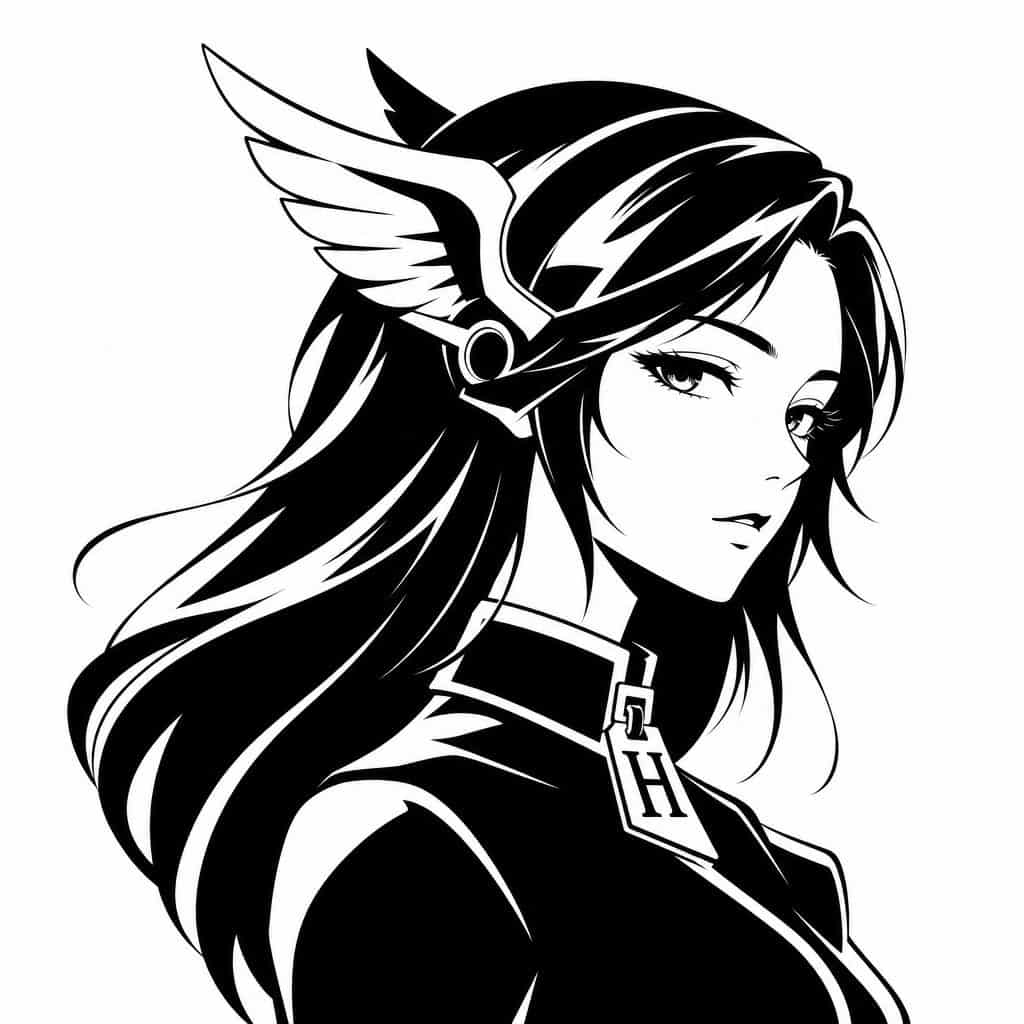
สร้างโลโก้อวตารเวกเตอร์ขาวดำสไตล์มินิมอลของหญิงสาวอนิเมะในตำนานที่แสดงในโปรไฟล์ด้านข้างที่สง่างามโดยหันไปทางขวา ครอบตัดจากหน้าอกขึ้นไปบนพื้นหลังสีขาวล้วน มอบผม {argument name="hair color" default="black"} ที่สลวยยาวของเ…
พรอมต์
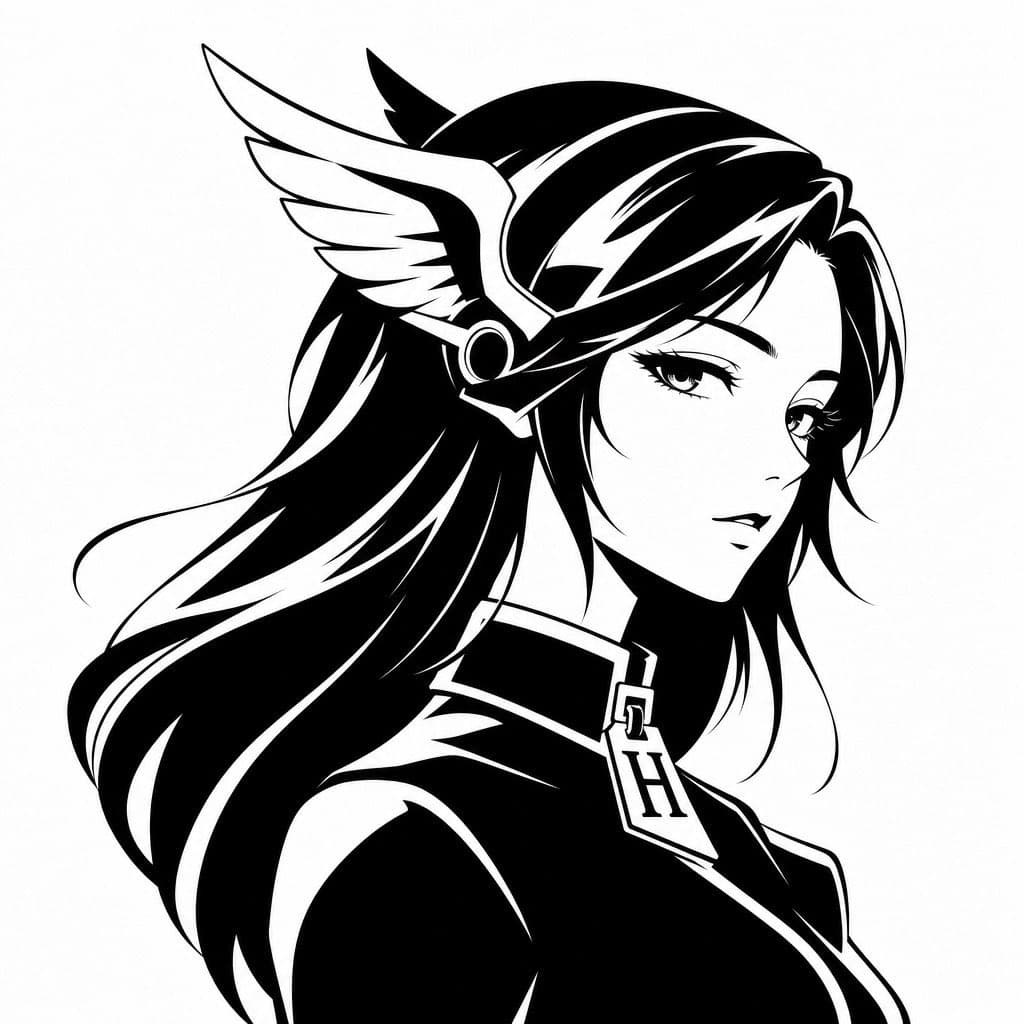
สร้างโลโก้อวตารเวกเตอร์ขาวดำสไตล์มินิมอลของหญิงสาวอนิเมะในตำนานที่แสดงในโปรไฟล์ด้านข้างที่สง่างามโดยหันไปทางขวา ครอบตัดจากหน้าอกขึ้นไปบนพื้นหลังสีขาวล้วน มอบผม {argument name="hair color" default="black"} ที่สลวยยาวของเธอด้วยเส้นไฮไลท์สีขาวหนาและรูปทรงกราฟิกที่เรียบเนียน แสดงผลเป็นศิลปะภาพเงาด้วยหมึกคอนทราสต์สูงพร้อมขอบคมที่สะอาดตา เธอสวมเครื่องประดับศีรษะมีปีกซึ่งชวนให้นึกถึง Hermes หรือหมวกเทพผู้ส่งสาร โดยมีปีกขนนกสีขาวขนาดใหญ่ที่มองเห็นได้ที่ด้านข้างศีรษะของเธอ และรายละเอียดหูฟังโลหะทรงกลม แต่งตัวให้เธอด้วยเสื้อผ้าปกสูงเรียบหรูที่ให้ความรู้สึกหรูหราแบบแฟชั่น และแขวนจี้ที่โดดเด่นหรือตัวดึงซิปที่มีรูปร่างเหมือนตัวอักษร {argument name="monogram letter" default="H"} ที่กึ่งกลางปกเสื้อ ใบหน้าถูกบดบังโดยเจตนาด้วยบล็อกเบลอสี่เหลี่ยมสีเทาอ่อนตรงกลาง ซึ่งครอบคลุมส่วนใบหน้าส่วนใหญ่ ทำให้เกิดเอฟเฟกต์ภาพโปรไฟล์ที่ไม่เปิดเผยตัวตนที่ถูกเซ็นเซอร์ สไตล์โดยรวม: อวตารของแบรนด์หรู โลโก้แฟชั่น ภาพเงาของเทพธิดาที่ได้รับแรงบันดาลใจจากอะนิเมะ สัญลักษณ์เวกเตอร์ขาวดำ ไฮไลท์พื้นที่เชิงลบที่ราบรื่น องค์ประกอบที่สมดุล ทันสมัยและเป็นสัญลักษณ์ เหมาะสำหรับรูปโปรไฟล์โซเชียลมีเดีย
วิธีการใช้งานพร้อมท์นี้
อ่านข้อความแจ้ง อวตารที่ได้แรงบันดาลใจจาก Monochrome Hermes ฉบับสมบูรณ์ และระบุวัตถุ สไตล์ กล้อง แสง และข้อกำหนดองค์ประกอบก่อนสร้าง
แทนที่ตัวยึดตำแหน่งแบบวงเล็บเหลี่ยมหรือแบบอาร์กิวเมนต์ด้วยข้อกำหนดเกี่ยวกับผลิตภัณฑ์ ตัวละคร แบรนด์ ฉาก ชุดสี หรืออัตราส่วนภาพ
เปิด https://www.gptimagehub.com/th/generate?promptId=cmogwytxx00a7zpdyulekvcl2 สร้างรูปภาพ จากนั้นปรับแต่งข้อความแจ้งด้วยหัวข้อ ข้อความ เค้าโครง หรือข้อจำกัดเชิงลบที่เฉพาะเจาะจงมากขึ้น หากจำเป็น
คำถามที่พบบ่อยพร้อมท์
พรอมต์ อวตารที่ได้แรงบันดาลใจจาก Monochrome Hermes ใช้ทำอะไรได้ดีที่สุด
ข้อความแจ้งนี้เหมาะที่สุดสำหรับอิมเมจ อื่น ๆ ที่คุณต้องการโครงสร้างที่นำมาใช้ซ้ำได้ ทิศทางของภาพโดยละเอียด และคุณภาพเอาต์พุตที่สม่ำเสมอ
ฉันสามารถแก้ไขพรอมต์ก่อนสร้างได้หรือไม่
ใช่ ข้อความแจ้งแบบเต็มจะปรากฏบนหน้านี้ เพื่อให้คุณสามารถเปลี่ยนชื่อเรื่อง ชื่อผลิตภัณฑ์ สี องค์ประกอบ ข้อกำหนดของกล้อง อัตราส่วนภาพ และหมายเหตุสไตล์ก่อนการสร้าง
ฉันควรใช้รุ่นใดกับข้อความแจ้งนี้
ใช้โมเดลที่แสดงในข้อมูลเมตาของพรอมต์เป็นจุดเริ่มต้นเริ่มต้น หากรูปภาพรุ่นอื่นรองรับอัตราส่วนภาพและรูปแบบคำสั่งเดียวกัน คุณสามารถปรับข้อความแจ้งและเปรียบเทียบผลลัพธ์ได้