
„Strona akt Biura Przechowania Mitycznych Stworzeń: Kirin”
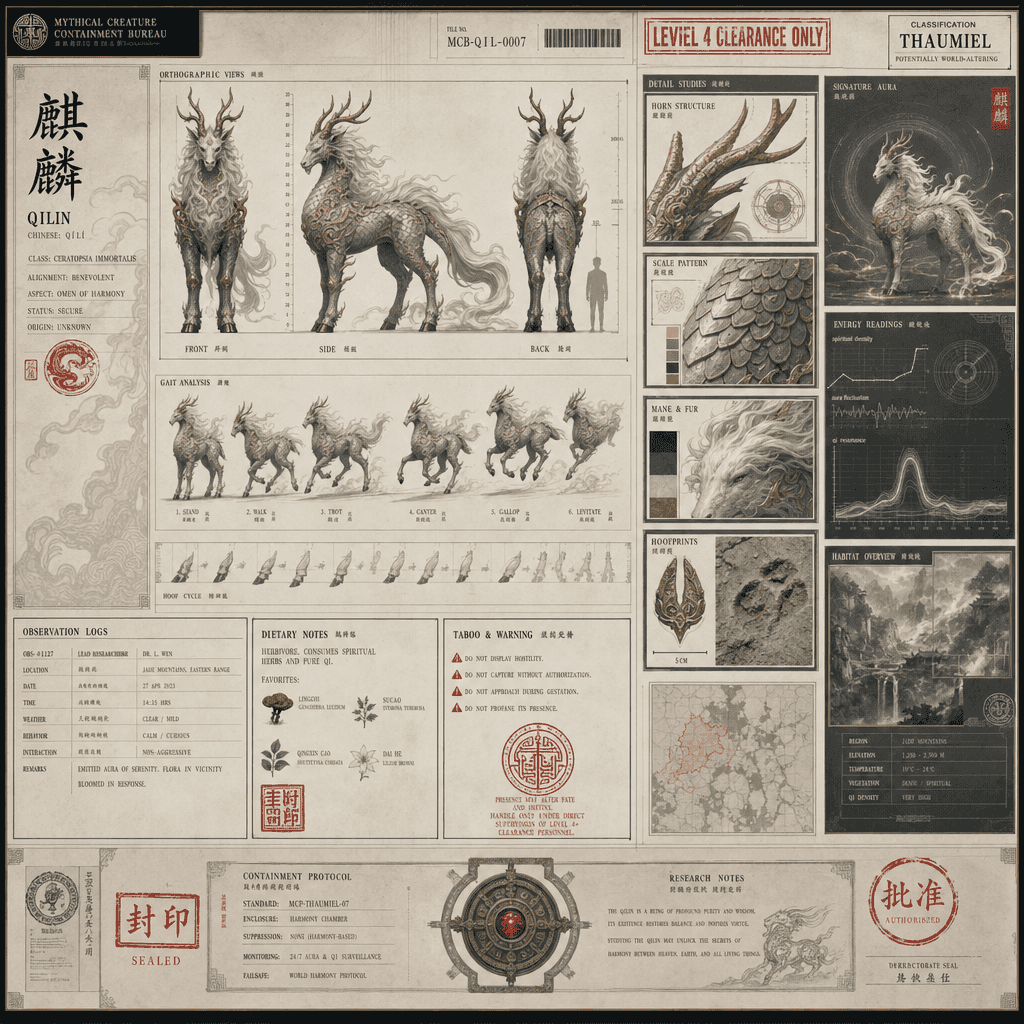
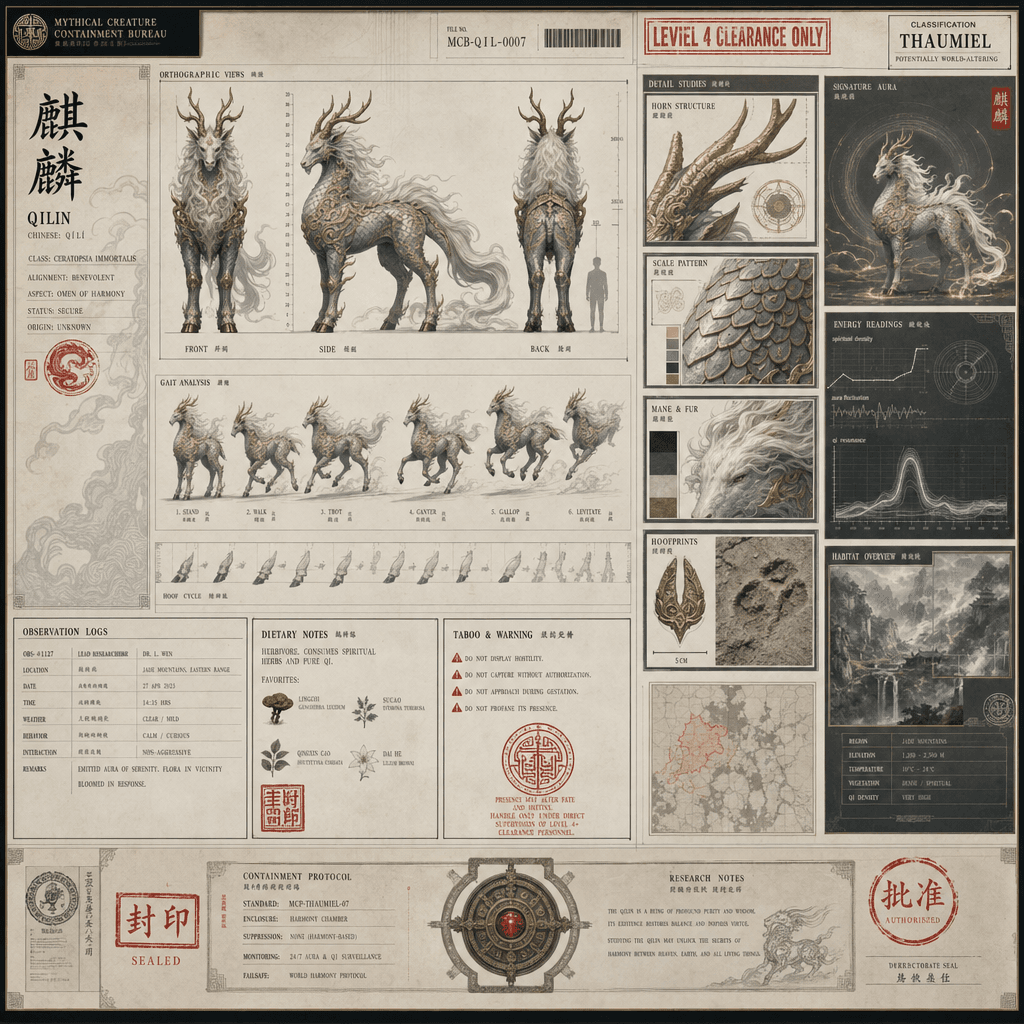
„Strona akt Biura Przechowania Mitycznych Stworzeń: Kirin” łączy projekt pliku instytucjonalnego z scenerią orientalnego stworzenia fantastycznego. Zdjęcie wygląda jak ściśle tajny plik przechowawczy. Po lewej stronie z…
Podpowiedź
„Strona akt Biura Przechowania Mitycznych Stworzeń: Kirin” łączy projekt pliku instytucjonalnego z scenerią orientalnego stworzenia fantastycznego. Zdjęcie wygląda jak ściśle tajny plik przechowawczy. Po lewej stronie znajduje się trójwymiarowy widok przodu, boku i tyłu Kirina oraz rozkład jego chodu. Po prawej stronie znajduje się róg, łuski, grzywa, szczegóły odcisku kopyt i moduł danych o środowisku siedliskowym. W pliku drukowana jest pieczęć rangi, dziennik obserwacji, nawyki żywieniowe i instrukcje tabu. Ogólny obraz ma poczucie świętości i spokojny temperament nowoczesnej instytucji, w proporcji 16:9.
Jak korzystać z tego monitu
Przed wygenerowaniem przeczytaj cały monit „Strona akt Biura Przechowania Mitycznych Stworzeń: Kirin” i określ temat, styl, wymagania dotyczące aparatu, oświetlenia i kompozycji.
Zastąp symbole zastępcze w nawiasach lub w stylu argumentów swoim produktem, postacią, marką, sceną, paletą kolorów lub wymaganiami dotyczącymi proporcji.
Otwórz https://www.gptimagehub.com/pl/generate?promptId=cmogxks6r00jdxt5g1ntlnlob, wygeneruj obraz, a następnie w razie potrzeby doprecyzuj monit, podając bardziej szczegółowy temat, tekst, układ lub ograniczenia negatywne.
Szybkie często zadawane pytania
Do czego najlepiej używać podpowiedzi „Strona akt Biura Przechowania Mitycznych Stworzeń: Kirin”?
Tego monitu najlepiej używać w przypadku obrazów inne, w przypadku których wymagana jest struktura wielokrotnego użytku, szczegółowy kierunek wizualny i stała jakość wyjściowa.
Czy mogę edytować monit przed wygenerowaniem?
Tak. Pełny tekst podpowiedzi jest widoczny na tej stronie, dzięki czemu możesz zmieniać tematy, nazwy produktów, kolory, kompozycję, warunki dotyczące aparatu, proporcje i uwagi dotyczące stylu przed wygenerowaniem.
Którego modelu powinienem użyć w przypadku tego monitu?
Użyj modelu pokazanego w metadanych zachęty jako domyślnego punktu początkowego. Jeśli inny model obrazu obsługuje ten sam współczynnik proporcji i styl instrukcji, możesz dostosować monit i porównać wyniki.