
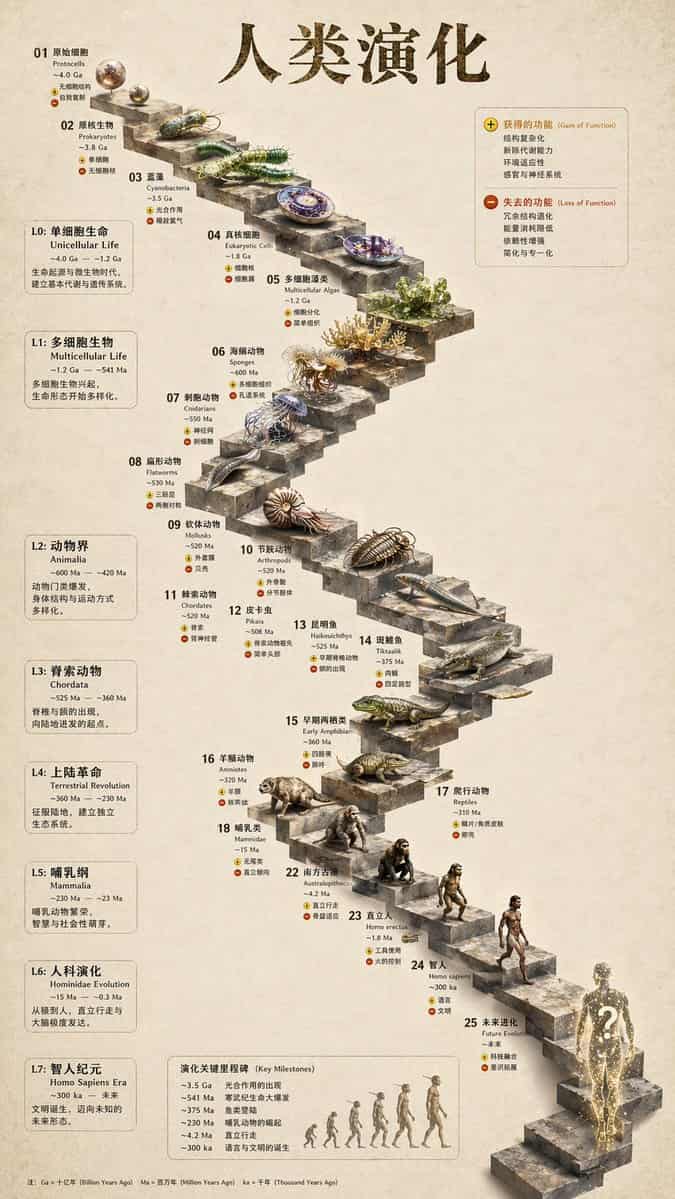
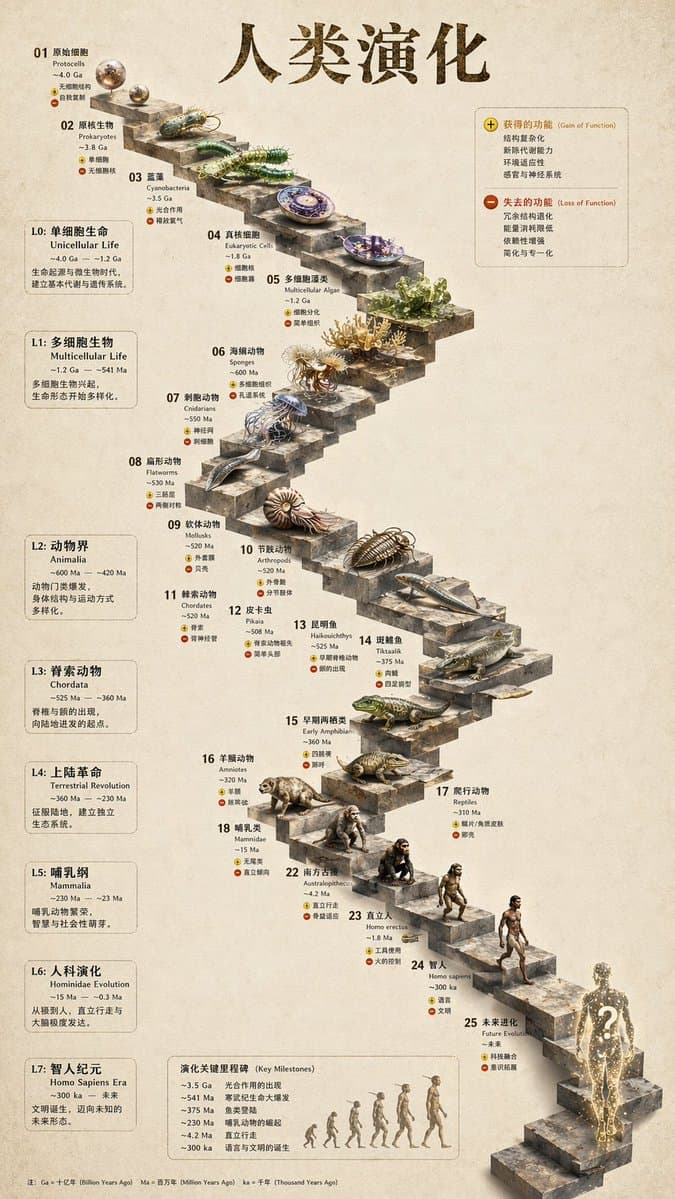
3D Infografika ewolucji kamiennych schodów
{ "type": "infografika ewolucyjnej osi czasu", "instrukcja": "Wykorzystując REFERENCE_0 jako podstawę konstrukcyjną, przekształć płaski projekt wektorowy w wysoce realistyczną infografikę 3D. Zastąp gładkie rampy wyraźn…
Podpowiedź
{ "type": "infografika ewolucyjnej osi czasu", "instrukcja": "Wykorzystując REFERENCE_0 jako podstawę konstrukcyjną, przekształć płaski projekt wektorowy w wysoce realistyczną infografikę 3D. Zastąp gładkie rampy wyraźnymi kamiennymi schodami i zmodernizuj wszystkie organizmy do fotorealistycznych modeli 3D.", „styl”: { "tło": "{argument name=\"background style\" default=\"vintage textured parchment paper\"}", "schody": "{argument name=\"staircase material\" default=\"realistic textured stone blocks\"}", "temat": "{argument name=\"organism style\" default=\"highly detailed photorealistic 3D renders\"}" }, „układ”: { "main_title": "{argument name=\"main title\" default=\"人类演化\"}", „sekcje”: [ { "position": "lewy pasek boczny", „liczba”: 8, „labels”: [„L0: Życie jednokomórkowe”, „L1: Organizmy wielokomórkowe”, „L2: Animalia”, „L3: Chordata”, „L4: Rewolucja ziemska”, „L5: Ssaki”, „L6: Ewolucja Hominina”, „L7: Era Homo sapiens”] }, { "pozycja": "prawy górny róg", "title": "Funkcja zdobyta / funkcja utracona", "description": "Legenda z ikonami plusa i minusa" }, { "pozycja": "dolny środek", "title": "Kluczowe kamienie milowe w ewolucji", „liczba”: 6, "description": "Oś czasu z grafiką sylwetek 6 postaci przedstawiających ewolucję małpy w człowieka" } ], „element centralny”: { "description": "Kręte kamienne schody z 25 ponumerowanymi stopniami przedstawiającymi określone organizmy.", „liczba”: 25, „notable_elements”: [ „Krok 07: Meduza”, „Krok 09: Amonit”, „Krok 10: Trylobit”, „Krok 24: Chodzący człowiek”, „Krok 25: {argument name=\"future evolution concept\" default=\"glowing cosmic silhouette with a question mark\"}” ] } } }
Jak korzystać z tego monitu
Przed wygenerowaniem przeczytaj cały monit 3D Infografika ewolucji kamiennych schodów i określ temat, styl, wymagania dotyczące aparatu, oświetlenia i kompozycji.
Zastąp symbole zastępcze w nawiasach lub w stylu argumentów swoim produktem, postacią, marką, sceną, paletą kolorów lub wymaganiami dotyczącymi proporcji.
Otwórz https://www.gptimagehub.com/pl/generate?promptId=cmogwy3me009lzpdyd0vcxqra, wygeneruj obraz, a następnie w razie potrzeby doprecyzuj monit, podając bardziej szczegółowy temat, tekst, układ lub ograniczenia negatywne.
Szybkie często zadawane pytania
Do czego najlepiej używać podpowiedzi 3D Infografika ewolucji kamiennych schodów?
Tego monitu najlepiej używać w przypadku obrazów infografika / edukacja, w przypadku których wymagana jest struktura wielokrotnego użytku, szczegółowy kierunek wizualny i stała jakość wyjściowa.
Czy mogę edytować monit przed wygenerowaniem?
Tak. Pełny tekst podpowiedzi jest widoczny na tej stronie, dzięki czemu możesz zmieniać tematy, nazwy produktów, kolory, kompozycję, warunki dotyczące aparatu, proporcje i uwagi dotyczące stylu przed wygenerowaniem.
Którego modelu powinienem użyć w przypadku tego monitu?
Użyj modelu pokazanego w metadanych zachęty jako domyślnego punktu początkowego. Jeśli inny model obrazu obsługuje ten sam współczynnik proporcji i styl instrukcji, możesz dostosować monit i porównać wyniki.