
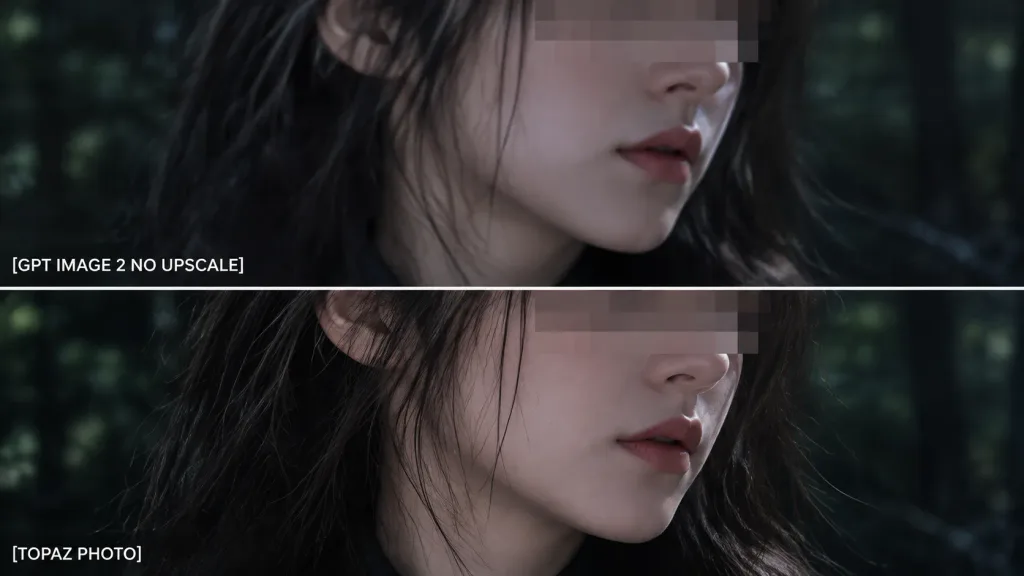
2단 화질 비교 줌 크롭
사용자 지정 라벨이 포함된 상하 2단 디테일 확대 비교 이미지를 생성합니다. 테스트 목적에 맞게 텍스트 라벨과 배경 세부 요소를 수정해 보세요.
프롬프트
Using the reference photo as the source image, create an extreme zoom-in crop for a detail-comparison view: - Composition: Two stacked horizontal comparison panels separated by a clean divider line. Crop tightly around the subject's face, hair, jawline, and neck so the facial area occupies most of the frame, showing only slivers of the [forest background] along the edges. - Elements & Text: Preserve the existing anonymizing face blocks. Display exactly two white text labels on the left: "[GPT IMAGE 2 NO UPSCALE]" in the upper panel and "[TOPAZ PHOTO]" in the lower panel. - Lighting & Style: Retain the dark cinematic lighting, authentic colors, and side-by-side sharpness differences. - Constraints: Do not add new objects, modify the subject, or add extra text.
바꿔 쓸 수 있는 부분
생성하기 전에 프롬프트의 이 부분을 원하는 주제나 문구로 바꿔 보세요.
[forest background]자리 표시자[GPT IMAGE 2 NO UPSCALE]자리 표시자[TOPAZ PHOTO]자리 표시자
프롬프트 정보
- 카테고리
- 인포그래픽 / 교육
- 모델
- GPT IMAGE 2
- 이미지당 비용
- 1K: 43 크레딧 · 2K: 86 크레딧 · 4K: 143 크레딧
- 화면 비율
- 16:9
- 추가일