
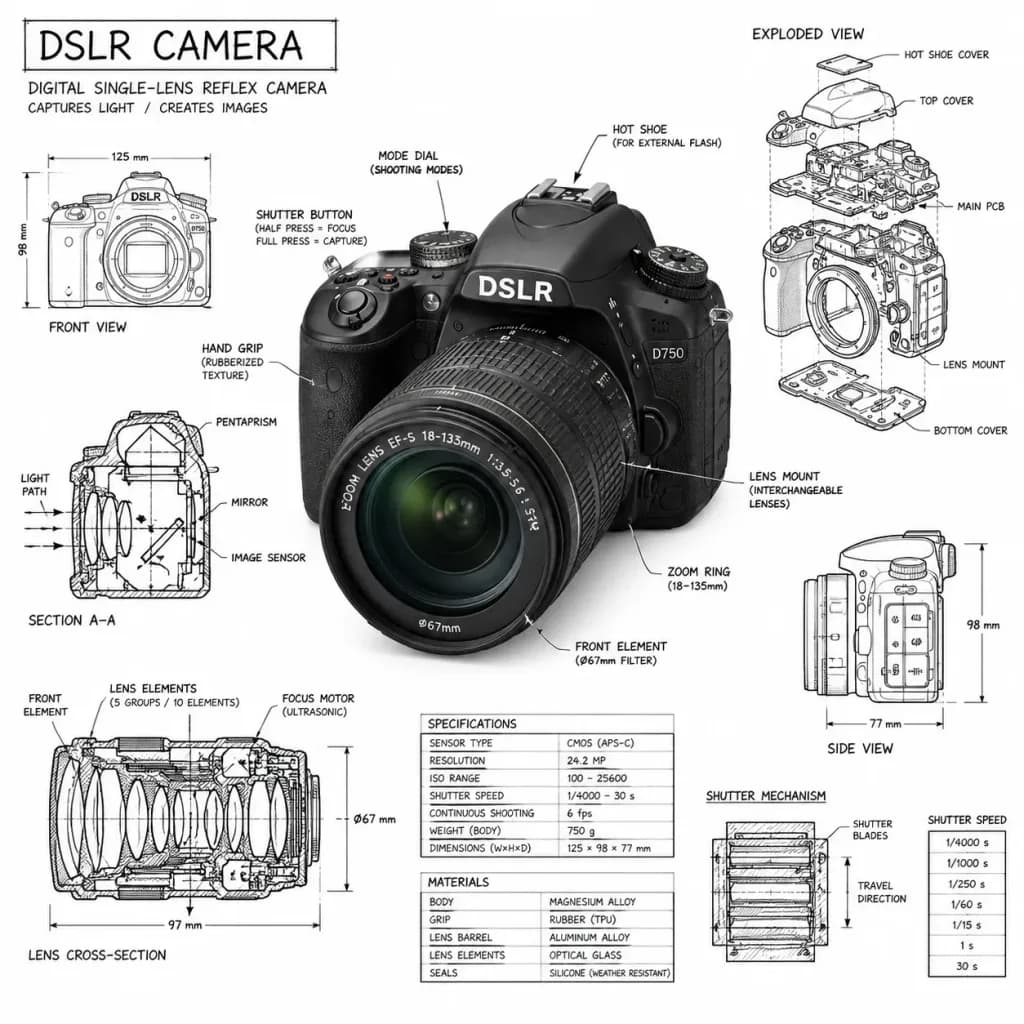
기술 매뉴얼 인포그래픽 오버레이
깔끔한 흰색 배경에 사실적인 렌더링과 건축 제도 스타일의 주석을 결합합니다. 피사체와 타이틀을 바꿔 독창적인 설계도를 만들어 보세요.
프롬프트
An infographic-style technical illustration of [a mechanical object], seamlessly fusing a photorealistic render of the subject with hand-drawn technical annotations layered directly on top, set against a [pure white studio backdrop]. Annotations and Schematics: - Rendered in crisp black ink linework with matching architectural pen lettering. - Component labels pointing to key parts, with exploded-view outlines and cutaways revealing internal mechanics. - Precise dimensions, scale markers, measurements, and material callouts. - Directional arrows indicating motion, force, or flow (such as airflow, pressure, or current). - Supporting miniature schematics and cross-section diagrams placed strategically around the main subject. - A hand-drawn annotation title box tucked in one corner reading '[OBJECT]'. Style & Composition: - The photorealistic object remains fully visible beneath the technical linework. - Architectural drafting manual aesthetic combined with modern museum exhibit display. - Balanced composition with clean negative space. - Strict palette: pure white background, sharp black ink lines and text only, no other colors.
바꿔 쓸 수 있는 부분
생성하기 전에 프롬프트의 이 부분을 원하는 주제나 문구로 바꿔 보세요.
[a mechanical object]자리 표시자[pure white studio backdrop]자리 표시자[OBJECT]자리 표시자
프롬프트 정보
- 카테고리
- 인포그래픽 / 교육
- 모델
- GPT IMAGE 2
- 이미지당 비용
- 1K: 43 크레딧 · 2K: 86 크레딧 · 4K: 143 크레딧
- 화면 비율
- 1:1
- 추가일