
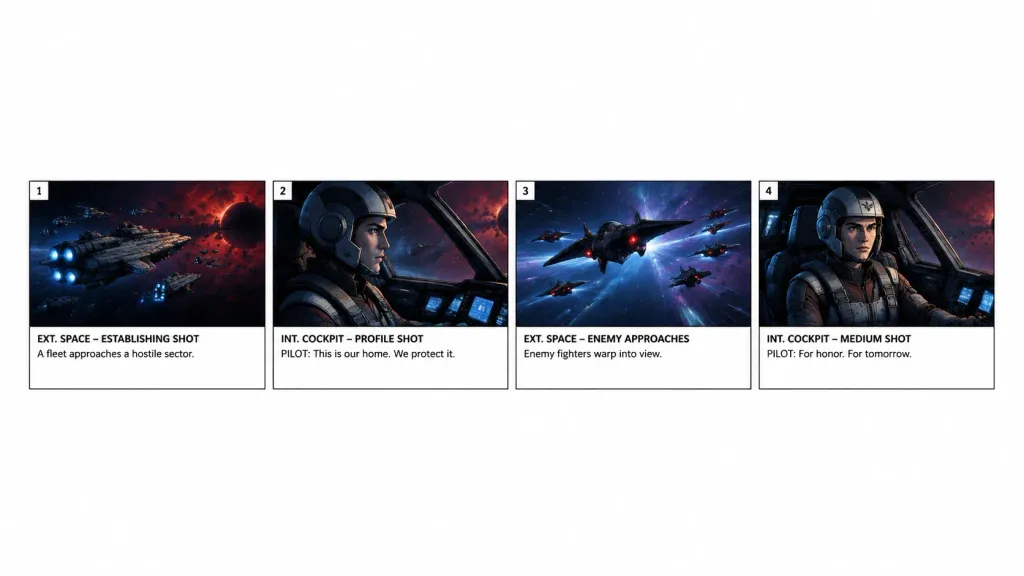
스토리보드 단일 행 씬 추출
기존 스토리보드의 처음 네 컷을 추출해 흰 배경 위에 깔끔한 가로형 스트립으로 재구성합니다. 컷 범위나 씬 설명을 변경해 특정 시퀀스를 분리해보세요.
프롬프트
Using the reference photo as the source storyboard, extract only panels [1–4] for a [15-second scene] and regenerate them as a standalone horizontal storyboard strip. Keep exactly 4 panels arranged in a single row across the lower-middle of a wide white canvas, surrounded by generous blank white space. Faithfully preserve the original artwork, panel borders, numbering, shot labels, and text: 1) “EXT. SPACE – ESTABLISHING SHOT” with “A fleet approaches a hostile sector.” 2) “INT. COCKPIT – PROFILE SHOT” with “PILOT: This is our home. We protect it.” 3) “EXT. SPACE – ENEMY APPROACHES” with “Enemy fighters warp into view.” 4) “INT. COCKPIT – MEDIUM SHOT” with “PILOT: For honor. For tomorrow.” Remove the overall project header, metadata, and all subsequent panels. Do not add new graphics, titles, or watermarks.
바꿔 쓸 수 있는 부분
생성하기 전에 프롬프트의 이 부분을 원하는 주제나 문구로 바꿔 보세요.
[1–4]자리 표시자[15-second scene]자리 표시자“EXT. SPACE – ESTABLISHING SHOT”따옴표 안 문구“A fleet approaches a hostile sector.”따옴표 안 문구“INT. COCKPIT – PROFILE SHOT”따옴표 안 문구“PILOT: This is our home. We protect it.”따옴표 안 문구“EXT. SPACE – ENEMY APPROACHES”따옴표 안 문구“Enemy fighters warp into view.”따옴표 안 문구
프롬프트 정보
- 카테고리
- 시네마틱 / 영화 스틸
- 모델
- GPT IMAGE 2
- 이미지당 비용
- 1K: 43 크레딧 · 2K: 86 크레딧 · 4K: 143 크레딧
- 화면 비율
- 16:9
- 추가일