
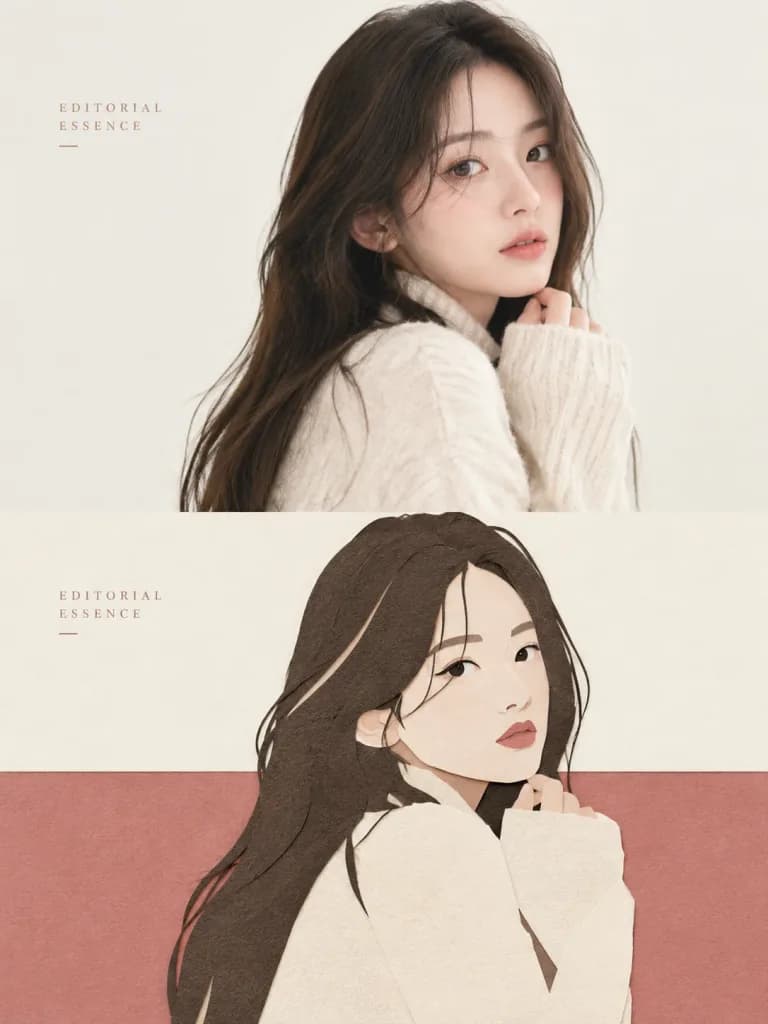
사진과 페이퍼 커팅 분할 포스터
참조 사진을 상단의 실제 사진과 하단의 미니멀한 페이퍼 컷 콜라주로 분할된 에디토리얼 포스터로 변환합니다. 텍스트와 색상을 변경해 활용하세요.
프롬프트
Create an editorial art poster based on the reference photo with a strict vertical 3:4 composition, split horizontally into two equal halves. Upper Half: Preserve the reference photo's subject, facial features, pose, textures, and natural lighting with subtle editorial color grading. Maintain subject authenticity without distortion. Lower Half: Reinterpret the main subject into a minimalist cut-paper collage using simplified silhouettes, geometric cutout shapes, layered paper textures, and subtle paper grain. Eliminate unnecessary background elements while retaining the subject's recognizable silhouette and form. Composition & Layout: Split color-field layout featuring near-white negative space above and a solid-color base spanning the lower width. Position the subject near the dividing line with clean horizontal edges and asymmetrical visual balance. Color & Texture: Extract 2–4 dominant colors from the reference photo and convert them into a refined, soft pastel palette. Use handcrafted paper edges and depth achieved through overlapping flat layers rather than realistic shadows or perspective. Typography: Minimal, elegant editorial text reading "[EDITORIAL ESSENCE]" placed discreetly in the negative space or along the outer margins. Style: High-end art magazine aesthetic blending realistic photography, paper cutout art, and modernist graphic design. Avoid clutter, heavy gradients, 3D effects, and cartoon styles.
바꿔 쓸 수 있는 부분
생성하기 전에 프롬프트의 이 부분을 원하는 주제나 문구로 바꿔 보세요.
[EDITORIAL ESSENCE]자리 표시자
프롬프트 정보
- 카테고리
- 포스터 및 일러스트
- 모델
- GPT IMAGE 2
- 이미지당 비용
- 1K: 43 크레딧 · 2K: 86 크레딧 · 4K: 143 크레딧
- 화면 비율
- 3:4
- 추가일