
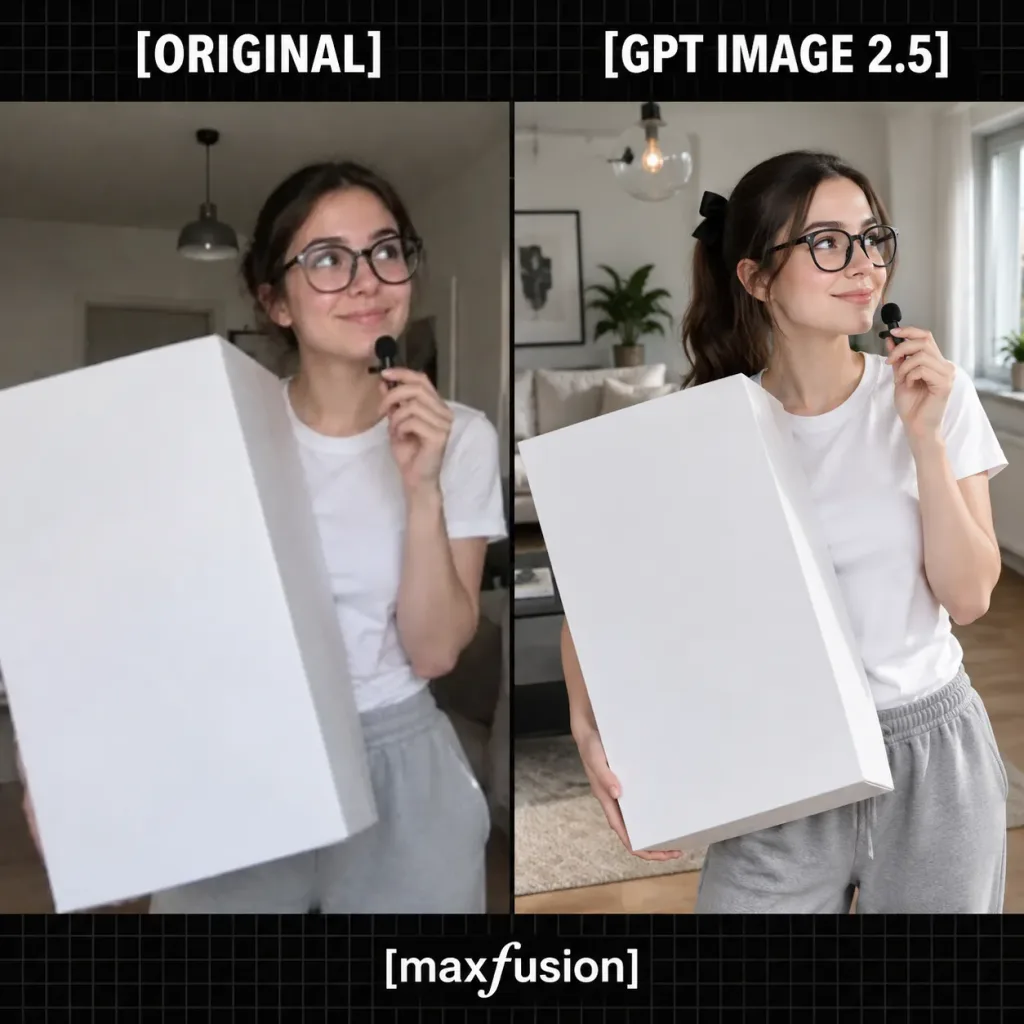
나란히 배치된 사진 재현 비교 그래픽
오리지널 UGC 사진과 AI 재현 결과물을 비교하는 정방형 소셜 미디어 분할 그래픽을 생성합니다. 라벨, 배경 소품, 인물 외모를 변경하여 활용할 수 있습니다.
프롬프트
A square comparison graphic showing a photo recreation test, split vertically into two side-by-side image panels over a black background with a subtle dark gray grid pattern, framed by a top header band and a bottom footer band. Typography & Branding: - Above the left panel: large bold white all-caps text reading "[ORIGINAL]". - Above the right panel: large bold white all-caps text reading "[GPT IMAGE 2.5]". - Bottom center: white lowercase text reading "[maxfusion]" with a stylized italic 'f'. - Exactly three text labels total. Left Panel (Original Photo): - Style: Low-resolution, slightly blurry casual UGC smartphone photo. - Subject: A young woman with dark brown hair pulled back, wearing oversized round black glasses, a white short-sleeve T-shirt, and light gray sweatpants. She looks slightly upward and to the right with a playful smile while holding a tiny black microphone near her lips. - Props & Setting: A very large plain white rectangular box dominates the foreground. Background is a neutral indoor apartment with soft ambient lighting and a ceiling pendant. Right Panel (AI Recreation): - Style: Ultra-sharp, highly polished photorealistic rendering of the same moment. - Subject: The same young woman with [dark brown] hair tied in a ponytail with a black bow, wearing oversized black glasses, a crisp white T-shirt, and loose gray sweatpants, smiling to the right while holding the small black microphone near her mouth. - Props & Setting: She holds an oversized white rectangular box angled in perspective with crisp edges and soft gray shadows. Background is a bright modern living room with a sofa, rug, hardwood floor, houseplant, framed wall art, and a glass globe pendant lamp.
바꿔 쓸 수 있는 부분
생성하기 전에 프롬프트의 이 부분을 원하는 주제나 문구로 바꿔 보세요.
[ORIGINAL]자리 표시자[GPT IMAGE 2.5]자리 표시자[maxfusion]자리 표시자[dark brown]자리 표시자
프롬프트 정보
- 카테고리
- 소셜 미디어
- 모델
- GPT IMAGE 2
- 이미지당 비용
- 1K: 43 크레딧 · 2K: 86 크레딧 · 4K: 143 크레딧
- 화면 비율
- 1:1
- 추가일