
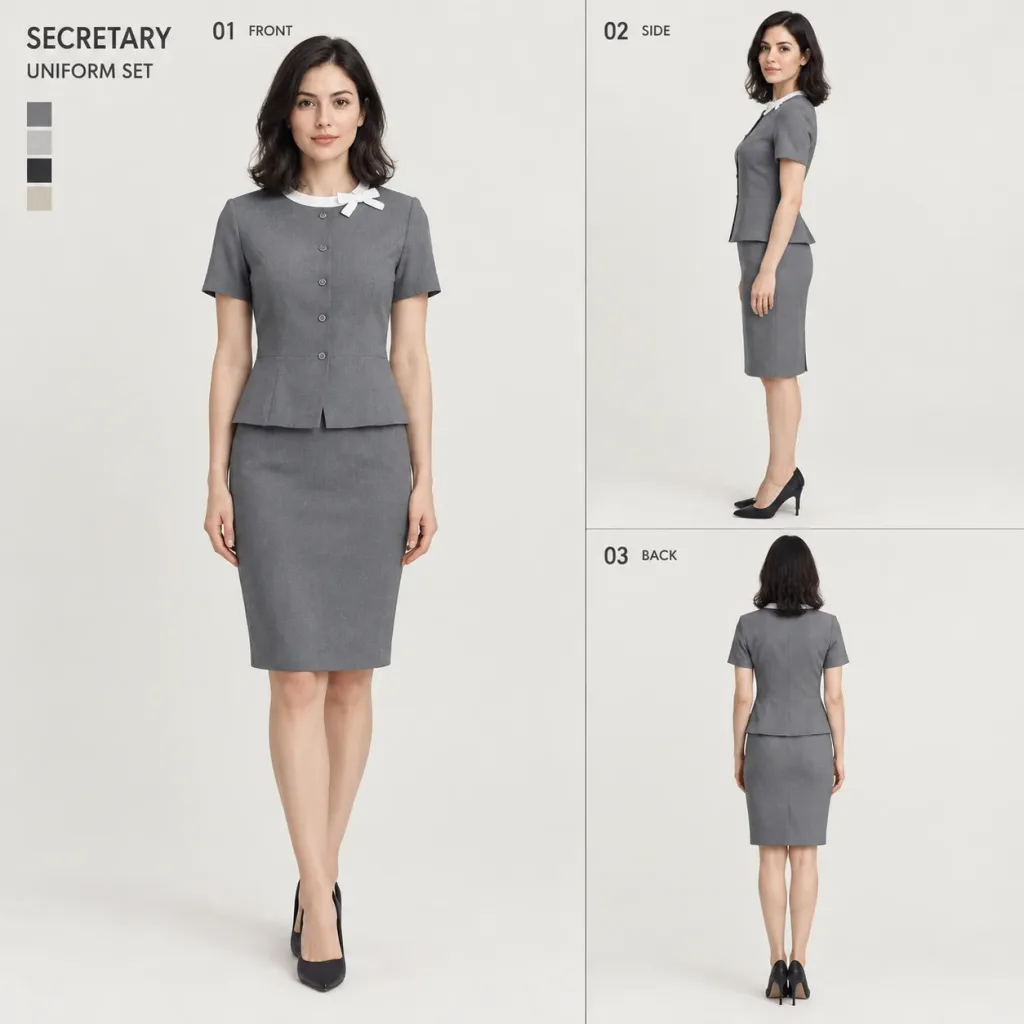
비서 유니폼 3면 캐릭터 디자인 시트
참조 사진의 인물을 바탕으로 비서 유니폼의 전문적인 3면 디자인 시트를 생성합니다. 대괄호 안의 유니폼 색상과 레이아웃을 맞춤 조정하세요.
프롬프트
A professional fashion design reference sheet displaying a three-view character turnaround of the woman from the reference photo wearing a tailored secretary uniform. Sheet type: [Design-focused]. Aspect ratio 1:1. Clean, light neutral off-white studio background. Layout Composition: Divided into a primary left section (approx. 60% width) and a right section (approx. 40% width). The left features a full-length "01 FRONT" view. The right section is vertically split into two bordered equal tiers: top panel showing "02 SIDE" view (profile rotated very slightly toward camera), bottom panel showing "03 BACK" view (full back view, facing away). Upper-left corner displays clean typography: "SECRETARY" in bold uppercase sans-serif above a smaller "UNIFORM SET", with a vertical 4-color palette swatch directly underneath. Panel labels "01 FRONT", "02 SIDE", and "03 BACK" are neatly placed at the top-left of each respective panel. Character & Likeness: Maintain the exact facial identity, features, skin tone, hair color, style, height, and natural body proportions from the reference photo across all three figures. Fit the uniform naturally to her physique without altering or idealizing her body. Uniform Specifications: Color: [Gray] (sophisticated solid mid-tone gray). Two-piece ensemble featuring a short-sleeved compact top with a modest peplum waist seam and 4-5 small round buttons centered vertically, paired with a matching knee-length tailored pencil skirt. Plain dark pumps. At the collar, an elegant thin white neckband with a fixed neat small bow on the wearer's left side, flat and structured without hanging ends. Style & Quality: High-end photorealistic commercial fashion lookbook sheet, crisp textile textures, realistic fabric drape and stitching, soft neutral studio lighting, no anime or 3D render styling.
바꿔 쓸 수 있는 부분
생성하기 전에 프롬프트의 이 부분을 원하는 주제나 문구로 바꿔 보세요.
[Design-focused]자리 표시자[Gray]자리 표시자“01 FRONT”따옴표 안 문구“02 SIDE”따옴표 안 문구“03 BACK”따옴표 안 문구“SECRETARY”따옴표 안 문구“UNIFORM SET”따옴표 안 문구
프롬프트 정보
- 카테고리
- 캐릭터 디자인
- 모델
- GPT IMAGE 2
- 이미지당 비용
- 1K: 43 크레딧 · 2K: 86 크레딧 · 4K: 143 크레딧
- 화면 비율
- 1:1
- 추가일