
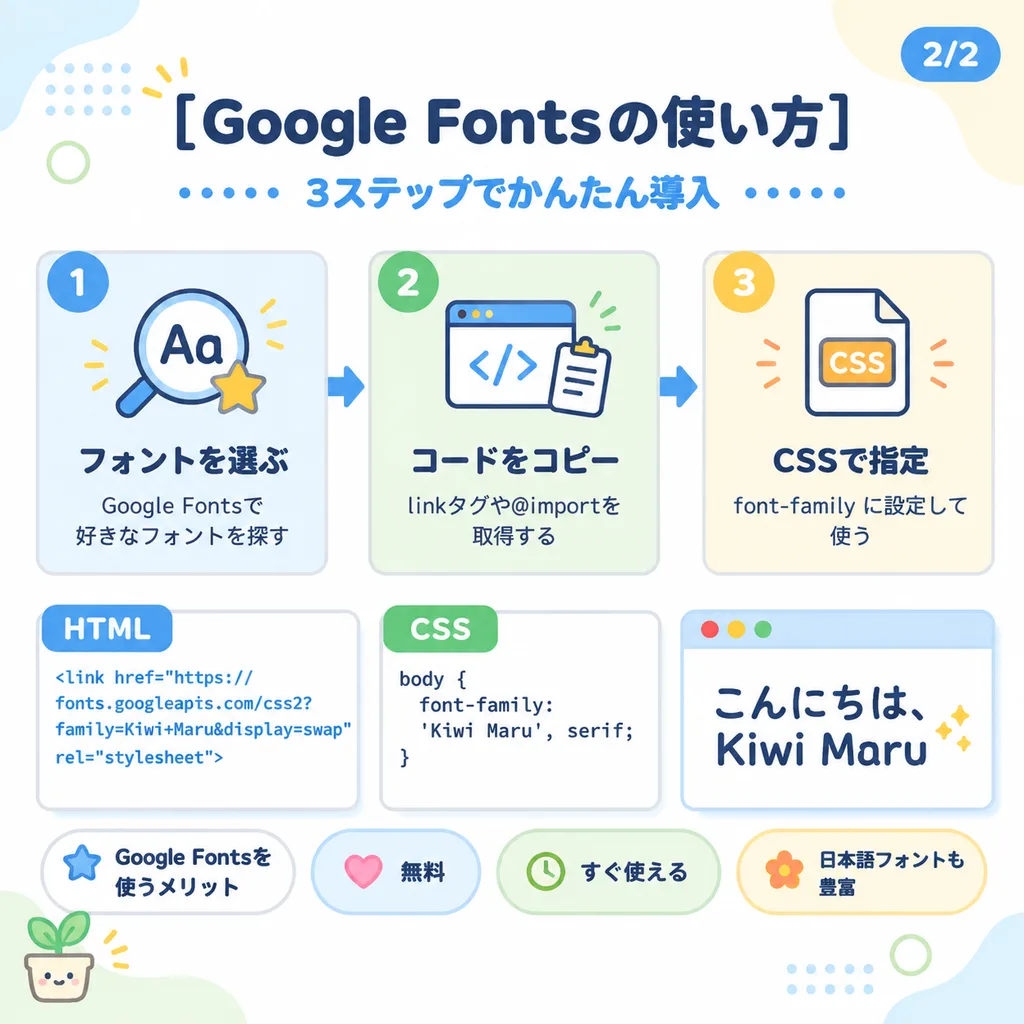
파스텔 톤 일본식 웹 튜토리얼 인포그래픽 슬라이드
코드 스니펫과 단계별 카드가 포함된 아기자기한 교육용 슬라이드를 생성합니다. 제목, 아이콘, 코드를 수정하여 다양한 강좌에 적용해보세요.
프롬프트
Cute pastel Japanese infographic slide design on a clean white background with soft, rounded abstract corner blobs in pale blue, cream, and light green. Modern, friendly vector layout featuring thick rounded sans-serif Japanese typography, subtle soft drop shadows, thin light gray outlines, dotted accents, and small decorative doodles. Top Section: - Centered bold dark navy headline: "[Google Fontsの使い方]". - Blue subheadline beneath: "[3ステップでかんたん導入]", flanked on both sides by horizontal rows of small blue dots. - Top-right corner: rounded blue page badge labeled "[2/2]". - Top-left decor: yellow 3-stroke sparkle, pale blue dotted grid pattern in background, and a thin light green circle. Upper Middle Row (3 Step Cards with blue directional arrows between them): - Card 1 (pale blue background, blue circular "1" badge): Magnifying glass icon over "Aa" with a yellow star. Bold title "[フォントを選ぶ]" and text "[Google Fontsで好きなフォントを探す]". - Card 2 (pale green background, green circular "2" badge): Browser window icon with "</>" code brackets and clipboard. Bold title "[コードをコピー]" and text "[linkタグや@importを取得する]". - Card 3 (pale cream background, orange circular "3" badge): Document icon labeled "CSS" with orange accents. Bold title "[CSSで指定]" and text "[font-family に設定して使う]". Lower Middle Row (3 Code & Preview Panels): - Left Panel: White card with blue "HTML" tab. Displays blue text: "<link href=\"https://fonts.googleapis.com/css2?family=Kiwi+Maru&display=swap\" rel=\"stylesheet\">" - Center Panel: White card with green "CSS" tab. Displays dark code text: "body { font-family: 'Kiwi Maru', serif; }" - Right Panel: White mock browser with pale blue title bar and red, yellow, green window dots. Displays large cute rounded handwritten Japanese text: "[こんにちは、Kiwi Maru]", with two small sparkle accents on the right. Bottom Row: - Four rounded pill badges: "[Google Fontsを使うメリット]" (white with blue star), "[無料]" (pale blue with pink heart), "[すぐ使える]" (pale green with clock icon), "[日本語フォントも豊富]" (pale yellow with flower icon). - Bottom-left corner decor: tiny smiling potted plant illustration.
바꿔 쓸 수 있는 부분
생성하기 전에 프롬프트의 이 부분을 원하는 주제나 문구로 바꿔 보세요.
[Google Fontsの使い方]자리 표시자[3ステップでかんたん導入]자리 표시자[2/2]자리 표시자[フォントを選ぶ]자리 표시자[Google Fontsで好きなフォントを探す]자리 표시자[コードをコピー]자리 표시자[linkタグや@importを取得する]자리 표시자[CSSで指定]자리 표시자
프롬프트 정보
- 카테고리
- 인포그래픽 / 교육
- 모델
- GPT IMAGE 2
- 이미지당 비용
- 1K: 43 크레딧 · 2K: 86 크레딧 · 4K: 143 크레딧
- 화면 비율
- 1:1
- 추가일