
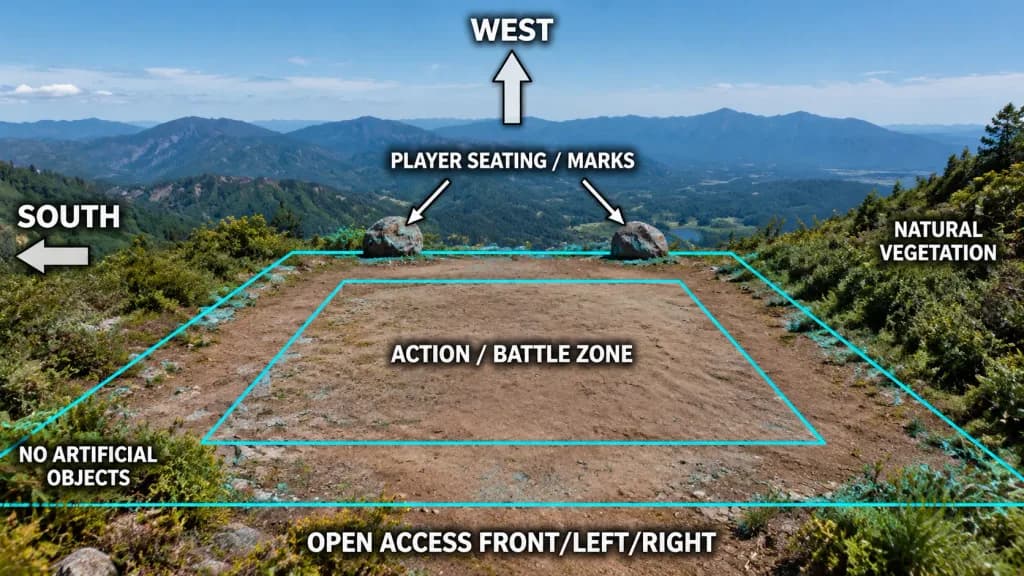
야외 로케이션 촬영 기획 오버레이
풍경 사진 위에 명확한 로케이션 헌팅 및 구역 계획 다이어그램을 오버레이합니다. 방향 라벨, 구역 경계선 및 화살표를 현장에 맞게 조정하세요.
프롬프트
Using the reference photo as the base image, create an annotated location-planning diagram without altering or degrading the original mountain landscape photograph. Maintain the natural scenery, colors, detail, composition, vegetation, dirt clearing, rocks, and distant mountains exactly as shown; only overlay clean technical graphics and text annotations. Add exactly 7 bold white uppercase labels with subtle black outlines and drop shadows: - "[WEST]" at the upper center - "[SOUTH]" on the left edge - "[PLAYER SEATING / MARKS]" above the two prominent rocks - "[ACTION / BATTLE ZONE]" centered over the dirt clearing - "[OPEN ACCESS FRONT/LEFT/RIGHT]" along the bottom edge - "NO ARTIFICIAL OBJECTS" near the lower-left vegetation - "NATURAL VEGETATION" on the right side Add exactly 4 semi-transparent white directional arrows with thin black outlines: - One large upward arrow directly below the "[WEST]" label - One large left-pointing arrow beside the "[SOUTH]" label - Two small diagonal arrows extending from the seating label toward the two rock markers Overlay thin cyan perspective guide lines mapping the usable terrain: an outer trapezoidal perimeter following the clearing and vegetation contours, and a smaller concentric inner trapezoid bounding the action zone. The final graphic should resemble a production location scouting breakdown while preserving complete photographic integrity.
바꿔 쓸 수 있는 부분
생성하기 전에 프롬프트의 이 부분을 원하는 주제나 문구로 바꿔 보세요.
[WEST]자리 표시자[SOUTH]자리 표시자[PLAYER SEATING / MARKS]자리 표시자[ACTION / BATTLE ZONE]자리 표시자[OPEN ACCESS FRONT/LEFT/RIGHT]자리 표시자“NO ARTIFICIAL OBJECTS”따옴표 안 문구“NATURAL VEGETATION”따옴표 안 문구
프롬프트 정보
- 카테고리
- 인포그래픽 / 교육
- 모델
- GPT IMAGE 2
- 이미지당 비용
- 1K: 43 크레딧 · 2K: 86 크레딧 · 4K: 143 크레딧
- 화면 비율
- 16:9
- 추가일