
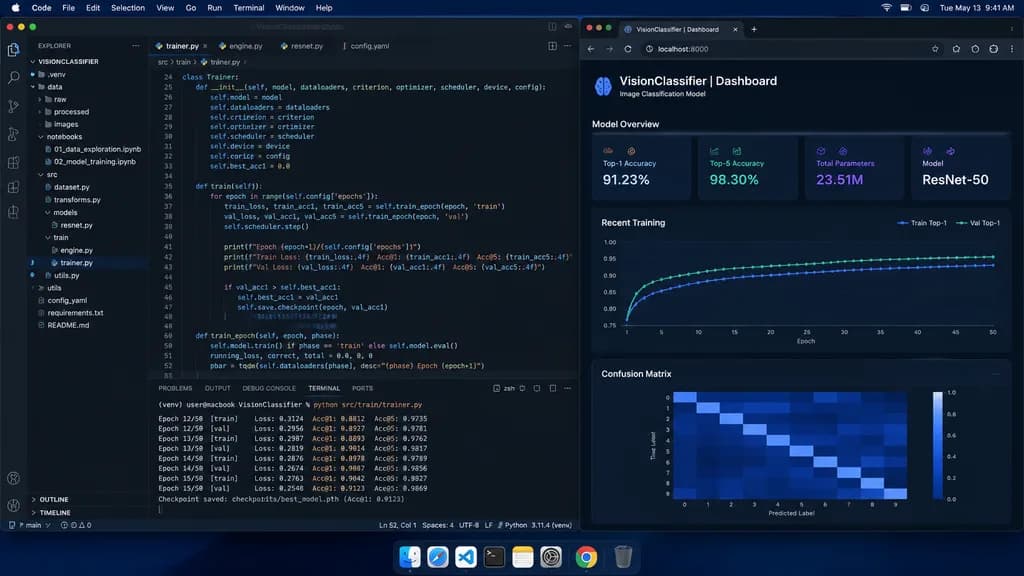
머신러닝 엔지니어 다크 모드 데스크톱
VS Code 신경망 학습 창과 지표 대시보드가 나란히 배치된 사실적인 macOS 데스크톱 스크린샷을 생성합니다. 프로젝트명이나 지표 데이터를 자유롭게 변경하세요.
프롬프트
A straight-on, photorealistic macOS desktop screenshot of a machine learning engineer’s workspace at night. The desktop has a dark blue macOS menu bar along the top with menus 'Code, File, Edit, Selection, View, Go, Run, Terminal, Window, Help' on the left and system icons showing '[Tue May 13 9:41 AM]' on the right, plus an authentic dock along the bottom. The screen features two main side-by-side application windows. On the left, occupying about two-thirds of the screen, a Visual Studio Code window in dark theme shows a project named '[VISIONCLASSIFIER]' in the Explorer sidebar. The folder tree includes: .venv, data, raw, processed, images, notebooks (containing '01_data_exploration.ipynb' and '02_model_training.ipynb'), src (containing dataset.py, transforms.py, models, resnet.py, train, engine.py, trainer.py, utils.py), utils, config.yaml, requirements.txt, and README.md. In the editor area, four tabs are open: trainer.py, engine.py, resnet.py, config.yaml, with '[trainer.py]' active. The editor displays sharp, realistic Python training code for a ResNet image classification pipeline (Trainer class, train and train_epoch methods, loss.backward, optimizer.step, accuracy metrics) with line numbers 24 to 52 visible. The integrated terminal at the bottom displays training logs for Epoch 12/50 through Epoch 15/50 with Loss, Acc@1 (~0.88-0.91), Acc@5 (~0.97-0.98), and a checkpoint save notice. On the right, a dark-themed browser window shows a local metrics dashboard at 'localhost:8000' titled '[VisionClassifier | Dashboard]' with subtitle '[Image Classification Model]', containing: 1) Model Overview cards (Top-1 Accuracy 91.23%, Top-5 Accuracy 98.30%, Total Parameters 23.51M, Model ResNet-50); 2) a Recent Training dark line chart with Train and Val Top-1 curves; 3) a 10x10 Confusion Matrix heatmap. Sharp UI typography, subtle screen glow, natural anti-aliasing, indistinguishable from an authentic screen capture.
바꿔 쓸 수 있는 부분
생성하기 전에 프롬프트의 이 부분을 원하는 주제나 문구로 바꿔 보세요.
[VISIONCLASSIFIER]자리 표시자[trainer.py]자리 표시자[VisionClassifier | Dashboard]자리 표시자[Image Classification Model]자리 표시자
프롬프트 정보
- 카테고리
- UI / UX 디자인
- 모델
- GPT IMAGE 2
- 이미지당 비용
- 1K: 43 크레딧 · 2K: 86 크레딧 · 4K: 143 크레딧
- 화면 비율
- 16:9
- 추가일