
캐릭터 디자인
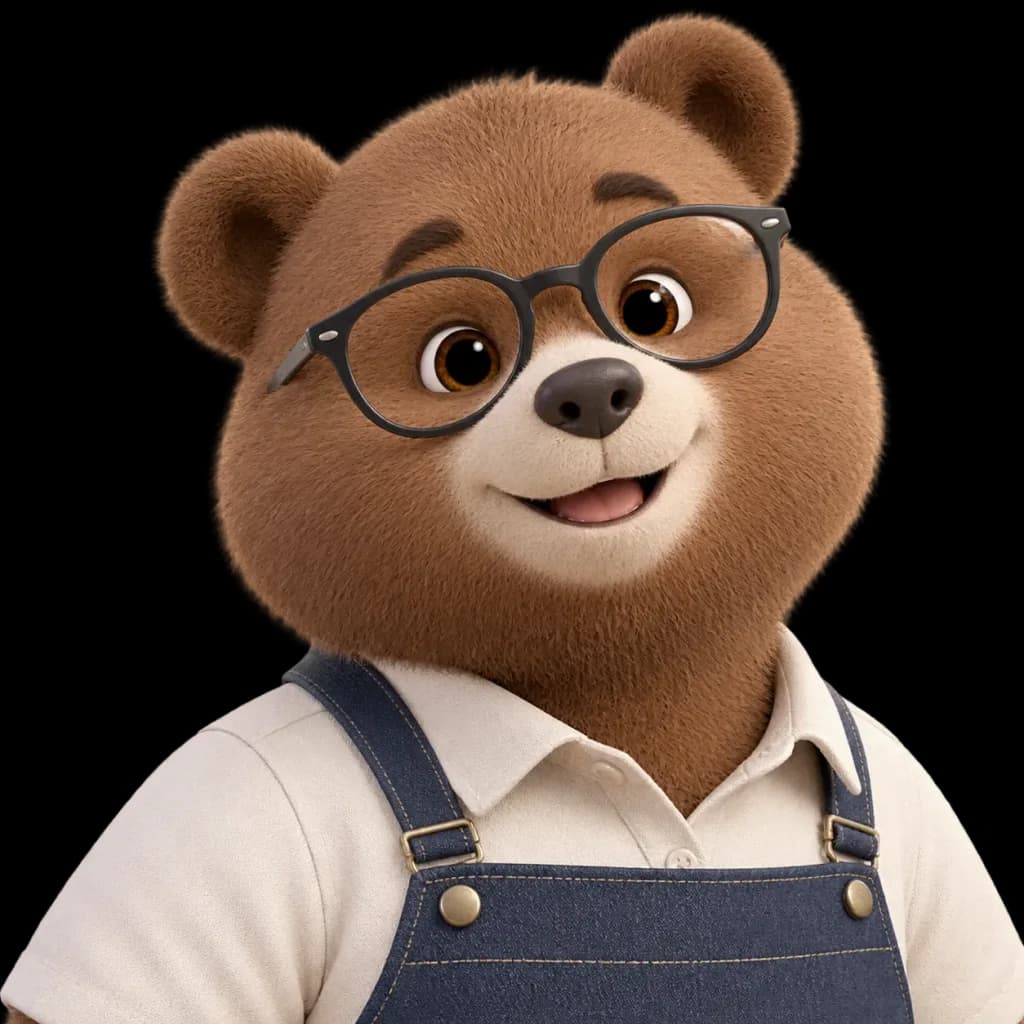
투명 배경 캐릭터 누끼 컷
참조 이미지에서 일러스트 캐릭터를 추출하여 깔끔한 투명 배경에 배치합니다. 대괄호 속 설명을 변경해 다른 캐릭터를 분리할 수 있습니다.
누끼투명 배경캐릭터 분리스티커 에셋png 에셋마스코트
프롬프트
Using the reference photo, isolate the [bear character] and completely remove the background, placing the subject against a pure, fully transparent background. Keep the character's pose, facial expression, glasses, clothing, proportions, lighting, fur texture, and framing strictly unchanged. Ensure clean, sharp cutout edges around the ears, fur fringe, shoulders, glasses, and apron straps. Do not add any new objects, ground shadows, borders, text, or background elements.
바꿔 쓸 수 있는 부분
생성하기 전에 프롬프트의 이 부분을 원하는 주제나 문구로 바꿔 보세요.
[bear character]자리 표시자
프롬프트 정보
- 카테고리
- 캐릭터 디자인
- 모델
- Seedream 4.5
- 이미지당 비용
- 33 크레딧 (2K–4K)
- 화면 비율
- 1:1
- 추가일