
출시 포스터 #23
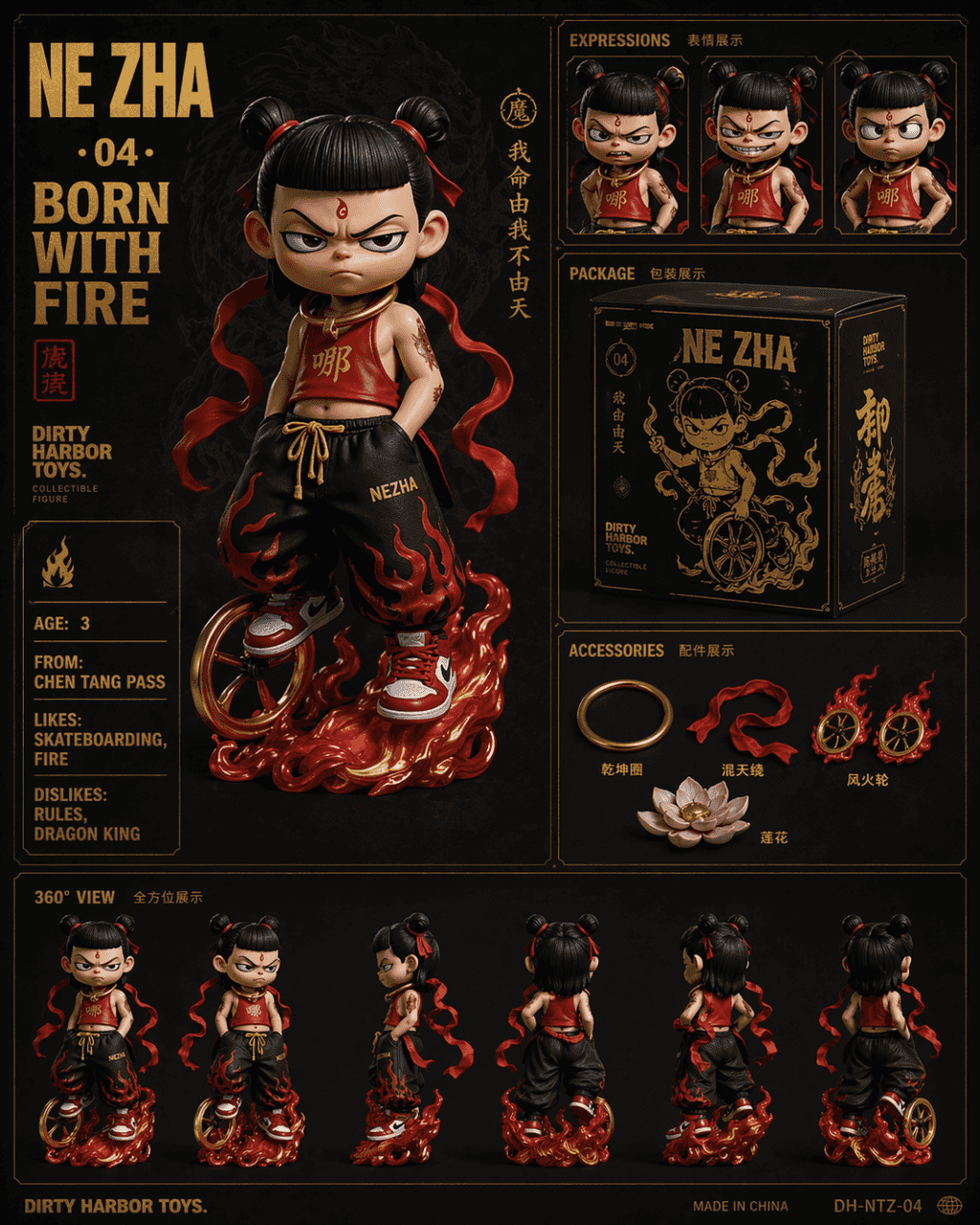
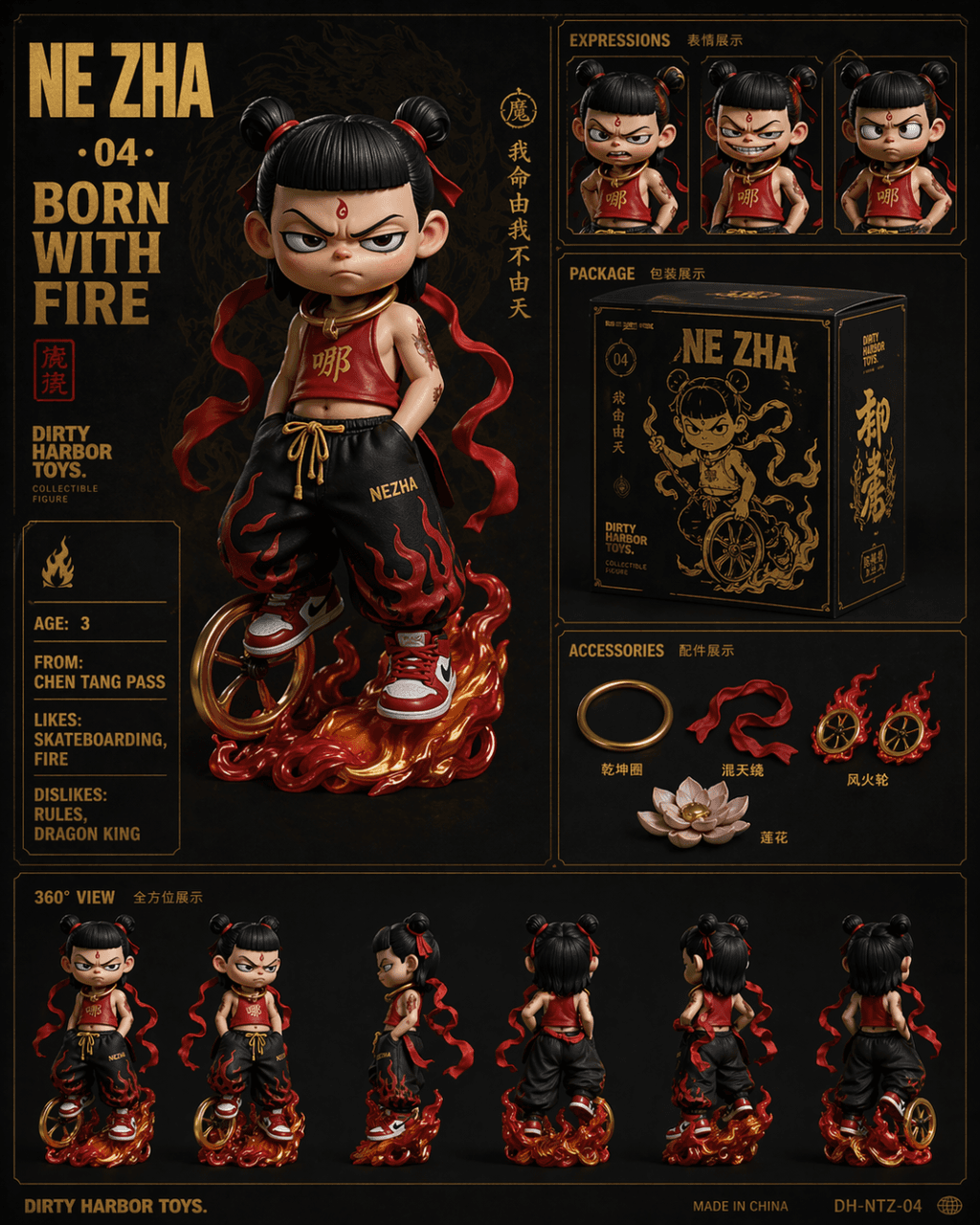
프롬프트로 Dirty Harbor Toys 스타일의 국조 트렌디 토이 컬렉션 6분할 전시도를 그려라. 다크 배경에 골드 핫스탬핑 텍스트. 메인 이미지 위치에 나타 Q판 트렌디 토이 피규어, 거만한 표정, 개량된 빨간 두두를 입고 힙합 루즈 팬츠와 빨강 흰색 운동화를 매치, 발 아래 풍화륜, 목에는 건곤권. 우측 상단에 세 가지 표정 클로즈업(분노, 웃음, 허리 짚기). 중간은 블랙 골드 컬…
프롬프트
프롬프트로 Dirty Harbor Toys 스타일의 국조 트렌디 토이 컬렉션 6분할 전시도를 그려라. 다크 배경에 골드 핫스탬핑 텍스트. 메인 이미지 위치에 나타 Q판 트렌디 토이 피규어, 거만한 표정, 개량된 빨간 두두를 입고 힙합 루즈 팬츠와 빨강 흰색 운동화를 매치, 발 아래 풍화륜, 목에는 건곤권. 우측 상단에 세 가지 표정 클로즈업(분노, 웃음, 허리 짚기). 중간은 블랙 골드 컬러 매치 제품 패키지 박스 디자인. 우측 하단은 액세서리 전시로 건곤권, 혼천릉, 풍화륜, 연꽃 포함. 하단에 한 줄로 360도 회전 시점. 좌측 상단 큰 글씨 「NE ZHA · 04 · BORN WITH FIRE」, 좌측 영문 속성 카드 「AGE: 3 / FROM: CHEN TANG PASS / LIKES: SKATEBOARDING, FIRE / DISLIKES: RULES, DRAGON KING」.
이 프롬프트를 사용하는 방법
전체 출시 포스터 #23 프롬프트를 읽고 생성하기 전에 피사체, 스타일, 카메라, 조명 및 구성 요구 사항을 식별하십시오.
괄호로 묶인 자리 표시자나 인수 스타일 자리 표시자를 제품, 캐릭터, 브랜드, 장면, 색상 팔레트 또는 화면 비율 요구 사항으로 바꾸세요.
https://www.gptimagehub.com/ko/generate?promptId=cmogxoye900p1xt5g2ahck373을 열고 이미지를 생성한 다음 필요한 경우 보다 구체적인 주제, 텍스트, 레이아웃 또는 제외 제약 조건을 사용하여 프롬프트를 구체화합니다.
프롬프트 FAQ
출시 포스터 #23 프롬프트는 어떤 용도로 가장 잘 사용되나요?
이 프롬프트는 재사용 가능한 구조, 상세한 시각적 방향 및 일관된 출력 품질을 원하는 제품 및 이커머스 이미지에 가장 적합합니다.
프롬프트를 생성하기 전에 편집할 수 있나요?
그렇습니다. 전체 프롬프트 텍스트가 이 페이지에 표시되므로 생성 전에 주제, 제품 이름, 색상, 구성, 카메라 용어, 종횡비 및 스타일 노트를 변경할 수 있습니다.
이 메시지에는 어떤 모델을 사용해야 합니까?
프롬프트 메타데이터에 표시된 모델을 기본 시작점으로 사용합니다. 다른 이미지 모델이 동일한 종횡비와 지침 스타일을 지원하는 경우 프롬프트를 조정하고 결과를 비교할 수 있습니다.