
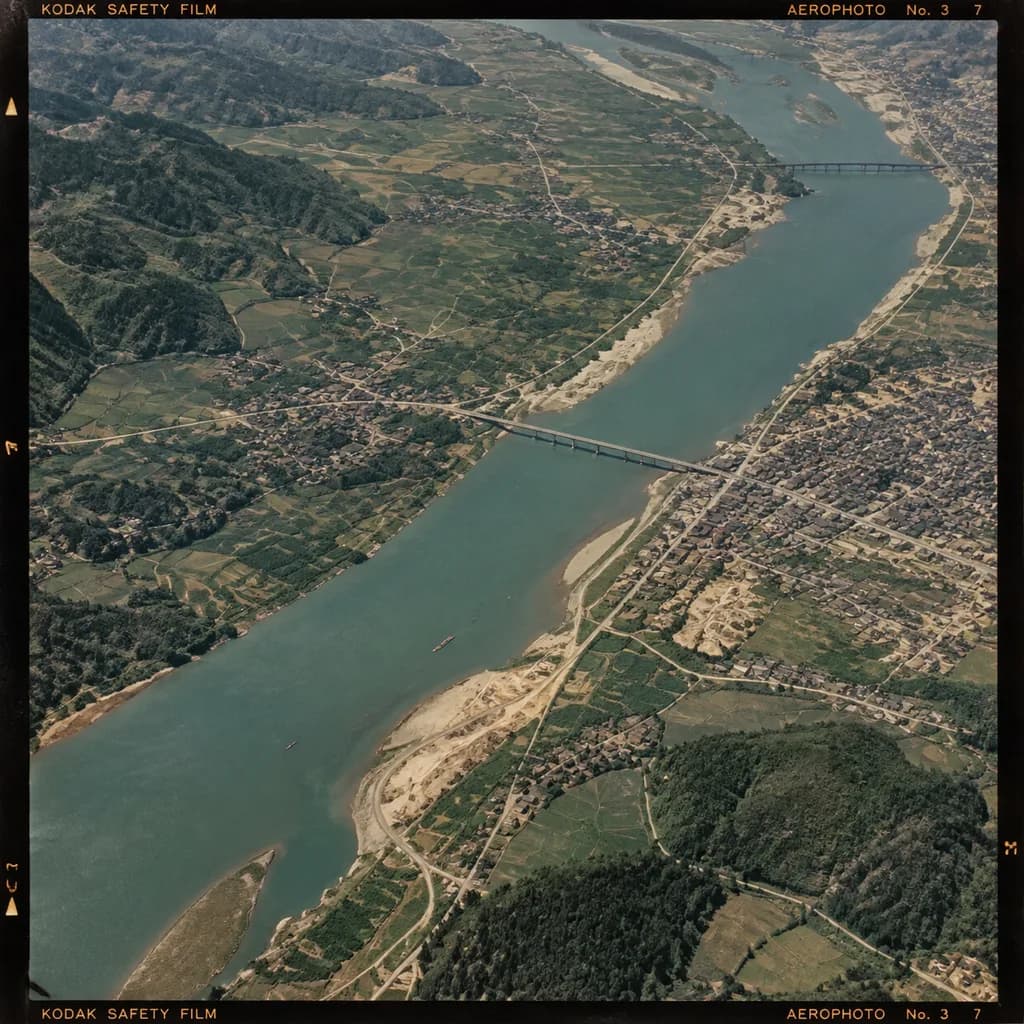
역사적 항공 사진 컬러 복원
오리지널 필름 테두리를 유지하면서 흑백 항공 사진을 자연스러운 아카이브 톤으로 컬러화합니다. 대괄호 안의 지표면 색상 값을 조정해 지역에 맞출 수 있습니다.
프롬프트
Colorize the monochrome historical aerial photograph from the reference photo, preserving the exact original framing, camera angle, scale, film borders, edge markings, and geographic structures. Use [a secondary aerial photo as a color reference] to infer realistic surface tones: [river water in muted blue-green], [vegetation and farmland in varied dark greens], [bare soil, sand, and construction sites in tan-beige], and [roads, buildings, and roofs in subdued gray to light brown]. Maintain an authentic vintage archival film aesthetic rather than modern satellite imagery, with restrained saturation, subtle natural contrast, and consistent exposure across the scene.
바꿔 쓸 수 있는 부분
생성하기 전에 프롬프트의 이 부분을 원하는 주제나 문구로 바꿔 보세요.
[a secondary aerial photo as a color reference]자리 표시자[river water in muted blue-green]자리 표시자[vegetation and farmland in varied dark greens]자리 표시자[bare soil, sand, and construction sites in tan-beige]자리 표시자[roads, buildings, and roofs in subdued gray to light brown]자리 표시자
프롬프트 정보
- 카테고리
- 기타
- 모델
- GPT IMAGE 2.5 Flare
- 이미지당 비용
- 1K: 11 크레딧 · 2K: 22 크레딧 · 4K: 36 크레딧
- 화면 비율
- 1:1
- 추가일