
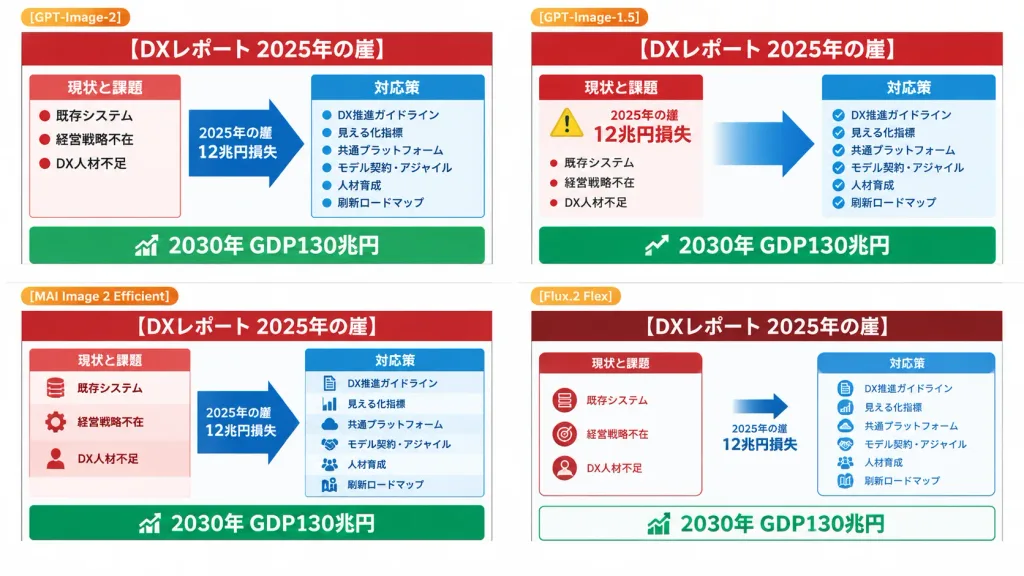
4분할 DX 리포트 슬라이드 비교
일본 DX 보고서 인포그래픽 변형본을 테스트하는 2x2 슬라이드 비교 화면을 생성합니다. 패널 라벨, 제목, 일본어 텍스트를 맞춤 설정할 수 있습니다.
프롬프트
Using the provided reference image as the source slide, a 16:9 white comparison canvas showing four different regenerated versions of the same Japanese government-style DX report slide in a 2×2 grid with generous white margins. - Layout and Structure: Four distinct panels. The top-left panel retains the reference slide nearly unchanged and scaled down. The other three panels present simplified variations following the same layout logic: a red header, red "current issues" column on the left, blue "countermeasures" column on the right, a large blue transition arrow pointing right, and a green goal bar along the bottom. - Labels: Small orange badge labels above each panel: "[GPT-Image-2]" on top-left, "[GPT-Image-1.5]" on top-right, "[MAI Image 2 Efficient]" on bottom-left, and "[Flux.2 Flex]" on bottom-right. - Text Content: Headline reads "[DXレポート 2025年の崖]". Legible Japanese key phrases throughout: "2025年の崖", "12兆円損失", "現状と課題", "対応策", "既存システム", "経営戦略不在", "DX人材不足", "DX推進ガイドライン", "見える化指標", "共通プラットフォーム", "モデル契約・アジャイル", "人材育成", "刷新ロードマップ", and bottom green banner "2030年 GDP130兆円". - Variations: Top-right has clean modern PowerPoint formatting with a yellow warning badge and bold gradient arrow. Bottom-left is slightly denser with multi-tiered stacked blocks. Bottom-right features a minimalist layout with dark red header and outlined cards. - Style: Flat presentation slide screenshot, crisp vector infographic aesthetic, perfectly legible typography, no photorealistic elements, no people, no artifacts.
바꿔 쓸 수 있는 부분
생성하기 전에 프롬프트의 이 부분을 원하는 주제나 문구로 바꿔 보세요.
[GPT-Image-2]자리 표시자[GPT-Image-1.5]자리 표시자[MAI Image 2 Efficient]자리 표시자[Flux.2 Flex]자리 표시자[DXレポート 2025年の崖]자리 표시자“current issues”따옴표 안 문구“countermeasures”따옴표 안 문구“2025年の崖”따옴표 안 문구
프롬프트 정보
- 카테고리
- 인포그래픽 / 교육
- 모델
- GPT IMAGE 2
- 이미지당 비용
- 1K: 43 크레딧 · 2K: 86 크레딧 · 4K: 143 크레딧
- 화면 비율
- 16:9
- 추가일