
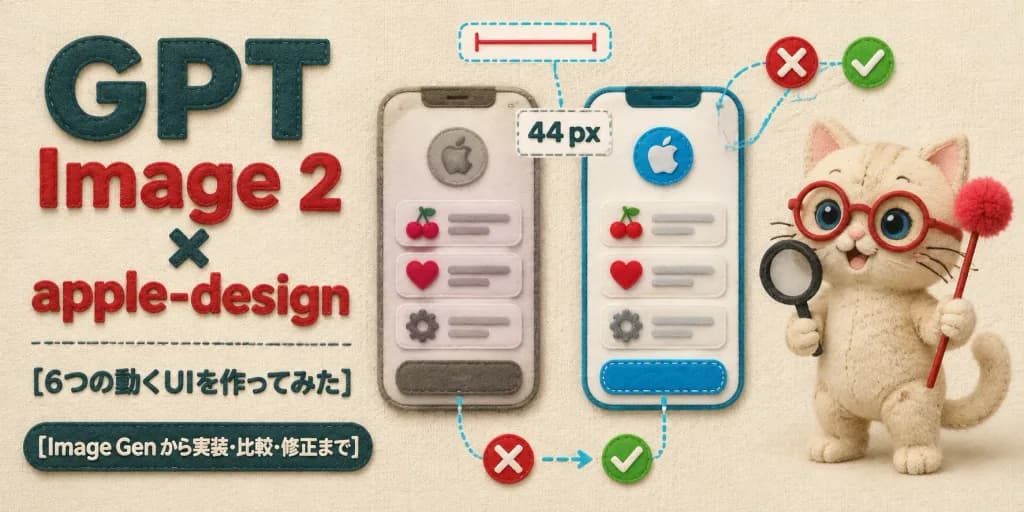
펠트 공예 UI 디자인 리뷰 배너
UI 목업, 디자인 주석, 봉제 고양이 마스코트가 어우러진 따뜻한 펠트 스타일 히어로 배너를 생성합니다. 헤드라인과 텍스트를 자유롭게 변경해 보세요.
프롬프트
Horizontal 2:1 wide article hero banner crafted entirely in a soft, tactile handmade felt and fabric appliqué style on a warm cream woven fabric background. Layout and Composition: - Left side: Bold layered typography. Large stacked headline reads exactly "GPT" in dark teal felt letters, "Image 2" in red felt letters, a small dark teal "×", followed by "apple-design" in red felt letters. Below it, a delicate stitched horizontal divider line, followed by Japanese subheading text: "[6つの動くUIを作ってみた]". At the bottom left, a dark teal rounded felt badge with embroidered cream text: "[Image Gen から実装・比較・修正まで]". - Center: Exactly two tall rounded smartphone UI mockups made of stitched felt layers. Each phone features a circular apple emblem at the top, three list items displaying cherry, heart, and gear felt icons with gray embroidered placeholder lines, and a rounded bottom button. The left mockup appears slightly muted and unrefined; the right mockup is bright, crisp, and polished. - UI Annotations: Exactly four design-review callouts connected by cyan dashed thread lines: a top dashed pill with a red measurement line, a center dashed box displaying "44 px", a bottom comparison callout with a red felt "X" badge pointing via thread arrow to a green checkmark badge, and a dashed outline framing the right button. Include two red "X" badges and two green checkmark badges overall. - Right side: A cute beige felt plush cat mascot with visible stitched seams, round red glasses, big blue bead eyes, embroidered whiskers, and a curled tail. The cat holds a miniature black felt magnifying glass in one paw and a red felt wand tipped with a fluffy raspberry pom-pom in the other. Lighting and Texture: Soft overhead studio lighting with gentle cast shadows, plush fiber fuzz, raised embroidered edges, and cozy tactile textile textures. Uncluttered, balanced composition, no metal or glass elements, no watermarks.
바꿔 쓸 수 있는 부분
생성하기 전에 프롬프트의 이 부분을 원하는 주제나 문구로 바꿔 보세요.
[6つの動くUIを作ってみた]자리 표시자[Image Gen から実装・比較・修正まで]자리 표시자“GPT”따옴표 안 문구“Image 2”따옴표 안 문구“, followed by”따옴표 안 문구“44 px”따옴표 안 문구
프롬프트 정보
- 카테고리
- UI / UX 디자인
- 모델
- GPT IMAGE 2
- 이미지당 비용
- 1K: 43 크레딧 · 2K: 86 크레딧 · 4K: 143 크레딧
- 화면 비율
- 2:1
- 추가일