
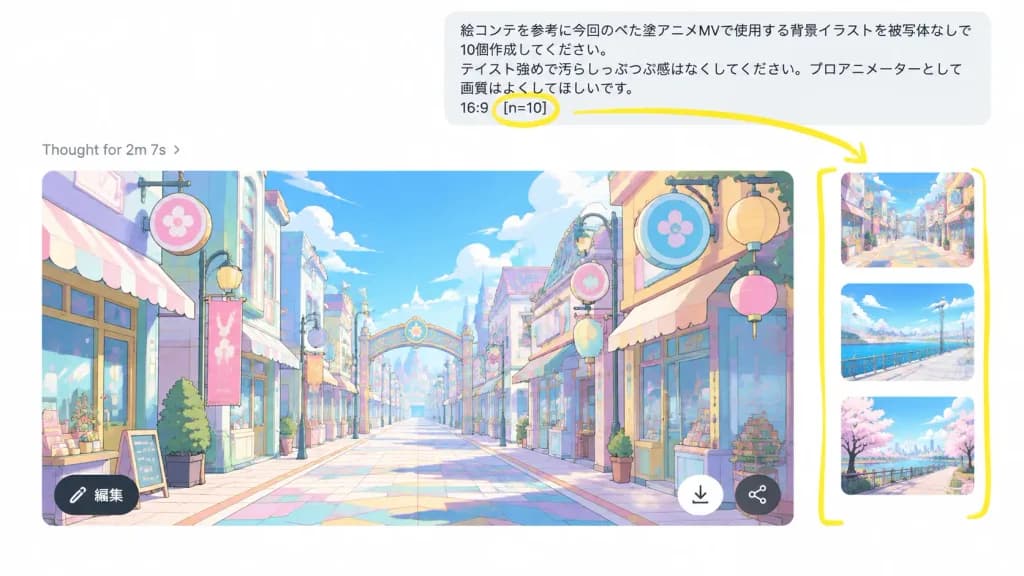
주석이 달린 AI 채팅 다중 이미지 생성 UI
손으로 그린 노란색 마커 주석이 포함된 AI 채팅 배치 이미지 생성 UI 모형입니다. 대화 내용과 강조 매개변수를 변경해 다른 워크플로를 연출할 수 있습니다.
프롬프트
A realistic screenshot mockup of an AI chat image generation interface demonstrating batch outputs. Landscape 16:9 screenshot composition on a clean white background, slightly zoomed in with the right-hand image carousel visible. Layout: At the top right, a rounded light-gray user message bubble containing Japanese text: “絵コンテを参考に今回のベた塗アニメMVで使用する背景イラストを被写体なしで10個作成してください。 テイスト強めで汚らしっぷつぷ感はなくしてください。プロアニメーターとして画質はよくしてほしいです。 16:9 [n=10]”. Below on the left, a light-gray status line reading “Thought for 2m 7s ›”. Main area shows a large generated 16:9 image preview with rounded corners, accompanied on the right by a narrow strip of 3 partially visible vertical thumbnails of alternative generated backgrounds. The main image preview depicts a vibrant pastel anime background illustration of an empty stylized shopping street with no characters, cel-shaded linework, pastel blue, pink, yellow, and mint hues, lanterns, decorative circular signage, storefronts, and a centered vanishing point toward a decorative archway. Overlay UI icons on the main preview: a dark circular “編集” edit button at bottom left, a white downward arrow download button near bottom right, and a small dark share icon. Annotations: Thick hand-drawn yellow marker overlay including a circle around “[n=10]”, an arrow pointing from the circled parameter toward the thumbnail carousel, and a tall yellow bracket framing the vertical thumbnail strip.
바꿔 쓸 수 있는 부분
생성하기 전에 프롬프트의 이 부분을 원하는 주제나 문구로 바꿔 보세요.
[n=10]자리 표시자“Thought for 2m 7s ›”따옴표 안 문구“編集”따옴표 안 문구
프롬프트 정보
- 카테고리
- UI / UX 디자인
- 모델
- GPT IMAGE 2
- 이미지당 비용
- 1K: 43 크레딧 · 2K: 86 크레딧 · 4K: 143 크레딧
- 화면 비율
- 16:9
- 추가일