
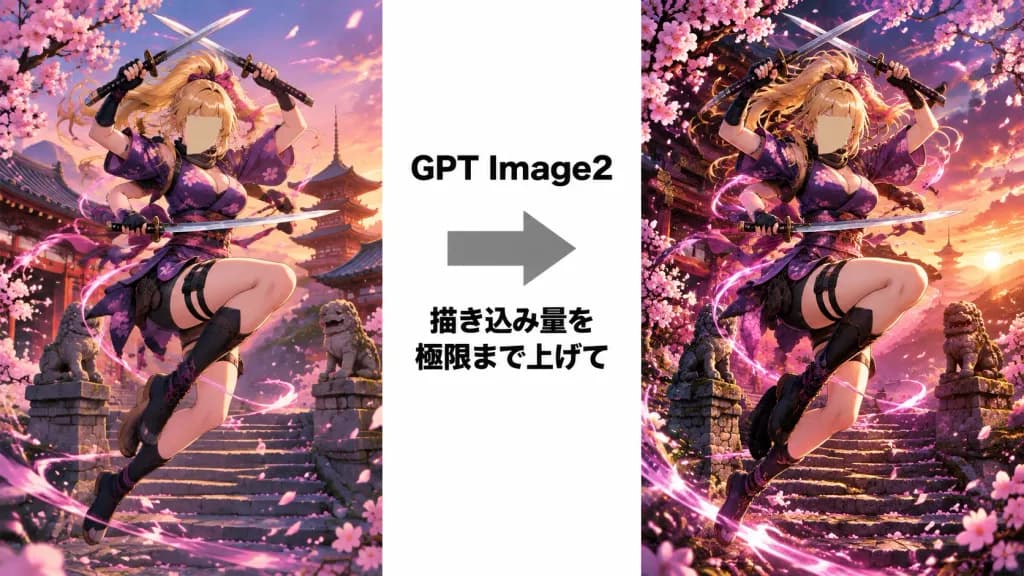
애니메이션 쿠노이치 디테일 비교 그래픽
도약하는 애니메이션 쿠노이치의 기본 렌더링과 초고화질 디테일을 나란히 비교하는 그래픽입니다. 캐릭터 이름이나 머리색, 배경을 변경해 적용해 보세요.
프롬프트
A side-by-side comparison infographic layout on a wide 16:9 clean white background, presenting two tall vertical anime illustration panels separated by a central white column. Center Column Elements: - A bold black text label reading "GPT Image2" - A large gray right-pointing arrow directly below the text - A bold black two-line Japanese text below the arrow reading "描き込み量を\n極限まで上げて" Subject in Both Panels: The same dynamic anime female ninja, [Ai-chan], leaping through the air in an action pose. She has long flowing [blonde] hair tied high, her face obscured by a square tan blur censor block, black fingerless gloves, and a purple floral kimono-style kunoichi outfit with pink cherry blossom motifs, a short skirt, thigh straps, waist pouches, and soft ninja boots. She wields three weapons: two short swords crossed overhead, and one curved sword drawn diagonally across her waist. One knee is raised high and the other leg bent back with wind-swept motion. Left Panel: A detailed anime scene of the kunoichi at sunset outside a traditional Japanese temple with stone steps, a red pagoda, curved eaves, stone guardian lions, distant misty mountains, a pink evening sky, blooming sakura branches, falling cherry blossom petals, and a soft spiral of pink energy. Right Panel: A significantly upgraded, hyper-detailed, and cinematic version of the exact same scene: richer contrast, denser cherry blossoms, intricate architectural carvings, intense sunset rim lighting, vibrant saturated colors, sharply defined stone textures, and a brighter swirling energy aura. Style & Constraints: High-end cinematic anime art with razor-sharp line art and dramatic lighting. White outer margins and central divider remain empty except for the specified text and arrow. No logos, watermarks, or extra interface elements.
바꿔 쓸 수 있는 부분
생성하기 전에 프롬프트의 이 부분을 원하는 주제나 문구로 바꿔 보세요.
[Ai-chan]자리 표시자[blonde]자리 표시자“GPT Image2”따옴표 안 문구“描き込み量を\n極限まで上げて”따옴표 안 문구
프롬프트 정보
- 카테고리
- 인포그래픽 / 교육
- 모델
- GPT IMAGE 2
- 이미지당 비용
- 1K: 43 크레딧 · 2K: 86 크레딧 · 4K: 143 크레딧
- 화면 비율
- 16:9
- 추가일