
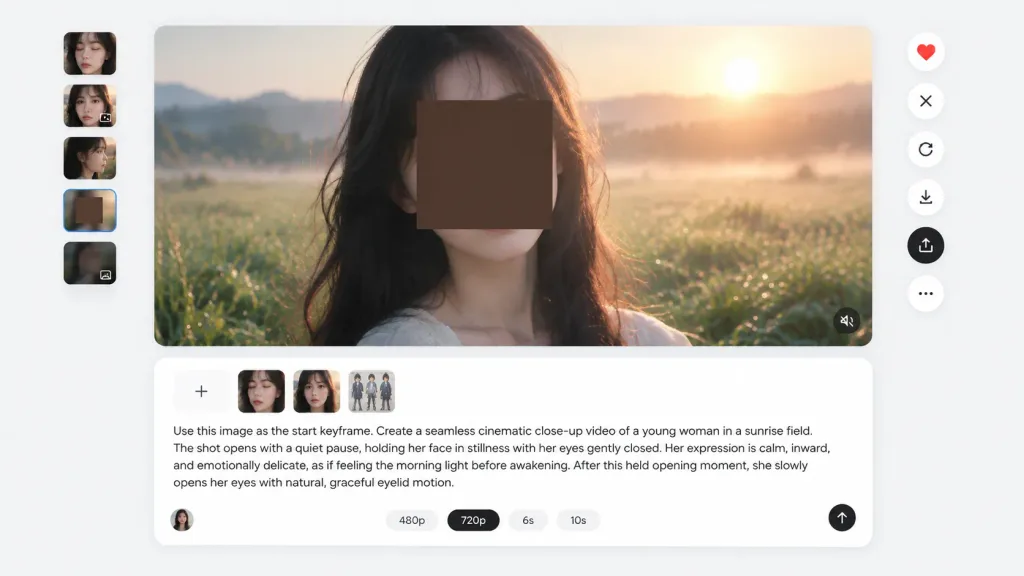
AI 비디오 생성기 UI 스크린샷
키프레임 미리보기와 프롬프트 입력창이 포함된 AI 비디오 생성 툴 UI 스크린샷입니다. 피사체와 해상도 설정을 변경하여 맞춤 구성할 수 있습니다.
프롬프트
Clean web application interface screenshot of an AI video generation workspace, 16:9 aspect ratio, set against a very light gray background with minimal modern UI, soft drop shadows, rounded corners, and generous white space. Main preview: A large centered rounded-rectangle preview panel occupying approximately 85% canvas width and 60% height. Inside is a photorealistic cinematic close-up of [a young woman with long dark hair] standing in a dewy green field at sunrise. A large opaque square privacy block in dark warm brown obscures the center of her face, leaving her dark hair, chin, and neck partially visible. In the background are misty grass, rolling distant hills, and a bright golden sunrise glow with shallow depth of field. A subtle muted-audio icon sits in the bottom-right corner of the preview. Left thumbnail rail: Exactly 5 small vertically stacked rounded thumbnails: 1) close-up face with eyes closed, 2) close-up face with a small overlay icon, 3) side-profile close-up, 4) blurred brown square privacy block, 5) darker blurred image with a tiny overlay icon. Right action toolbar: Exactly 6 vertically stacked circular floating buttons: 1) red heart icon, 2) X icon, 3) circular refresh arrow, 4) download arrow, 5) black highlighted upload/share icon, 6) three-dot more menu. Prompt composer: Centered rounded white card below the preview with a subtle border and shadow. At top-left, 4 attachment tiles: plus button, cropped face thumbnail, portrait thumbnail, and multi-figure character sheet thumbnail. Below attachments, legible English text: "Use this image as the start keyframe. Create a seamless cinematic close-up video of a young woman in a sunrise field. The shot opens with a quiet pause, holding her face in stillness with her eyes gently closed. Her expression is calm, inward, and emotionally delicate, as if feeling the morning light before awakening. After this held opening moment, she slowly opens her eyes with natural, graceful eyelid motion." Bottom controls include option pills for "480p", selected "[720p]", "6s", and "10s", a small user avatar at bottom-left, and a black circular send button with an upward arrow at bottom-right. Crisp sans-serif UI typography, realistic app mockup without browser chrome or watermarks.
바꿔 쓸 수 있는 부분
생성하기 전에 프롬프트의 이 부분을 원하는 주제나 문구로 바꿔 보세요.
[a young woman with long dark hair]자리 표시자[720p]자리 표시자“Bottom controls include option pills for”따옴표 안 문구“, selected”따옴표 안 문구“,”따옴표 안 문구“, and”따옴표 안 문구
프롬프트 정보
- 카테고리
- UI / UX 디자인
- 모델
- GPT IMAGE 2
- 이미지당 비용
- 1K: 43 크레딧 · 2K: 86 크레딧 · 4K: 143 크레딧
- 화면 비율
- 16:9
- 추가일