
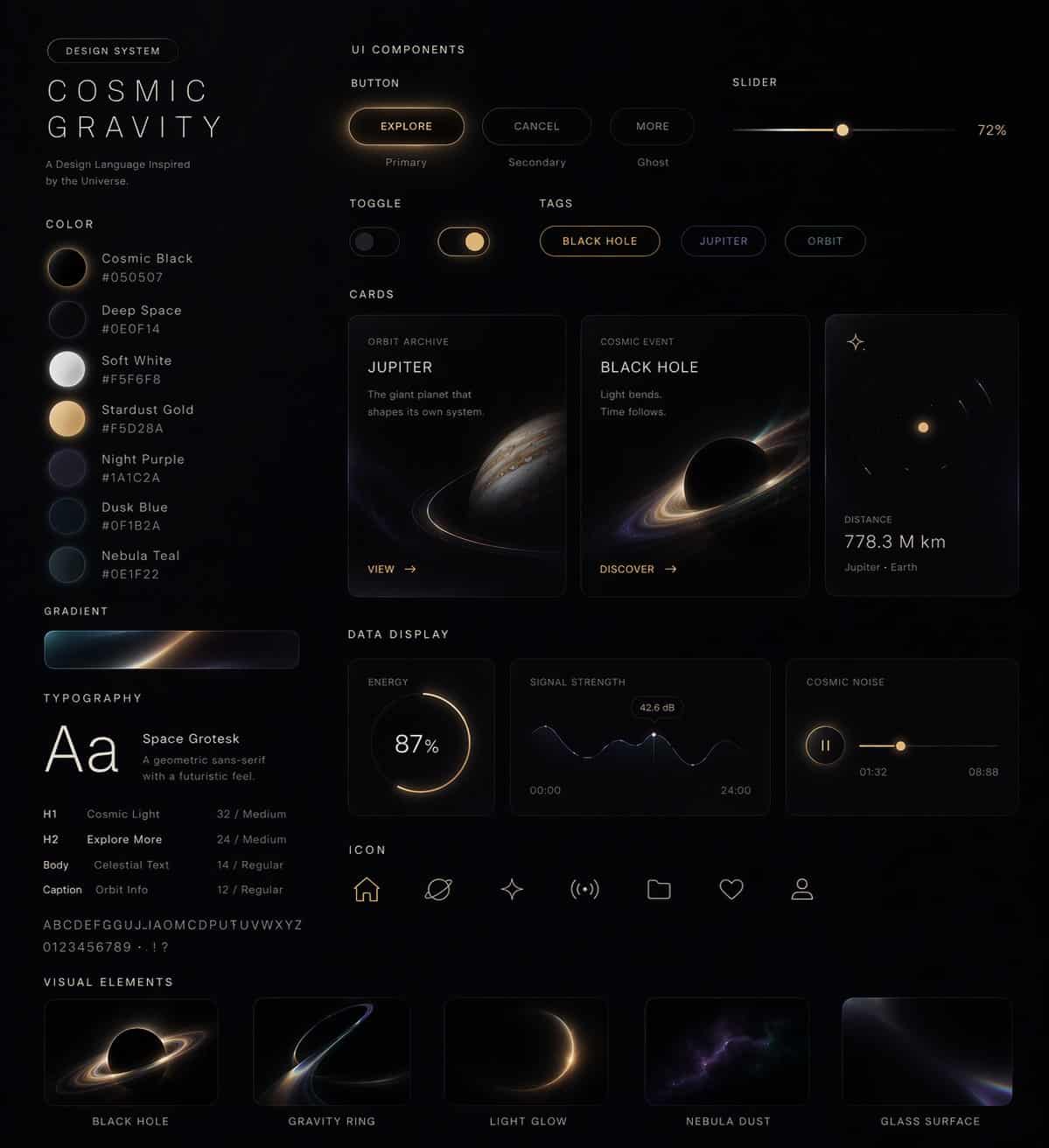
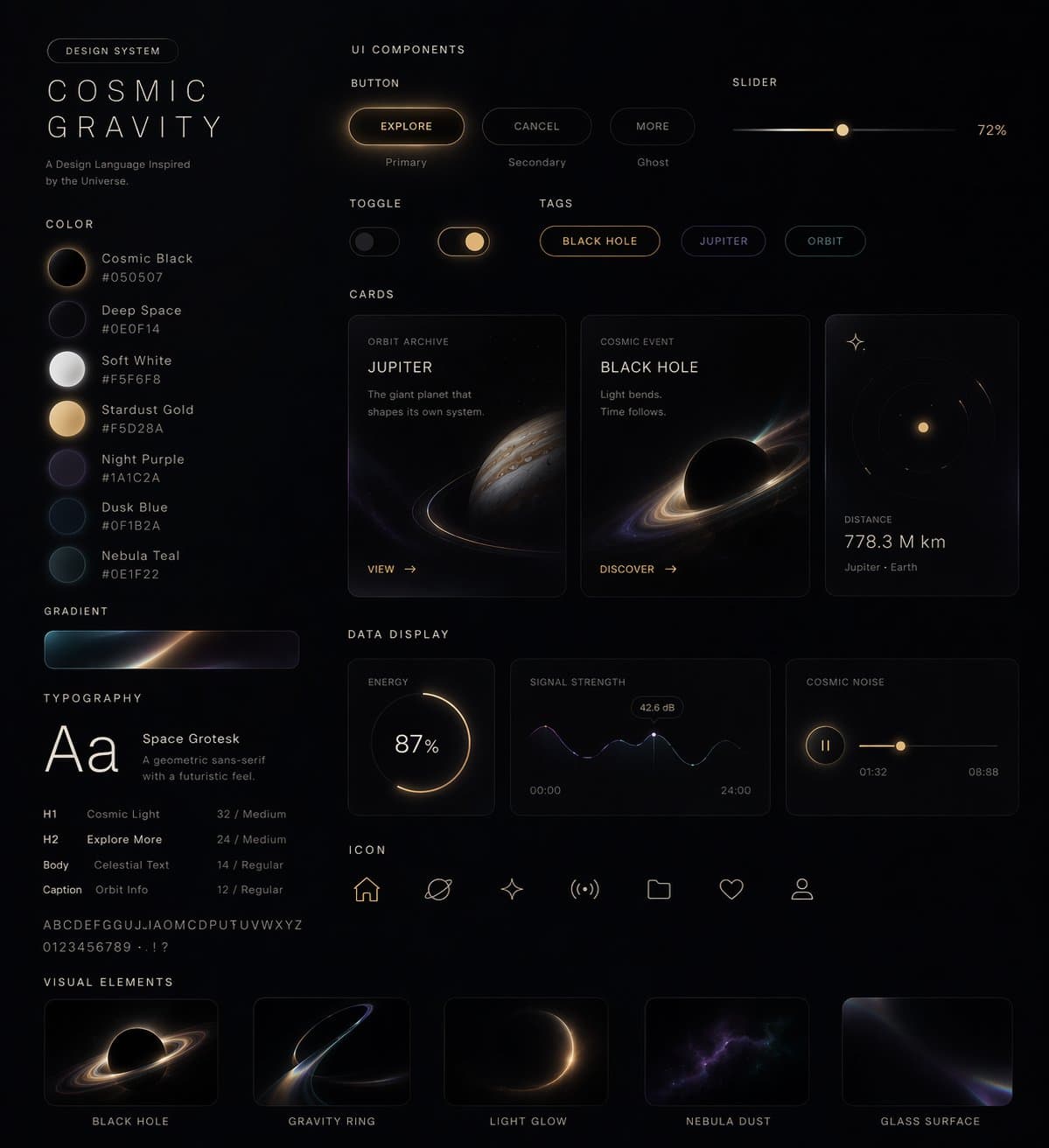
스타일에서 UI 디자인 시스템으로
이 스타일을 사용하여 웹페이지, 모바일, 카드, 컨트롤, 버튼 및 기타를 포함한 UI 디자인 시스템 한 세트를 생성해 주세요. 이 비주얼 스타일을 참고로 웹페이지를 생성합니다. 우주, 비행, 나비 테마를 시도해 보았습니다.
프롬프트
이 스타일을 사용하여 웹페이지, 모바일, 카드, 컨트롤, 버튼 및 기타를 포함한 UI 디자인 시스템 한 세트를 생성해 주세요. 이 비주얼 스타일을 참고로 웹페이지를 생성합니다. 우주, 비행, 나비 테마를 시도해 보았습니다.
이 프롬프트를 사용하는 방법
전체 스타일에서 UI 디자인 시스템으로 프롬프트를 읽고 생성하기 전에 피사체, 스타일, 카메라, 조명 및 구성 요구 사항을 식별하십시오.
괄호로 묶인 자리 표시자나 인수 스타일 자리 표시자를 제품, 캐릭터, 브랜드, 장면, 색상 팔레트 또는 화면 비율 요구 사항으로 바꾸세요.
https://www.gptimagehub.com/ko/generate?promptId=cmogwvnil005zzpdywhl3i9gr을 열고 이미지를 생성한 다음 필요한 경우 보다 구체적인 주제, 텍스트, 레이아웃 또는 제외 제약 조건을 사용하여 프롬프트를 구체화합니다.
프롬프트 FAQ
스타일에서 UI 디자인 시스템으로 프롬프트는 어떤 용도로 가장 잘 사용되나요?
이 프롬프트는 재사용 가능한 구조, 상세한 시각적 방향 및 일관된 출력 품질을 원하는 ui / ux 디자인 이미지에 가장 적합합니다.
프롬프트를 생성하기 전에 편집할 수 있나요?
그렇습니다. 전체 프롬프트 텍스트가 이 페이지에 표시되므로 생성 전에 주제, 제품 이름, 색상, 구성, 카메라 용어, 종횡비 및 스타일 노트를 변경할 수 있습니다.
이 메시지에는 어떤 모델을 사용해야 합니까?
프롬프트 메타데이터에 표시된 모델을 기본 시작점으로 사용합니다. 다른 이미지 모델이 동일한 종횡비와 지침 스타일을 지원하는 경우 프롬프트를 조정하고 결과를 비교할 수 있습니다.