
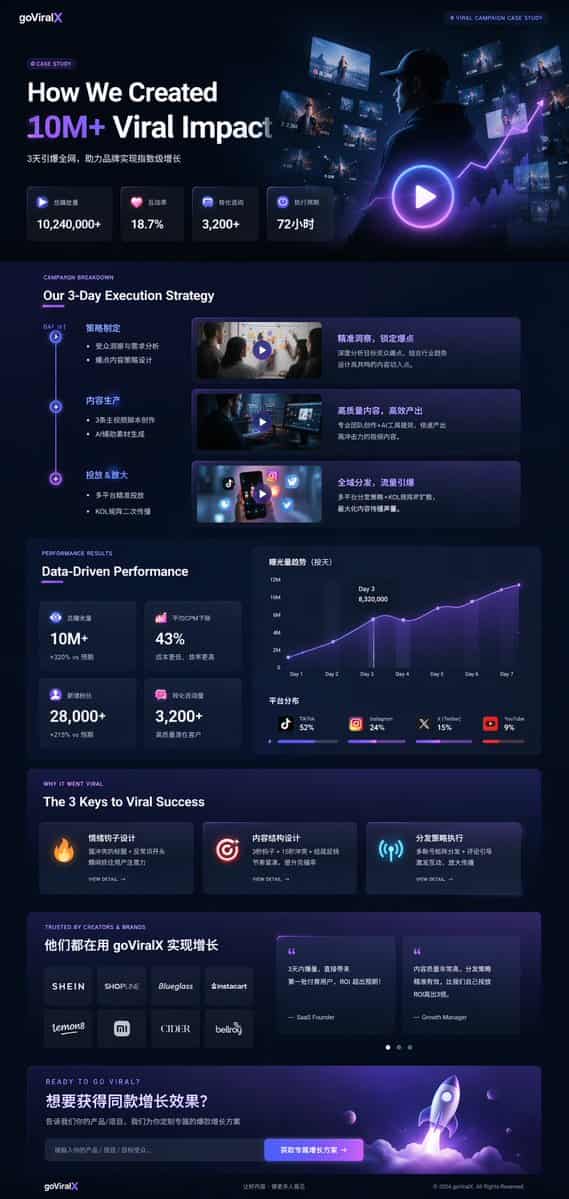
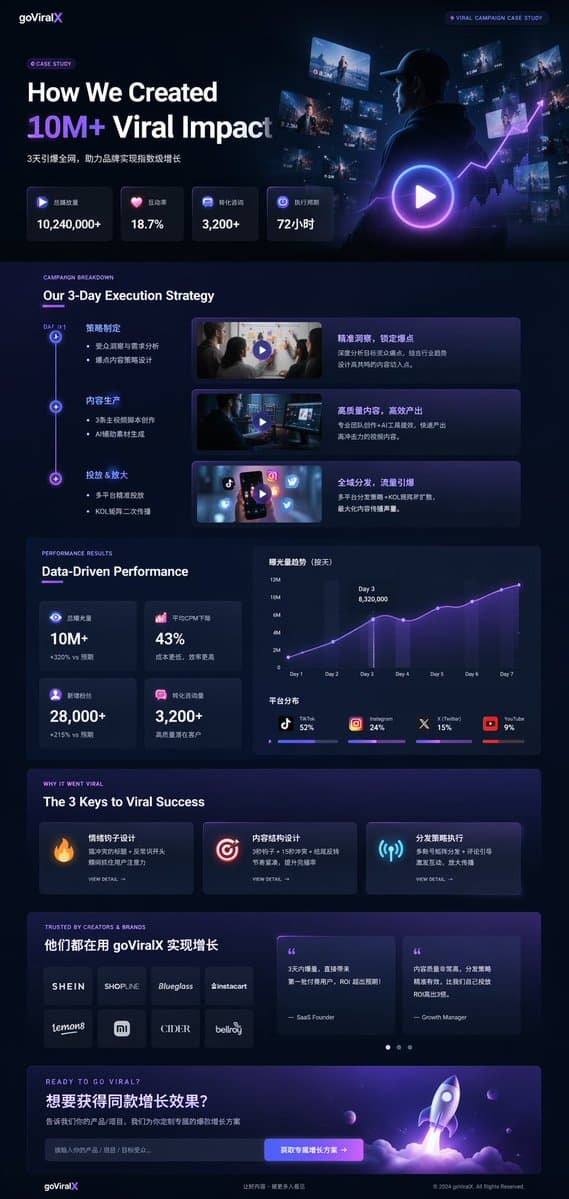
다크 모드 마케팅 사례 연구 UI
{ "type": "UI/UX 랜딩 페이지 목업", "theme": "다크 모드, 세련된 모던 미학, 글래스모피즘, {argument name=\"primary accent color\" default=\"neon purple and blue\"} 빛나는 액센트", "header": { "logo": "{argument name=\"brand name\" default=\"goViralX\…
프롬프트
{ "type": "UI/UX 랜딩 페이지 목업", "theme": "다크 모드, 세련된 모던 미학, 글래스모피즘, {argument name=\"primary accent color\" default=\"neon purple and blue\"} 빛나는 액센트", "header": { "logo": "{argument name=\"brand name\" default=\"goViralX\"}", "top_right_tag": "VIRAL CAMPAIGN CASE STUDY" }, "layout": { "sections": [ { "name": "히어로", "headline": "{argument name=\"hero headline\" default=\"How We Created 10M+ Viral Impact\"}", "subheadline": "3일 만에 전 네트워크 폭발, 브랜드의 기하급수적 성장 실현", "stats_row": { "count": 4, "labels": ["총 재생 수", "상호작용율", "전환 문의", "실행 기간"], "values": ["{argument name=\"main statistic\" default=\"10,240,000+\"}", "18.7%", "3,200+", "72시간"] }, "visual": "후디를 입은 사람이 빛나는 디지털 화면과 그래프를 바라보는 시네마틱 샷, 큰 재생 버튼 오버레이" }, { "name": "전략", "title": "우리의 3일 실행 전략", "layout_type": "세로 타임라인", "steps_count": 3, "elements_per_step": ["타임라인 노드", "제목", "불릿 포인트", "재생 버튼이 있는 비디오 썸네일", "설명 박스"] }, { "name": "성과", "title": "데이터 기반 성과", "left_column": { "stat_cards_count": 4, "values": ["10M+", "43%", "28,000+", "3,200+"] }, "right_column": { "charts_count": 2, "chart_1": "3일째에 정점에 달하는 7일 성장을 보여주는 라인 그래프", "chart_2": "플랫폼 분포(TikTok 52%, Instagram 24%, X 15%, YouTube 9%)를 보여주는 가로 분할 막대 차트" } }, { "name": "성공의 열쇠", "title": "바이럴 성공의 3가지 열쇠", "cards_count": 3, "card_elements": ["빛나는 아이콘 (불, 타겟, 안테나)", "제목", "설명", "VIEW DETAIL 링크"] }, { "name": "소셜 프루프", "title": "TRUSTED BY CREATORS & BRANDS", "left_column": { "logos_count": 8, "grid": "2x4", "brands": ["SHEIN", "SHOPLINE", "Blueglass", "instacart", "lemon8", "mi", "CIDER", "bellroy"] }, "right_column": { "testimonial_cards_count": 2, "elements": ["인용문", "작성자 직함 (SaaS 창업자, 그로스 매니저)"] } }, { "name": "콜 투 액션", "title": "READY TO GO VIRAL?", "interactive_elements": ["텍스트 입력 필드", "빛나는 버튼 텍스트 '{argument name=\"call to action text\" default=\"获取专属增长方案 ->\"}'"], "visual": "보라색과 파란색 화염을 내뿜으며 이륙하는 로켓의 3D 렌더링" } ] } }
이 프롬프트를 사용하는 방법
전체 다크 모드 마케팅 사례 연구 UI 프롬프트를 읽고 생성하기 전에 피사체, 스타일, 카메라, 조명 및 구성 요구 사항을 식별하십시오.
괄호로 묶인 자리 표시자나 인수 스타일 자리 표시자를 제품, 캐릭터, 브랜드, 장면, 색상 팔레트 또는 화면 비율 요구 사항으로 바꾸세요.
https://www.gptimagehub.com/ko/generate?promptId=cmogx4gaj00ejzpdyjfmpkq4n을 열고 이미지를 생성한 다음 필요한 경우 보다 구체적인 주제, 텍스트, 레이아웃 또는 제외 제약 조건을 사용하여 프롬프트를 구체화합니다.
프롬프트 FAQ
다크 모드 마케팅 사례 연구 UI 프롬프트는 어떤 용도로 가장 잘 사용되나요?
이 프롬프트는 재사용 가능한 구조, 상세한 시각적 방향 및 일관된 출력 품질을 원하는 ui / ux 디자인 이미지에 가장 적합합니다.
프롬프트를 생성하기 전에 편집할 수 있나요?
그렇습니다. 전체 프롬프트 텍스트가 이 페이지에 표시되므로 생성 전에 주제, 제품 이름, 색상, 구성, 카메라 용어, 종횡비 및 스타일 노트를 변경할 수 있습니다.
이 메시지에는 어떤 모델을 사용해야 합니까?
프롬프트 메타데이터에 표시된 모델을 기본 시작점으로 사용합니다. 다른 이미지 모델이 동일한 종횡비와 지침 스타일을 지원하는 경우 프롬프트를 조정하고 결과를 비교할 수 있습니다.