
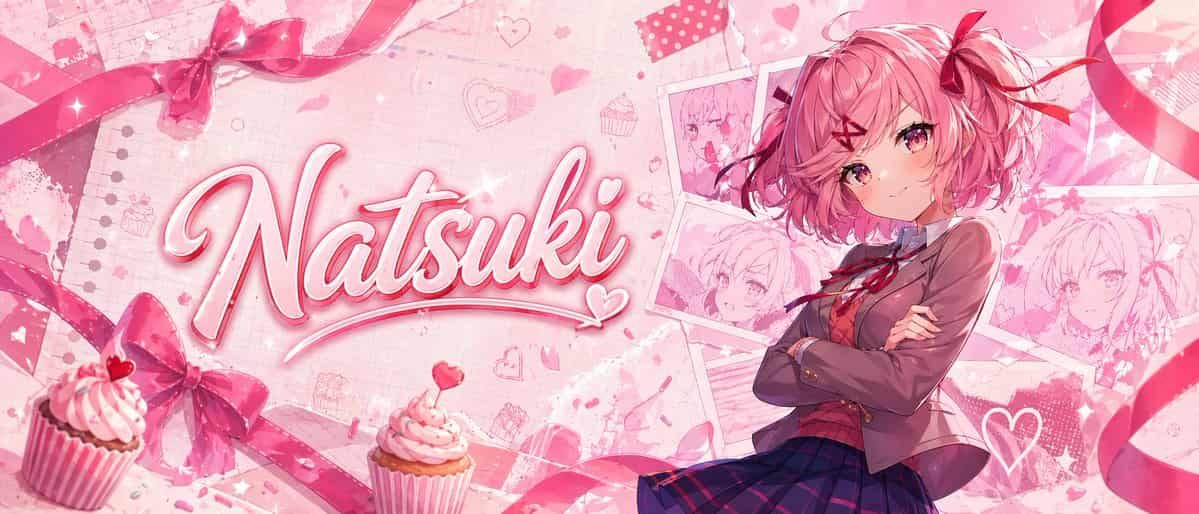
핑크 애니메이션 나츠키 배너
와이드 시네마틱 레이아웃의 광택 있는 파스텔 핑크 애니메이션 배너, 귀여운 로맨스와 디저트를 테마로 합니다. 자신감 있는 십대 애니메이션 소녀를 오른쪽에 약 허벅지 위까지 보여주며, {argument name="hair color" default="soft pink"}의 짧은 폭신한 보브 헤어, 크고 핑크-마젠타 눈, 작은 부드러운 미소, 팔짱을 끼고 있습니다. 그녀는 일본 학교 교복을 입…
프롬프트
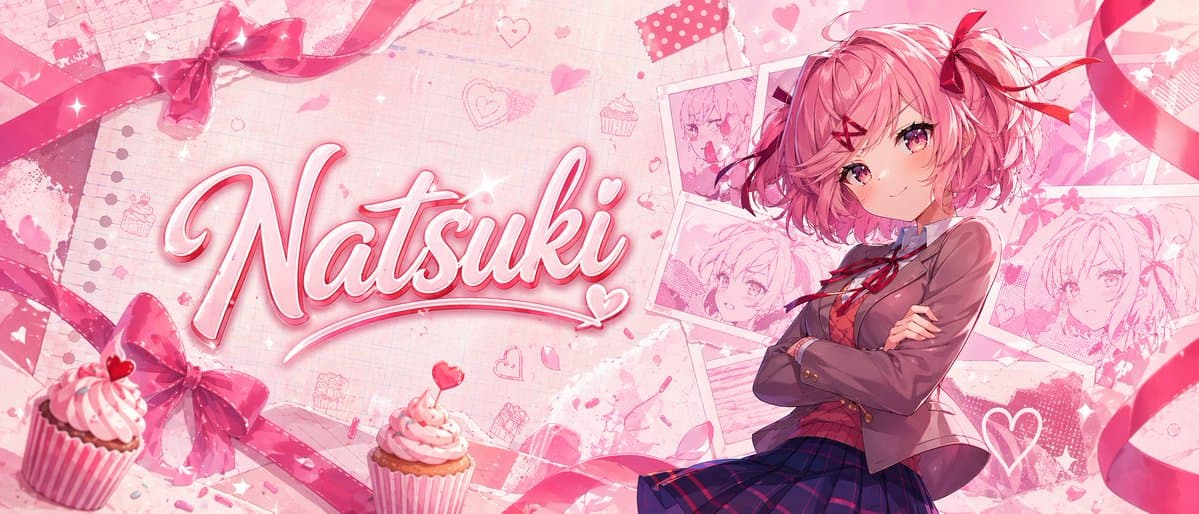
와이드 시네마틱 레이아웃의 광택 있는 파스텔 핑크 애니메이션 배너, 귀여운 로맨스와 디저트를 테마로 합니다. 자신감 있는 십대 애니메이션 소녀를 오른쪽에 약 허벅지 위까지 보여주며, {argument name="hair color" default="soft pink"}의 짧은 폭신한 보브 헤어, 크고 핑크-마젠타 눈, 작은 부드러운 미소, 팔짱을 끼고 있습니다. 그녀는 일본 학교 교복을 입고 있습니다: 1개의 갈색 블레이저, 1개의 흰색 셔츠, 칼라에 1개의 빨간색 리본 보우, 1개의 어두운 네이비-퍼플 체크 스커트. 2개의 빨간색 리본 헤어 액세서리를 추가하세요. 옆에 1개의 큰 보우와 1개의 작은 리본 액센트. 왼쪽 절반에는 {argument name="character name" default="Natsuki"}라는 큰 손글씨 스크립트 이름을 굵은 광택 있는 3D 필기체로, 흰색에서 핑크로 채워지고 밝은 핑크 윤곽선, 부드러운 베벨, 미묘한 드롭 섀도우, 반짝임, 글자에 통합된 작은 하트 플로리시와 함께 표시하세요. 배경은 노트 종이 텍스처, 희미한 그리드와 찢어진 종이 디테일, 흩어진 낙서 하트, 꽃잎, 반짝임, 귀여운 베이커리 모티프가 있는 블러시 핑크 톤의 레이어드 스크랩북 콜라주여야 합니다. 그녀 뒤 오른쪽 상단과 중간 오른쪽에 정확히 4개의 핀으로 고정되거나 테이프로 붙여진 같은 소녀의 스케치 스타일 초상화 카드를 겹친 폴라로이드처럼 배열합니다. 전경 왼쪽 하단과 중앙 하단 근처에 정확히 2개의 컵케이크를 추가하고, 둘 다 핑크 프로스팅, 줄무늬 래퍼, 작은 하트 토퍼나 사탕 액센트가 있습니다. 흐르는 새틴 리본과 보우로 구성을 프레임화합니다: 좌측 상단 근처의 1개의 보우, 좌측 하단 근처의 1개의 보우, 상단과 오른쪽 가장자리를 가로지르는 2개의 긴 컬링 리본을 포함하여 정확히 4개의 주요 리본 요소가 보입니다. 부드러운 고디테일 애니메이션 일러스트 스타일, 세련된 조명, 꿈결 같은 블룸, 로맨틱한 발렌타인 팔레트, 섬세한 텍스처, 깨끗하고 임팩트 있는 썸네일 같은 구성을 사용하세요.
이 프롬프트를 사용하는 방법
전체 핑크 애니메이션 나츠키 배너 프롬프트를 읽고 생성하기 전에 피사체, 스타일, 카메라, 조명 및 구성 요구 사항을 식별하십시오.
괄호로 묶인 자리 표시자나 인수 스타일 자리 표시자를 제품, 캐릭터, 브랜드, 장면, 색상 팔레트 또는 화면 비율 요구 사항으로 바꾸세요.
https://www.gptimagehub.com/ko/generate?promptId=cmogx2o2i00d3zpdygr8dnlm5을 열고 이미지를 생성한 다음 필요한 경우 보다 구체적인 주제, 텍스트, 레이아웃 또는 제외 제약 조건을 사용하여 프롬프트를 구체화합니다.
프롬프트 FAQ
핑크 애니메이션 나츠키 배너 프롬프트는 어떤 용도로 가장 잘 사용되나요?
이 프롬프트는 재사용 가능한 구조, 상세한 시각적 방향 및 일관된 출력 품질을 원하는 소셜 미디어 이미지에 가장 적합합니다.
프롬프트를 생성하기 전에 편집할 수 있나요?
그렇습니다. 전체 프롬프트 텍스트가 이 페이지에 표시되므로 생성 전에 주제, 제품 이름, 색상, 구성, 카메라 용어, 종횡비 및 스타일 노트를 변경할 수 있습니다.
이 메시지에는 어떤 모델을 사용해야 합니까?
프롬프트 메타데이터에 표시된 모델을 기본 시작점으로 사용합니다. 다른 이미지 모델이 동일한 종횡비와 지침 스타일을 지원하는 경우 프롬프트를 조정하고 결과를 비교할 수 있습니다.