
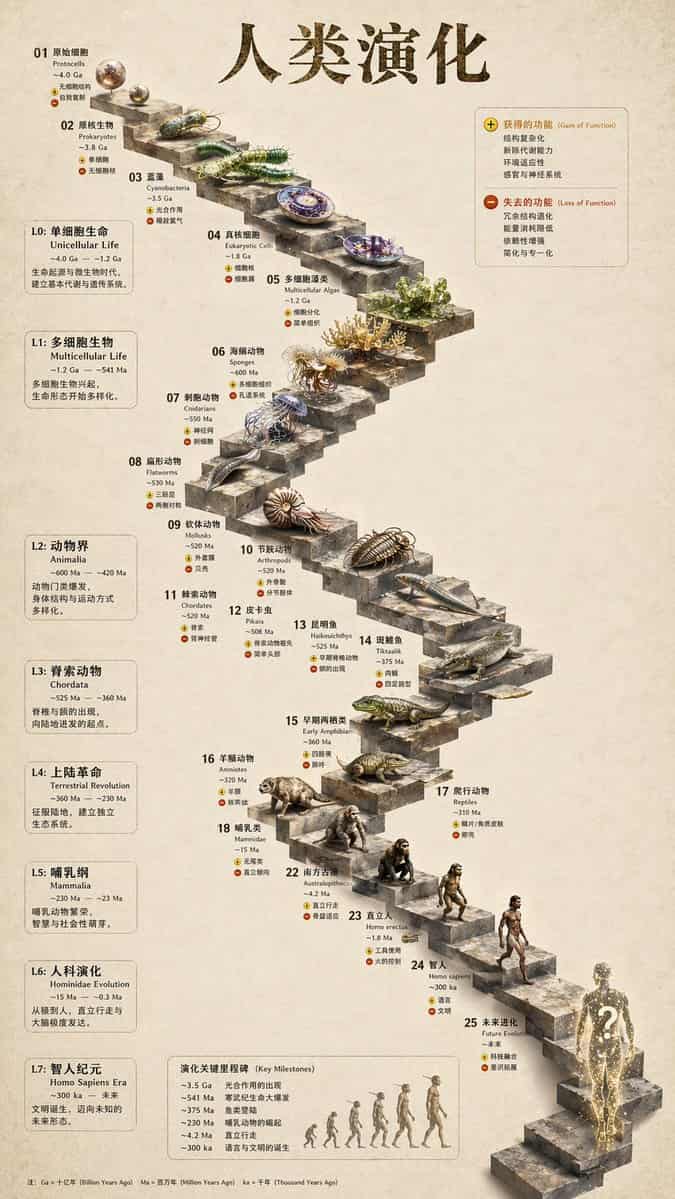
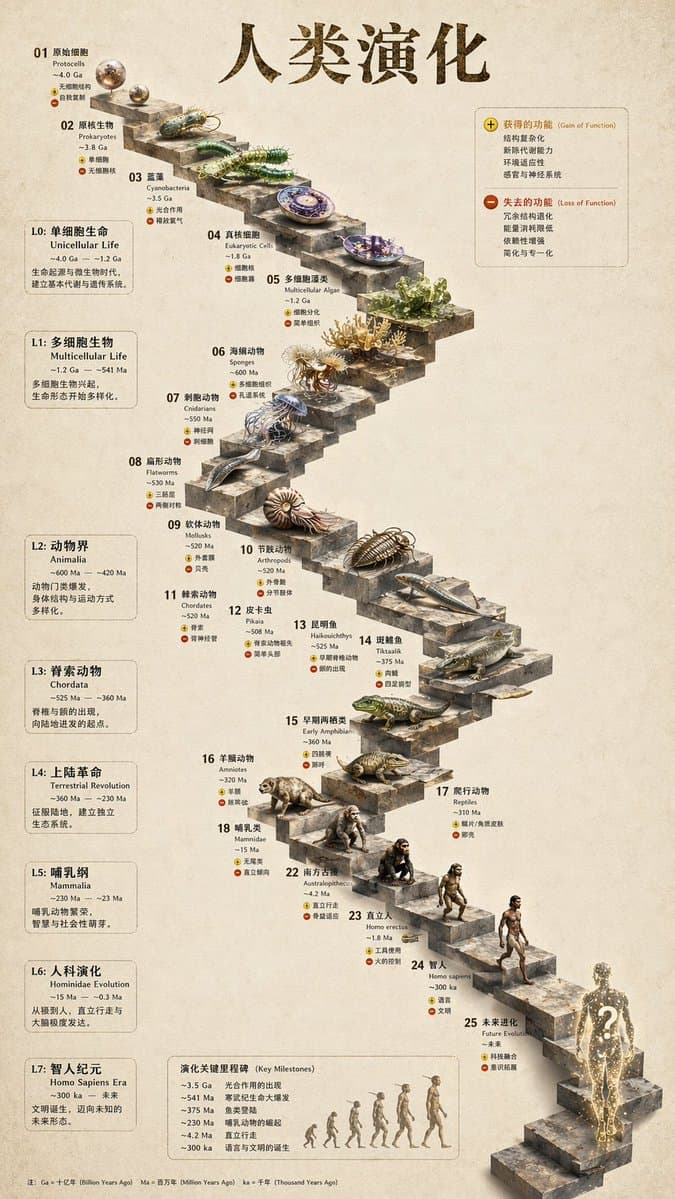
3D 돌계단 진화 인포그래픽
{ "type": "진화 타임라인 인포그래픽", "instruction": "REFERENCE_0를 구조적 기반으로 사용하여 평면 벡터 디자인을 매우 사실적인 3D 인포그래픽으로 변환하세요. 부드러운 경사로를 뚜렷한 돌계단으로 교체하고 모든 생물을 사실적인 3D 모델로 업그레이드하세요.", "style": { "background": "{argument name=\"background st…
프롬프트
{ "type": "진화 타임라인 인포그래픽", "instruction": "REFERENCE_0를 구조적 기반으로 사용하여 평면 벡터 디자인을 매우 사실적인 3D 인포그래픽으로 변환하세요. 부드러운 경사로를 뚜렷한 돌계단으로 교체하고 모든 생물을 사실적인 3D 모델로 업그레이드하세요.", "style": { "background": "{argument name=\"background style\" default=\"vintage textured parchment paper\"}", "staircase": "{argument name=\"staircase material\" default=\"realistic textured stone blocks\"}", "subjects": "{argument name=\"organism style\" default=\"highly detailed photorealistic 3D renders\"}" }, "layout": { "main_title": "{argument name=\"main title\" default=\"人类演化\"}", "sections": [ { "position": "왼쪽 사이드바", "count": 8, "labels": ["L0: 单细胞生命", "L1: 多细胞生物", "L2: 动物界", "L3: 脊索动物", "L4: 上陆革命", "L5: 哺乳纲", "L6: 人科演化", "L7: 智人纪元"] }, { "position": "오른쪽 상단", "title": "获得的功能 / 失去的功能", "description": "플러스 및 마이너스 아이콘이 있는 범례" }, { "position": "하단 중앙", "title": "演化关键里程碑", "count": 6, "description": "유인원에서 인간으로의 진화를 보여주는 6개 인물 실루엣 그래픽이 있는 타임라인" } ], "centerpiece": { "description": "특정 생물이 등장하는 25개의 번호가 매겨진 계단이 있는 굽이굽이 돌계단.", "count": 25, "notable_elements": [ "Step 07: 해파리", "Step 09: 암모나이트", "Step 10: 삼엽충", "Step 24: 걷는 인간", "Step 25: {argument name=\"future evolution concept\" default=\"glowing cosmic silhouette with a question mark\"}" ] } } }
이 프롬프트를 사용하는 방법
전체 3D 돌계단 진화 인포그래픽 프롬프트를 읽고 생성하기 전에 피사체, 스타일, 카메라, 조명 및 구성 요구 사항을 식별하십시오.
괄호로 묶인 자리 표시자나 인수 스타일 자리 표시자를 제품, 캐릭터, 브랜드, 장면, 색상 팔레트 또는 화면 비율 요구 사항으로 바꾸세요.
https://www.gptimagehub.com/ko/generate?promptId=cmogwy3me009lzpdyd0vcxqra을 열고 이미지를 생성한 다음 필요한 경우 보다 구체적인 주제, 텍스트, 레이아웃 또는 제외 제약 조건을 사용하여 프롬프트를 구체화합니다.
프롬프트 FAQ
3D 돌계단 진화 인포그래픽 프롬프트는 어떤 용도로 가장 잘 사용되나요?
이 프롬프트는 재사용 가능한 구조, 상세한 시각적 방향 및 일관된 출력 품질을 원하는 인포그래픽 / 교육 이미지에 가장 적합합니다.
프롬프트를 생성하기 전에 편집할 수 있나요?
그렇습니다. 전체 프롬프트 텍스트가 이 페이지에 표시되므로 생성 전에 주제, 제품 이름, 색상, 구성, 카메라 용어, 종횡비 및 스타일 노트를 변경할 수 있습니다.
이 메시지에는 어떤 모델을 사용해야 합니까?
프롬프트 메타데이터에 표시된 모델을 기본 시작점으로 사용합니다. 다른 이미지 모델이 동일한 종횡비와 지침 스타일을 지원하는 경우 프롬프트를 조정하고 결과를 비교할 수 있습니다.