
이커머스 이어버드 인포그래픽 프롬프트
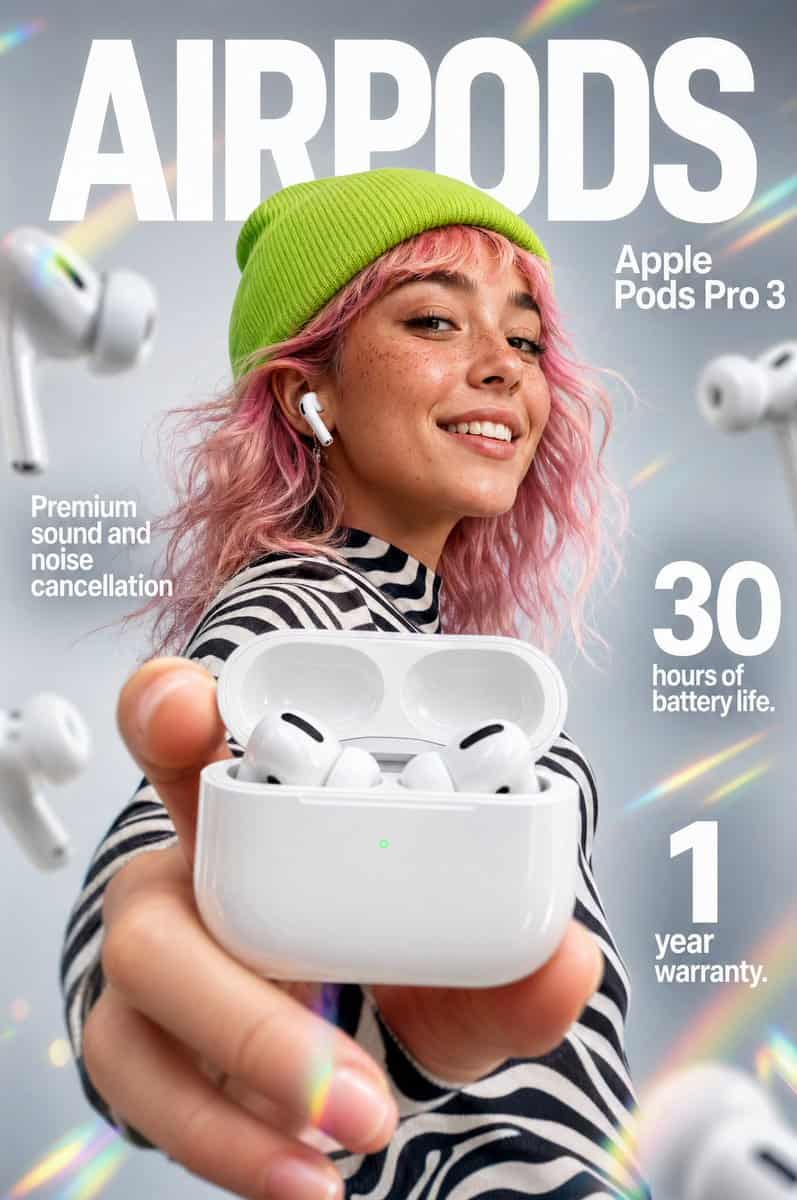
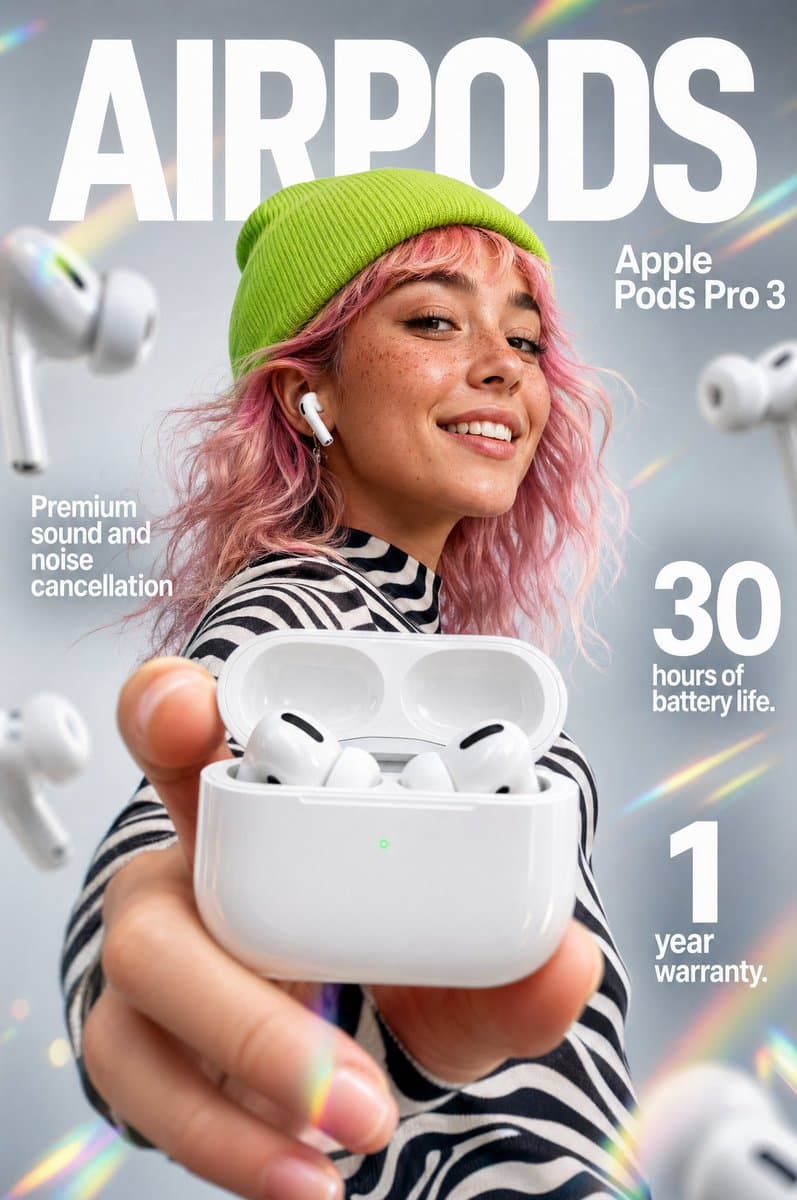
"{argument name="product name" default="Apple Pods Pro 3"}" 무선 이어버드를 위한 임팩트 있는 이커머스 인포그래픽. 전경: 카메라를 향해 들어 올린 손이 광택 있는 흰색 무선 이어버드 충전 케이스를 열어 보이는 익스트림 클로즈업. 케이스 안에는 검은색 스피커 액센트가 있는 매끈한 흰색 이어버드 두 개가 들어 있다. 케이스 전면에는 작게 빛나는…
프롬프트
"{argument name="product name" default="Apple Pods Pro 3"}" 무선 이어버드를 위한 임팩트 있는 이커머스 인포그래픽. 전경: 카메라를 향해 들어 올린 손이 광택 있는 흰색 무선 이어버드 충전 케이스를 열어 보이는 익스트림 클로즈업. 케이스 안에는 검은색 스피커 액센트가 있는 매끈한 흰색 이어버드 두 개가 들어 있다. 케이스 전면에는 작게 빛나는 녹색 LED 상태등이 보인다. 손과 케이스에는 깊이감을 만들기 위한 약간의 매크로 렌즈 블러가 적용된다. 중심 피사체: 중경에는 주근깨가 있고 웨이브 진 {argument name="hair color" default="pastel-pink"} 머리를 한 미소 짓는 젊은 여성. 그녀는 선명한 라임그린 니트 비니와 사이키델릭한 흑백 스트라이프 긴팔 셔츠를 입고 있다. 한쪽 귀에는 흰색 이어버드 한 개가 끼워져 있다. 배경 & 조명: 라이트 그레이 그라데이션의 깔끔한 소프트 포커스 스튜디오 배경. 장면에는 대각선 무지개 프리즘 렌즈 플레어와 부드러운 빛 누수가 액센트로 들어간다. 흐릿한 흰색 이어버드 여러 개가 배경에 예술적으로 떠 있다. 조명은 부드럽고 전문적이며 제품의 광택 플라스틱을 강조한다. 타이포그래피 & 레이아웃(산세리프, 흰색): 상단 중앙(배경): "{argument name="main brand text" default="AIRPODS"}"라고 적힌 거대하고 굵은 글씨(모델 뒤에 배치). 상단 우측: "Apple Pods Pro 3"라고 적힌 굵은 글씨. 중간 좌측: "Premium sound and noise cancellation" 중간 우측: 큼직한 굵은 "30"과 "hours of battery life." 하단 우측: 큼직한 굵은 "1"과 "year warranty." 스타일: 8k 해상도, 상업용 제품 사진, 생동감 있는 컬러 팔레트, 제품 케이스에 또렷한 초점, 얕은 피사계 심도, 깔끔한 광고 미학.
이 프롬프트를 사용하는 방법
전체 이커머스 이어버드 인포그래픽 프롬프트 프롬프트를 읽고 생성하기 전에 피사체, 스타일, 카메라, 조명 및 구성 요구 사항을 식별하십시오.
괄호로 묶인 자리 표시자나 인수 스타일 자리 표시자를 제품, 캐릭터, 브랜드, 장면, 색상 팔레트 또는 화면 비율 요구 사항으로 바꾸세요.
https://www.gptimagehub.com/ko/generate?promptId=cmogx5yst00fnzpdyz32ujejn을 열고 이미지를 생성한 다음 필요한 경우 보다 구체적인 주제, 텍스트, 레이아웃 또는 제외 제약 조건을 사용하여 프롬프트를 구체화합니다.
프롬프트 FAQ
이커머스 이어버드 인포그래픽 프롬프트 프롬프트는 어떤 용도로 가장 잘 사용되나요?
이 프롬프트는 재사용 가능한 구조, 상세한 시각적 방향 및 일관된 출력 품질을 원하는 제품 및 이커머스 이미지에 가장 적합합니다.
프롬프트를 생성하기 전에 편집할 수 있나요?
그렇습니다. 전체 프롬프트 텍스트가 이 페이지에 표시되므로 생성 전에 주제, 제품 이름, 색상, 구성, 카메라 용어, 종횡비 및 스타일 노트를 변경할 수 있습니다.
이 메시지에는 어떤 모델을 사용해야 합니까?
프롬프트 메타데이터에 표시된 모델을 기본 시작점으로 사용합니다. 다른 이미지 모델이 동일한 종횡비와 지침 스타일을 지원하는 경우 프롬프트를 조정하고 결과를 비교할 수 있습니다.