
프롬프트
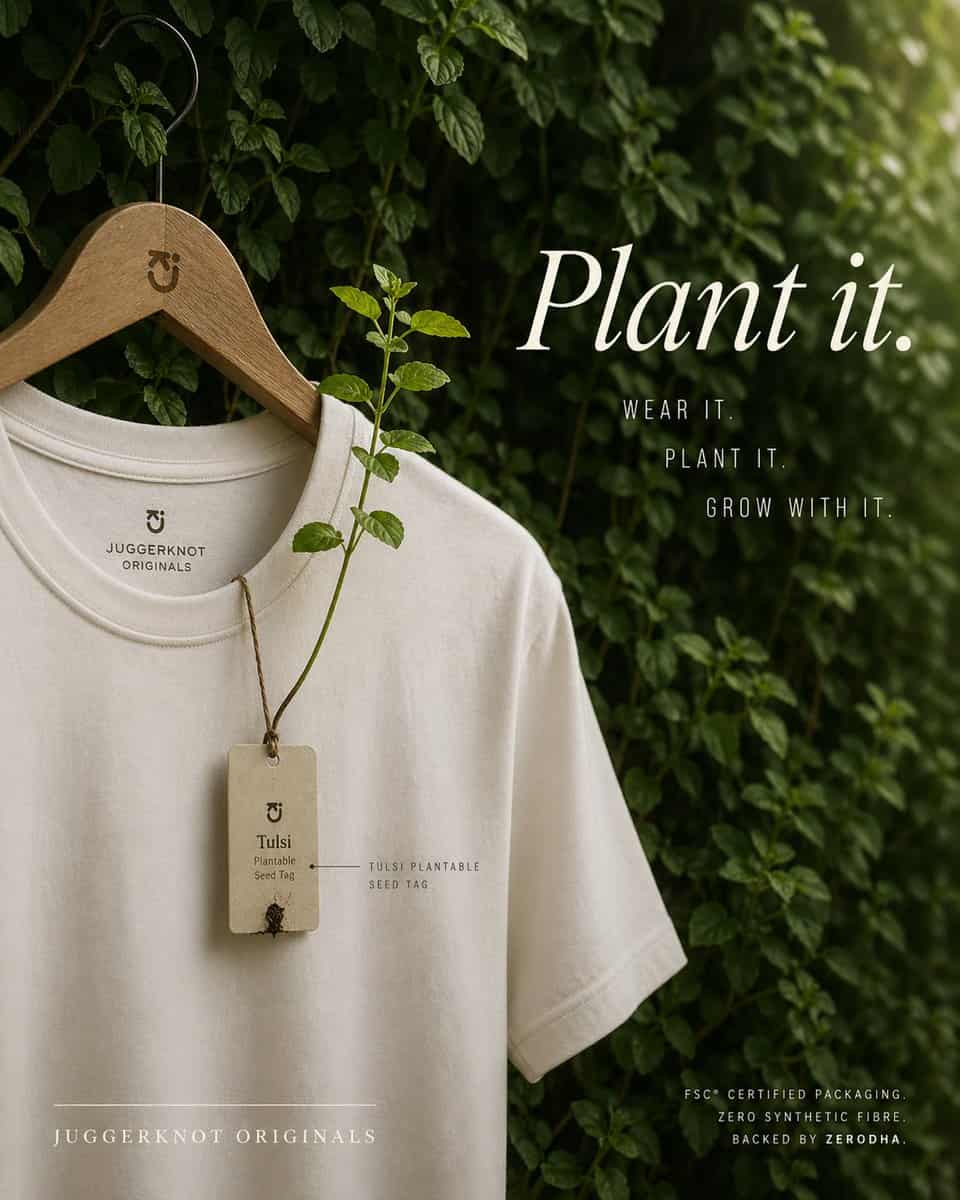
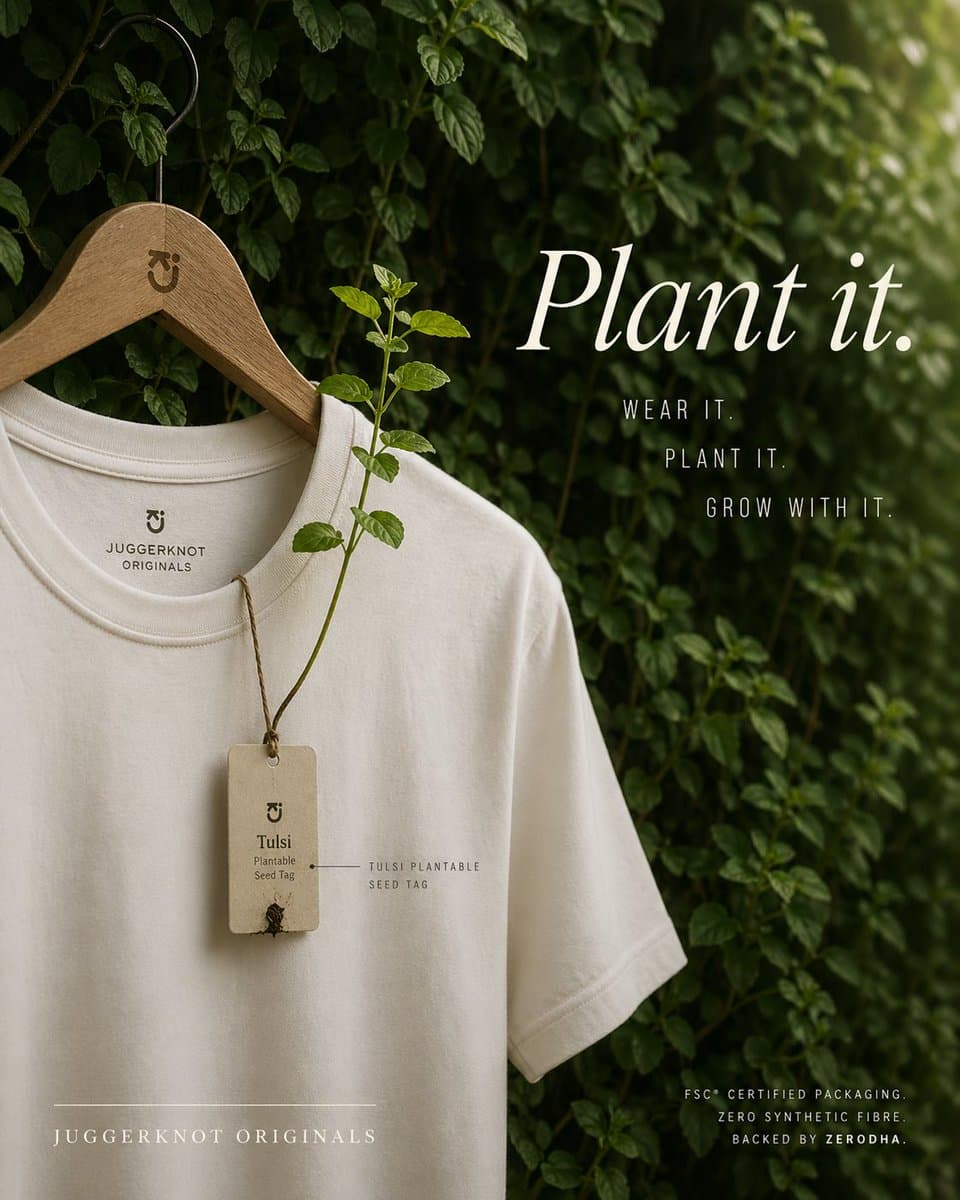
세련된 에디토리얼 제품 사진으로 촬영된 프리미엄 친환경 패션 광고. 무광택 오프화이트 또는 내추럴 크림 색상의 라운드넥 티셔츠 한 벌이, 검정 금속 후크가 달린 매끈한 나무 옷걸이에 걸려, 빽빽한 녹색 잎과 덩굴이 자라는 풍성한 잎사귀 벽 앞에 놓여 있다. 옷걸이의 목 부근에는 미니멀한 브랜드 모노그램이 새겨져 있다. 셔츠는 상체 윗부분부터 밑단 일부까지 약간 비스듬한 각도로 보이며, 부드러운 자연스러운 주름과 고품질 면 질감을 보여준다. 칼라 안쪽에는 미니멀한 브랜드 마크와 "JUGGERKNOT ORIGINALS" 문구가 인쇄되어 있다. 목선에서 거친 갈색 끈으로 묶인 직사각형 재활용지 종자 태그 1개가 늘어져 있으며, 태그에는 "Tulsi"와 "Plantable Seed Tag"가 적혀 있고 하단에는 작은 새싹 디테일이 그려져 있다. 태그에서부터 셔츠 앞면을 가로질러 위로 자라난 실제 툴시 식물 줄기 1개가 신선한 녹색 잎 여러 개와 함께 뻗어 있어, 태그를 심을 수 있다는 점을 시각적으로 보여준다. 태그 근처에 "TULSI PLANTABLE SEED TAG"라고 적힌 작은 라벨 주석을 추가한다. 우측에는 큼직하고 우아한 흰색 세리프 타이포그래피로 {argument name="headline text" default="Plant it."}라고 표기. 그 아래에는 좁은 대문자 산세리프로 3줄을 쌓는다: "WEAR IT.", "PLANT IT.", "GROW WITH IT.". 좌측 하단에는 자간이 넓은 대문자 세리프로 브랜드명 {argument name="brand name" default="JUGGERKNOT ORIGINALS"}을 배치하고, 그 위에 가는 가로선을 추가한다. 우측 하단에는 작은 대문자 산세리프로 3줄을 추가: "FSC® CERTIFIED PACKAGING.", "ZERO SYNTHETIC FIBRE", "BACKED BY ZERODHA.". 부드럽게 분산된 햇빛, 얕은 피사계 심도, 무드 있는 그린&크림 컬러 그레이딩, 럭셔리 지속가능 브랜드 미학, 깔끔한 구도, 세로형 포스터 레이아웃, 은은한 그림자, 차분한 유기적 분위기를 사용. 셔츠가 좌측 절반을 차지하고 타이포그래피가 우측에서 균형을 이루도록, 디자인은 미니멀하고 프리미엄하며 사실적으로 유지한다.
이 프롬프트를 사용하는 방법
전체 지속가능한 티셔츠 심을 수 있는 태그 광고 프롬프트를 읽고 생성하기 전에 피사체, 스타일, 카메라, 조명 및 구성 요구 사항을 식별하십시오.
괄호로 묶인 자리 표시자나 인수 스타일 자리 표시자를 제품, 캐릭터, 브랜드, 장면, 색상 팔레트 또는 화면 비율 요구 사항으로 바꾸세요.
https://www.gptimagehub.com/ko/generate?promptId=cmogx5s2u00fhzpdya52bz88n을 열고 이미지를 생성한 다음 필요한 경우 보다 구체적인 주제, 텍스트, 레이아웃 또는 제외 제약 조건을 사용하여 프롬프트를 구체화합니다.
프롬프트 FAQ
지속가능한 티셔츠 심을 수 있는 태그 광고 프롬프트는 어떤 용도로 가장 잘 사용되나요?
이 프롬프트는 재사용 가능한 구조, 상세한 시각적 방향 및 일관된 출력 품질을 원하는 제품 및 이커머스 이미지에 가장 적합합니다.
프롬프트를 생성하기 전에 편집할 수 있나요?
그렇습니다. 전체 프롬프트 텍스트가 이 페이지에 표시되므로 생성 전에 주제, 제품 이름, 색상, 구성, 카메라 용어, 종횡비 및 스타일 노트를 변경할 수 있습니다.
이 메시지에는 어떤 모델을 사용해야 합니까?
프롬프트 메타데이터에 표시된 모델을 기본 시작점으로 사용합니다. 다른 이미지 모델이 동일한 종횡비와 지침 스타일을 지원하는 경우 프롬프트를 조정하고 결과를 비교할 수 있습니다.