
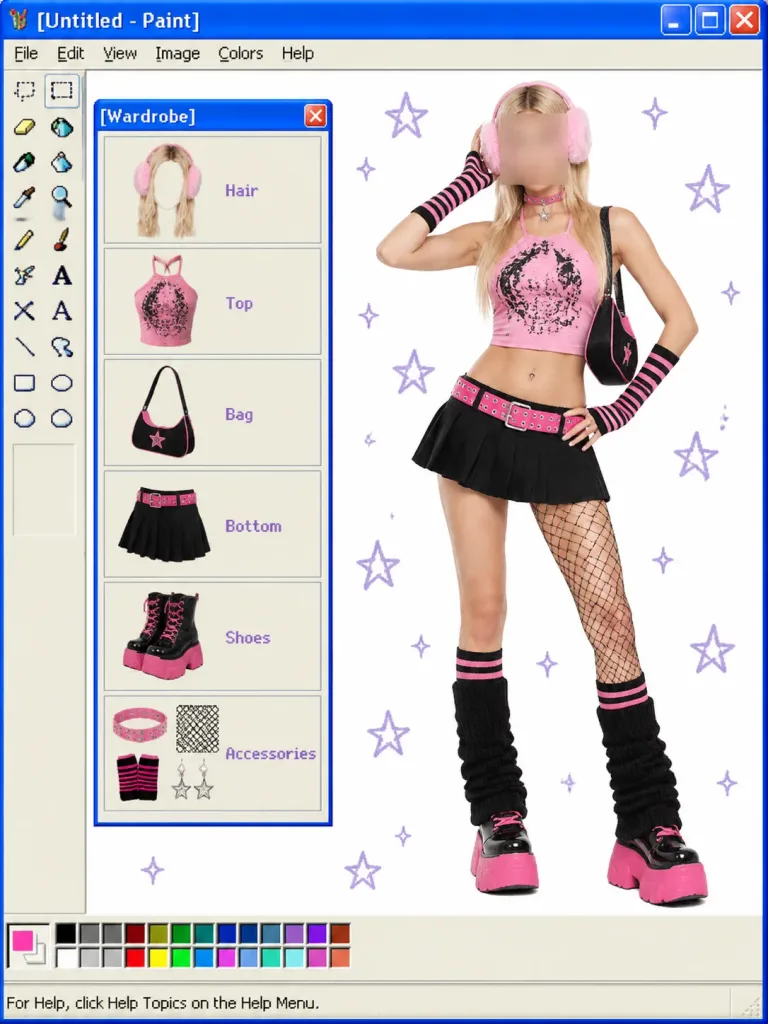
Scomposizione Outfit Y2K in Windows Paint
Crea un collage retrò in stile Paint di Windows XP con la scomposizione modulare di un look Y2K. Modifica facilmente lo stile dei capi, i titoli e le categorie.
Prompt
A digital collage set inside a retro Windows XP Microsoft Paint application interface, presenting a modular Y2K OOTD wardrobe breakdown. Interface Details: - Top blue Windows XP title bar reading "[Untitled - Paint]" with minimize, maximize, and red close buttons. - Classic menu bar showing File, Edit, View, Image, Colors, Help. - Left vertical tool palette containing the classic 16 Paint tool icons (selection, eraser, fill bucket, pencil, brush, airbrush, text, line, shapes). - Bottom color swatch palette with an active bright pink swatch, and status bar reading "For Help, click Help Topics on the Help Menu." Canvas Layout: - Center-Right: Full-body studio fashion photo of a young woman posing against the white canvas in a [pink-and-black Y2K cyber mall-goth] outfit, with one hand near her head and one on her hip. Her face is obscured by a soft square blur. She wears long blonde hair with fluffy pink earmuffs, a cropped pink graphic halter top, black pleated mini skirt with a hot-pink studded belt, black-and-pink shoulder bag, one-leg fishnet detail, striped socks, black leg warmers, and chunky pink platform shoes. - Left Panel: A floating Windows XP mini-window titled "[Wardrobe]" with a blue title bar and red close button. Inside are exactly 6 vertically stacked beige item cards with purple text labels and illustrated cutouts: 1) Hair — blonde hair with pink earmuffs 2) Top — pink graphic crop top 3) Bag — black and pink shoulder bag 4) Bottom — black pleated mini skirt with pink belt 5) Shoes — chunky black boots with pink soles 6) Accessories — grouped pink choker, fishnet swatch, wrist warmers, and star charms - Canvas Background: Pure white digital canvas dotted with scattered hand-drawn pale purple star and sparkle doodles. Style: Blend of clean studio portrait photography and 2000s pixel-accurate operating system UI elements.
Cosa puoi personalizzare
Prima di generare, sostituisci queste parti del prompt con il tuo soggetto o testo.
[Untitled - Paint]segnaposto[pink-and-black Y2K cyber mall-goth]segnaposto[Wardrobe]segnaposto“For Help, click Help Topics on the Help Menu.”testo tra virgolette
Dettagli del prompt
- Categoria
- Social media
- Modello
- GPT IMAGE 2
- Costo per immagine
- 1K: 43 crediti · 2K: 86 crediti · 4K: 143 crediti
- Proporzioni
- 3:4
- Aggiunto il