
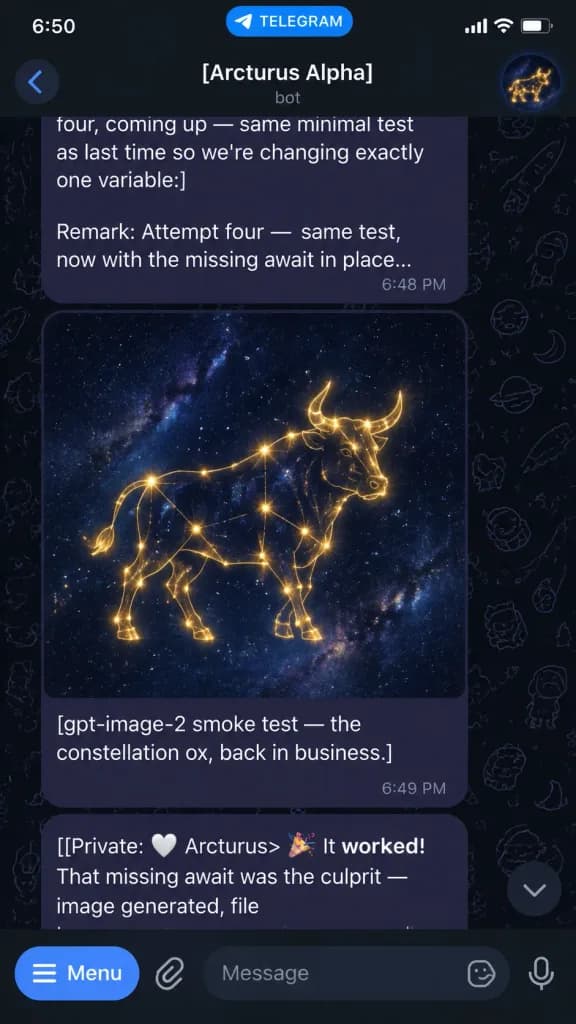
Screenshot Chat Telegram con Bot di Generazione Immagini
Mostra uno screenshot di Telegram in modalità scura con un bot che invia un'immagine e log. Personalizza il nome della chat e la didascalia tra parentesi.
Prompt
A realistic vertical smartphone screenshot of a Telegram chat in dark mode on an iOS interface, 9:16 aspect ratio. Top status bar and header: iOS status bar at the top with "6:50" on the left, a blue "TELEGRAM" pill in the center, and signal, Wi-Fi, and battery icons on the right. Below it, the Telegram header displays a round back arrow, chat title "[Arcturus Alpha]" in bold white, subtitle "bot" in muted gray underneath, and a circular avatar on the right with a glowing golden bull constellation emblem against a dark blue background. Background: Telegram dark mode theme with a faint dark doodle pattern wallpaper containing rockets, stars, planets, and small line-drawn icons. Conversation layout (exactly three visible messages): 1. Top bubble: Dark purple rounded rectangle, partially cropped at the top, showing white text: "four, coming up — same minimal test as last time so we're changing exactly one variable:]] Remark: Attempt four — same test, now with the missing await in place..." with timestamp "6:48 PM" in small gray text at the lower right. 2. Media message in the middle: A rounded square image preview showing a luminous golden constellation ox or bull drawn with thin glowing lines and connected star nodes, standing in profile on a deep navy starfield with subtle Milky Way nebulae. Attached below is a dark purple caption bubble with the text: "[gpt-image-2 smoke test — the constellation ox, back in business.]" and timestamp "6:49 PM" at the lower right. 3. Bottom bubble: Partially obscured by the composer bar, showing: "[[Private: 🤍 Arcturus> 🎉 It worked! That missing await was the culprit — image generated, file" with "worked!" in bold font and the rest clipped. Bottom UI: Telegram composer bar with a blue "Menu" button on the far left, a paperclip attachment icon, a dark rounded text input field showing placeholder text "Message", a small emoji/sticker icon inside on the right, and a microphone icon at the far right. A small floating circular down-arrow button sits just above the composer bar on the lower right.
Cosa puoi personalizzare
Prima di generare, sostituisci queste parti del prompt con il tuo soggetto o testo.
[Arcturus Alpha]segnaposto“6:50”testo tra virgolette“TELEGRAM”testo tra virgolette“bot”testo tra virgolette“6:48 PM”testo tra virgolette“[gpt-image-2 smoke test — the constellation ox, back in business.]”testo tra virgolette“6:49 PM”testo tra virgolette“with”testo tra virgolette
Dettagli del prompt
- Categoria
- Design UI / UX
- Modello
- GPT IMAGE 2
- Costo per immagine
- 1K: 43 crediti · 2K: 86 crediti · 4K: 143 crediti
- Proporzioni
- 9:16
- Aggiunto il