
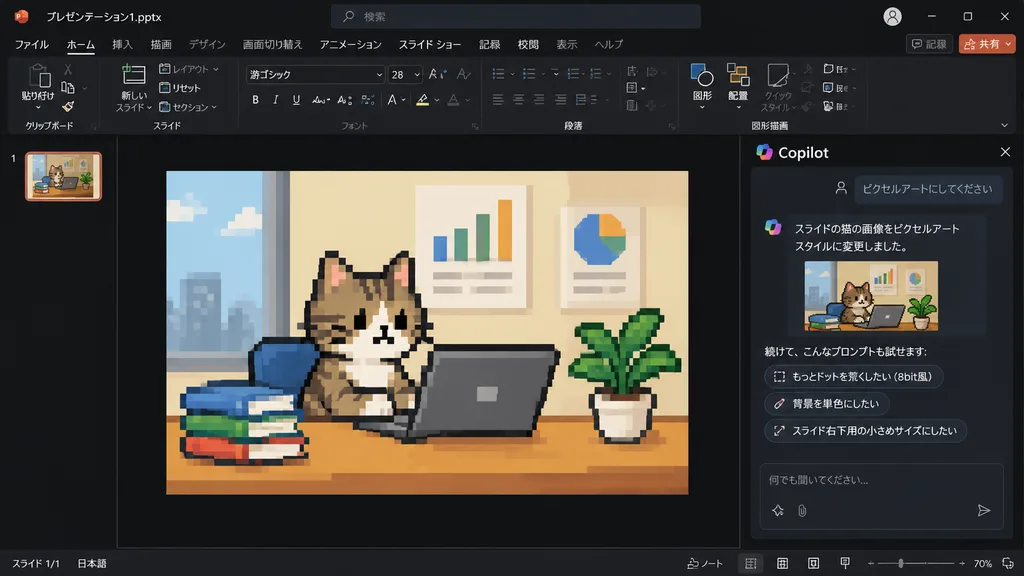
Slide con Gatto Pixel Art in PowerPoint Copilot
Genera uno screenshot dell'interfaccia di PowerPoint Copilot in modalità scura con una foto trasformata in pixel art rétro a 8 bit. Personalizza l'immagine o il testo.
Prompt
Using the reference photo of a PowerPoint dark-mode Copilot interface screenshot, transform only the inserted slide image into retro 8-bit pixel art while keeping the rest of the layout, UI, and composition strictly unchanged. Within the slide, redraw the [tabby cat sitting at a desk with a laptop, books, potted plant, and wall charts] in chunky, low-resolution game-style pixel art with visible square pixels and simplified shading. Update the Japanese Copilot side panel chat text: the user prompt box displays 「ピクセルアートにしてください」, followed by an AI response stating the cat image was changed to pixel art style, and three suggested follow-up prompt pills: 「もっとドットを荒くしたい(8bit風)」, 「背景を単色にしたい」, and 「スライド右下用の小さめサイズにしたい」.
Cosa puoi personalizzare
Prima di generare, sostituisci queste parti del prompt con il tuo soggetto o testo.
“ピクセルアートにしてください”testo tra virgolette“もっとドットを荒くしたい(8bit風)”testo tra virgolette“背景を単色にしたい”testo tra virgolette“スライド右下用の小さめサイズにしたい”testo tra virgolette
Dettagli del prompt
- Categoria
- Design UI / UX
- Modello
- GPT IMAGE 2
- Costo per immagine
- 1K: 43 crediti · 2K: 86 crediti · 4K: 143 crediti
- Proporzioni
- 16:9
- Aggiunto il