
Leggi l'articolo #41
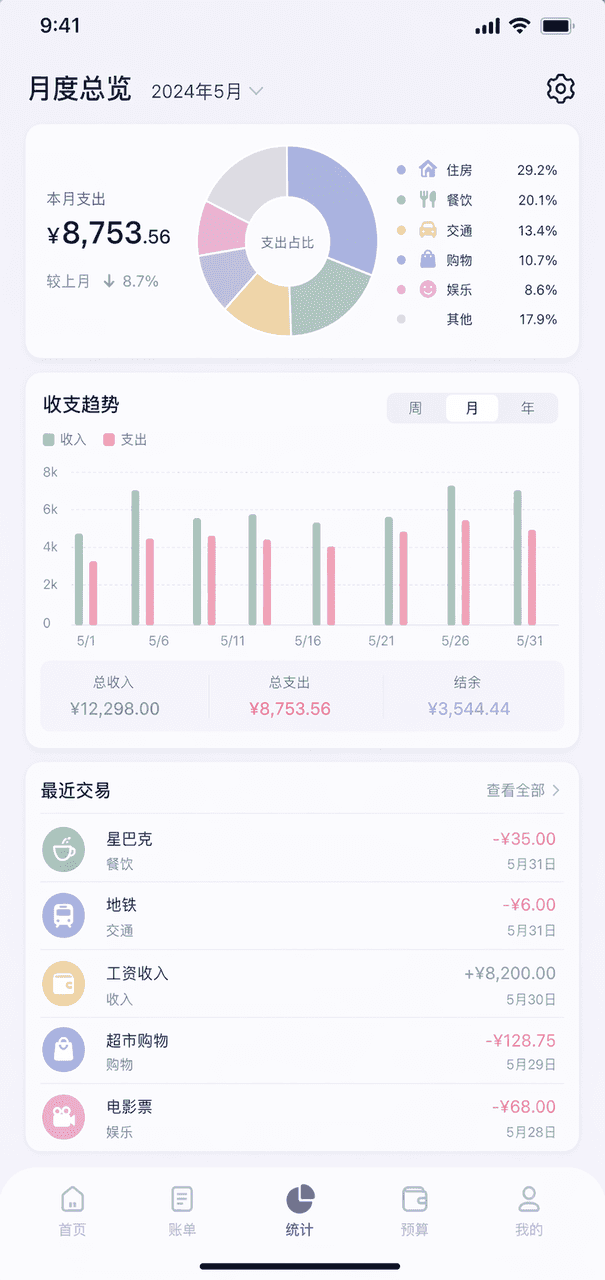
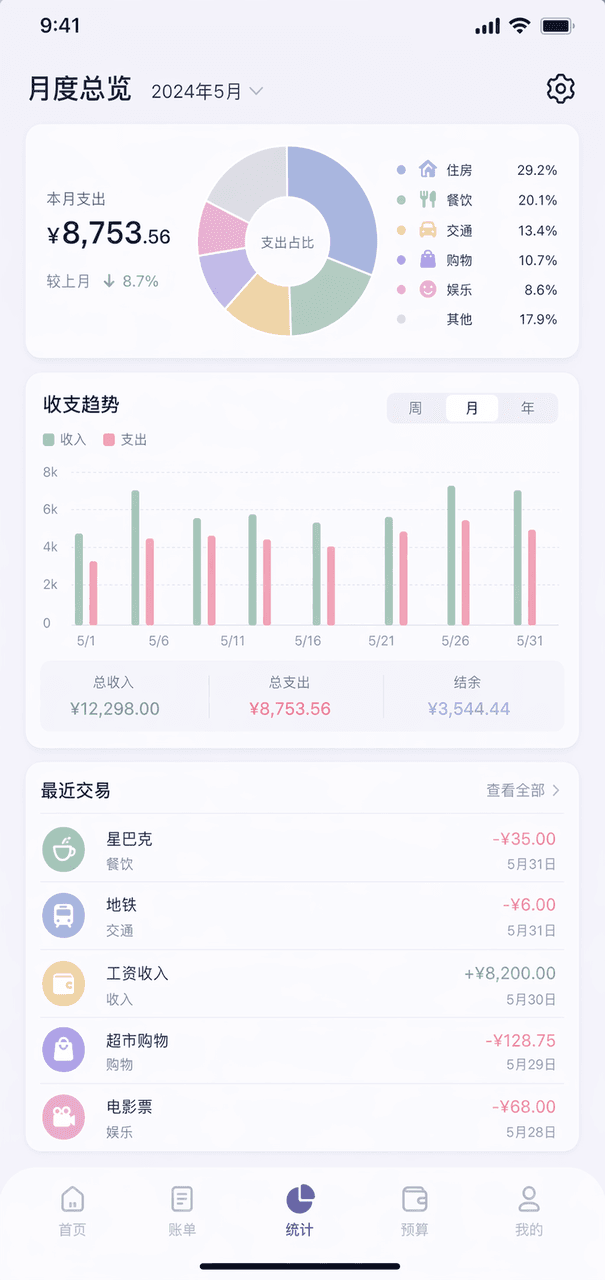
Parole di suggerimento Disegna una pagina di panoramica mensile di un'app di contabilità fittizia. Il grafico ad anello in alto mostra la classificazione delle spese, l'istogramma al centro, gli elenchi delle cinque tra…
Richiedi
Parole di suggerimento Disegna una pagina di panoramica mensile di un'app di contabilità fittizia. Il grafico ad anello in alto mostra la classificazione delle spese, l'istogramma al centro, gli elenchi delle cinque transazioni recenti in basso, lo schema complessivo dei colori Morandi e l'ingranaggio in alto a destra.
Come utilizzare questo prompt
Leggi il messaggio completo Leggi l'articolo #41 e identifica i requisiti di soggetto, stile, fotocamera, illuminazione e composizione prima di generare.
Sostituisci i segnaposto tra parentesi o in stile argomento con i requisiti di prodotto, personaggio, marchio, scena, tavolozza dei colori o proporzioni.
Apri https://www.gptimagehub.com/it/generate?promptId=cmogxq8iw00q1xt5gbcli8l67, genera l'immagine, quindi perfeziona il prompt con oggetto, testo, layout o vincoli negativi più specifici, se necessario.
Domande frequenti rapide
Per cosa è meglio utilizzare il prompt Leggi l'articolo #41?
Questo prompt è utilizzato al meglio per le immagini design ui / ux in cui desideri una struttura riutilizzabile, una direzione visiva dettagliata e una qualità di output coerente.
Posso modificare il prompt prima della generazione?
Sì. Il testo completo della richiesta è visibile in questa pagina in modo da poter modificare argomenti, nomi di prodotti, colori, composizione, termini della fotocamera, proporzioni e note di stile prima della generazione.
Quale modello dovrei usare con questo messaggio?
Utilizzare il modello mostrato nei metadati del prompt come punto di partenza predefinito. Se un altro modello di immagine supporta le stesse proporzioni e lo stesso stile di istruzioni, puoi adattare la richiesta e confrontare i risultati.