
Manifesto di rilascio n. 22
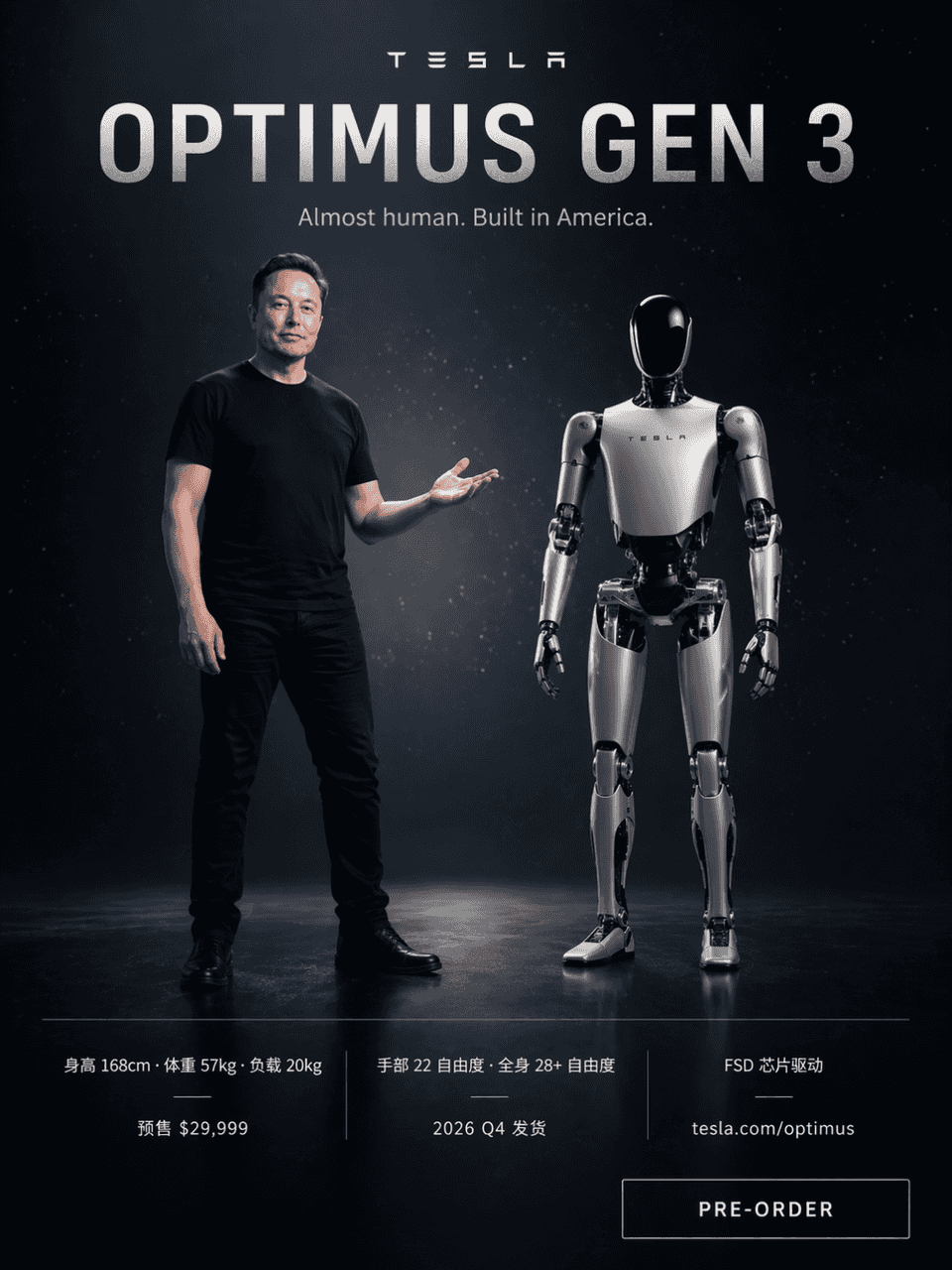
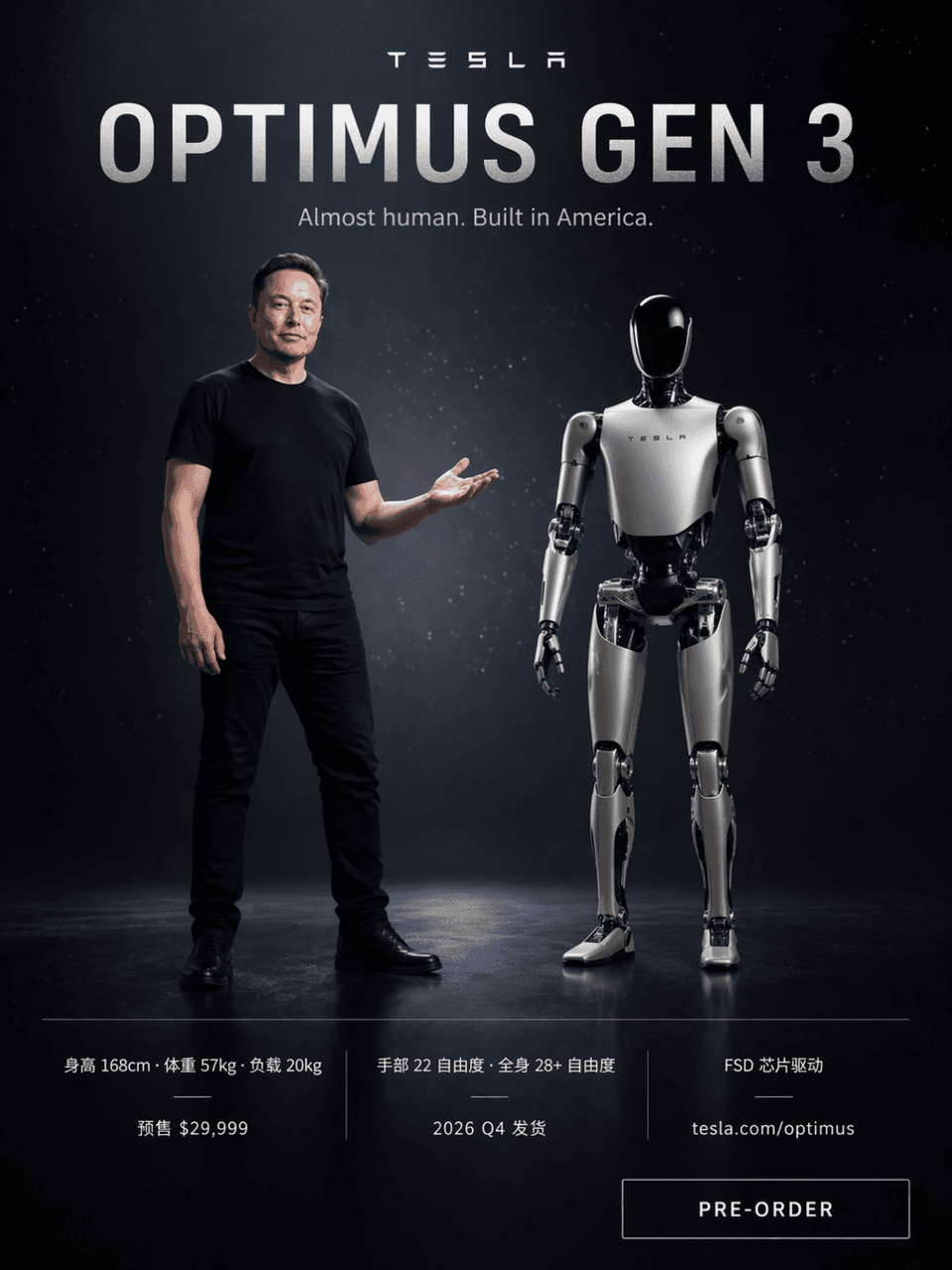
La richiesta è quella di disegnare un poster per il lancio di un prodotto in stile Tesla, con uno sfondo tecnologico scuro con particelle di luce stellare. Elon Musk indossa una maglietta nera e sta sul lato sinistro de…
Richiedi
La richiesta è quella di disegnare un poster per il lancio di un prodotto in stile Tesla, con uno sfondo tecnologico scuro con particelle di luce stellare. Elon Musk indossa una maglietta nera e sta sul lato sinistro dello schermo con la mano destra aperta per indicare. Sul lato destro, fianco a fianco, si trova un robot umanoide Optimus Gen 3 bianco-argento, con un rapporto di altezza di quasi 168 cm. Le parole grosse in alto sono "OPTIMUS GEN 3" e il sottotitolo "Quasi umano. Costruito in America". Le seguenti tre colonne di parametri confrontano "Altezza 168 cm · Peso 57 kg · Carico 20 kg" "Mano 22 gradi di libertà · Corpo intero 28+ gradi di libertà · Chip driver FSD" "Prevendita $ 29.999 · Spedizione Q4 2026 · tesla.com/optimus". C'è un pulsante "PRE-ORDINA" nell'angolo in basso a destra.
Come utilizzare questo prompt
Leggi il messaggio completo Manifesto di rilascio n. 22 e identifica i requisiti di soggetto, stile, fotocamera, illuminazione e composizione prima di generare.
Sostituisci i segnaposto tra parentesi o in stile argomento con i requisiti di prodotto, personaggio, marchio, scena, tavolozza dei colori o proporzioni.
Apri https://www.gptimagehub.com/it/generate?promptId=cmogxow2g00ozxt5gruedqbvs, genera l'immagine, quindi perfeziona il prompt con oggetto, testo, layout o vincoli negativi più specifici, se necessario.
Domande frequenti rapide
Per cosa è meglio utilizzare il prompt Manifesto di rilascio n. 22?
Questo prompt è utilizzato al meglio per le immagini poster e illustrazione in cui desideri una struttura riutilizzabile, una direzione visiva dettagliata e una qualità di output coerente.
Posso modificare il prompt prima della generazione?
Sì. Il testo completo della richiesta è visibile in questa pagina in modo da poter modificare argomenti, nomi di prodotti, colori, composizione, termini della fotocamera, proporzioni e note di stile prima della generazione.
Quale modello dovrei usare con questo messaggio?
Utilizzare il modello mostrato nei metadati del prompt come punto di partenza predefinito. Se un altro modello di immagine supporta le stesse proporzioni e lo stesso stile di istruzioni, puoi adattare la richiesta e confrontare i risultati.