
Foglio di presentazione del design industriale
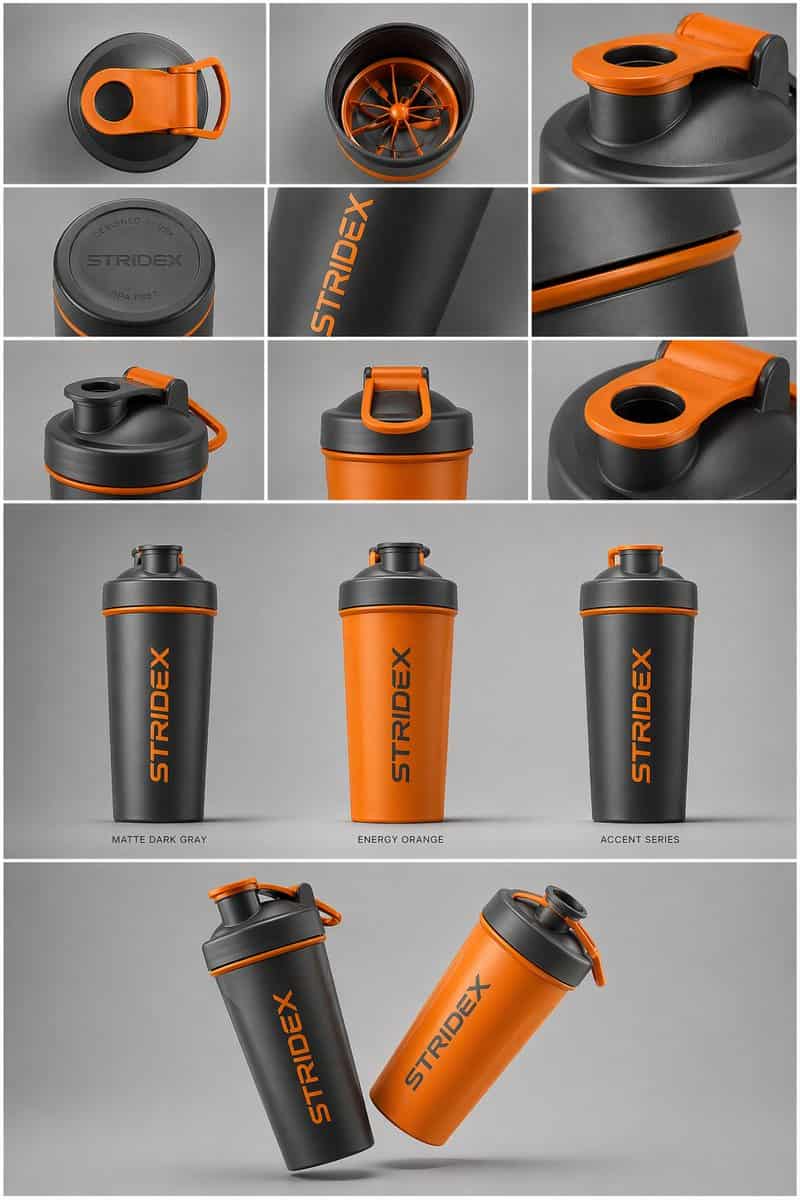
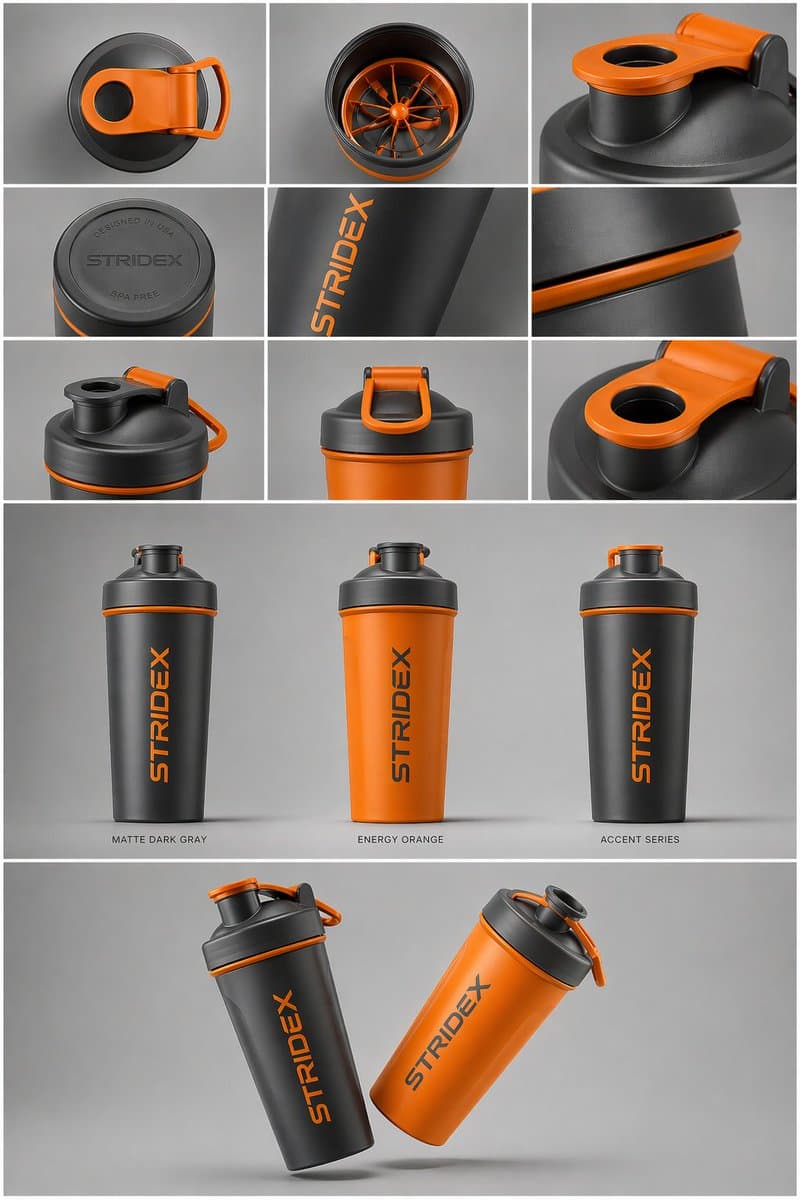
Oggetto principale: [{argument name="reference" default="use the uploaded image"}, mantieni i dettagli, la tipografia e la struttura bloccati al 100%] Layout e composizione: A {argument name="presentation type" default=…
Richiedi
Oggetto principale: [{argument name="reference" default="use the uploaded image"}, mantieni i dettagli, la tipografia e la struttura bloccati al 100%] Layout e composizione: A {argument name="presentation type" default="professional industrial design presentation sheet"}. L'immagine dovrebbe essere organizzata in un sistema di griglia pulito. Riga superiore: un layout 3x3 che mostra viste flat lay dall'alto verso il basso e macro dettagli in primo piano dei materiali. Sezione centrale: tre scatti del prodotto in piedi in diversi modi di colore (nero opaco, bianco artico e varianti accentate). I prodotti dovrebbero essere leggermente inclinati per mostrare profondità e forma. Sezione inferiore: una composizione dinamica "fluttuante" caratterizzata da due prodotti sovrapposti ad angoli opposti per mettere in mostra contemporaneamente i profili frontale e laterale. Ambiente e illuminazione: ambientato su uno sfondo grigio studio minimalista e neutro. Illuminazione morbida dall'alto verso il basso con ombre di contatto realistiche. Estetica fotografica di prodotti di fascia alta. Stile e finitura: texture opache, silhouette pulite e spigoli vivi. Lascia aree vuote designate sulle superfici del prodotto per "Branding segnaposto" e "Mockup grafici". Risoluzione 4K, stile di rendering Unreal Engine 5, estetica iperrealistica e pulita.
Come utilizzare questo prompt
Leggi il messaggio completo Foglio di presentazione del design industriale e identifica i requisiti di soggetto, stile, fotocamera, illuminazione e composizione prima di generare.
Sostituisci i segnaposto tra parentesi o in stile argomento con i requisiti di prodotto, personaggio, marchio, scena, tavolozza dei colori o proporzioni.
Apri https://www.gptimagehub.com/it/generate?promptId=cmogx6d9r00fzzpdyd2l77n5e, genera l'immagine, quindi perfeziona il prompt con oggetto, testo, layout o vincoli negativi più specifici, se necessario.
Domande frequenti rapide
Per cosa è meglio utilizzare il prompt Foglio di presentazione del design industriale?
Questo prompt è utilizzato al meglio per le immagini prodotto ed e-commerce in cui desideri una struttura riutilizzabile, una direzione visiva dettagliata e una qualità di output coerente.
Posso modificare il prompt prima della generazione?
Sì. Il testo completo della richiesta è visibile in questa pagina in modo da poter modificare argomenti, nomi di prodotti, colori, composizione, termini della fotocamera, proporzioni e note di stile prima della generazione.
Quale modello dovrei usare con questo messaggio?
Utilizzare il modello mostrato nei metadati del prompt come punto di partenza predefinito. Se un altro modello di immagine supporta le stesse proporzioni e lo stesso stile di istruzioni, puoi adattare la richiesta e confrontare i risultati.