
Poster komunikasi acara
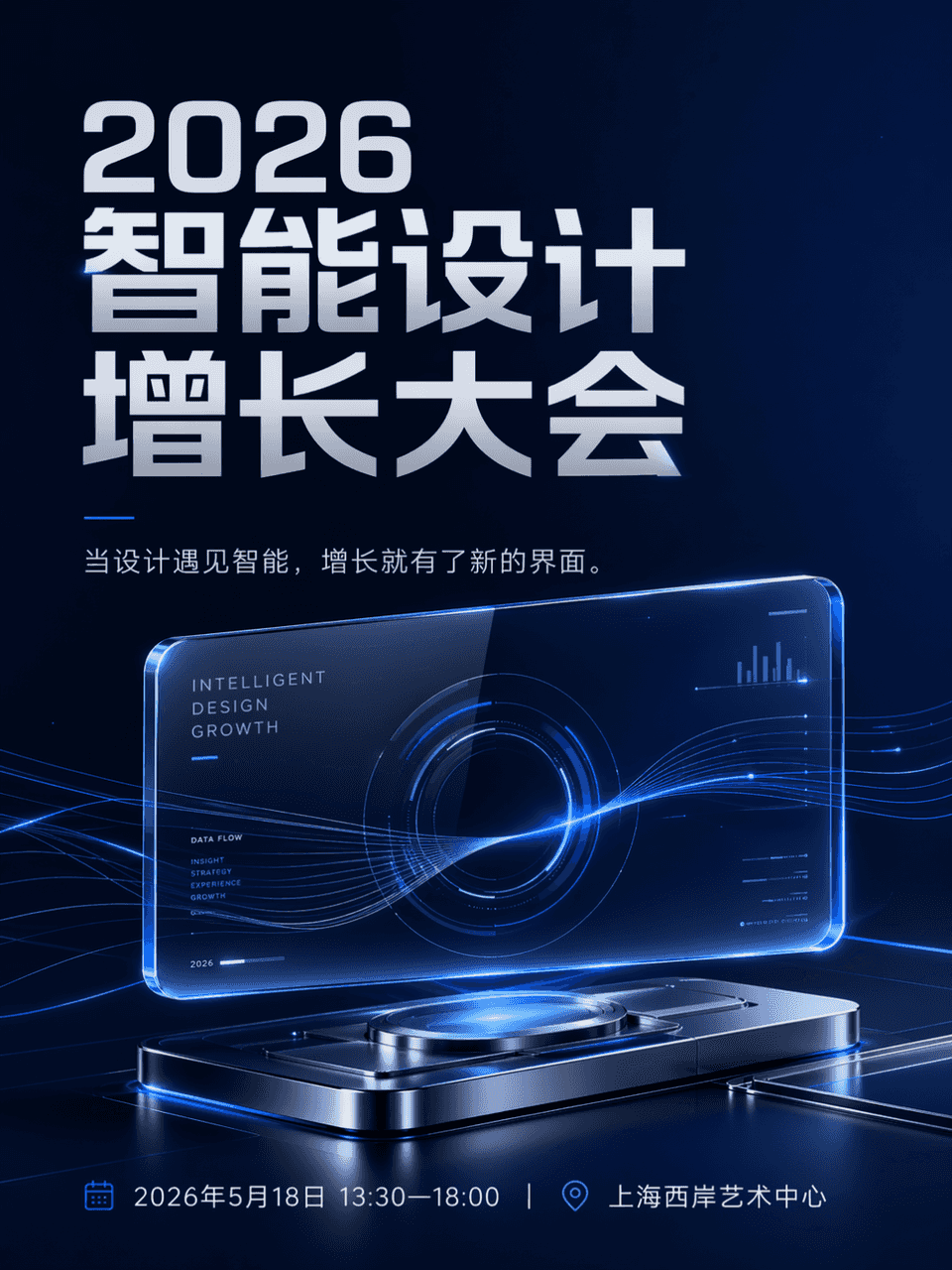
Ukuran bingkainya adalah 3:4, dan poster acara dibuat. Nama acaranya adalah Konferensi Pertumbuhan Desain Cerdas 2026, waktu dan tempat: 18 Mei 2026, 13:30-18:00|Shanghai West Bund Art Center. Hierarkinya jelas, nama ak…
Cepat
Ukuran bingkainya adalah 3:4, dan poster acara dibuat. Nama acaranya adalah Konferensi Pertumbuhan Desain Cerdas 2026, waktu dan tempat: 18 Mei 2026, 13:30-18:00|Shanghai West Bund Art Center. Hierarkinya jelas, nama aktivitasnya paling besar, dan informasi sampingnya jelas dan teratur. Bagian utamanya adalah antarmuka kaca transparan yang ditangguhkan dan bercahaya, yang dikombinasikan dengan sejumlah kecil jalur data yang mengalir dan perangkat reflektif logam untuk membentuk pusat visual yang futuristik. Salinannya adalah Ketika desain bertemu dengan kecerdasan, pertumbuhan memiliki antarmuka baru. Gayanya bersifat teknologi, dan secara keseluruhan cocok untuk akun publik dan komunikasi media sosial. Kontrol warnanya adalah biru tua, abu-abu silver, dan biru elektrik. Komposisinya bersih, white space cukup, dan tata letak informasi tertata. Ini seperti visual utama acara tahunan sebuah merek teknologi dewasa. Tidak ada latar belakang konferensi yang murahan atau efek cahaya yang berantakan.
Cara menggunakan perintah ini
Baca perintah Poster komunikasi acara secara lengkap dan identifikasi persyaratan subjek, gaya, kamera, pencahayaan, dan komposisi sebelum membuatnya.
Ganti placeholder dalam tanda kurung atau gaya argumen dengan persyaratan produk, karakter, merek, adegan, palet warna, atau rasio aspek Anda.
Buka https://www.gptimagehub.com/id/generate?promptId=cmogxljcy00mbxt5g046dtqar, buat gambarnya, lalu sempurnakan perintah dengan subjek, teks, tata letak, atau batasan negatif yang lebih spesifik jika diperlukan.
Pertanyaan Umum yang cepat
Untuk apa perintah Poster komunikasi acara paling baik digunakan?
Perintah ini paling baik digunakan untuk gambar poster dan ilustrasi yang menginginkan struktur yang dapat digunakan kembali, arah visual yang mendetail, dan kualitas keluaran yang konsisten.
Bisakah saya mengedit prompt sebelum membuat?
Ya. Teks perintah lengkap terlihat di halaman ini sehingga Anda dapat mengubah subjek, nama produk, warna, komposisi, istilah kamera, rasio aspek, dan catatan gaya sebelum pembuatan.
Model mana yang harus saya gunakan dengan perintah ini?
Gunakan model yang ditampilkan dalam metadata perintah sebagai titik awal default. Jika model gambar lain mendukung rasio aspek dan gaya instruksi yang sama, Anda dapat menyesuaikan perintah dan membandingkan hasilnya.