
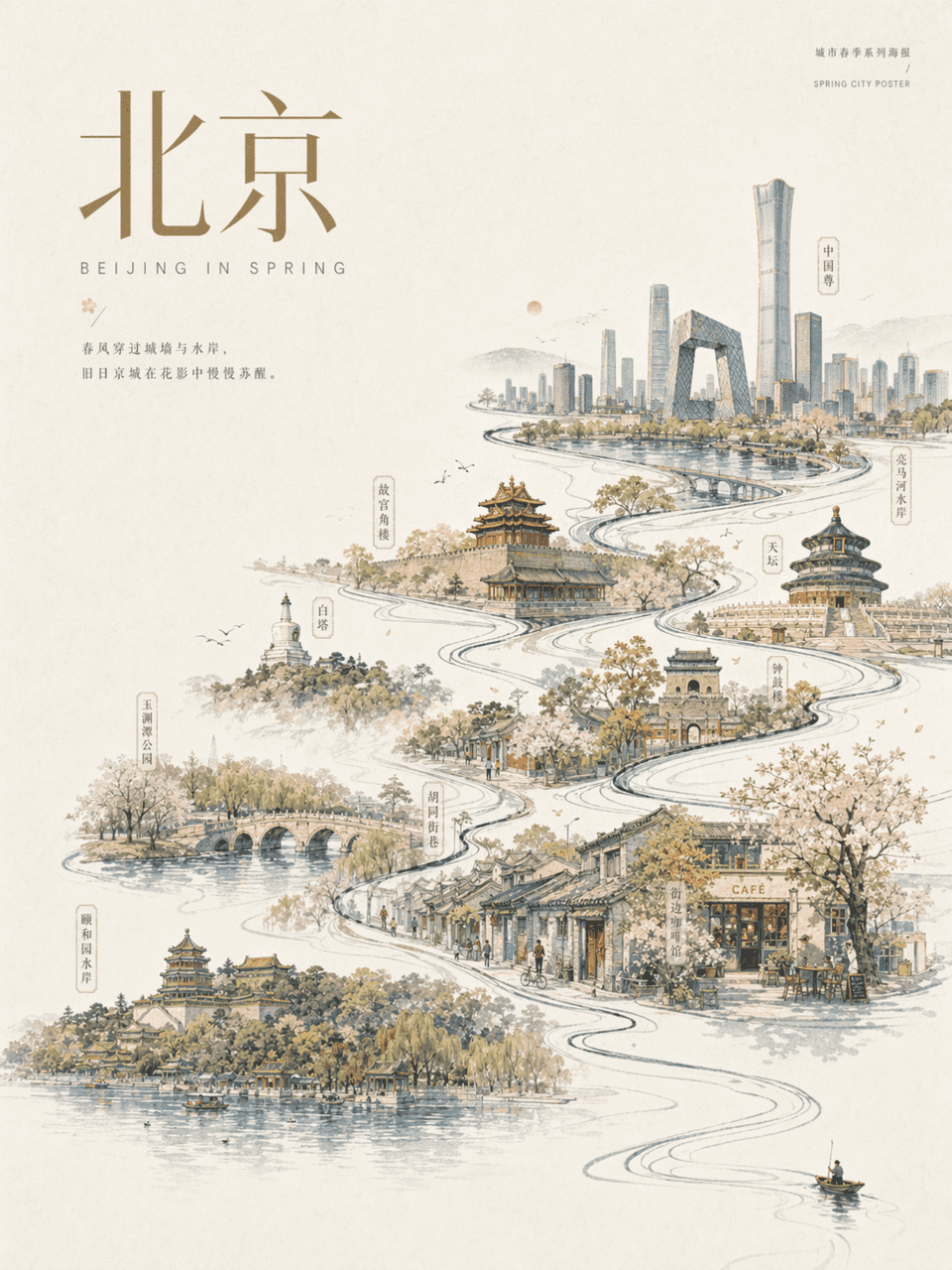
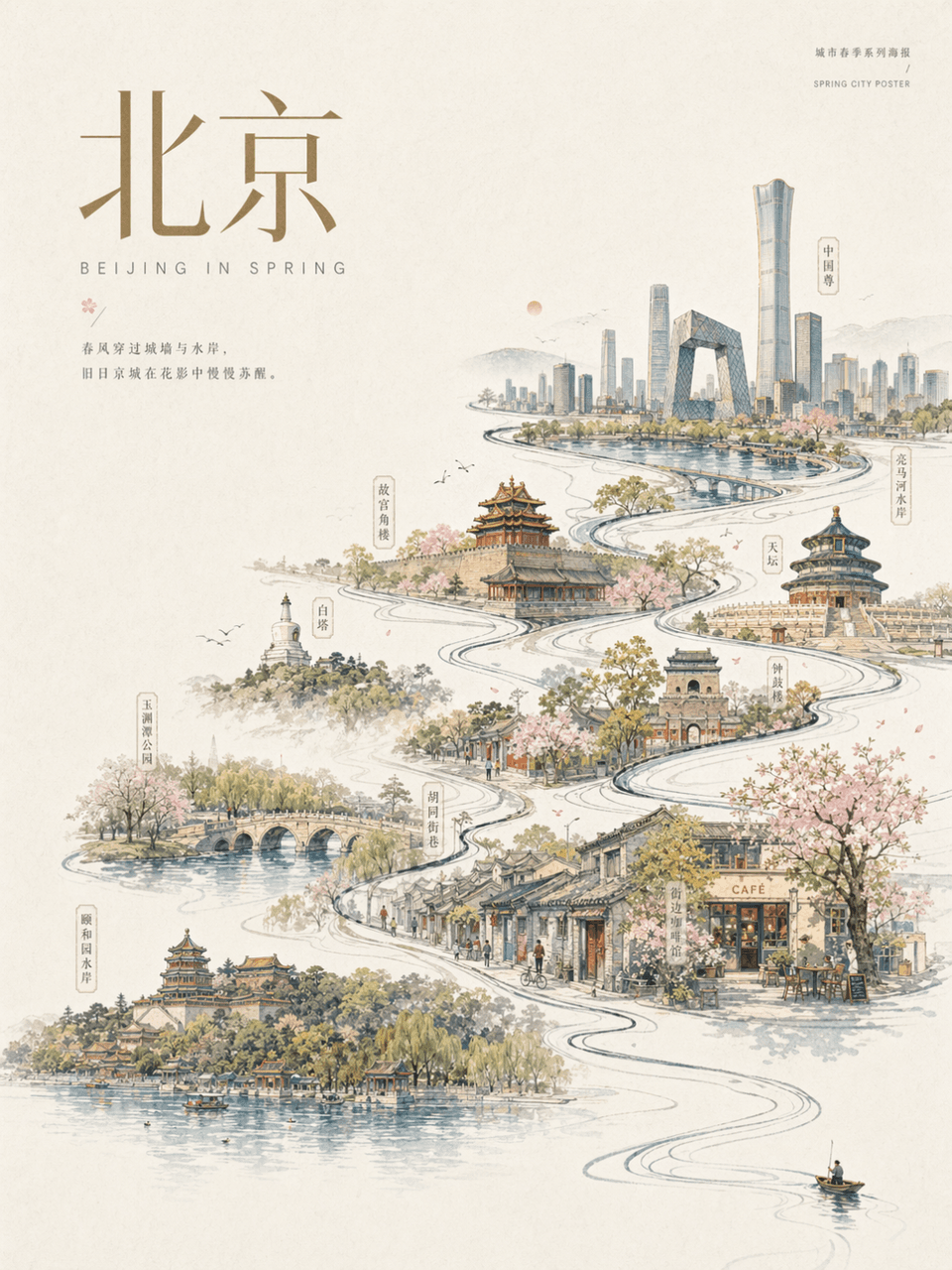
Poster narasi sungai perkotaan
Bingkai 3:4, Urban Beijing: Rancang poster kota musim semi Beijing. Latar belakang kertas putih pucat dengan area putih yang luas. Hanya ada pendayung, pejalan kaki, atau penjelajah mungil di pojok kanan bawah gambar. P…
Cepat
Bingkai 3:4, Urban Beijing: Rancang poster kota musim semi Beijing. Latar belakang kertas putih pucat dengan area putih yang luas. Hanya ada pendayung, pejalan kaki, atau penjelajah mungil di pojok kanan bawah gambar. Pergerakan utama memunculkan garis arus utama, yang secara bertahap berkembang menjadi sungai/jalan/kaki langit perkotaan, yang secara internal menghubungkan bangunan-bangunan terkenal, kota tua, jembatan, taman, tepi laut, dan pemandangan jalanan yang representatif. Gambar keseluruhannya merupakan kombinasi gulungan perkotaan yang dilukis dengan tangan dan poster modern, elegan, meriah, kontemporer, dan terkendali. Dan tambahkan judul utama "Beijing" dan teks dekoratif dengan gaya yang sama ke layar.
Cara menggunakan perintah ini
Baca perintah Poster narasi sungai perkotaan secara lengkap dan identifikasi persyaratan subjek, gaya, kamera, pencahayaan, dan komposisi sebelum membuatnya.
Ganti placeholder dalam tanda kurung atau gaya argumen dengan persyaratan produk, karakter, merek, adegan, palet warna, atau rasio aspek Anda.
Buka https://www.gptimagehub.com/id/generate?promptId=cmogxlhan00m9xt5g5np8jezx, buat gambarnya, lalu sempurnakan perintah dengan subjek, teks, tata letak, atau batasan negatif yang lebih spesifik jika diperlukan.
Pertanyaan Umum yang cepat
Untuk apa perintah Poster narasi sungai perkotaan paling baik digunakan?
Perintah ini paling baik digunakan untuk gambar poster dan ilustrasi yang menginginkan struktur yang dapat digunakan kembali, arah visual yang mendetail, dan kualitas keluaran yang konsisten.
Bisakah saya mengedit prompt sebelum membuat?
Ya. Teks perintah lengkap terlihat di halaman ini sehingga Anda dapat mengubah subjek, nama produk, warna, komposisi, istilah kamera, rasio aspek, dan catatan gaya sebelum pembuatan.
Model mana yang harus saya gunakan dengan perintah ini?
Gunakan model yang ditampilkan dalam metadata perintah sebagai titik awal default. Jika model gambar lain mendukung rasio aspek dan gaya instruksi yang sama, Anda dapat menyesuaikan perintah dan membandingkan hasilnya.