
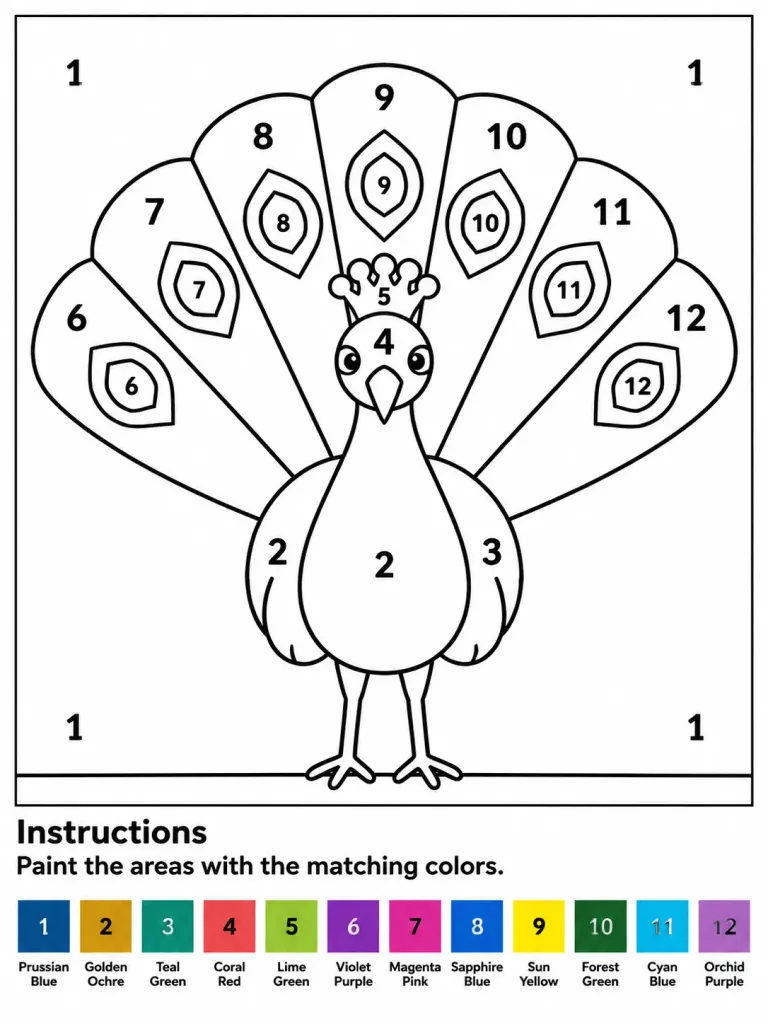
Lembar Mewarnai dengan Angka Burung Merak
Menghasilkan lembar kerja mewarnai dengan angka format A4 siap cetak bertema burung merak dengan 12 legenda warna. Sesuaikan subjek atau warnanya.
Prompt
Printable paint-by-numbers worksheet featuring a stylized peacock, designed for children or beginners, A4 portrait format, clean white background with a thin rectangular border around the main drawing. Main Artwork: Centered front-facing peacock with a large semicircular fan tail. Crisp, bold black outlines with large enclosed white regions for coloring. The peacock features a rounded body, two slim legs standing on a horizontal ground line, a narrow neck, a pointed beak, round cheek patches, a small crest, and folded wing shapes. Behind it, a fan tail divided into exactly 7 large radial feather panels labeled left to right with numbers 6, 7, 8, 9, 10, 11, and 12. Inside each panel is a polygonal feather-eye shape, also numbered 6 through 12. Additional labels on the bird: body and lower wings labeled "2", right wing labeled "3", face labeled "4", crest labeled "5". Plain background inside the border is labeled "1" in four places (top-left, top-right, bottom-left, bottom-right). All numbers are bold, black, centered, and easy to read. Bottom Section: Below the artwork border, a bold heading reading "Instructions" followed by the text "Paint the areas with the matching colors.". At the very bottom, a single horizontal row of exactly 12 square color swatches, each with a centered number and a two-line label underneath: 1 Prussian Blue, 2 Golden Ochre, 3 Teal Green, 4 Coral Red, 5 Lime Green, 6 Violet Purple, 7 Magenta Pink, 8 Sapphire Blue, 9 Sun Yellow, 10 Forest Green, 11 Cyan Blue, 12 Orchid Purple. Style: Vector line art worksheet, high-contrast black line art on pure white, zero shading, zero grayscale gradients, print-ready layout.
Yang bisa Anda ubah
Sebelum membuat gambar, ganti bagian prompt ini dengan subjek atau teks Anda sendiri.
“, right wing labeled”teks dalam tanda kutip“, face labeled”teks dalam tanda kutip“, crest labeled”teks dalam tanda kutip“. Plain background inside the border is labeled”teks dalam tanda kutip“Instructions”teks dalam tanda kutip“Paint the areas with the matching colors.”teks dalam tanda kutip
Detail prompt
- Kategori
- Poster dan ilustrasi
- Model
- GPT IMAGE 2
- Biaya per gambar
- 1K: 43 kredit · 2K: 86 kredit · 4K: 143 kredit
- Rasio aspek
- 3:4
- Ditambahkan