
Poster Estetika Guangzhou Kurva Tinta
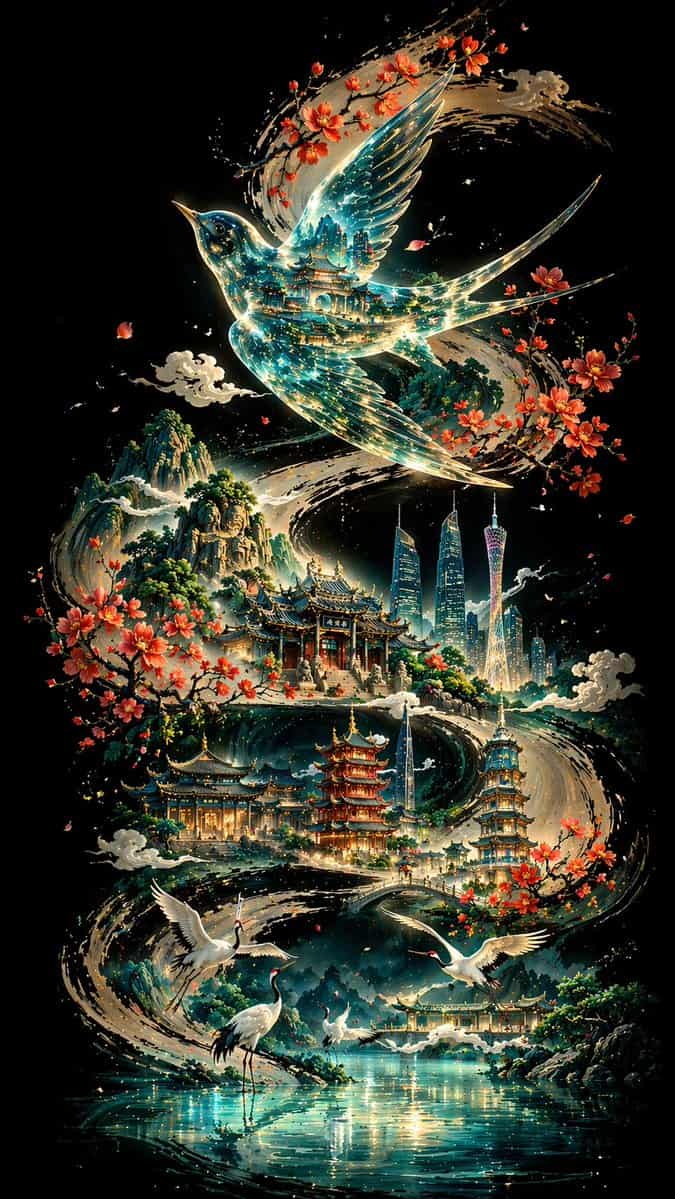
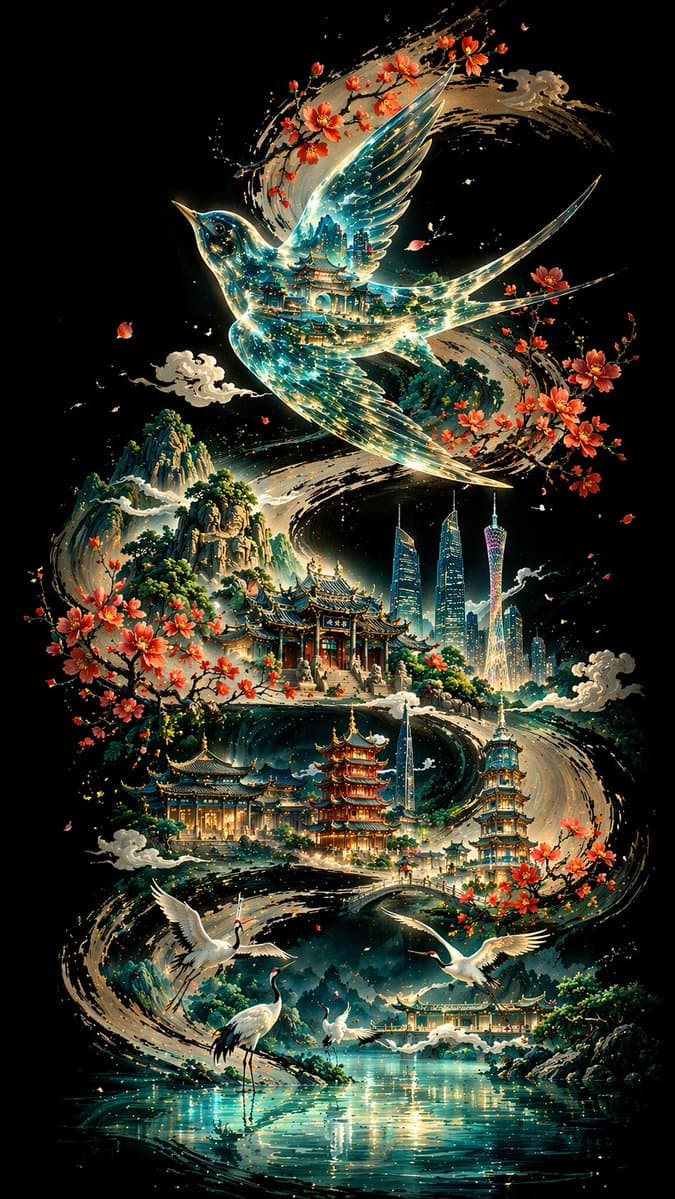
Dengan latar belakang hitam pekat, kaligrafi tinta berbentuk S yang tebal dan kuat berkelok-kelok dari satu ujung gambar ke ujung lainnya, membentuk kerangka visual dan garis naratif dari keseluruhan gambar. Di atas kur…
Cepat
Dengan latar belakang hitam pekat, kaligrafi tinta berbentuk S yang tebal dan kuat berkelok-kelok dari satu ujung gambar ke ujung lainnya, membentuk kerangka visual dan garis naratif dari keseluruhan gambar. Di atas kurva terdapat sariawan transparan, dengan bayangan bangunan tradisional yang tumpang tindih dan aliran cahaya biru-hijau terpantul di dalamnya; Bangunan terkenal Guangzhou dan rangkaian arsitektur klasik tersebar di sepanjang tikungan, dengan burung bangau putih dan danau di latar depan, dan pegunungan bertingkat di kejauhan. Desain keseluruhannya mengadopsi perspektif non-linier, didominasi warna-warna dingin dan hiasan dengan warna-warna hangat. Ini memadukan estetika oriental dengan citra modern, dan ditampilkan dalam definisi ultra-tinggi 8K dengan rasio 9:16.
Cara menggunakan perintah ini
Baca perintah Poster Estetika Guangzhou Kurva Tinta secara lengkap dan identifikasi persyaratan subjek, gaya, kamera, pencahayaan, dan komposisi sebelum membuatnya.
Ganti placeholder dalam tanda kurung atau gaya argumen dengan persyaratan produk, karakter, merek, adegan, palet warna, atau rasio aspek Anda.
Buka https://www.gptimagehub.com/id/generate?promptId=cmogwt3ay002pzpdylv1w56np, buat gambarnya, lalu sempurnakan perintah dengan subjek, teks, tata letak, atau batasan negatif yang lebih spesifik jika diperlukan.
Pertanyaan Umum yang cepat
Untuk apa perintah Poster Estetika Guangzhou Kurva Tinta paling baik digunakan?
Perintah ini paling baik digunakan untuk gambar poster dan ilustrasi yang menginginkan struktur yang dapat digunakan kembali, arah visual yang mendetail, dan kualitas keluaran yang konsisten.
Bisakah saya mengedit prompt sebelum membuat?
Ya. Teks perintah lengkap terlihat di halaman ini sehingga Anda dapat mengubah subjek, nama produk, warna, komposisi, istilah kamera, rasio aspek, dan catatan gaya sebelum pembuatan.
Model mana yang harus saya gunakan dengan perintah ini?
Gunakan model yang ditampilkan dalam metadata perintah sebagai titik awal default. Jika model gambar lain mendukung rasio aspek dan gaya instruksi yang sama, Anda dapat menyesuaikan perintah dan membandingkan hasilnya.