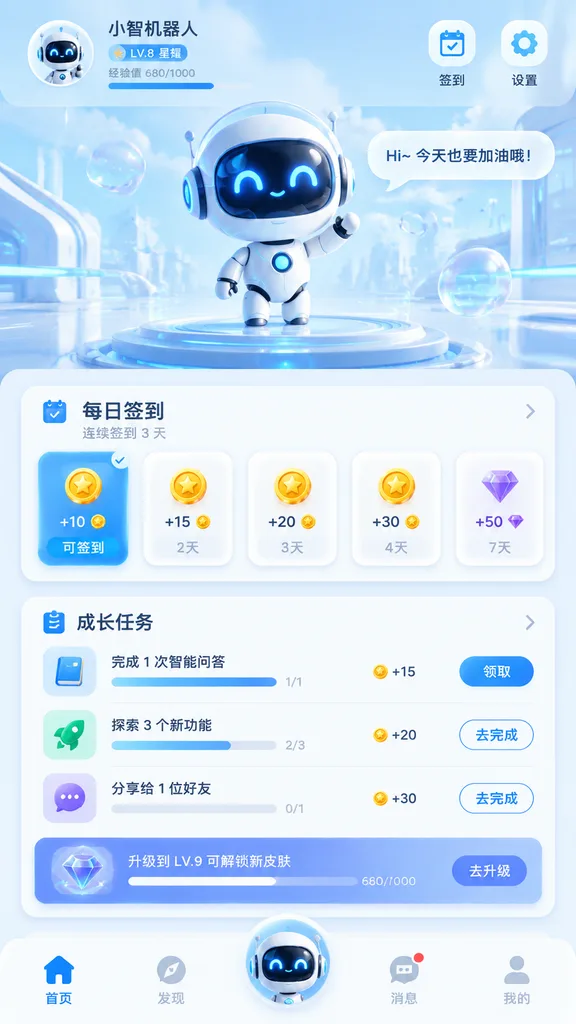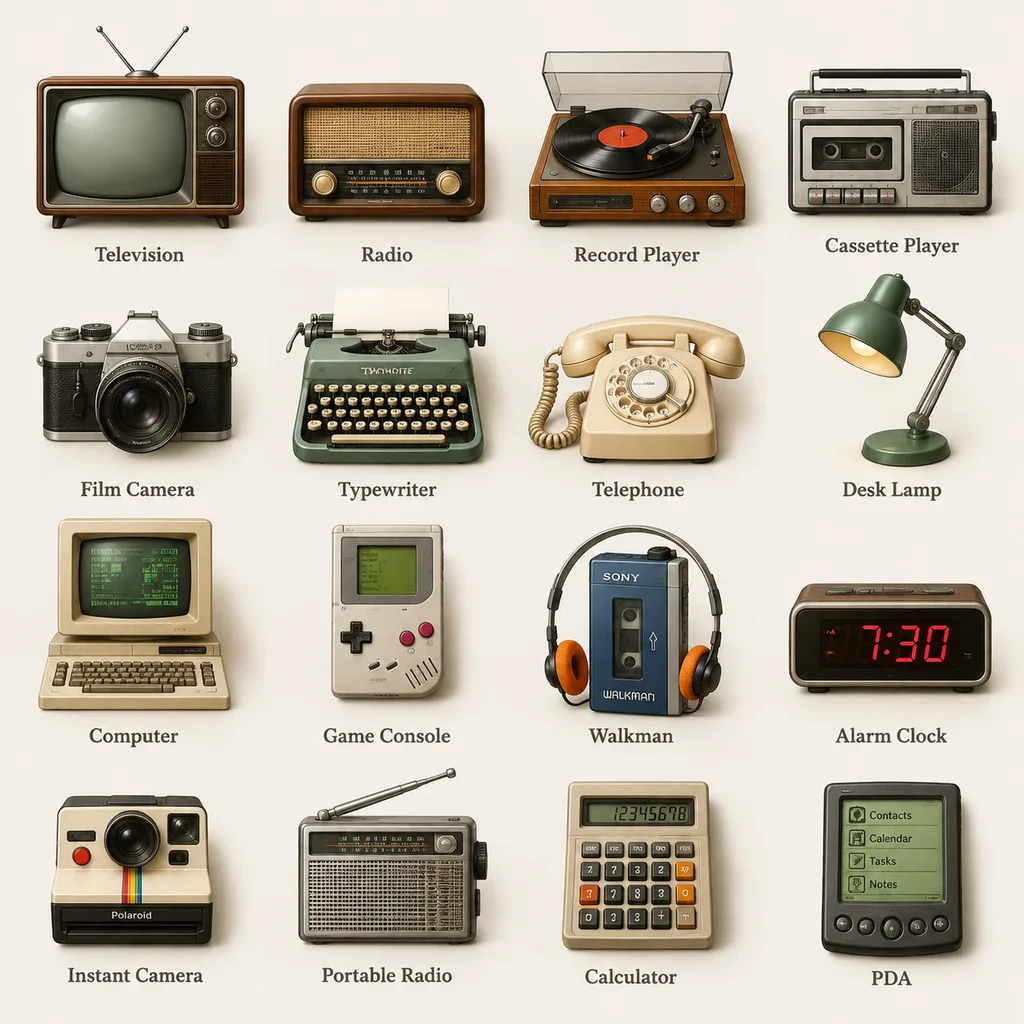
नया: GPT Image 2.5 Flare और Sunburst। साइन अप पर 3 इमेज मुफ़्त, उसके बाद हर इमेज 8 क्रेडिट।
GPT Image 2.5 आज़माएँ

AI UI मॉकअप प्रॉम्प्ट्स

इंटरफ़ेस कॉन्सेप्ट के लिए प्रॉम्प्ट: डैशबोर्ड, ऐप स्क्रीन, डिवाइस मॉकअप, लैंडिंग पेज और जानकारी से भरे पेज लेआउट। सबसे असरदार प्रॉम्प्ट स्क्रीन के हिस्सों को पढ़ने के क्रम में लिखते हैं, फ़्लैट कैप्चर और डिवाइस मॉकअप में से एक चुनते हैं, और सिर्फ़ उन्हीं कुछ लेबलों को कोट्स में देते हैं जिनका पढ़ने लायक होना ज़रूरी है। नतीजों का इस्तेमाल प्रेज़ेंटेशन, मूडबोर्ड और शुरुआती कॉन्सेप्ट के लिए करें, प्रोडक्शन स्पेसिफ़िकेशन के लिए नहीं।

इसके अनुसार क्रमबद्ध करें:

625 प्रॉम्प्ट में से 1–60 दिखाए जा रहे हैं

जापानी मिस्ट्री गेम वेबसाइट UI मॉकअप

जापानी मिस्ट्री गेम वेबसाइट UI मॉकअप

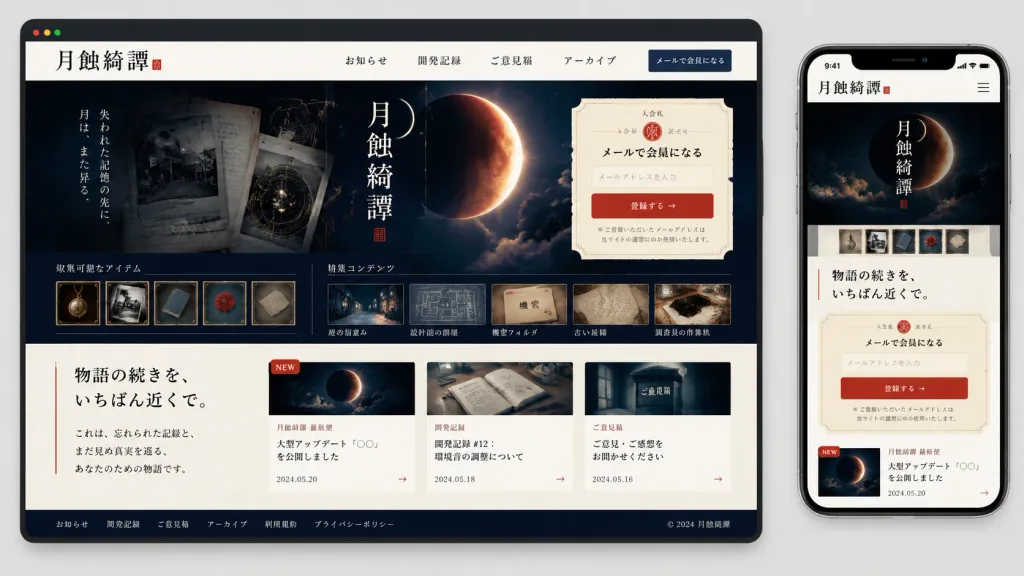
A polished responsive website UI mockup for a Japanese mystery game or archival story site titled "[月蝕綺譚]", displayed on a clean light gray background. Composition features a large desktop browser window occupying roughly 75% width on the left and a vertical smartphone screen occupying roughly 22% width on the right, both rendered in realistic device frames with soft drop shadows. Visual Style & Palette: Refined Japanese literary horror, archival mystery, and lunar night aesthetics. Color palette of aged ivory paper, sumi black ink, deep midnight navy, muted slate gray, and a vibrant vermilion red accent. Delicate serif Japanese typography, faint crescent orbit geometry, vintage document textures, and thin ruled borderlines. Desktop Interface: - Browser top bar in dark charcoal with three window control dots. - Ivory header with logo title "[月蝕綺譚]", a small red seal stamp, and navigation items: 「お知らせ」, 「開発記録」, 「ご意見箱」, 「アーカイブ」, and a navy button 「メールで会員になる」. - Dark hero banner with a glowing lunar eclipse and vertical calligraphy title 「月蝕綺譚」. A semi-transparent archival UI overlay displays old documents, 5 miniature collectible artifact cards, and a bottom row of 5 horizontal preview strips (nocturnal street, blueprint room, classified folder, vintage manuscript, and investigator workspace map). - Right-side signup widget: Cream ticket-shaped card with semicircular notch cutouts and decorative ruling. Displays label 「入会札」, seal emblem, heading 「メールで会員になる」, email input field with placeholder text 「メールアドレスを入力」, red button 「登録する →」, and fine privacy text. - Lower content: Left column displays the headline "[物語の続きを、いちばん近くで。]" beside a slender vertical red rule and brief Japanese text. Right column shows three article cards: 1) 「月蝕綺譚 最新便」 with moon visual, red NEW badge, title 「大型アップデート『○○』を公開しました」, date 2024.05.20; 2) 「開発記録」 with journal image, title 「開発記録 #12:環境音の調整について」, date 2024.05.18; 3) 「ご意見箱」 with dark mailbox visual, title 「ご意見・ご感想をお聞かせください」, date 2024.05.16. - Dark navy footer with 6 text links (「お知らせ」, 「開発記録」, 「ご意見箱」, 「アーカイブ」, 「利用規約」, 「プライバシーポリシー」) and copyright 「© 2024 月蝕綺譚」. Mobile Screen Interface: Time reads 9:41. Clean mobile header with 「月蝕綺譚」 and hamburger menu. Stacked mobile layout showing the eclipse hero, 5 micro-thumbnails, the tagline "[物語の続きを、いちばん近くで。]", the cream ticket signup module, and the first news card with red NEW tag. Clean UI/UX presentation, razor-sharp kanji typography, consistent alignment, professional product showcase.
ui मॉकअपवेब डिज़ाइनरिस्पॉन्सिव
रेट्रो ब्रॉडकास्ट ज़ीन वेबपेज मॉकअप

रेट्रो ब्रॉडकास्ट ज़ीन वेबपेज मॉकअप

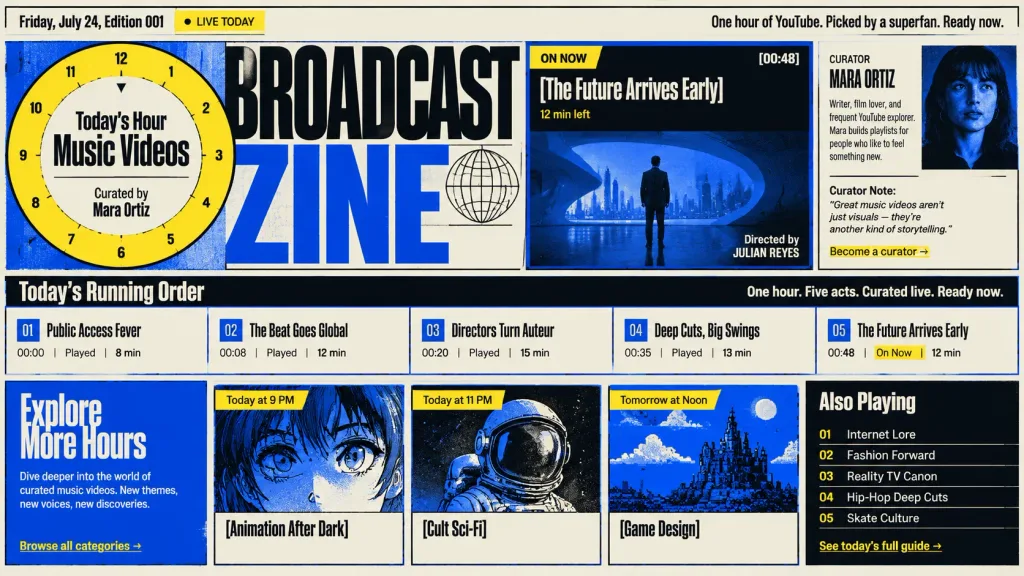
A complete desktop webpage layout mockup for a retro broadcast zine, based on the design style of the reference photo. High-contrast editorial zine aesthetic featuring an electric blue, cream, yellow, and black color palette, bold condensed block typography, sharp grid borders, and screen-printed textures with clean spacing. Top Bar: - Metadata: "Friday, July 24, Edition 001" with a small "Live Today" status tag. - Right header copy: "One hour of YouTube. Picked by a superfan. Ready now." Hero Section: - Large circular clock hour-selector dial offset to the left, overlapping the bold title, reading in the center "Today’s Hour / Music Videos / Curated by Mara Ortiz". - Featured "On Now" act card displaying timecode "[00:48]", headline "[The Future Arrives Early]", "12 min left", and cinematic dark blue feature art showing a suited man in a sleek modern architectural interior with lower-right director credits. - Curator sidebar card featuring a dark blue-toned portrait of Mara Ortiz, short bio, curator note, and a link reading "Become a curator →". Running Order Bar: A horizontal strip titled "Today’s Running Order" on the left and "One hour. Five acts. Curated live. Ready now." on the right, containing 5 acts: 1. "Public Access Fever" — 00:00, played, 8 min 2. "The Beat Goes Global" — 00:08, played, 12 min 3. "Directors Turn Auteur" — 00:20, played, 15 min 4. "Deep Cuts, Big Swings" — 00:35, played, 13 min 5. "The Future Arrives Early" — 00:48, on now, 12 min Bottom Schedule Grid: - Left blue panel: "Explore More Hours" with descriptive text and "Browse all categories →". - Three preview cards: 1. "[Animation After Dark]" — labeled "Today at 9 PM" with blue-tinted anime eye artwork. 2. "[Cult Sci-Fi]" — labeled "Today at 11 PM" with retro astronaut helmet artwork. 3. "[Game Design]" — labeled "Tomorrow at Noon" with blue pixel-art landscape artwork. - Right black panel: "Also Playing" listing 5 items (Internet Lore, Fashion Forward, Reality TV Canon, Hip-Hop Deep Cuts, Skate Culture) and a yellow link reading "See today’s full guide →".

ui-ux-designवेब मॉकअपरेट्रो एडिटोरियल
AI प्रॉम्प्ट गैलरी मोबाइल फीड मॉकअप

AI प्रॉम्प्ट गैलरी मोबाइल फीड मॉकअप

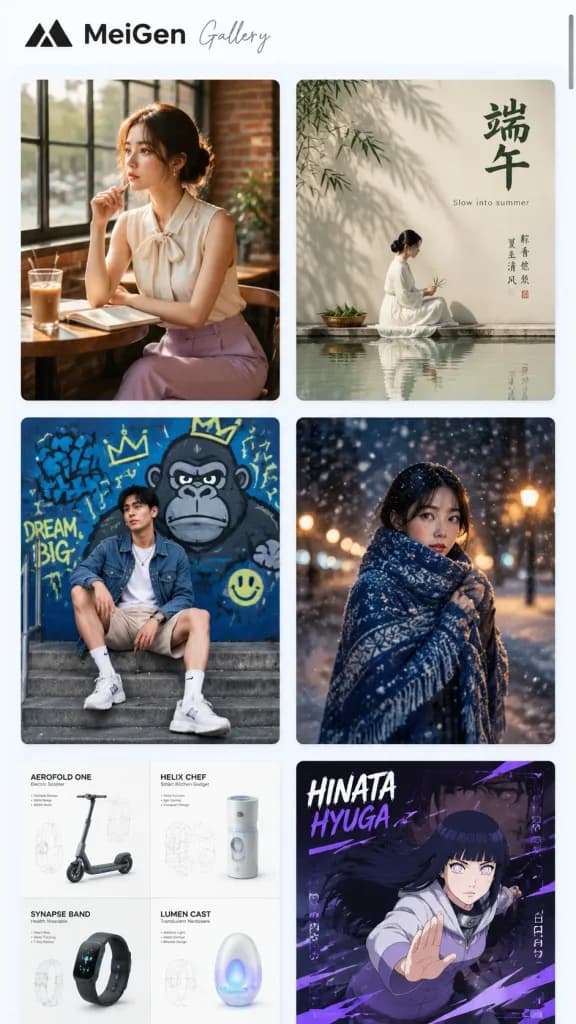
Polished mobile webpage screenshot mockup of an AI image prompt inspiration gallery called [MeiGen Gallery], displayed as a vertically scrollable feed of diverse visual prompt cards. Canvas: Tall smartphone browser view with white and very pale blue background, subtle rounded interface edges, and a thin dark vertical scrollbar on the upper right edge. Header: Clean and spacious top header featuring a minimalist black triangular mountain logo, bold typography reading “MeiGen”, and a delicate gray script font reading “Gallery”. Layout: A two-column masonry gallery in a soft rounded container with balanced gutters and subtle drop shadows. Exactly 6 visible cards: 1. Top-left card: Warm lifestyle photo of [an elegant woman in a sleeveless cream blouse with a bow collar and lavender trousers] seated at a wooden cafe table by industrial windows and a brick wall, holding a pencil near her lips, with an open notebook and iced coffee in cinematic sunlight. 2. Top-right card: Minimalist Chinese Dragon Boat Festival poster by calm water, showing a woman in white near a reflective pool, bamboo shadows on a neutral wall, bold Chinese characters “端午”, delicate English subtitle “Slow into summer”, and elegant vertical calligraphy. 3. Middle-left card: Urban streetwear photo of [a young man in a denim jacket, white shirt, beige shorts, white socks, and sneakers] sitting on concrete steps in front of a vivid blue graffiti wall with a cartoon gorilla, crowns, doodle arrows, and neon yellow accents. 4. Middle-right card: Moody nighttime winter portrait of [a woman wrapped in a thick blue patterned shawl] standing outdoors in falling snow with warm, soft-focus bokeh background lights. 5. Bottom-left card (partially cropped at bottom): Clean product design tech spec sheet with four labeled quadrants: “AEROFOLD ONE” electric scooter, “HELIX CHEF” kitchen gadget, “SYNAPSE BAND” wearable device, and “LUMEN CAST” translucent hardware, complete with technical wireframes and typography. 6. Bottom-right card (partially cropped at bottom): Anime character graphic banner featuring [HINATA HYUGA] in a dynamic action pose with long dark hair, purple UI accents, bold text “HINATA HYUGA”, and stylized motion graphics. Style: Modern mobile UI/UX design, crisp typography, realistic thumbnail previews, clean whitespace, and no watermarks.

ui-ux-designमोबाइल ऐपवेबसाइट मॉकअप
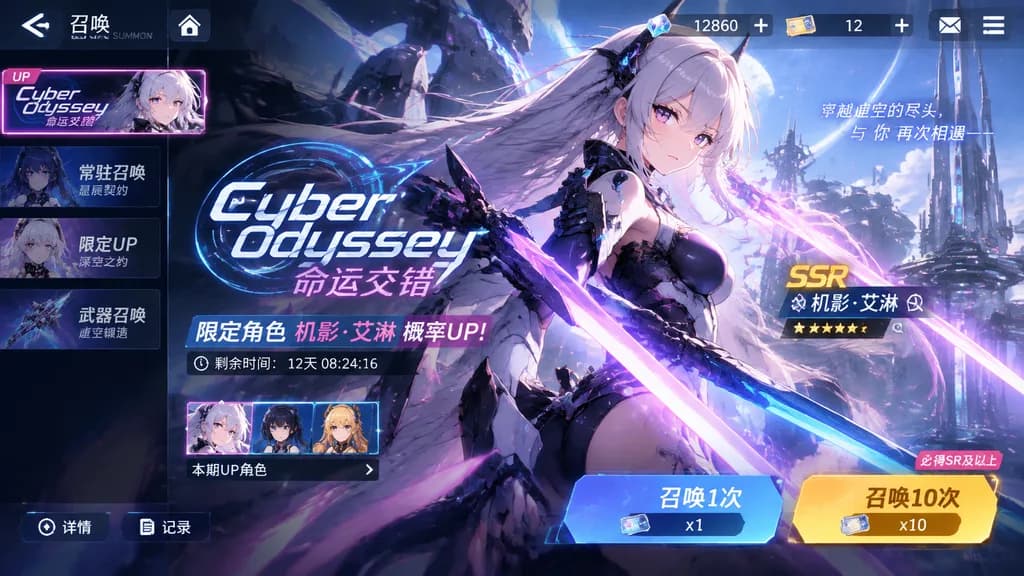
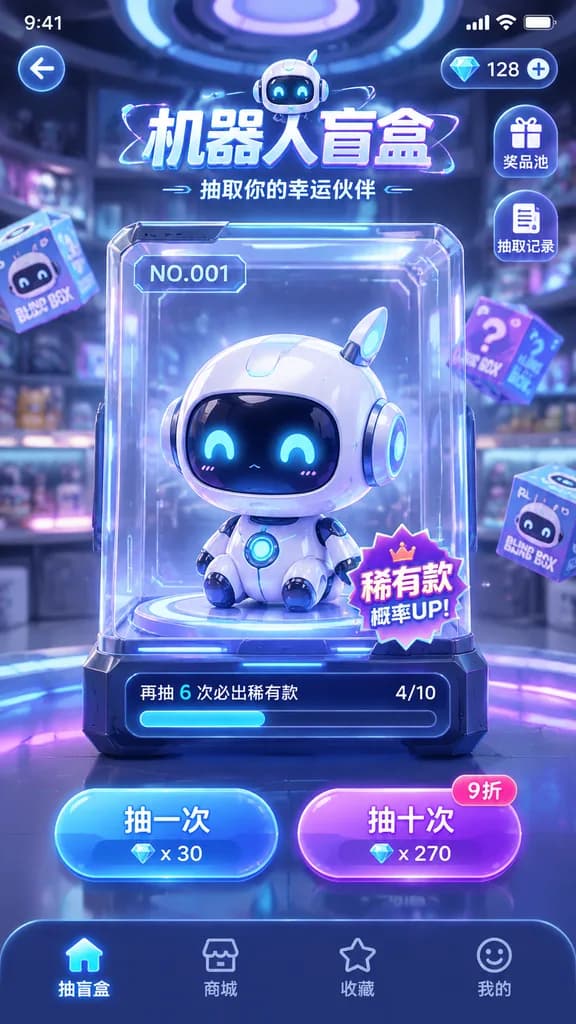
मोबाइल गेम गाचा समन इंटरफ़ेस

मोबाइल गेम गाचा समन इंटरफ़ेस

A mobile game gacha summon screen UI interface for the title "[Cyber Odyssey]". The entire layout reflects a distinct [sci-fi anime] visual style, featuring prominent banner artwork of [a futuristic female warrior with glowing neon blades]. The interface includes polished gacha pull buttons for 1x and 10x summons, premium currency counters, rate-up banners, and stylized mobile game HUD elements.

गाचामोबाइल गेमui डिजाइन
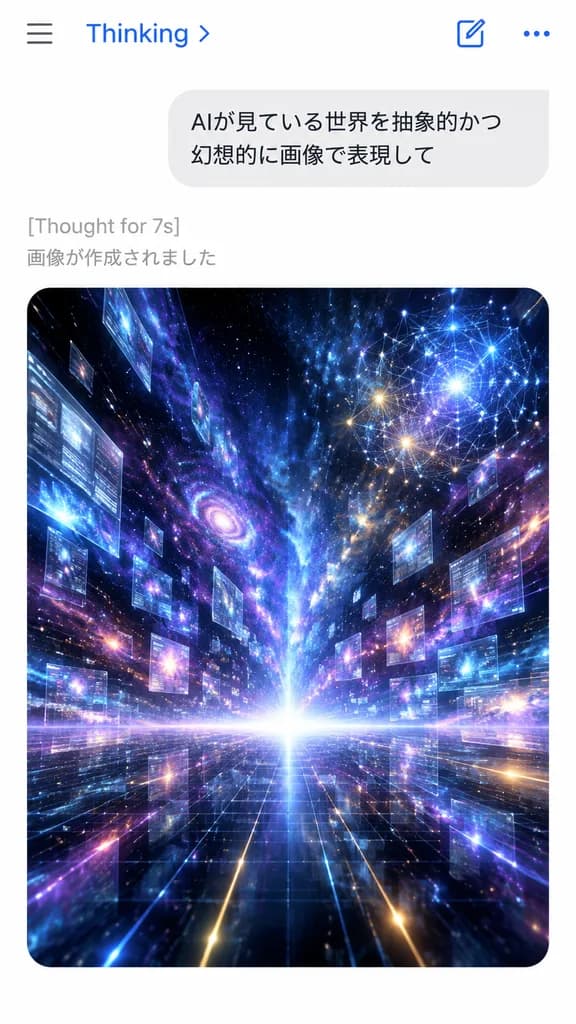
उत्पन्न कलाकृति के साथ एआई मोबाइल चैट स्क्रीन

उत्पन्न कलाकृति के साथ एआई मोबाइल चैट स्क्रीन

A smartphone chat app screenshot in portrait orientation with a minimal iOS-style interface on a solid white background. At the top, a clean navigation bar displays a hamburger menu icon on the left, the blue text “Thinking” with a chevron near center-left, and two icons on the right: a compose square icon and a three-dots horizontal menu icon. Below it, a large rounded light-gray user chat bubble contains two lines of Japanese text: “[AIが見ている世界を抽象的かつ]” and “[幻想的に画像で表現して]”. Directly beneath the bubble, left-aligned gray system text reads “[Thought for 7s]”, followed by another gray Japanese line reading “[画像が作成されました]”. The lower half of the screen features a large rounded-corner image card displaying a surreal abstract cosmic data landscape: a glowing white horizon at the center, a dark reflective grid floor receding in deep linear perspective, and explosive streaks of light, nebula clouds, stars, and particles rushing outward from the vanishing point. Suspended at varying depths throughout the space are dozens of translucent rectangular data window panels. In the upper right corner of the artwork, a luminous network node diagram glows with interconnected points and lines. Dominant colors are electric blue, indigo, violet, cyan, magenta, and touches of gold. Clean digital mobile UI composition, crisp typography, photorealistic interface with high-contrast luminous digital art.

चैट यूआईमोबाइल ऐपआईओएस इंटरफ़ेस
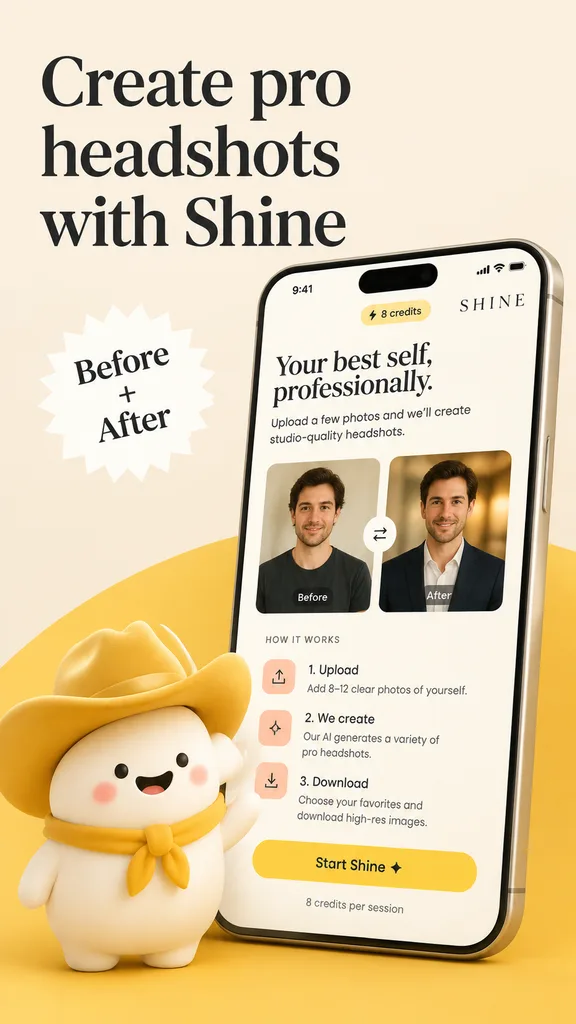
एआई हेडशॉट ऐप प्रोमो पोस्टर

एआई हेडशॉट ऐप प्रोमो पोस्टर

Polished App Store promotional poster for an AI headshot app called "[Shine]", designed in a warm minimalist brand aesthetic with a vertical layout on a soft beige background accented by a curved golden-yellow shape rising from the bottom edge. Typography & Badges: - Upper left: Large elegant black serif headline split across three lines reading "[Create pro headshots with Shine]". - Left-center: White jagged starburst badge featuring black serif text reading "[Before + After]". Smartphone Mockup: On the right side, a large modern smartphone mockup angled slightly to the left with thin metallic bezels and a realistic screen displaying the mobile interface: - Top bar: iPhone-style status bar showing "9:41", a rounded pill badge reading "⚡ 8 credits", and a small brand wordmark reading "[SHINE]". - Header text: Serif subheadline "Your best self, professionally." followed by body text "Upload a few photos and we’ll create studio-quality headshots." - Before-and-After Card: Two side-by-side portrait panels with a centered circular swap arrow button between them. Left panel labeled "Before" shows a casual man in a dark T-shirt against a plain indoor background; right panel labeled "After" shows the same man transformed into a professional headshot wearing a dark blazer over a light shirt with warm studio bokeh. - "HOW IT WORKS" section: Three vertically arranged steps with pastel peach/pink rounded square icons: 1. "1. Upload" - "Add 8–12 clear photos of yourself." 2. "2. We create" - "Our AI generates a variety of pro headshots." 3. "3. Download" - "Choose your favorites and download high-res images." - Bottom: Large rounded yellow CTA button reading "[Start Shine ✦]" with small caption "8 credits per session" below. Foreground Mascot: In the lower-left foreground, a cute stylized soft 3D white mascot character with a rounded blob body, tiny arms, pink blush cheeks, dot eyes, and a cheerful smile, wearing an oversized golden-yellow cowboy hat and matching neckerchief, overlapping the bottom edge of the phone mockup. Aesthetic: Refined tech startup marketing aesthetic, soft ambient lighting, clean UI hierarchy, subtle drop shadows, cohesive beige and golden-yellow color palette.

ऐप स्टोर पोस्टरमोबाइल यूआईमॉकअप
ग्लासमॉर्फिज्म पर्सनल ब्रांडिंग कार्ड मॉकअप

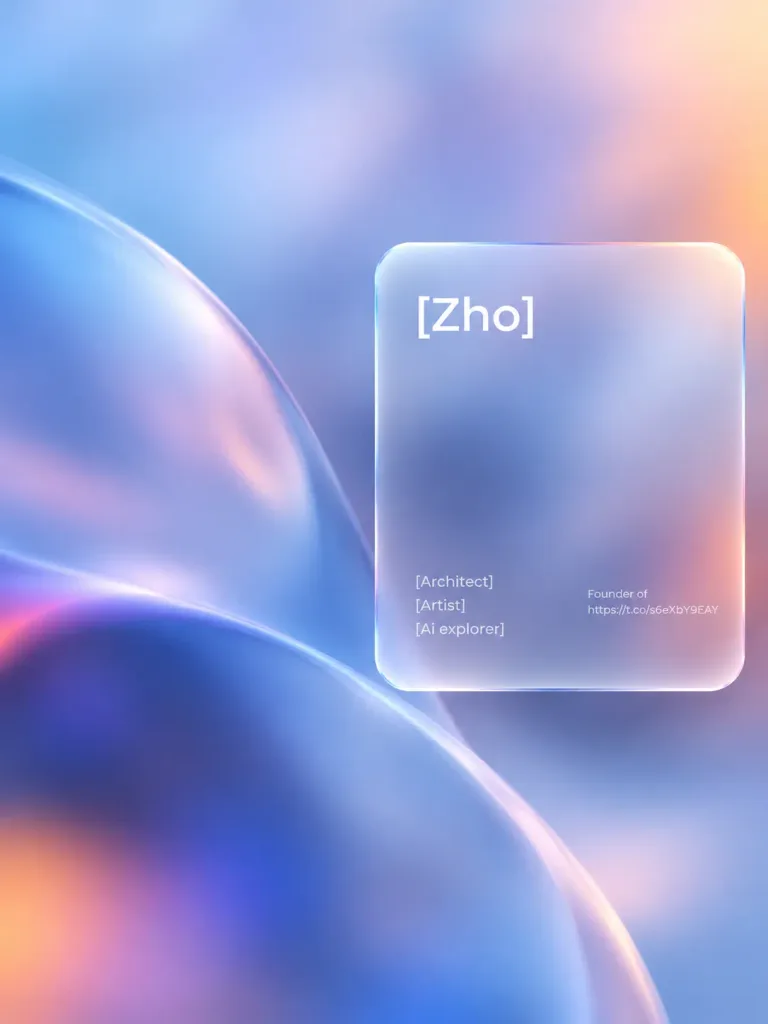
ग्लासमॉर्फिज्म पर्सनल ब्रांडिंग कार्ड मॉकअप

A modern glassmorphism visual design mockup. Positioned in the right third of the composition is a frosted, semi-transparent rounded rectangular glass panel with soft edges, subtle border refraction, blurred background depth, and sleek gradient light and shadow effects. The panel displays clean typography: top left features the text "[Zho]", bottom left displays the lines "[Architect]", "[Artist]", and "[Ai explorer]", and the right side includes small text reading "[Founder of https://t.co/s6eXbY9EAY]".

ग्लासमॉर्फिज्मब्रांडिंगमॉकअप
ऑगमेंटेड रियलिटी सुपरमार्केट शॉपिंग इंटरफ़ेस

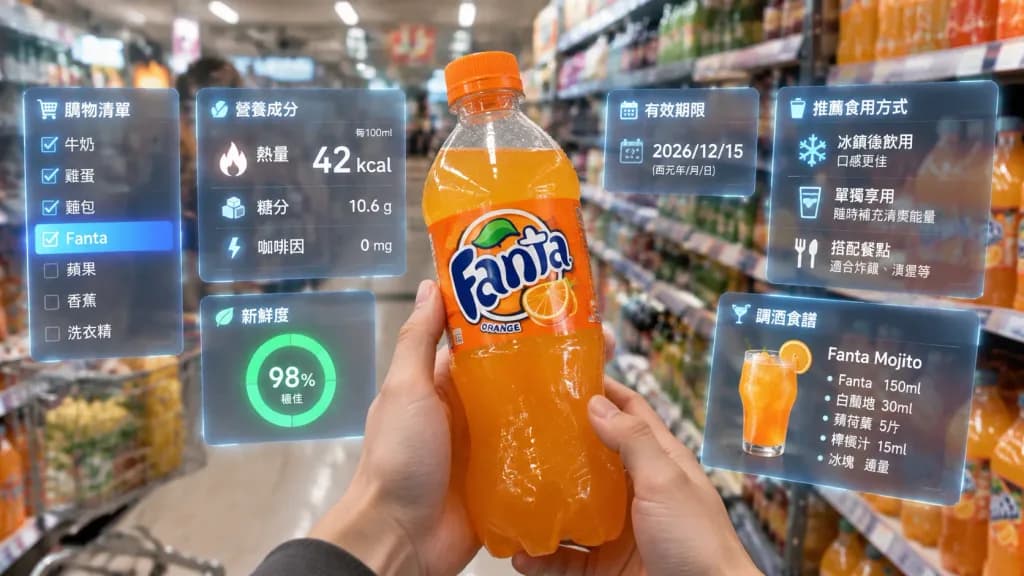
ऑगमेंटेड रियलिटी सुपरमार्केट शॉपिंग इंटरफ़ेस

First-person POV inside a [brightly lit supermarket aisle]. Realistic human hands hold a bottle of [Fanta soda] close to the camera. Surrounding the vibrant orange beverage is a multi-layered holographic augmented reality interface displaying [nutritional data including calories, sugar content, caffeine levels, freshness indicator, expiration date, and recommended serving methods and cocktail recipes]. Glass-textured UI panels float in 3D space, dynamically oriented toward the viewer's gaze. In the left peripheral vision, a translucent vertical shopping list displays [Fanta] highlighted among checked items. Hyper-realistic mixed reality aesthetic, soft ambient store lighting, realistic reflections and shadows on glass UI panels, natural depth of field with the background aisle softly blurred.

ऑगमेंटेड रियलिटीएआर इंटरफ़ेसरिटेल तकनीक
डार्क वुड जापानी रेस्तरां ग्रैंड मेनू

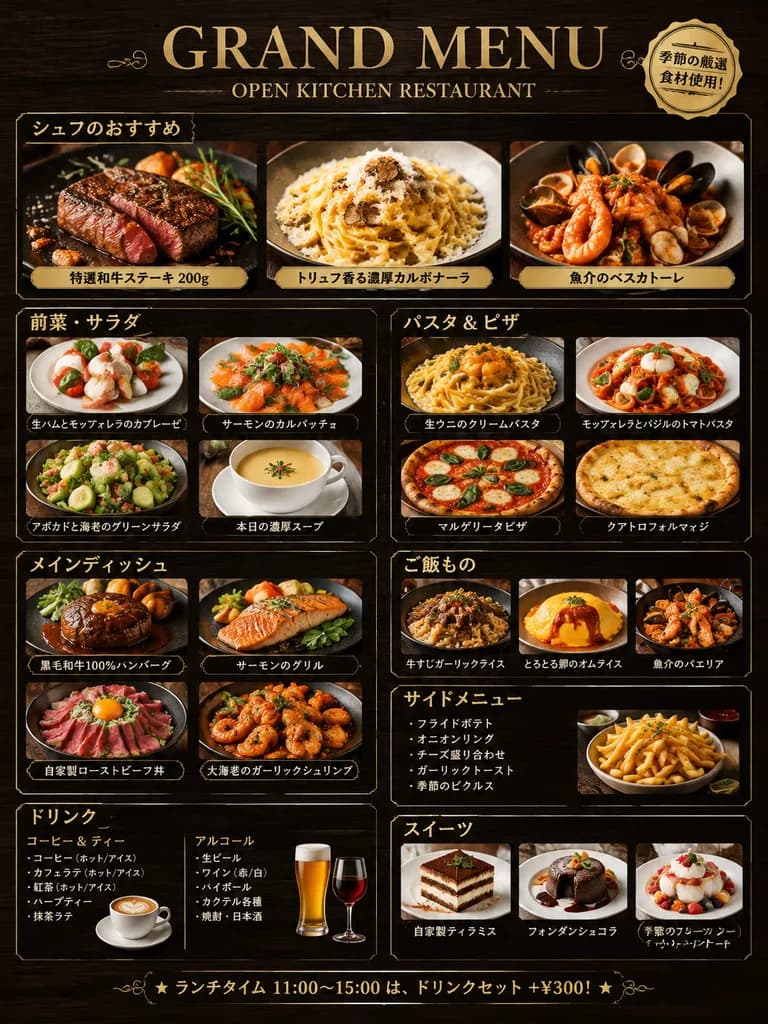
डार्क वुड जापानी रेस्तरां ग्रैंड मेनू

restaurant grand menu design. シェフのおすすめ. 前菜・サラダ. パスタ & ピザ. メインディッシュ. ご飯もの. サイドメニュー. ドリンク. スイーツ. dark wood texture. [gold]. elegant serif and modern sans-serif bilingual mix. high-resolution appetizing food photography with warm studio light…

रेस्तरां मेनूमेनू डिजाइनजापानी भोजन
जापानी सौंदर्य फेशियल विश्लेषण रिपोर्ट

जापानी सौंदर्य फेशियल विश्लेषण रिपोर्ट

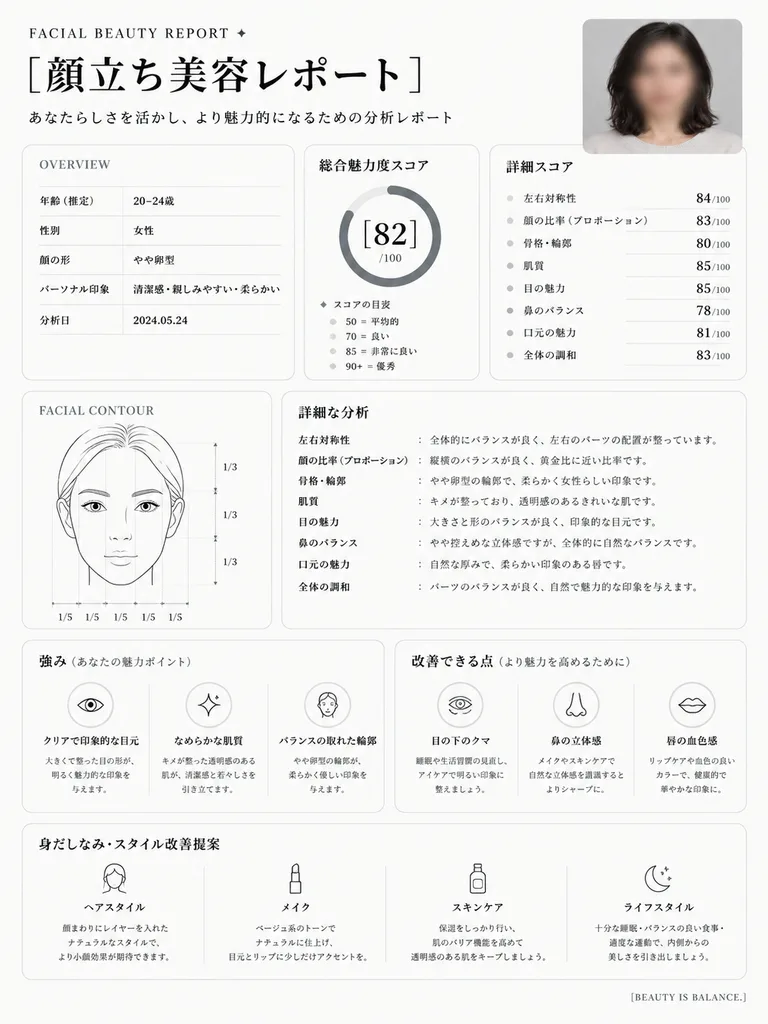
Using the reference photo, transform the portrait into a clean, premium Japanese aesthetic facial analysis dashboard titled "[顔立ち美容レポート]". Position the reference photo in a rounded card at the top right, preserving its blurred face privacy treatment. Reformat the output as a crisp white editorial page with subtle gray borders, black typography, and luxury beauty-consultation layout. Include the following sections: 1. Top header with small English text "FACIAL BEAUTY REPORT ✦", large Japanese title "[顔立ち美容レポート]", and subtitle "あなたらしさを活かし、より魅力的になるための分析レポート". 2. OVERVIEW panel listing 5 rows: 年齢(推定) 20–24歳, 性別 女性, 顔の形 やや卵型, パーソナル印象 清潔感・親しみやすい・柔らかい, 分析日 2024.05.24. 3. 総合魅力度スコア card with a circular progress gauge reading "[82]/100" and score bracket guide: 50=平均的 / 70=良い / 85=非常に良い / 90+=優秀. 4. Detailed metrics box with bullet scores: 左右対称性 84/100, 顔の比率(プロポーション) 83/100, 骨格・輪郭 80/100, 肌質 85/100, 目の魅力 85/100, 鼻のバランス 78/100, 口元の魅力 81/100, 全体の調和 83/100. 5. FACIAL CONTOUR panel with a minimalist facial line diagram displaying facial proportion guidelines marked "1/3" vertically and "1/5" horizontally. 6. Detailed analysis section with short explanatory Japanese notes per metric. 7. 強み(あなたの魅力ポイント) box with 3 icon-led highlights: クリアで印象的な目元, なめらかな肌質, バランスの取れた輪郭. 8. 改善できる点(より魅力を高めるために) box with 3 icon-led points: 目の下のクマ, 鼻の立体感, 唇の血色感. 9. 身だしなみ・スタイル改善提案 section spanning 4 columns: ヘアスタイル, メイク, スキンケア, ライフスタイル, each with clean outline icons and brief advice. Bottom right footer reads "[BEAUTY IS BALANCE.]". Style: minimalist clinic aesthetic, structured grid, soft shadows, rounded corners, monochrome palette with subtle gray accents, pristine typography.

यूआई-डिजाइनडैशबोर्डसौंदर्य-रिपोर्ट
प्रस्तुति स्लाइड पुनर्निर्माण तुलना

प्रस्तुति स्लाइड पुनर्निर्माण तुलना

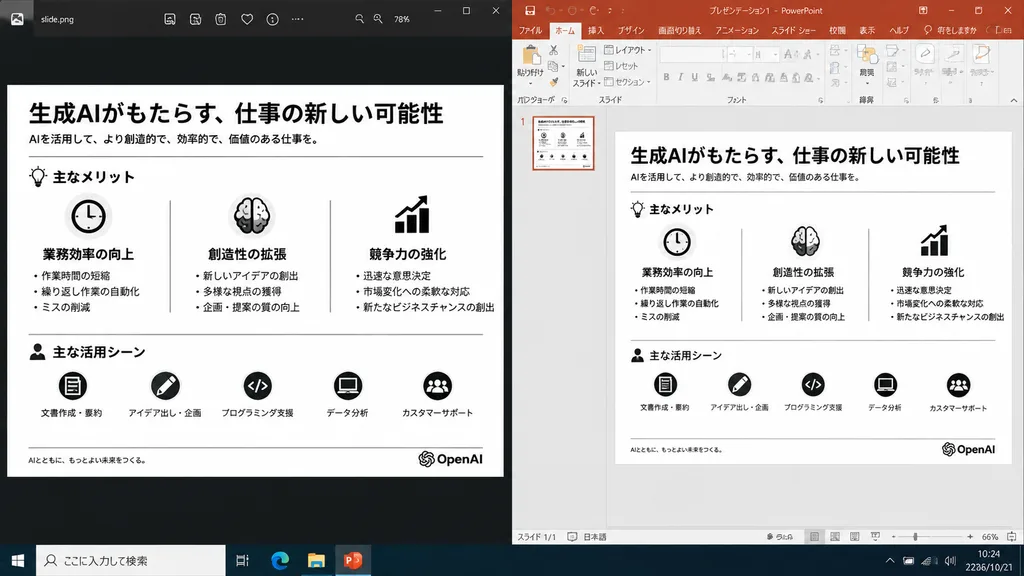
A realistic side-by-side Windows desktop screenshot showing a polished presentation slide reconstruction based on the reference image. The left panel shows a dark image viewer window displaying the clean exported slide. The right panel shows Microsoft PowerPoint in editing view containing the exact same editable slide. The slide retains the original Japanese monochrome infographic layout: 1 top title and header row, 3 mid-page comparison columns, and 1 bottom use-case row with 5 icon-labeled items, a footer line, and the [OpenAI] logo at the bottom right. Clean, legible Japanese typography, properly aligned dividers, crisp monochrome icons, and no clutter, selection handles, or malformed vector artifacts. Crisp UI detailing, native desktop app appearance, high readability.

powerpointडेस्कटॉप स्क्रीनशॉटइन्फोग्राफिक
स्प्लिट-स्क्रीन सोशल मीडिया लाइवस्ट्रीम UI

स्प्लिट-स्क्रीन सोशल मीडिया लाइवस्ट्रीम UI

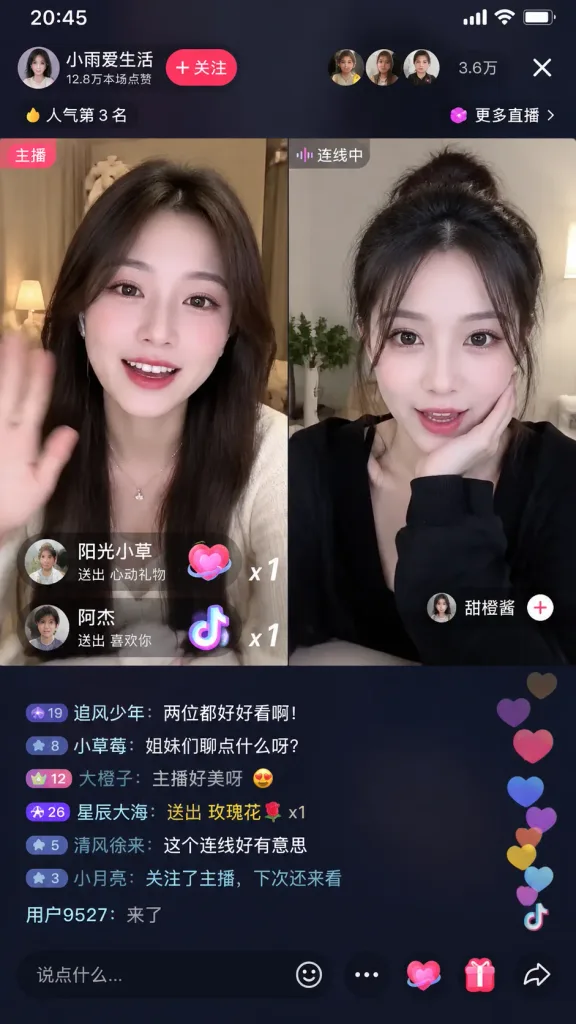
UI screen of a [Douyin] mobile live stream, vertical 9:16 layout. Split-screen video call session featuring two [Chinese female influencers] chatting and reacting, side by side. Authentic social media live broadcast overlay with floating chat comments, heart icons, virtual gift popups, viewer count metrics, and interactive buttons.

लाइवस्ट्रीमसोशल मीडियास्प्लिट स्क्रीन
तकनीकी चीनी प्रॉम्प्ट टेक्स्ट वाला डार्क यूआई कार्ड

तकनीकी चीनी प्रॉम्प्ट टेक्स्ट वाला डार्क यूआई कार्ड

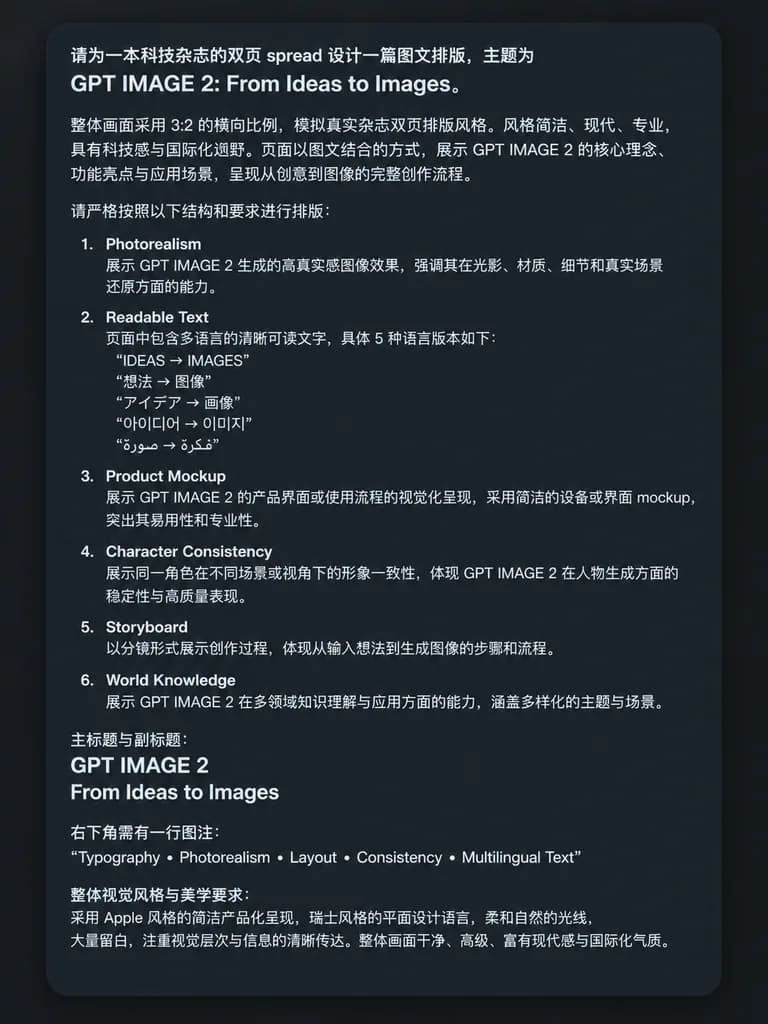
A clean screenshot-style image featuring a dark charcoal rounded-rectangle UI card on a flat dark background, displaying dense, crisp simplified Chinese prompt text in a clean white sans-serif font with generous padding and a subtle drop shadow. At the top, introductory text specifies the concept for a technology magazine double-page spread, prominently citing: "GPT IMAGE 2: From Ideas to Images". Below are left-aligned Chinese paragraphs with uniform line spacing discussing layout ratio, editorial style, and two-page visual structure. The middle section contains a numbered list with items 1 through 6, each presenting an English module title followed by Chinese explanatory text: 1. "Photorealism", 2. "Readable Text", 3. "Product Mockup", 4. "Character Consistency", 5. "Storyboard", and 6. "World Knowledge". Under item 2, five distinct multilingual sub-items are quoted: "IDEAS → IMAGES", "想法 → 图像", "アイデア → 画像", "아이디어 → 이미지", and "فكرة → صورة". Further down, a section specifies the primary title "GPT IMAGE 2" and subtitle "From Ideas to Images". Toward the bottom right, a caption entry introduces the exact line: "Typography • Photorealism • Layout • Consistency • Multilingual Text". A concluding Chinese paragraph details aesthetic requirements including Apple-style clean product presentation, Swiss graphic design, soft natural lighting, and generous negative space. Crisp, legible typographic rendering, high contrast, no external icons or illustrations, strictly text and UI card frame.

यूआई कार्डटाइपोग्राफीप्रॉम्प्ट शीट
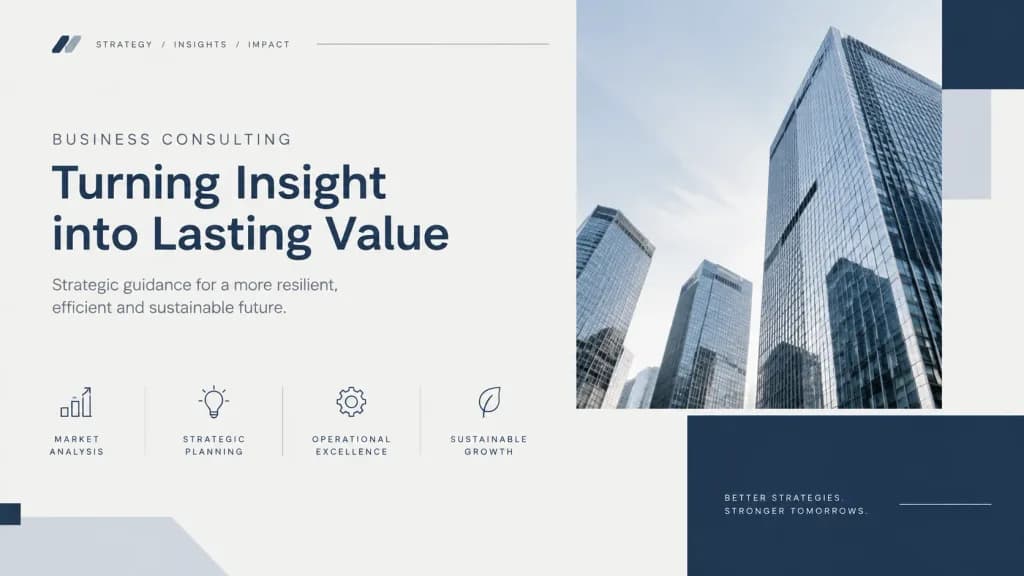
कंसल्टिंग प्रेजेंटेशन कवर बैकग्राउंड

कंसल्टिंग प्रेजेंटेशन कवर बैकग्राउंड

Clean case-style visual layout with a structured grid composition. Subtle abstract data cues including minimalist lines, geometric blocks, and rhythmic spacing. [Neutral professional color palette of slate gray, navy, and soft off-white]. Soft, even lighting with no dramatic contrast. Calm, credible, and serious corporate aesthetic, designed as a premium consulting-grade presentation cover.

प्रेजेंटेशनकंसल्टिंगस्लाइड डेक
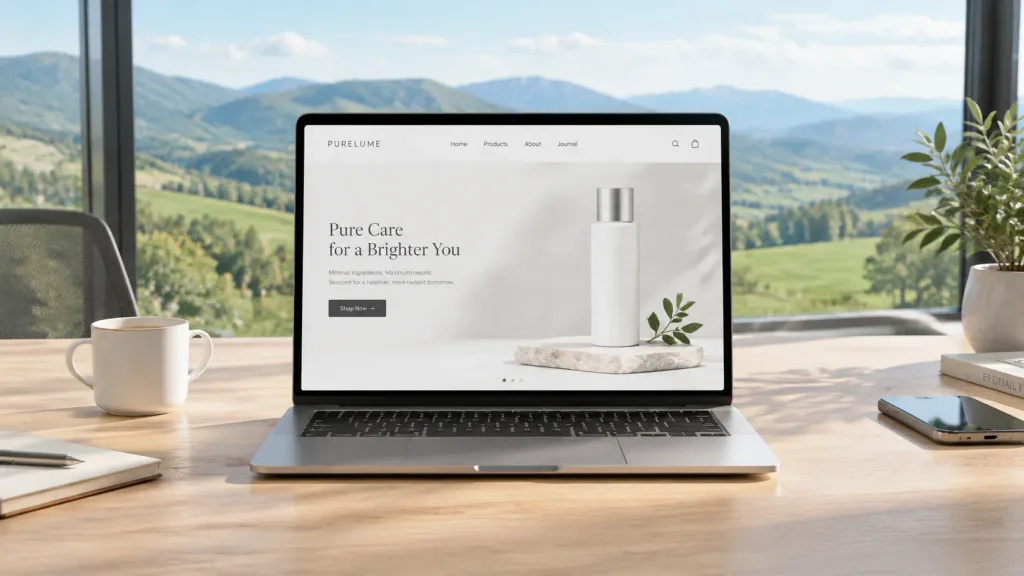
कंप्यूटर स्क्रीन मॉकअप रिप्लेसमेंट

कंप्यूटर स्क्रीन मॉकअप रिप्लेसमेंट

Place the website from the second reference photo onto the screen of the computer in the first reference photo. Replace the background with [a modern office overlooking grassy mountains and hills] that fits the aesthetic and style of the website. Change the table surface to [white oak].

मॉकअपस्क्रीन रिप्लेसमेंटकार्यक्षेत्र
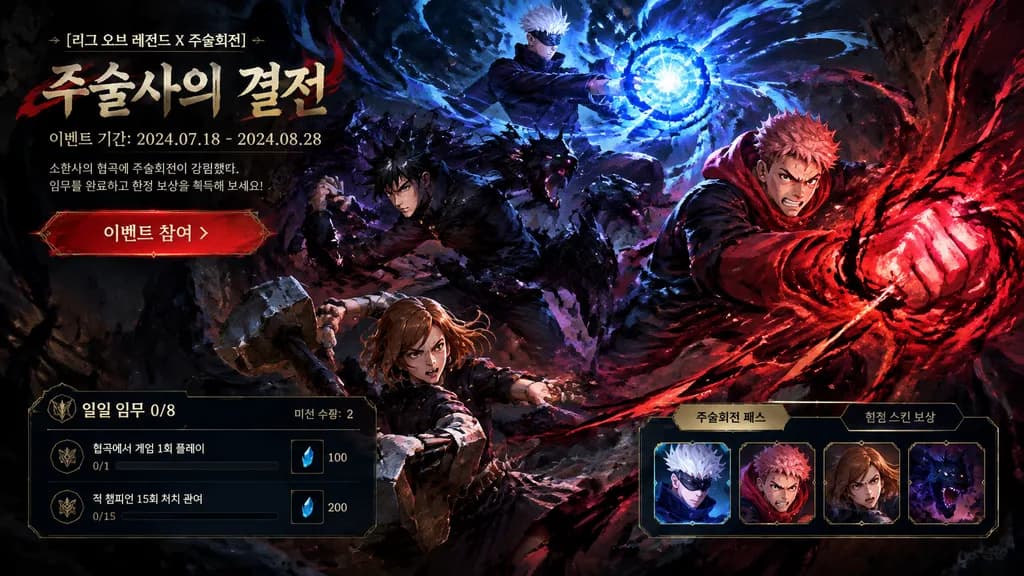
डार्क फैंटेसी गेम इवेंट UI मॉकअप

डार्क फैंटेसी गेम इवेंट UI मॉकअप

game event landing page UI mockup. dynamic combat battle scene with swirling dark shadows and crimson energy trails. event header overlay. 소환사의 협곡에 주술회전이 강림했다. 임무를 완료하고 한정 보상을 획득해 보세요!. quest mission panel. event rewards panel. [heavy impa…

गेम uiलैंडिंग पेजडार्क फैंटेसी
बायो लिंक के लिए सौंदर्यपूर्ण प्रमोशनल ग्रिड मेनू

बायो लिंक के लिए सौंदर्यपूर्ण प्रमोशनल ग्रिड मेनू

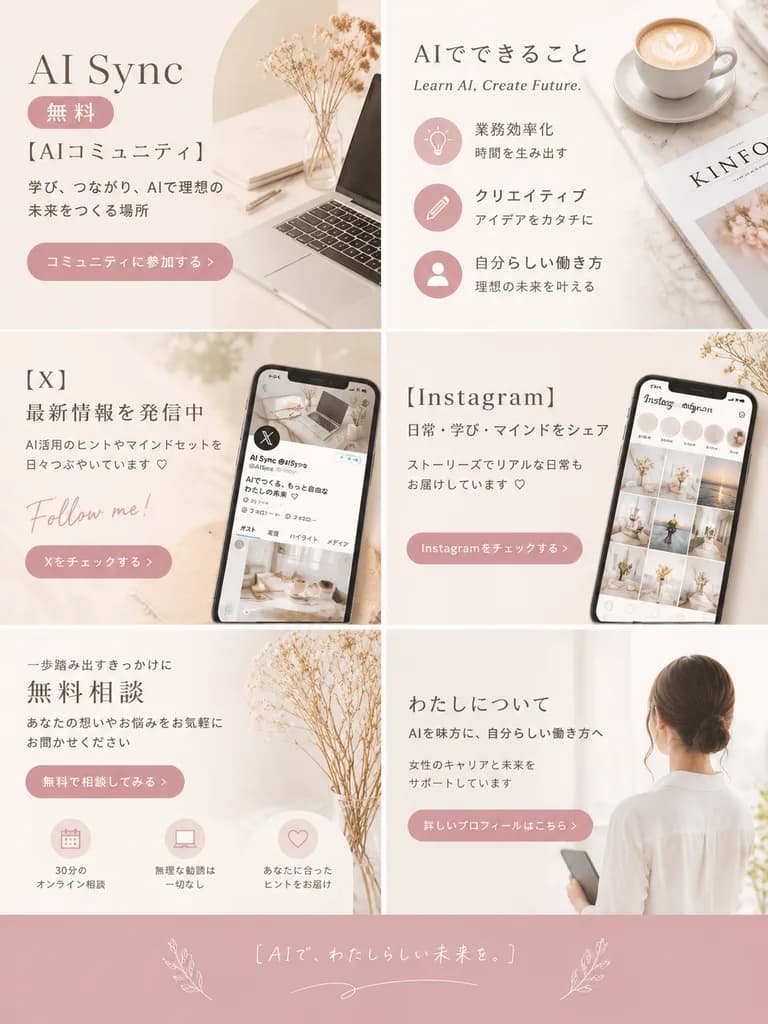
promotional graphic grid. minimalist, aesthetic lifestyle, feminine, [soft beige, dusty pink, and white]. 2 columns by 3 rows grid, plus a full-width footer. top-left. AI Sync. 無料. [AIコミュニティ]. 学び、つながり、AIで理想の未来をつくる場所. コミュニティに参加する >. laptop…

बायो लिंकप्रमोशनल ग्रिडएस्थेटिक मेनू
मंगल लाइव-कॉमर्स यूआई मॉकअप

मंगल लाइव-कॉमर्स यूआई मॉकअप

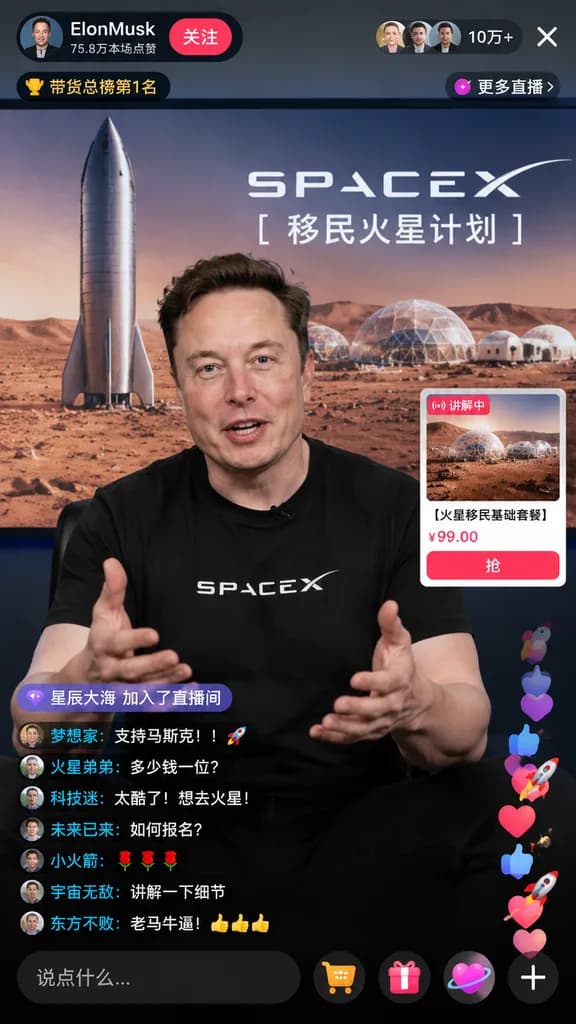
mobile livestream e-commerce interface mockup. [火星移民基础套餐]. 9:16. Elon Musk. black t-shirt with SPACEX logo. gesturing enthusiastically toward the camera with both hands while explaining. large studio display screen. Mars landscape featurin…

लाइव स्ट्रीमई-कॉमर्सयूआई मॉकअप
क्रिएटिव विज्ञापन विचार एआई टूल इंटरफ़ेस

क्रिएटिव विज्ञापन विचार एआई टूल इंटरफ़ेस

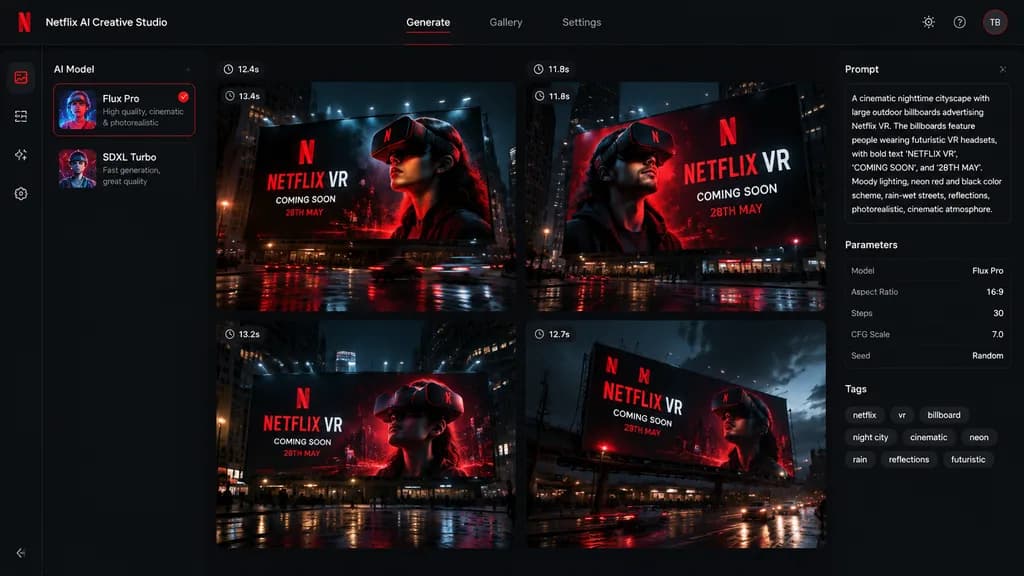
A polished dark-mode AI creative-generation software interface displaying 4 billboard ad concepts in a 2x2 grid for [Netflix], matching the visual identity and color palette from the reference photo. Left sidebar features an AI model picker with two model selection cards. Main canvas showcases a 2x2 grid of four generated concept thumbnails, each depicting a cinematic nighttime outdoor billboard mockup with dramatic volumetric lighting, wet street reflections, and a person wearing a futuristic VR headset. Bold billboard text reads "[NETFLIX VR]", "[COMING SOON]", and "[28TH MAY]". Each thumbnail has a small generation-time badge above it. Right sidebar contains UI chips, parameters, and metadata tags summarizing the generation prompt. High-end modern SaaS interface styling with deep charcoal and black backgrounds, crisp red accents, and clean white sans-serif typography.

यूआई डिज़ाइनसास इंटरफ़ेसबिलबोर्ड मॉकअप
गेम एसेट निर्माण चैट का स्क्रीनशॉट

गेम एसेट निर्माण चैट का स्क्रीनशॉट

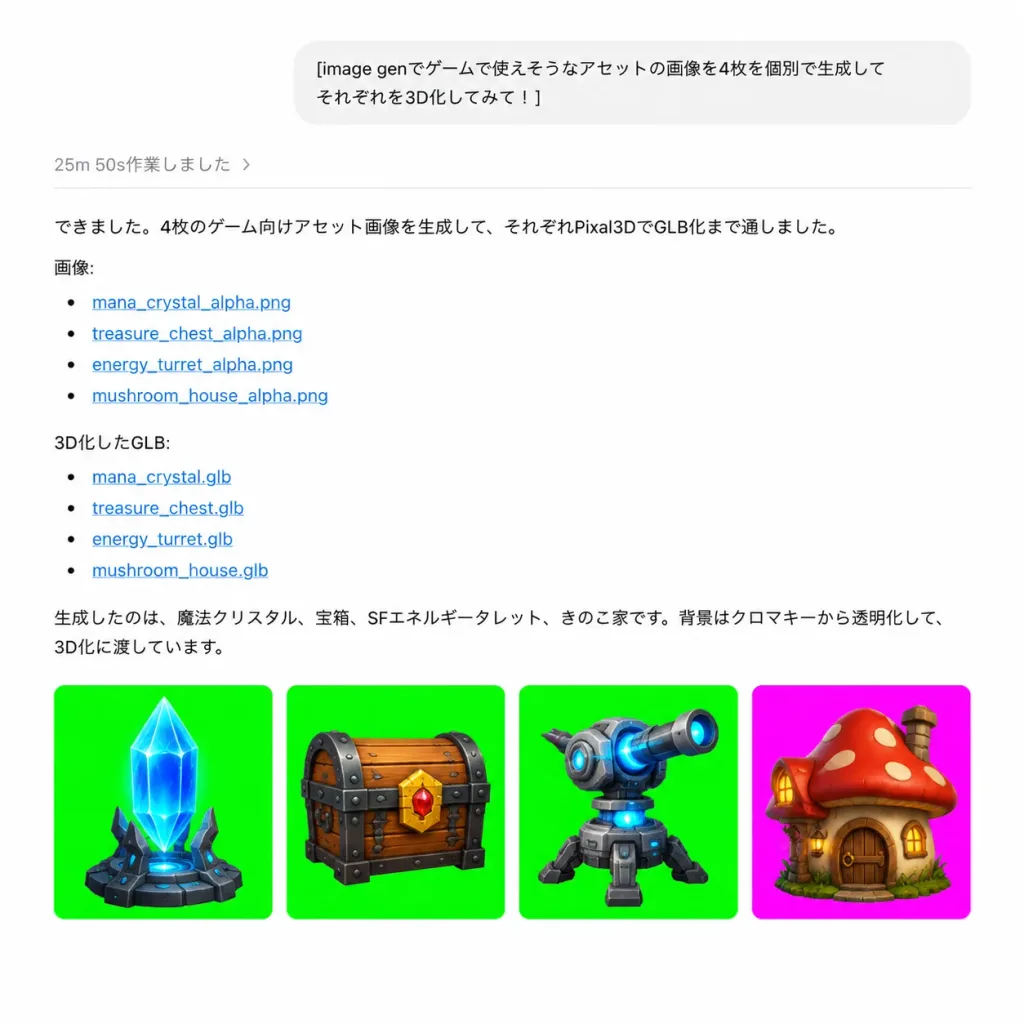
A realistic screenshot of a ChatGPT-style web conversation interface displaying game asset generation results in Japanese. Clean, minimalist layout with a white background, generous margins, subtle dividers, black body typography, and blue clickable text links. At top center, a light-gray rounded user message bubble containing the text: "[image genでゲームで使えそうなアセットの画像を4枚を個別で生成して それぞれを3D化してみて!]". Below it, a subtle gray status line reads "25m 50s作業しました 〉" above a thin horizontal divider line. The assistant's response follows below with the text: "できました。4枚のゲーム向けアセット画像を生成して、それぞれPixal3DでGLB化まで通しました。" followed by "画像:" with 4 bulleted links: "mana_crystal_alpha.png", "treasure_chest_alpha.png", "energy_turret_alpha.png", "mushroom_house_alpha.png". Next is "3D化したGLB:" with 4 bulleted links: "mana_crystal.glb", "treasure_chest.glb", "energy_turret.glb", "mushroom_house.glb". Underneath is the concluding text: "生成したのは、魔法クリスタル、宝箱、SFエネルギータレット、きのこ家です。背景はクロマキーから透明化して、3D化に渡しています。" At the bottom, a horizontal row of exactly four rounded-square thumbnail cards: Card 1 has a vivid green chroma-key background with a [blue mana crystal obelisk on a dark stone base]; Card 2 has a vivid green chroma-key background with a [wooden treasure chest with dark metal bands, gold lock, and red jewel]; Card 3 has a vivid green chroma-key background with a [gray sci-fi energy turret with blue glowing core and cannon barrel]; Card 4 has a bright magenta chroma-key background with a [cute mushroom house with red spotted cap roof, wooden door, and warm windows]. All 4 assets are polished 3D game props, centered and cleanly isolated.
यूआई-डिजाइनchatgptगेम-एसेट
एआई एजेंट सहयोग सास लैंडिंग और डैशबोर्ड यूआई

एआई एजेंट सहयोग सास लैंडिंग और डैशबोर्ड यूआई

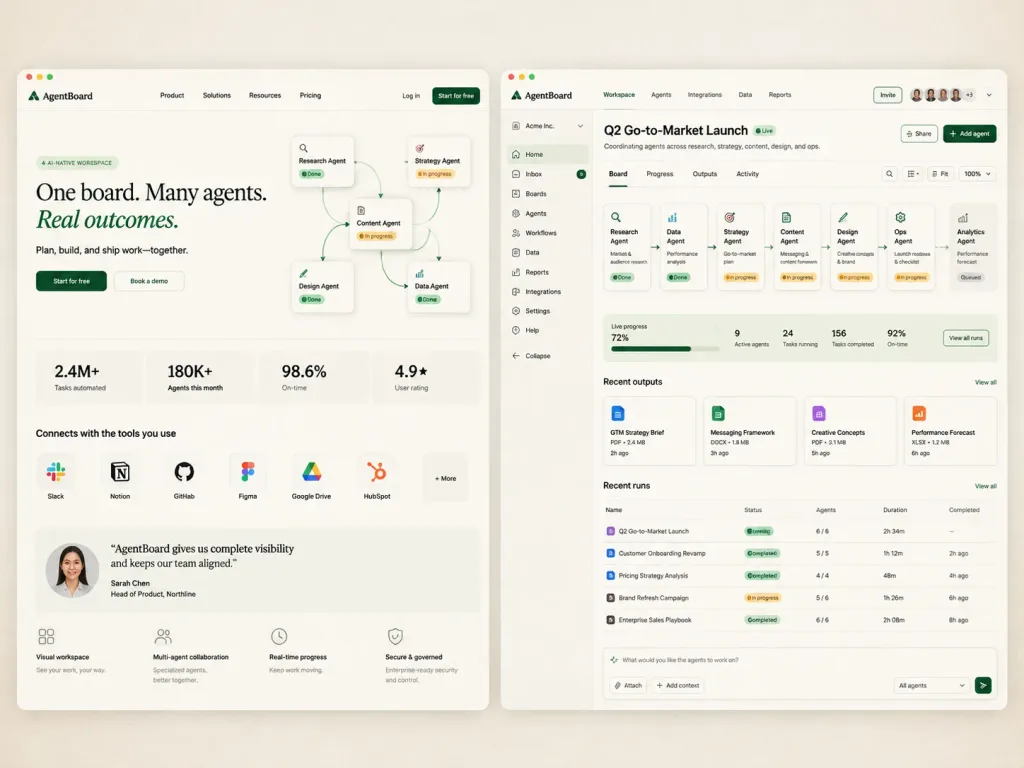
An editorial SaaS product exploration mockup for an AI agent collaboration platform named [AgentBoard], displayed side by side on a warm off-white background with subtle grain and faint vignette. Wide 4:3 composition showing two rounded browser-like panels with soft drop shadows separated by a narrow gutter. Left Screen (Marketing Landing Page): - Top nav bar: "AgentBoard" logo at top-left, centered links for Product, Solutions, Resources, Pricing, and on the right "Log in" plus a dark green "Start for free" button. - Hero area: Pill tag reading "AI-NATIVE WORKSPACE", headline "One board. Many agents. Real outcomes." with "Real outcomes." in green italics, subtext "Plan, build, and ship work—together.", and CTAs: dark green "Start for free" and outlined "Book a demo". - Isometric workflow diagram beside the hero text with 5 connected cards: Research Agent, Strategy Agent, Content Agent, Design Agent, Data Agent, linked with curved connector lines and status chips (Done, In progress). - 4 metric tiles below: "2.4M+ Tasks automated", "180K+ Agents this month", "98.6% On-time", "4.9★ User rating". - Integration row "Connects with the tools you use" with 7 icons: Slack, Notion, GitHub, Figma, Google Drive, HubSpot, "+ More". - Testimonial card with female headshot: "AgentBoard gives us complete visibility and keeps our team aligned." — Sarah Chen, Head of Product, Northline. - 4 bottom feature items with line icons: Visual workspace, Multi-agent collaboration, Real-time progress, Secure & governed. Right Screen (Product Dashboard): - Top bar: "AgentBoard" logo, tabs for Workspace, Agents, Integrations, Data, Reports, an Invite button, 5 user avatars, "+3" badge, dropdown chevron. - Left sidebar for "Acme Inc." with 11 items: Home, Inbox (badge 8), Boards, Agents, Workflows, Data, Reports, Integrations, Settings, Help, Collapse. - Header: Title "[Q2 Go-to-Market Launch]" with green "Live" badge, subtitle "Coordinating agents across research, strategy, content, design, and ops.", Share and dark green Add agent buttons. - 4 sub-tabs: Board (active), Progress, Outputs, Activity. - Canvas area: 6 connected workflow cards linked left-to-right (Research Agent "Market & audience research" Done; Data Agent "Performance analysis" Done; Strategy Agent "Go-to-market plan" In progress; Content Agent "Messaging & content framework" In progress; Design Agent "Creative concepts & brand" In progress; Ops Agent "Launch readiness & checklist" In progress) leading to a queued 7th card: Analytics Agent "Performance forecast". Control buttons at top right (search, layout, fit, zoom 100%). - KPI strip: Live progress 72% with green bar, 9 Active agents, 24 Tasks running, 156 Tasks completed, 92% On-time, and "View all runs" button. - Recent outputs section with 4 document cards: GTM Strategy Brief, Messaging Framework, Creative Concepts, Performance Forecast. - Recent runs table with 5 rows: Q2 Go-to-Market Launch, Customer Onboarding Revamp, Pricing Strategy Analysis, Brand Refresh Campaign, Enterprise Sales Playbook with status badges and durations. - Bottom composer input bar with placeholder "What would you like the agents to work on?", Attach and Add context buttons, "All agents" dropdown, green submit button. Style: Premium minimal startup aesthetic, crisp typography with serif display headlines and clean sans-serif UI, muted forest green accents, pale beige cards, ultra-refined UI layout.

सासडैशबोर्डलैंडिंग पेज
ल्यूमेन वेलनेस ऐप UI कॉन्सेप्ट

ल्यूमेन वेलनेस ऐप UI कॉन्सेप्ट

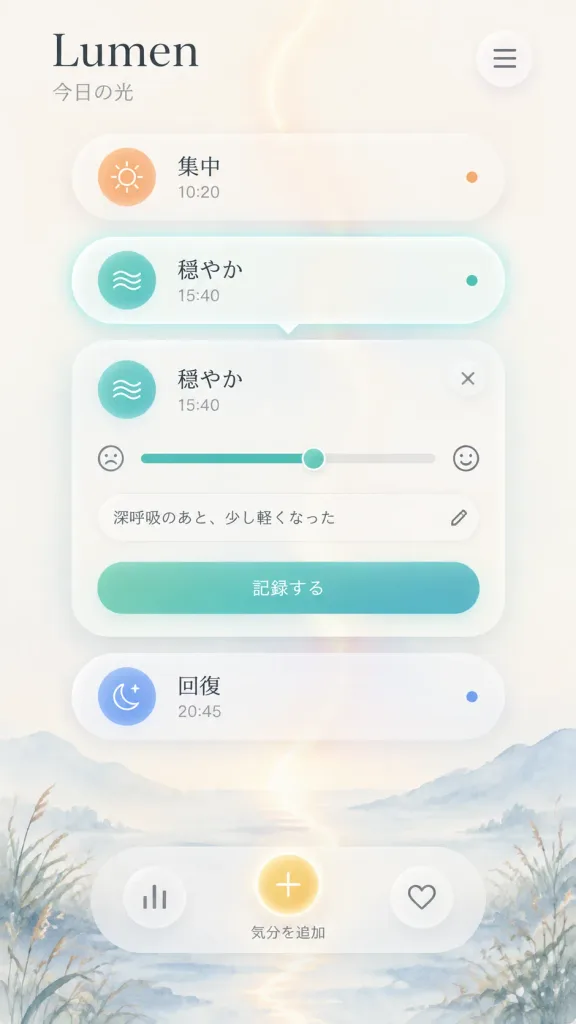
A polished iOS-style wellness app mockup for "[Lumen]", a light-themed mood and breathing tracker designed with soft Apple-inspired glassmorphism and Japanese UI text. Composition & Layout: Vertical mobile screenshot, 9:16 aspect ratio. The app title is positioned at top left in a refined serif font reading "[Lumen]", with the subtitle "今日の光" underneath in smaller dark gray Japanese text. Top right features a single circular translucent menu button with three horizontal dark lines. Background: Airy cream-white canvas with a soft misty watercolor landscape at the bottom edge, subtle mountains, reeds, and a vertical glowing light trail curving gently down the center, shifting from warm peach near the top to pale blue at the bottom. Main UI Elements (5 floating translucent glass cards stacked vertically): 1. Top pill card: Warm peach sun icon on the left, label "集中", timestamp "10:20", and a small orange status dot on the right. 2. Selected pill card: Translucent white pill with a soft teal glow outline, teal circular breath/wave icon on the left, label "穏やか", timestamp "15:40", a small teal dot on the right, and a subtle downward notch seamlessly pointing to the expanded card below. 3. Expanded mood entry card: Large rounded frosted glass panel. At the top left, the teal wave icon, title "穏やか", timestamp "15:40", and a circular close button "×" at top right. A horizontal mood slider with a sad face icon on the left, teal-to-gray track, and a happy face icon on the right. Below it, a rounded text field containing "深呼吸のあと、少し軽くなった" with a small pencil icon. At the bottom, a rounded teal gradient button labeled "記録する". 4. Lower pill card: Blue crescent moon-and-star icon on the left, label "回復", timestamp "20:45", and a small blue status dot on the right. 5. Bottom action bar: Wide translucent capsule containing three circular controls—left bar-chart icon, center glowing golden circular button labeled "気分を追加" underneath, and right heart outline icon. Visual Style: Minimalist premium iOS design, frosted glass surfaces, soft ambient shadows, delicate glow, clean spacing, and charcoal typography. No external device frames, watermarks, or native system status bars.

ui मॉकअपios ऐपग्लासमॉर्फिज्म
खुली हुई लक्ज़री फ़ैशन पत्रिका

खुली हुई लक्ज़री फ़ैशन पत्रिका

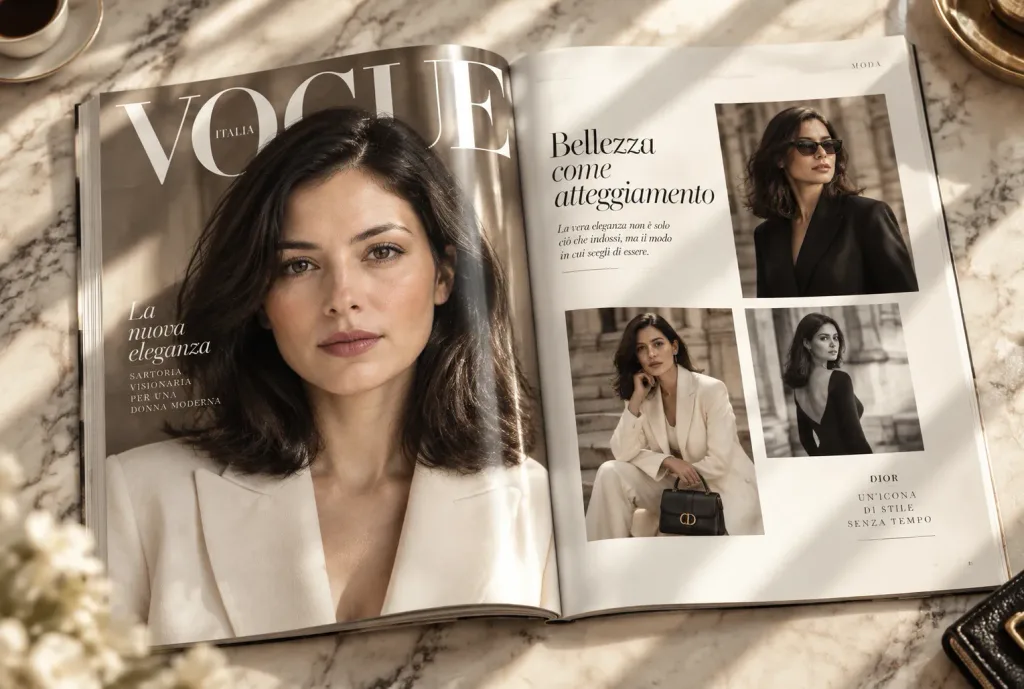
An open luxury fashion magazine resting on a polished marble table, captured in an elegant editorial flat lay. The left page features a full-page hero portrait of [the person from the reference photo], while the right page presents three tastefully arranged supporting fashion photos accompanied by refined editorial typography and generous white space. Visible details include realistic center fold creasing, subtle paper curl, high-grade glossy print texture, and delicate surface reflections. Warm natural sunlight casts soft diagonal shadows across the pages. Aesthetic inspired by [Vogue Italia, Harper's Bazaar, and Dior campaign photography], with rich contrast and realistic depth of field.

फ़ैशन पत्रिकासंपादकीय लेआउटपत्रिका मॉकअप
मैकेनिकल कीबोर्ड ई-कॉमर्स उत्पाद पेज मॉकअप

मैकेनिकल कीबोर्ड ई-कॉमर्स उत्पाद पेज मॉकअप

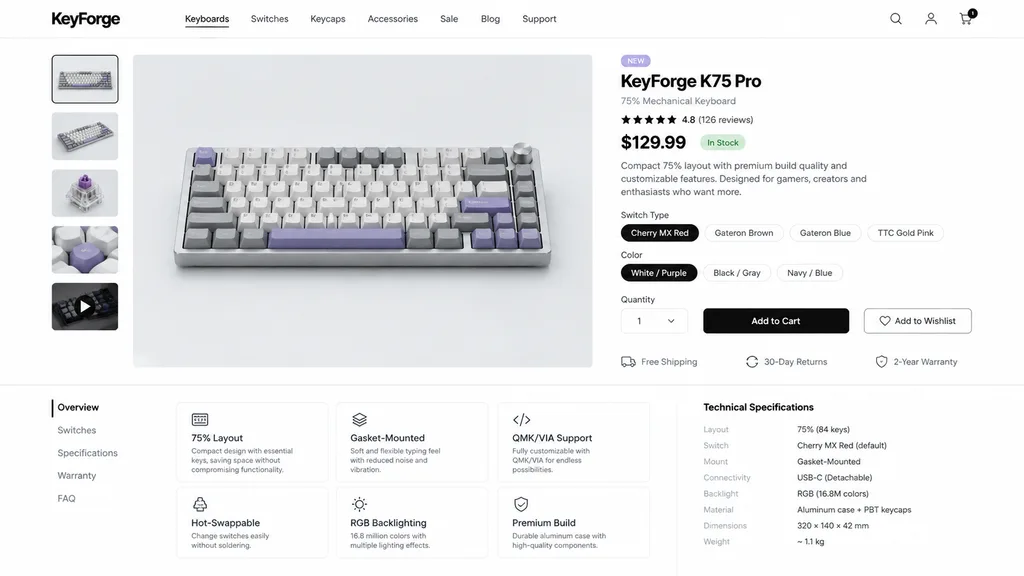
Create a clean, modern e-commerce product detail page for a premium mechanical keyboard brand named [KeyForge], rendered as a high-fidelity desktop website UI mockup on a white background with subtle light-gray dividers and generous whitespace. The interface displays a top navigation bar, a left product thumbnail strip, a central product hero image, and a right purchase details panel. Header features the bold [KeyForge] wordmark on the left; navigation links for "Keyboards", "Switches", "Keycaps", "Accessories", "Sale", "Blog", and "Support"; and right-aligned icons for search, account, and cart (with a black "1" badge). The central product hero presents a compact 75% mechanical keyboard photographed from a slightly elevated front angle on a pale gray stage, featuring a silver aluminum case, white and gray keycaps, lavender purple accent keys, and a silver rotary volume knob on the top right. Left gallery contains 5 thumbnails: front view, angled view, mechanical switch close-up, keycap texture macro, and a dark video thumbnail with a play icon. Right panel displays a "NEW" badge, bold product title [KeyForge K75 Pro], subtitle "75% Mechanical Keyboard", 4.8-star rating row with "(126 reviews)", price [[$129.99]], green "In Stock" tag, and a concise two-sentence feature summary. Below are 4 switch selector pills ("Cherry MX Red" active, "Gateron Brown", "Gateron Blue", "TTC Gold Pink"); 3 color selector pills ("White / Purple" active, "Black / Gray", "Navy / Blue"); quantity selector set to "1"; a solid black "Add to Cart" button; and an outlined "Add to Wishlist" button. Underneath, 3 service badges show "Free Shipping", "30-Day Returns", and "2-Year Warranty". Lower section contains a vertical tab menu ("Overview" selected), a 2x3 grid of feature cards ("75% Layout", "Gasket-Mounted", "QMK/VIA Support", "Hot-Swappable", "RGB Backlighting", "Premium Build"), and a technical specs list detailing layout, switch, mount, connectivity, backlight, material, dimensions, and weight. Minimalist tech startup aesthetic, clean sans-serif typography, soft shadows, and crisp UI layout.

यूआई मॉकअपई-कॉमर्सउत्पाद पेज
जापानी SaaS लैंडिंग पेज मॉकअप

जापानी SaaS लैंडिंग पेज मॉकअप

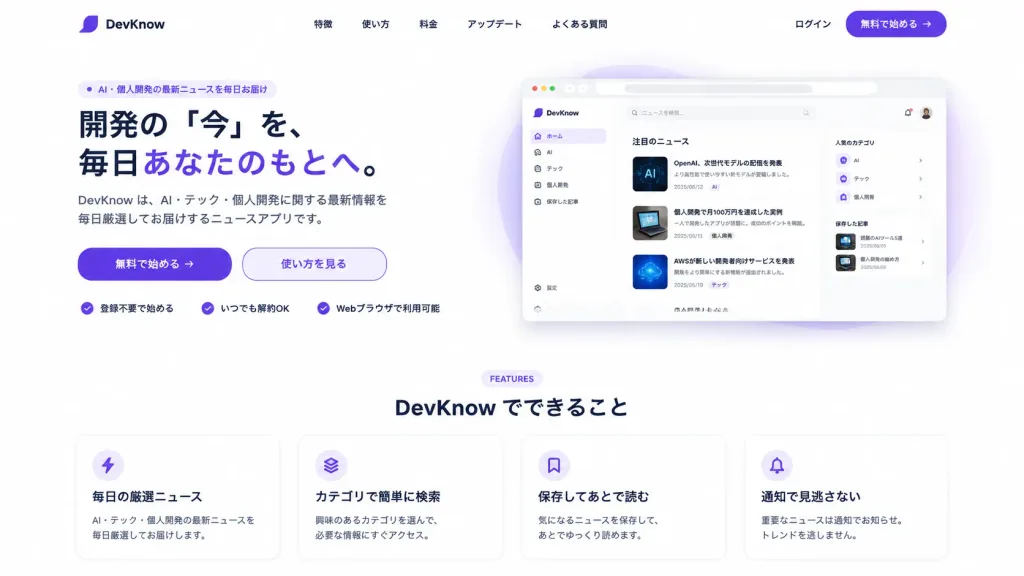
Using the reference photo as the product UI screenshot, create a polished Japanese desktop SaaS landing page for [DevKnow]. Place the recognizable app UI inside a large rounded browser mockup preview on the right side of the hero section, slightly scaled down with a soft shadow and a subtle purple abstract gradient glow behind it. Layout and Style: Modern production-ready desktop website on a clean white background with subtle purple brand accents, generous whitespace, rounded corners, and crisp typography. Top Navigation Bar: Brand logo and name [DevKnow] on the left; five centered text navigation links: 「特徴」, 「使い方」, 「料金」, 「アップデート」, 「よくある質問」; on the right, text link 「ログイン」 and a purple pill CTA button labeled 「無料で始める →」. Hero Section (Left side): - Small rounded badge at the top: 「AI・個人開発の最新ニュースを毎日お届け」 - Bold Japanese headline: [開発の「今」を、毎日あなたのもとへ。] with the phrase 「あなたのもとへ」 highlighted in purple. - Subheadline text: [DevKnow は、AI・テック・個人開発に関する最新情報を毎日厳選してお届けするニュースアプリです。] - Call-to-action buttons: primary purple button 「無料で始める →」 and secondary outline button 「使い方を見る」. - Trust badges row below the buttons with 3 purple checkmark icons: 「登録不要で始める」, 「いつでも解約OK」, 「Webブラウザで利用可能」. Features Section (Centered below hero): - Small purple section tag: “FEATURES” above the heading 「DevKnow でできること」. - A single row of 4 rounded feature cards with subtle drop shadows and purple vector icons: 1) Lightning icon: title 「毎日の厳選ニュース」, description 「AI・テック・個人開発の最新ニュースを毎日厳選してお届けします。」 2) Stacked layers icon: title 「カテゴリで簡単に検索」, description 「興味のあるカテゴリを選んで、必要な情報にすぐアクセス。」 3) Bookmark icon: title 「保存してあとで読む」, description 「気になるニュースを保存して、あとでゆっくり読めます。」 4) Bell icon: title 「通知で見逃さない」, description 「重要なニュースは通知でお知らせ。トレンドを逃しません。」

saasलैंडिंग-पेजui-डिजाइन
न्यूमॉर्फिक डैशबोर्ड UI कंपोनेंट किट

न्यूमॉर्फिक डैशबोर्ड UI कंपोनेंट किट

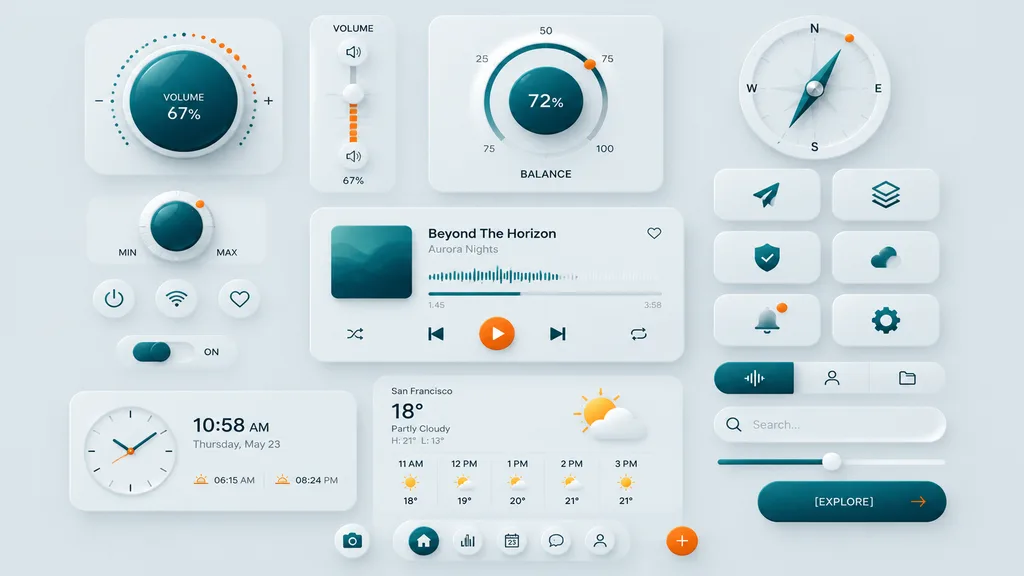
A premium neumorphic smart-home and media control UI kit displayed on a clean light gray background, arranged in a balanced dashboard composition of floating rounded cards and circular controls with soft extruded shadows, subtle inner highlights, frosted white surfaces, and deep teal and warm orange accents. Minimalist, futuristic, and tactile high-end mobile interface concept. Layout includes 18 discrete UI modules and icons: upper left features a large circular volume knob card with a glossy deep teal center, dotted perimeter, plus and minus symbols, and text "VOLUME 67%"; an adjacent vertical volume slider card labeled "VOLUME" with a white knob, orange level bars, small speaker icons, and "67%"; top center-right features a large circular balance dial with numeric markings 25, 50, 75, 100, central value "72%", label "BALANCE", and a small orange indicator dot; upper right has a circular compass widget with N, E, S, W labels, a metallic teal compass needle, and a small orange rim dot; left middle has a smaller circular min-max knob with a teal center, textured white edge, orange indicator dot, and "MIN" and "MAX" labels; directly beneath it, 3 small circular utility buttons in one row showing power, wireless connectivity, and heart outline symbols; below those, a horizontal toggle switch with a teal knob and the text "ON"; center features a large media player card with an album art square of layered teal dunes, track title "Beyond The Horizon", artist name "Aurora Nights", heart icon in top right, waveform progress display, timestamps "1:45" and "3:58", and bottom playback controls (shuffle, previous, central orange play button, next, repeat); right side features 6 rounded-square app icons in 2 columns and 3 rows showing a paper plane arrow, stacked layers, shield with check mark, cloud, bell with an orange notification dot, and a gear; bottom left has a rectangular clock card with an analog clock face, digital time "10:58 AM", date "Thursday, May 23", and sunrise/sunset times "06:15 AM" and "08:24 PM"; bottom center features a weather card with "San Francisco", "18°", "Partly Cloudy", "H: 21° L: 13°", sun-behind-cloud illustration, and 5-column hourly forecast for "11 AM", "12 PM", "1 PM", "2 PM", "3 PM"; lower right features a pill-shaped 3-tab selector with the active left tab in teal showing an audio waveform, next to user and folder tabs; directly beneath it, a search bar with a magnifying glass and placeholder text "Search..."; below that, a horizontal slider with a teal progress bar and white knob; bottom right has a rounded CTA button reading "[EXPLORE]" with a right-facing orange arrow; centered along the bottom edge are 5 circular navigation icons (home, bar chart, calendar with "23", chat bubble, user profile) flanked by 2 floating action buttons showing a camera icon and an orange plus sign.

न्यूमॉर्फिज्मui किटडैशबोर्ड
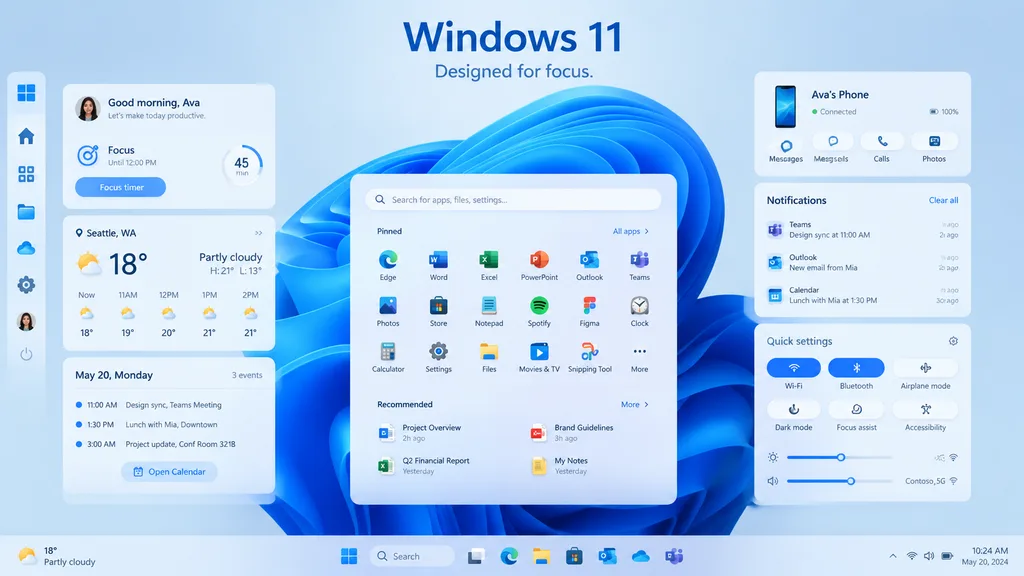
Windows 11 डेस्कटॉप UI शोकेस

Windows 11 डेस्कटॉप UI शोकेस

Windows 11 promotional UI mockup. clean modern product marketing render, soft glassmorphism cards, subtle shadows, rounded corners, light blue and white palette, crisp vector-like interface, polished presentation slide aesthetic. desktop U…

windows 11ui मॉकअपग्लासमॉर्फिज्म
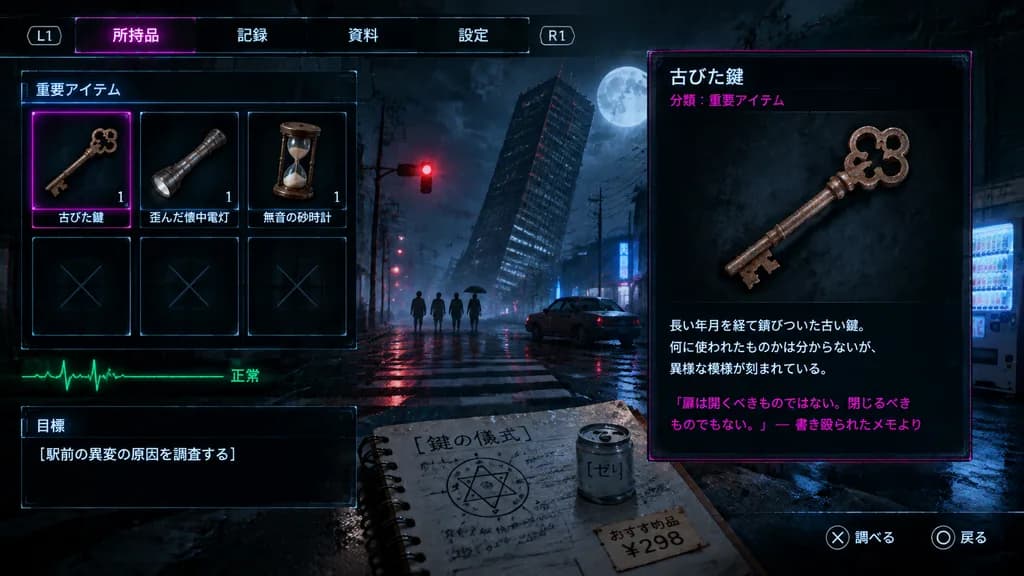
जापानी सर्वाइवल हॉरर इन्वेंट्री स्क्रीन

जापानी सर्वाइवल हॉरर इन्वेंट्री स्क्रीन

A cinematic survival-horror console game inventory screen in Japanese, overlaid on a moody, rain-soaked nighttime Tokyo intersection. In the background, a leaning high-rise skyscraper stands under a cloudy sky with a full moon, a glowing red traffic signal, a lone parked car, a glowing vending machine on the far right, and 4 distant human silhouettes including one holding an umbrella. The atmosphere is tense and occult, with a gritty bluish-black palette, subtle scanlines, wet pavement reflections, and faint bloom. UI Layout: - Top navigation bar: Four tabs labeled "所持品", "記録", "資料", "設定", flanked by "L1" and "R1" shoulder button prompts. - Left inventory grid: Labeled "重要アイテム", arranged in a 3x2 grid of 6 slots. The top row holds three items with quantity "1": an antique rusty key labeled "古びた鍵" (selected, framed with a thin neon-magenta glow border), a dented flashlight labeled "歪んだ懐中電灯", and a small hourglass labeled "無音の砂時計". The bottom row contains three empty dark slots marked with faint "X" symbols. - Under the grid: A green ECG heartbeat line labeled "正常". - Lower left: Objective window labeled "目標" displaying the text: "[駅前の異変の原因を調査する]". - Lower center foreground: A partially visible spiral notebook showing handwritten Japanese notes titled "[鍵の儀式]" with a hand-drawn occult circle, a canned drink labeled "[ゼリ]", and a price tag reading "[おすすめ品 ¥298]". - Right panel: Large inspection window for "古びた鍵" featuring "分類:重要アイテム" in neon magenta, a high-detail 3D render of the ornate, rusted iron key with clover-shaped bow cutouts and jagged teeth, three short lore description lines, and a magenta quoted note at the bottom: "「扉は開くべきものではない。閉じるべきものでもない。」― 書き殴られたメモより". - Bottom-right button hints: "✕ 調べる" and "◯ 戻る".

सर्वाइवल हॉररइन्वेंट्री यूआईगेम इंटरफेस
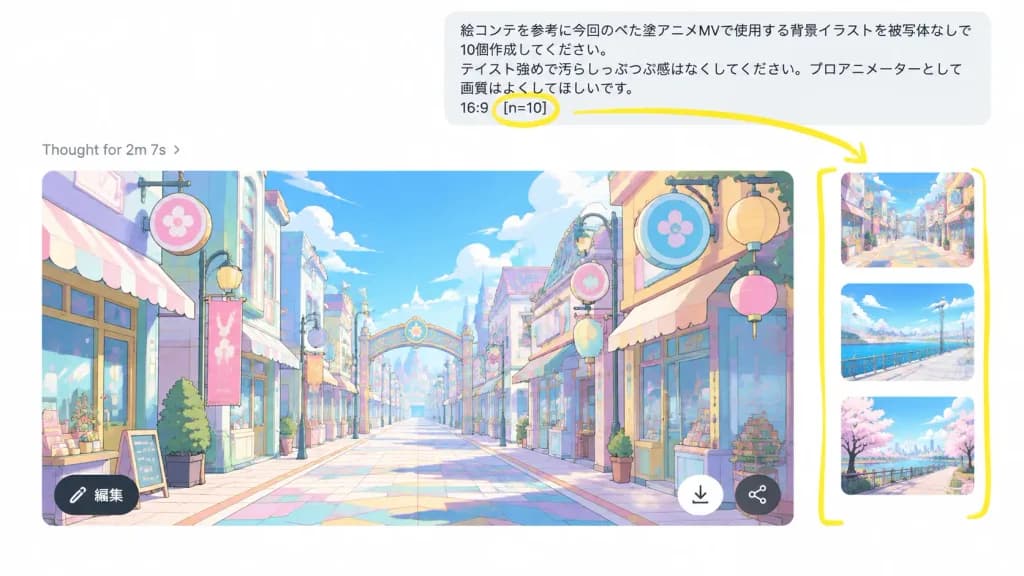
एनोटेटेड एआई चैट मल्टीपल इमेज जेनरेशन यूआई

एनोटेटेड एआई चैट मल्टीपल इमेज जेनरेशन यूआई

A realistic screenshot mockup of an AI chat image generation interface demonstrating batch outputs. Landscape 16:9 screenshot composition on a clean white background, slightly zoomed in with the right-hand image carousel visible. Layout: At the top right, a rounded light-gray user message bubble containing Japanese text: “絵コンテを参考に今回のベた塗アニメMVで使用する背景イラストを被写体なしで10個作成してください。 テイスト強めで汚らしっぷつぷ感はなくしてください。プロアニメーターとして画質はよくしてほしいです。 16:9 [n=10]”. Below on the left, a light-gray status line reading “Thought for 2m 7s ›”. Main area shows a large generated 16:9 image preview with rounded corners, accompanied on the right by a narrow strip of 3 partially visible vertical thumbnails of alternative generated backgrounds. The main image preview depicts a vibrant pastel anime background illustration of an empty stylized shopping street with no characters, cel-shaded linework, pastel blue, pink, yellow, and mint hues, lanterns, decorative circular signage, storefronts, and a centered vanishing point toward a decorative archway. Overlay UI icons on the main preview: a dark circular “編集” edit button at bottom left, a white downward arrow download button near bottom right, and a small dark share icon. Annotations: Thick hand-drawn yellow marker overlay including a circle around “[n=10]”, an arrow pointing from the circled parameter toward the thumbnail carousel, and a tall yellow bracket framing the vertical thumbnail strip.

यूआई मॉकअपस्क्रीनशॉटचैट इंटरफ़ेस
लाइव स्ट्रीमिंग इंटरफ़ेस मॉकअप

लाइव स्ट्रीमिंग इंटरफ़ेस मॉकअप

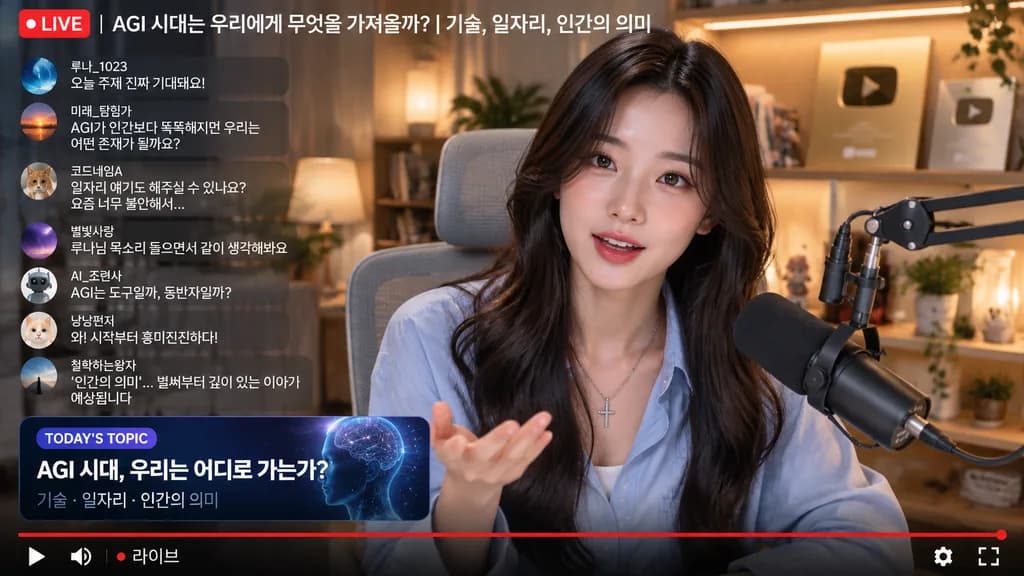
live stream interface mockup. [young Korean woman, long dark wavy hair, light blue button-up shirt]. [AGI 시대는 우리에게 무엇을 가져올까? | 기술, 일자리, 인간의 의미]. silver cross necklace, black broadcast microphone on boom arm. speaking to camera, sitting in…

लाइव स्ट्रीमिंगयूआई मॉकअपवीडियो प्लेयर
सेंसर्ड पोर्ट्रेट परिणाम दिखाने वाला AI चैट इंटरफ़ेस

सेंसर्ड पोर्ट्रेट परिणाम दिखाने वाला AI चैट इंटरफ़ेस

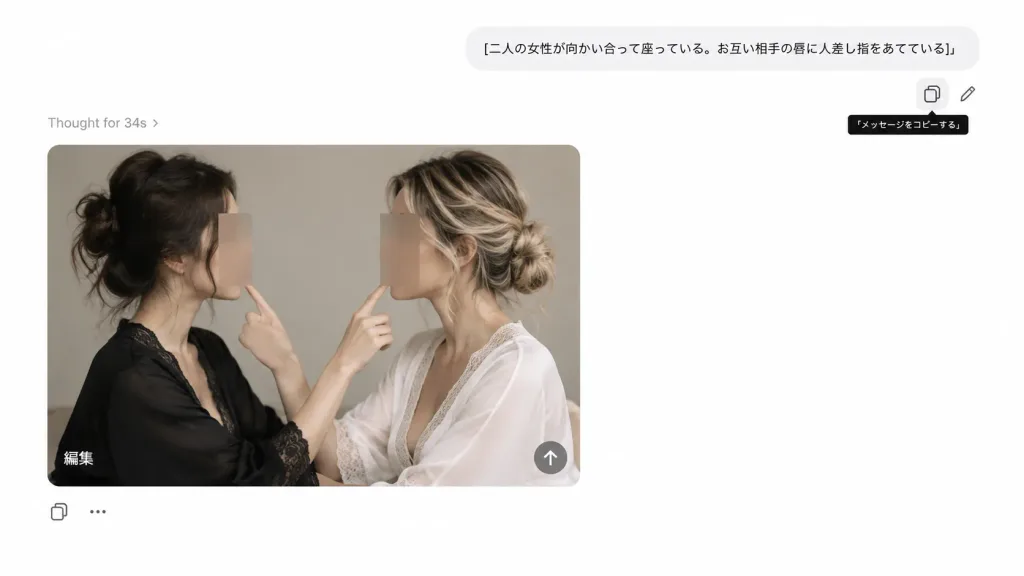
A realistic screenshot-style image of a clean, minimal AI image generation chat interface with a 16:9 horizontal layout on a white background. Top UI area: - On the top right, a rounded light-gray user message bubble containing the Japanese text: "[二人の女性が向かい合って座っている。お互い相手の唇に人差し指をあてている]". - Below and to the right of the bubble, exactly 2 small outline action icons: a copy icon inside a rounded square and a pencil edit icon. Under the copy icon, a small black tooltip with white Japanese text: "「メッセージをコピーする」". - On the left above the image card, light gray status text reading: "Thought for 34s ›". Generated Image Card: - A large photo card with rounded corners positioned left-center. - Inside the photo, exactly 2 adult women sit facing each other in profile, framed mid-torso upward against a neutral beige-gray studio backdrop with soft natural lighting. - Left woman: dark brown hair in a messy bun, wearing a black lace-trimmed robe. - Right woman: blonde-highlighted hair in a loose bun, wearing a white lace-trimmed robe. - They are positioned close together; each raises one hand so that exactly two index fingers are visible in total, each woman gently touching or pointing toward the other's lips. - Both women's faces are obscured by vertical rectangular blur/mosaic censor blocks matching skin tones, leaving hair, neck, and hands visible. - In the bottom-left corner of the photo card, a white Japanese text label: "編集". In the bottom-right corner, a semi-transparent circular button with a white upward arrow icon. Bottom UI controls: - Below the photo card on the left, an outline copy icon and a three-dot ellipsis icon. Style: Modern minimal web UI, ample white space, subtle drop shadows, clean gray typography, photorealistic generated studio photo embedded inside the card. Keep all text and Japanese characters exactly as specified.

ai चैट इंटरफ़ेसui स्क्रीनशॉटमिनिमल ui
ई-कॉमर्स लाइवस्ट्रीम यूआई मॉकअप

ई-कॉमर्स लाइवस्ट्रीम यूआई मॉकअप

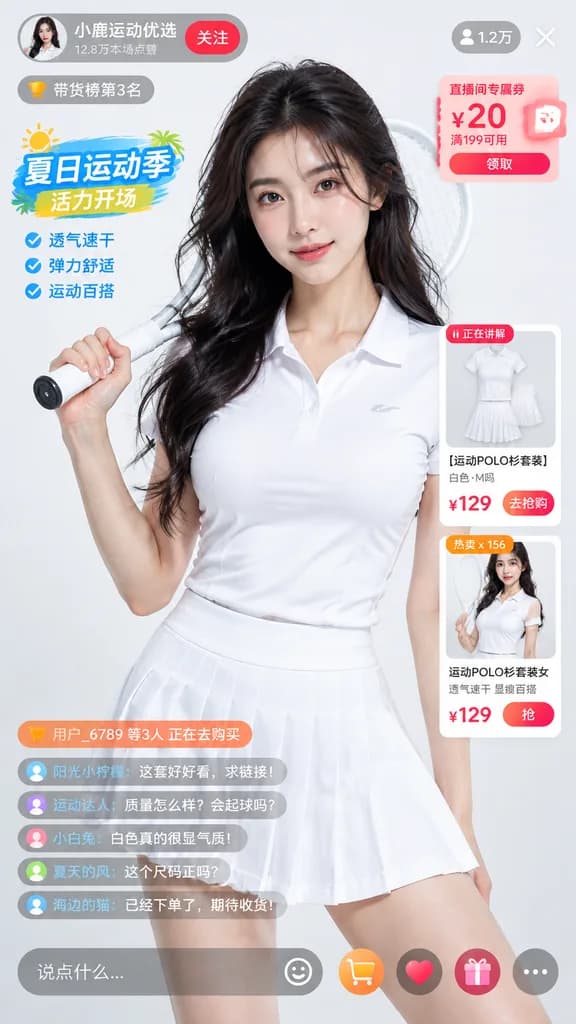
e-commerce livestream UI mockup. photorealistic young Asian woman, sweaty glowing skin, long dark wavy hair, wearing a white short-sleeve polo shirt and white pleated tennis skirt, holding a white tennis racket over her right shoulder, loo…

लाइवस्ट्रीम यूआईई-कॉमर्समोबाइल ऐप
एनीमे मॉडल तुलना UI डैशबोर्ड

एनीमे मॉडल तुलना UI डैशबोर्ड

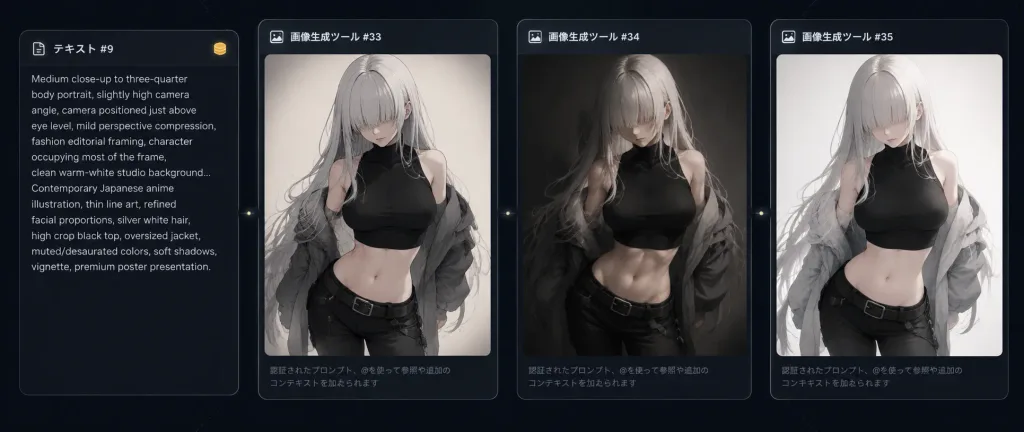
A dark, widescreen AI image-comparison dashboard interface screenshot displaying one source prompt card and three generated-image result cards side by side in a single horizontal row on a nearly black background with faint dotted grid texture and subtle diagonal guide lines. Layout: Exactly 4 rounded rectangular panels arranged horizontally from left to right with subtle gray borders and soft ambient glow. Card 1 is a narrower vertical text prompt panel. Cards 2, 3, and 4 are larger vertical image result cards. Small circular connector or action nodes appear between cards along the edges. A tiny gold coin-like icon is placed near the top-right of the prompt card. Card 1 (Prompt): Header reads "テキスト #9" with a small icon. Inside, compact small white English prompt text describes an anime portrait: "Medium close-up to three-quarter body portrait, slightly high camera angle, camera positioned just above eye level, mild perspective compression, fashion editorial framing, character occupying most of the frame, clean warm-white studio background... Contemporary Japanese anime illustration, thin line art, refined facial proportions, silver white hair, high crop black top, oversized jacket, muted/desaturated colors, soft shadows, vignette, premium poster presentation." Cards 2, 3, 4 (Results): Respectively labeled with headers "画像生成ツール #33", "画像生成ツール #34", and "画像生成ツール #35". At the bottom of each image card is faint gray Japanese helper text: "認証されたプロンプト、@を使って参照や追加のコンテキストを加えられます". Subject in Image Cards: Each result card portrays the same character rendered in a [dark fantasy contemporary anime] style: an anime young woman with [silver-white] very long hair and heavy bangs completely obscuring her eyes, pale skin, a slim athletic waist, wearing a black cropped high-neck sleeveless top, low-rise black pants, dark belt, and an oversized loose gray jacket held or draped behind her shoulders in a confident fashion-editorial pose. The palette across all results is muted, monochrome beige, black, gray, and white. - Card 2: Sharp, crisp contemporary anime line art. - Card 3: Moody, painterly shading with deeper shadows. - Card 4: Clean, high-key minimalist aesthetic with a pale bright studio backdrop. Style: Polished dark UI/UX dashboard mockup, refined Japanese software interface aesthetics, high-contrast monochrome anime fashion, clean composition. Exactly 4 cards total, no extra floating windows, logos, or browser chrome.

ui-ux-डिजाइनएनीमे-मांगाडैशबोर्ड
मोबाइल ई-कॉमर्स ऐप इंटरफ़ेस

मोबाइल ई-कॉमर्स ऐप इंटरफ़ेस

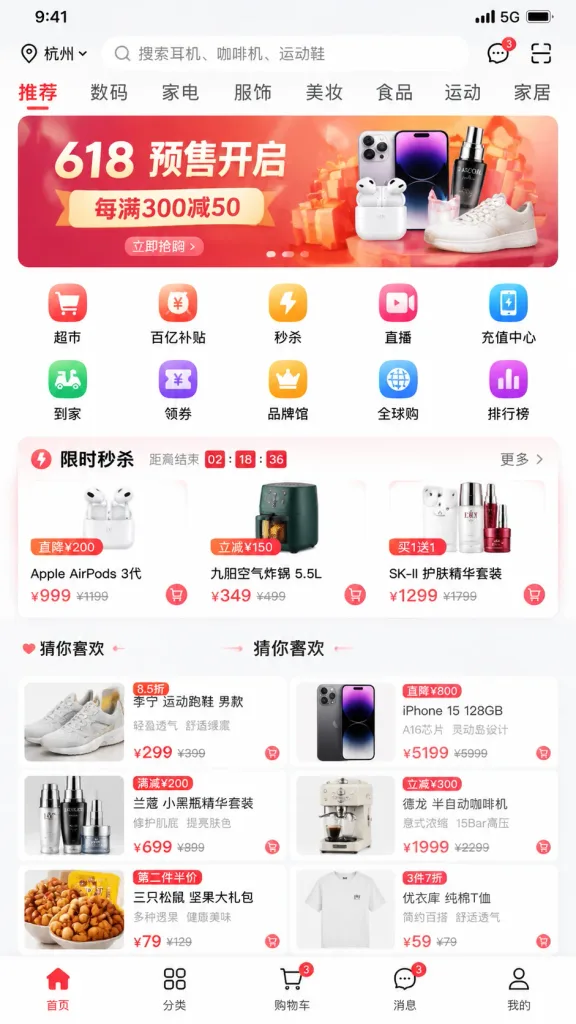
A high-fidelity mobile e-commerce app homepage UI screenshot inspired by modern Chinese shopping platforms. The layout displays a realistic smartphone interface with authentic UI logic, precise typography, polished iconography, and subtle drop shadows. Layout structure: - Top status bar: 9:41 time, 5G signal icon, battery indicator - Search bar area: city selector "[杭州]" on the left, rounded search input reading "[搜索耳机、咖啡机、运动鞋]", plus message and scan icons on the right - Horizontal category tabs: "[推荐、数码、家电、服饰、美妆、食品、运动、家居]" - Promotional carousel banner: bold commercial graphics featuring "[618 预售开启]" and "[每满300减50]" - 10-icon navigation grid in two rows: "[超市、百亿补贴、秒杀、直播、充值中心、到家、领券、品牌馆、全球购、排行榜]" - Flash-sale module titled "[限时秒杀]" with a live countdown timer and 3 product cards displaying sale prices - Recommendation waterfall feed titled "[猜你喜欢]" featuring a two-column grid of at least 6 product cards with realistic product photos, discount tags, and price badges - Bottom navigation bar with 5 icons: "[首页、分类、购物车、消息、我的]" Crisp mobile screen capture style, clean spacing, sharp Chinese typography, authentic commercial app aesthetic.

ui डिज़ाइनमोबाइल ऐपई-कॉमर्स
एआई ब्रांड गाइड जनरेटर कार्यक्षेत्र यूआई

एआई ब्रांड गाइड जनरेटर कार्यक्षेत्र यूआई

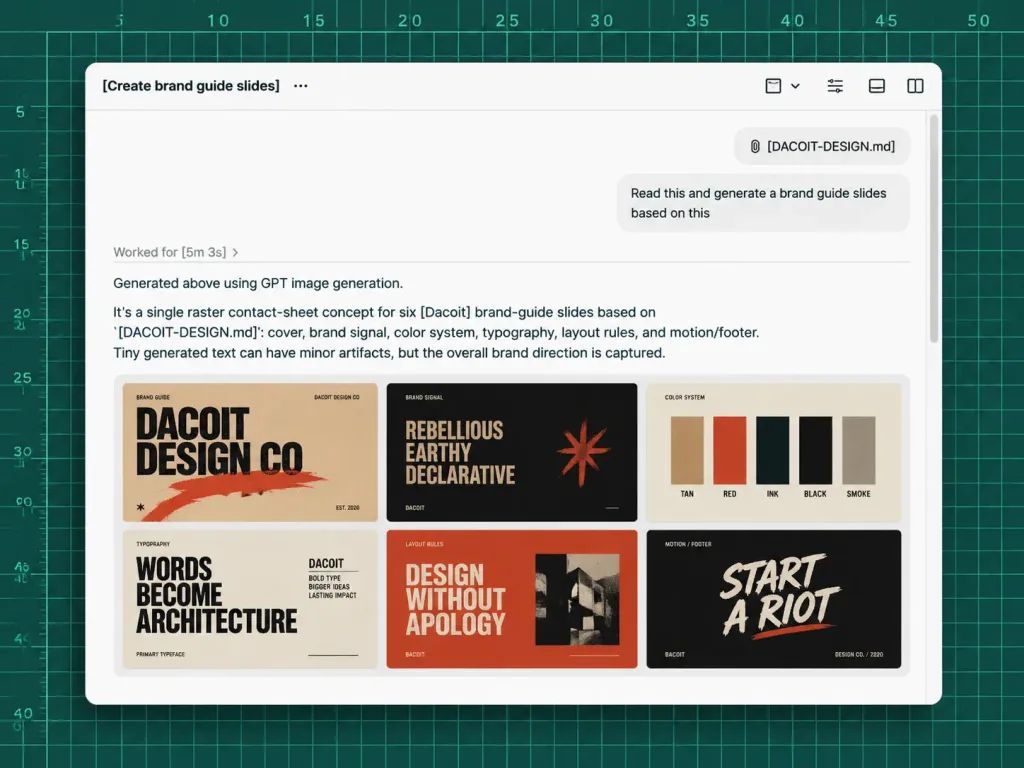
A polished screenshot-style UI mockup showing an AI chat workspace generating brand guide slides from a markdown file, set against a dark green cutting-mat grid background with ruler markings along the top and left edges, thin mint grid lines, numbered measurements from 5 to 50, and tick marks. Centered in the composition is a large rounded white app window with a soft drop shadow. App window details: - Header toolbar: Displays the title "[Create brand guide slides]" followed by a three-dot menu icon on the top left. On the top right, exactly 4 small monochrome toolbar icons: a square with a dropdown chevron, a list/settings icon, a small rectangle icon, and a split-panel icon. A thin divider line runs beneath the toolbar. - Chat area: Near the upper right, a rounded attachment chip labeled "[DACOIT-DESIGN.md]", and beneath it a light gray user message bubble reading "[Read this and generate a brand guide slides based on this]". A subtle vertical scrollbar sits along the far right edge. - Agent response: In the left-middle area, a muted status text reads "Worked for [5m 3s] ›". Below a divider line, the response text reads: "Generated above using GPT image generation." followed by a paragraph: "It’s a single raster contact-sheet concept for six [Dacoit] brand-guide slides based on `[DACOIT-DESIGN.md]`: cover, brand signal, color system, typography, layout rules, and motion/footer. Tiny generated text can have minor artifacts, but the overall brand direction is captured." - Embedded image thumbnail: Beneath the paragraph, a single rounded-corner preview showing a 3×2 grid of six mini brand-guide slides in a gritty editorial aesthetic using tan, burnt orange, black, cream, and red tones. The 6 slides clearly show: 1) Cover slide with bold text "DACOIT DESIGN CO", 2) Brand signal slide with "REBELLIOUS / EARTHY / DECLARATIVE", 3) Color system slide with vertical swatches labeled "TAN", "RED", "INK", "BLACK", "SMOKE", 4) Typography slide reading "WORDS BECOME ARCHITECTURE", 5) Layout rules slide reading "DESIGN WITHOUT APOLOGY", 6) Dark-background motion/footer slide reading "START A RIOT". Style: Crisp high-fidelity product design interface, modern clean sans-serif typography, sharp black and gray text, generous whitespace, realistic desktop UI window styling. No people, no hands, no browser address bars, no extra floating windows.

यूआई मॉकअपब्रांड गाइडएआई सहायक
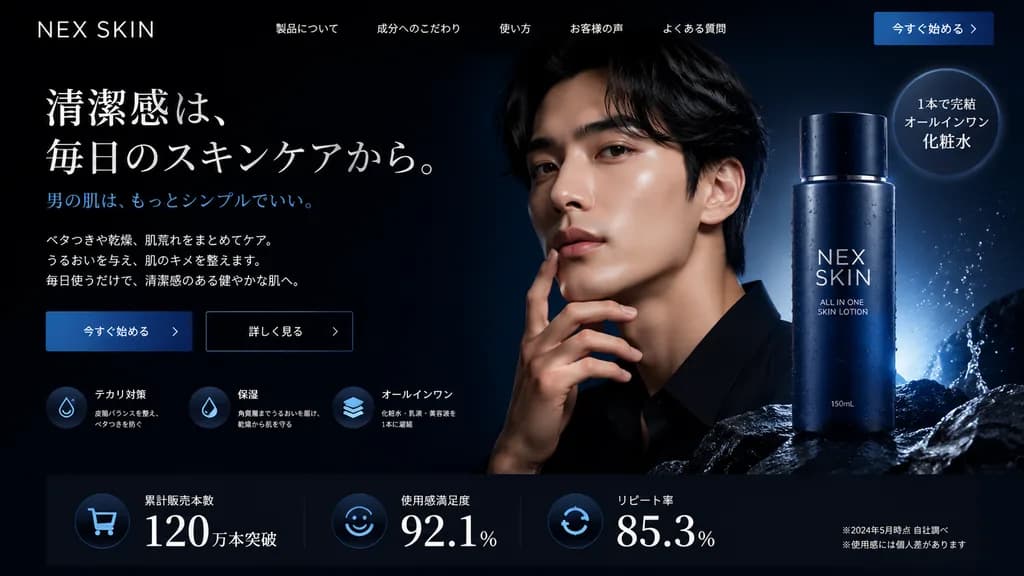
डार्क मोड मेन्स स्किनकेयर हीरो सेक्शन

डार्क मोड मेन्स स्किनकेयर हीरो सेक्शन

website landing page hero section. sleek, professional, modern, dark mode. [deep navy blue and black]. [NEX SKIN]. 今すぐ始める >. [清潔感は、毎日のスキンケアから。]. 男の肌は、もっとシンプルでいい。. 3 lines of descriptive text regarding skincare benefits. テカリ対策. 保湿. オールインワン.…

लैंडिंग पेजवेब डिजाइनयूआई डिजाइन
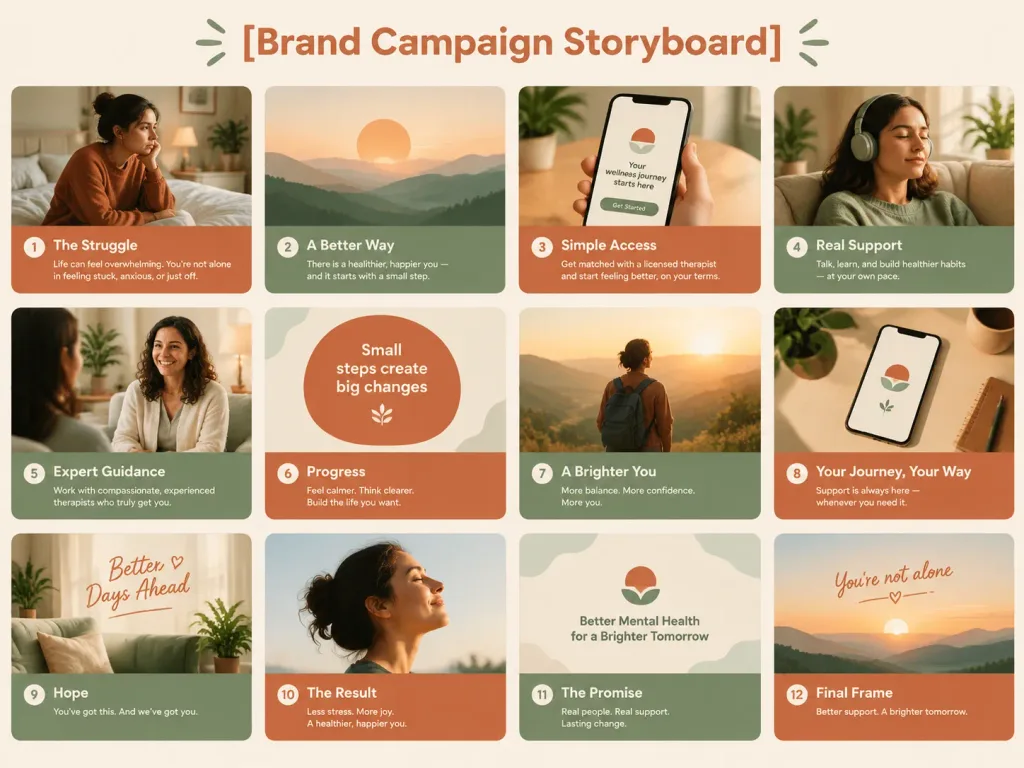
संपादकीय पिच डेक स्टोरीबोर्ड लेआउट

संपादकीय पिच डेक स्टोरीबोर्ड लेआउट

A 4:3 pitch deck storyboard arranged in a 3x4 grid of 12 frames, clean editorial layout, premium advertising campaign aesthetic in the style of Headspace and BetterHelp. Warm terracotta and soft sage green color palette. A bold, centered heading at the top: "[Brand Campaign Storyboard]".

स्टोरीबोर्डपिच डेकसंपादकीय लेआउट
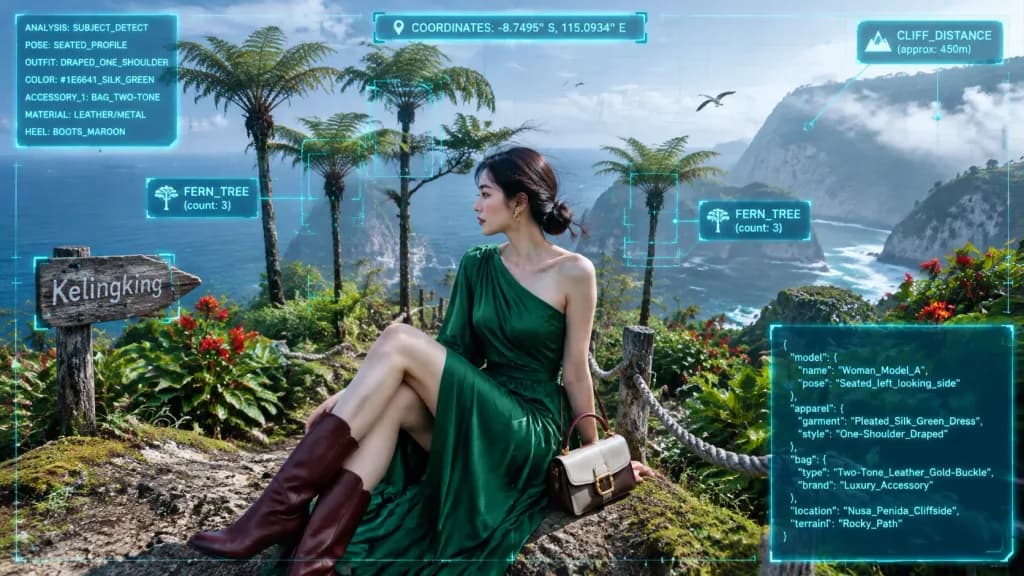
क्लिफसाइड पोर्ट्रेट का ऑगमेंटेड रियलिटी HUD विश्लेषण

क्लिफसाइड पोर्ट्रेट का ऑगमेंटेड रियलिटी HUD विश्लेषण

Photorealistic travel photography with a crisp translucent cyan holographic HUD interface. [Two-tone leather and metal handbag]. High-technology augmented reality analysis HUD overlaying a scenic outdoor portrait. [Woman_Model_A]. Seated i…

ऑगमेंटेड-रियलिटीhud-इंटरफेसपोर्ट्रेट
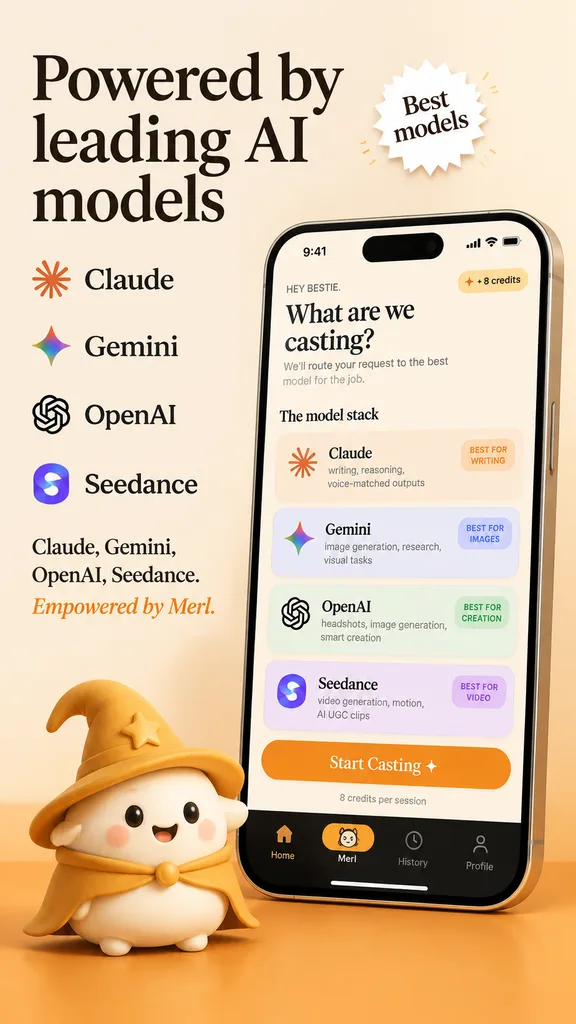
एआई ऐप स्टोर प्रचार स्क्रीनशॉट

एआई ऐप स्टोर प्रचार स्क्रीनशॉट

A polished App Store promotional marketing screenshot in a warm beige and golden-orange brand palette, portrait orientation, with a premium friendly tech startup aesthetic. The background is soft cream with a warm orange gradient floor at the bottom. On the upper left, an elegant large black serif headline across three lines reads "[Powered by leading AI models]". Next to it, a small white starburst badge with a subtle drop shadow contains the serif text "[Best models]". Beneath the headline on the left, an evenly spaced vertical list of four AI providers with icons: Claude with an orange sunburst icon, Gemini with a multicolor four-point sparkle icon, OpenAI with a black knot logo, and Seedance with a purple-blue gradient S icon. Below that, left-aligned serif copy lists "Claude, Gemini, OpenAI, Seedance." followed by an orange branded tagline "[Empowered by Merl.]". On the right half, a large realistic modern smartphone angled slightly left, featuring a reflective silver frame, dynamic island cutout, and soft drop shadow. The screen displays a cream-colored app UI with status bar showing 9:41, Wi-Fi, and battery. Inside the app, greeting text reads "HEY BESTIE.", followed by a bold serif title "[What are we casting?]", a brief model-routing subtitle, and a "+ 8 credits" pill badge in the upper right. Below, under section header "The model stack", are four pastel rounded cards: Card 1 (Claude, orange sunburst icon, "writing, reasoning, voice-matched outputs", pill "BEST FOR WRITING"); Card 2 (Gemini, multicolor sparkle icon, "image generation, research, visual tasks", pill "BEST FOR IMAGES"); Card 3 (OpenAI, black knot icon, "headshots, image generation, smart creation", pill "BEST FOR CREATION"); Card 4 (Seedance, purple-blue S icon, "video generation, motion, AI UGC clips", pill "BEST FOR VIDEO"). Below the cards, an orange CTA button reads "Start Casting ✦" above caption "8 credits per session". At the screen bottom, a black navigation bar features four icons: home, a highlighted pill with a mini mascot face and label "[Merl]", history clock, and profile. Resting on the orange floor in front of the lower-left edge of the phone, a cute 3D mascot character: a rounded cream-colored blob with tiny feet, rosy cheeks, black dot eyes, and a happy smile, wearing a golden wizard hat and matching cape.

ऐप स्टोर मॉकअपui डिज़ाइनमार्केटिंग स्क्रीनशॉट
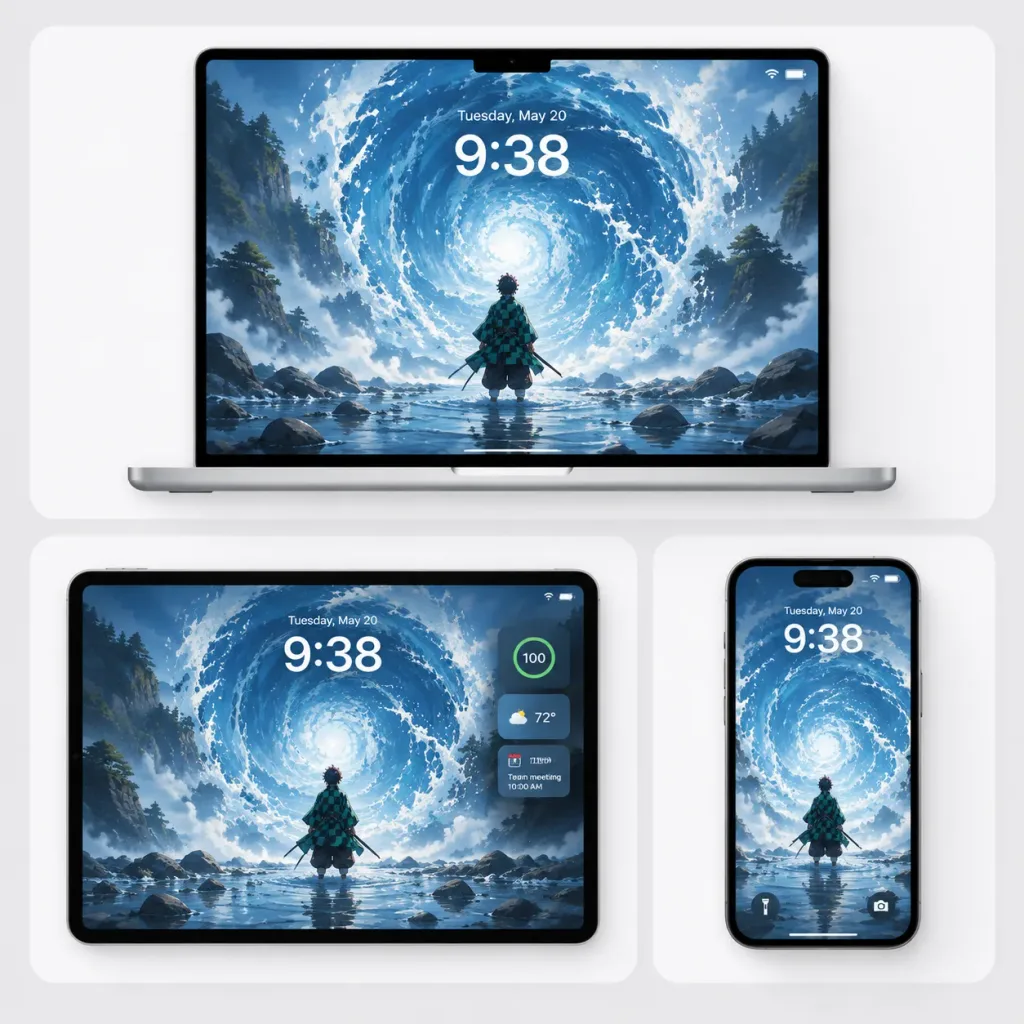
मल्टी-डिवाइस एनीमे वॉलपेपर मॉकअप

मल्टी-डिवाइस एनीमे वॉलपेपर मॉकअप

Clean Apple-style multi-device wallpaper showcase featuring an anime-inspired water-breathing scene starring [Tanjiro Kamado], presented in a square promotional mockup on a soft light-gray background with subtle ambient drop shadows. Layout: Exactly three rounded white display cards arranged in a grid. - Top: A large silver laptop centered inside a wide rounded card, open front-facing, featuring a thin black bezel and a small top notch. - Bottom-left: A landscape tablet centered inside a rounded white card. - Bottom-right: A vertical smartphone centered inside a rounded white card. Wallpaper artwork: The same [blue water vortex in a misty river valley] displayed across all three screens. A small, back-facing anime swordsman wearing a dark green and black checkered haori stands ankle-deep in reflective water, looking toward a colossal spiraling water vortex. Dynamic water-breathing elemental energy with circular swirling waves, splash foam, and a glowing pale core, surrounded by rocky shallows, misty pine-covered cliffs, and cool blue-and-white tones. Painterly, high-contrast, cinematic, with no gore. Device UI details: Subtle lock-screen overlays. Every device displays the large white time "[9:38]" with the date text "[Tuesday, May 20]" above it. - Laptop screen: Small Wi-Fi and battery indicators at top right, thin white home indicator at bottom. - Tablet screen: Right-side widget stack featuring exactly 3 widgets: circular battery widget reading "100", weather widget reading "72°", and a small calendar reminder widget. - Phone screen: Flashlight icon on bottom left and camera icon on bottom right. Visual style: Premium minimalist tech product render, crisp black screen bezels, soft studio lighting, sharp hardware textures. No external logos, watermarks, or text outside the screen displays.

डिवाइस मॉकअपवॉलपेपर शोकेसएनीमे वॉलपेपर
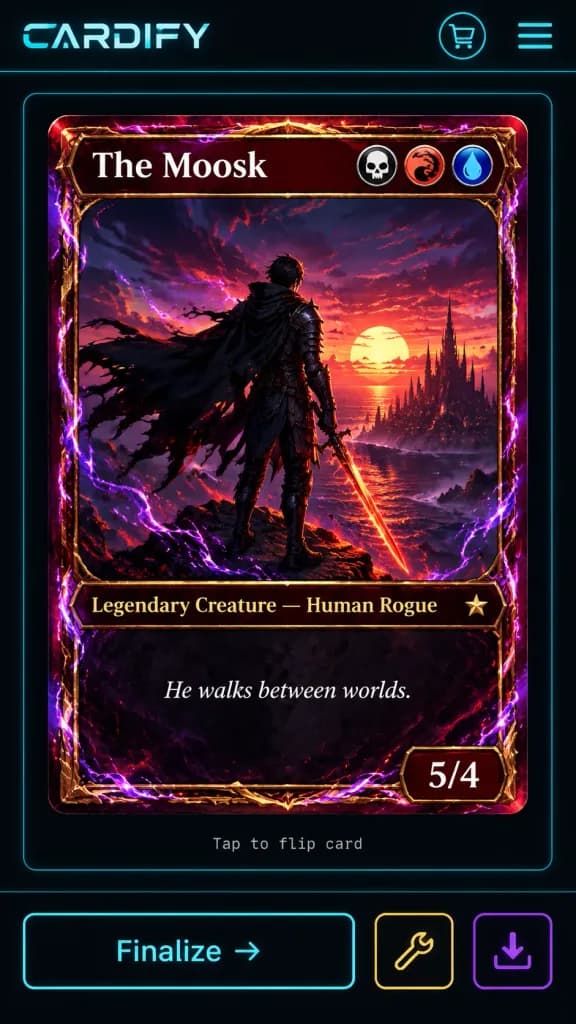
साइबरपंक फैंटेसी ट्रेडिंग कार्ड ऐप यूआई

साइबरपंक फैंटेसी ट्रेडिंग कार्ड ऐप यूआई

A dark futuristic mobile web app screen for a custom trading card generator called [CARDIFY], showing one completed fantasy TCG card ready to finalize. Vertical smartphone screenshot, black and charcoal background with thin neon cyan divider lines and rounded borders, combining cyberpunk UI styling with high-detail fantasy card art. Layout: - Top navigation bar with exactly 3 elements: a stylized [CARDIFY] logo on the left, a circular neon cyan shopping cart icon near the upper right, and a neon cyan three-line hamburger menu icon at the far right. - Center: a single card preview enclosed in a thin cyan rounded-rectangle panel. Below the card preview, small gray monospace text reads "Tap to flip card". - Bottom action bar with exactly 3 buttons: a large cyan-outlined rectangular button labeled "Finalize →", a smaller yellow-outlined square button with a wrench icon, and a smaller purple-outlined square button with a download icon. Trading Card Design: - Vertical collectible fantasy card with rounded corners, an ornate red-gold metallic frame, glowing crimson highlights, and electric purple energy curling around the border. - Card title bar at the top displays [The Moosk] in large white serif font, with exactly 3 circular mana/type icons on the right: a skull icon, a red dragon swirl icon, and a blue water droplet icon. - Lower type line reads [Legendary Creature — Human Rogue] in gold serif text, with a small star rarity emblem to the right. - Flavor text box below reads [He walks between worlds.] in italic white serif type. - Bottom-right power/toughness badge displays [5/4] in bold white numerals. Card Artwork: - Detailed anime-fantasy painterly illustration of a lone male rogue viewed from behind on a rocky cliff at sunset. He has short dark hair, dark armor, and a tattered black cloak streaming leftward in the wind, holding a glowing orange-red sword pointing downward. In the distance, an ocean horizon glows under a large setting sun with red and purple clouds and a dark spired fantasy city. Purple lightning arcs, magical energy ribbons, and red sparks envelop the figure and border. - High-contrast cinematic lighting with saturated magenta, violet, crimson, orange, and gold tones. Constraints: Mobile app mockup layout only, exactly 1 card preview, exactly 3 top navigation elements, exactly 3 mana icons, exactly 3 bottom action buttons. Clean, sharp typography with no extraneous UI panels or watermarks.

ट्रेडिंग कार्डमोबाइल यूआईसाइबरपंक
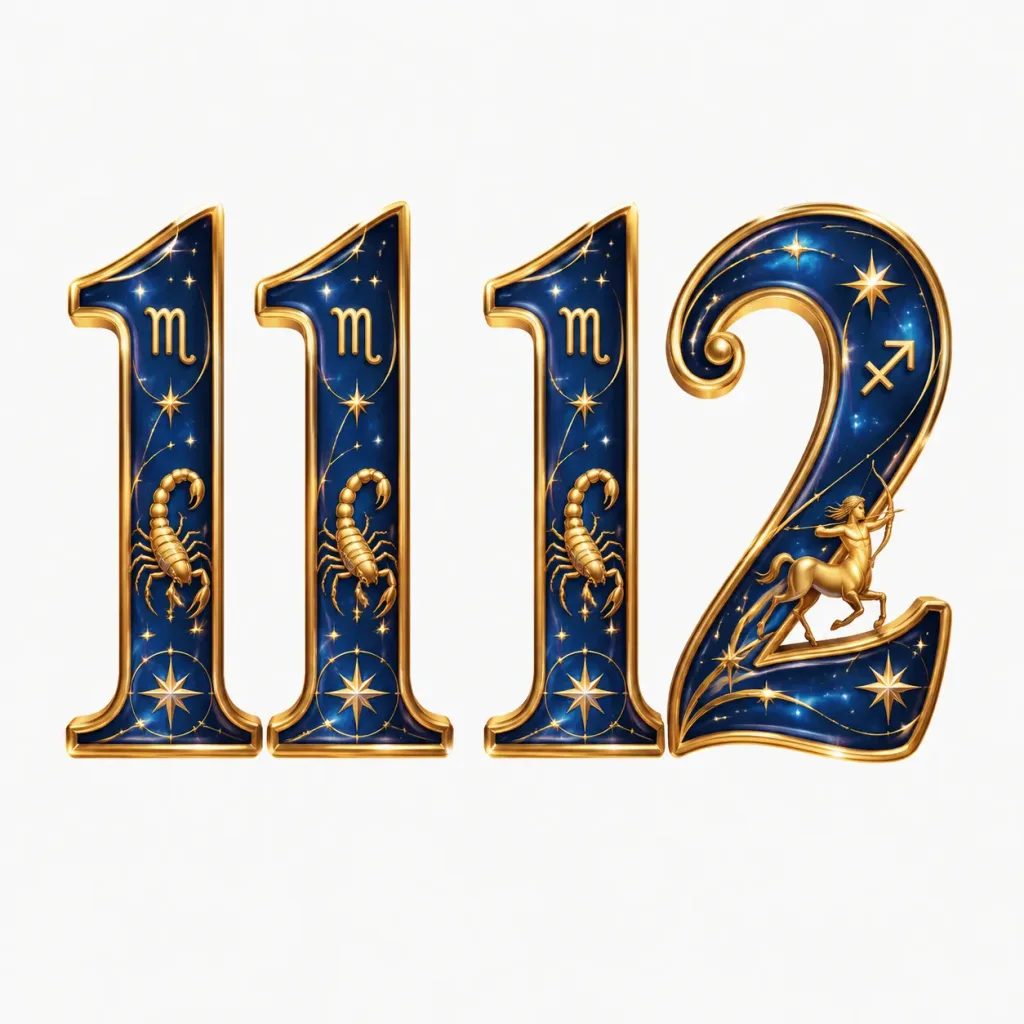
समान शैली का संख्या एसेट सेट

समान शैली का संख्या एसेट सेट

Generate numbered graphic assets for numbers "11" and "12" themed around [12 Zodiac Signs], perfectly matching the visual style, typography, texture, color palette, and lighting of numbers 0 to 10 shown in the reference image. Ensure the new numbers appear seamless within the existing series, isolated on a clean, solid background.

संख्यात्मक एसेटशैली मिलानटाइपोग्राफी
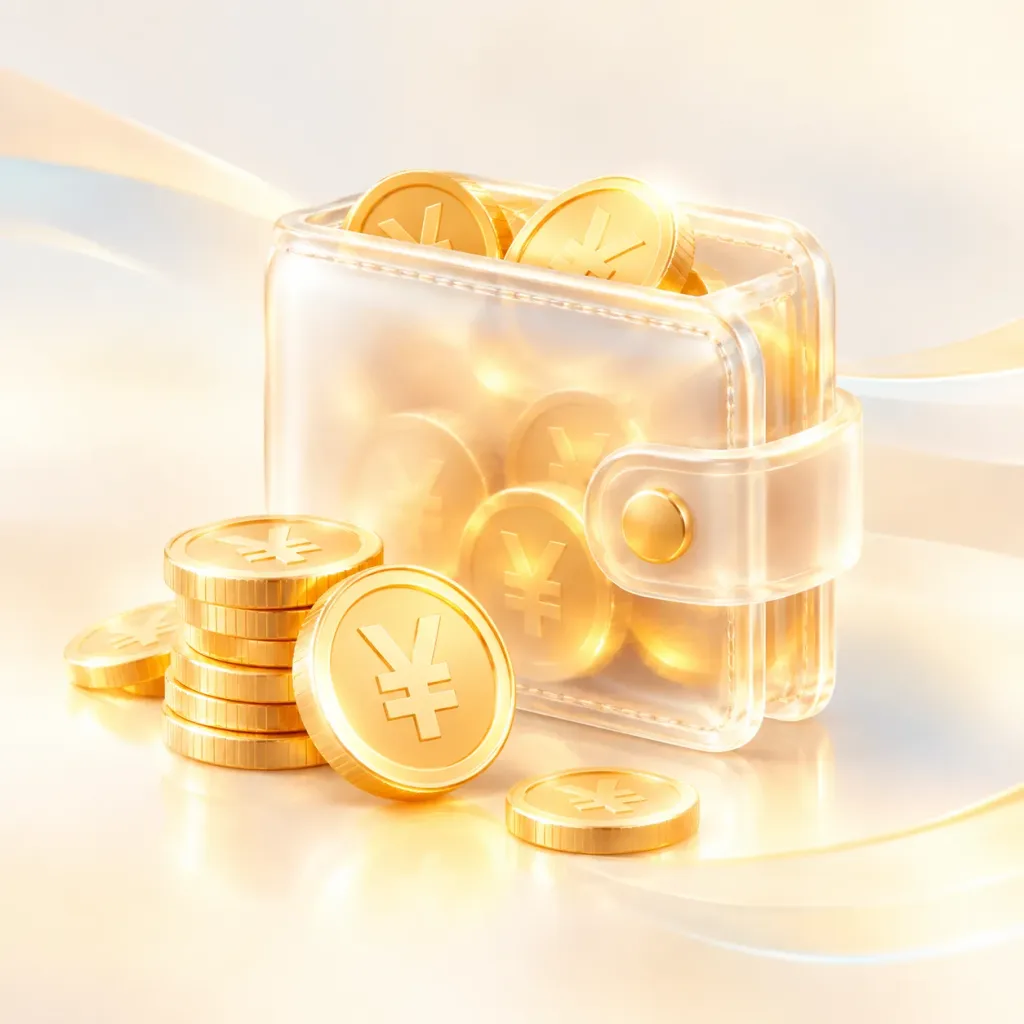
3D पारभासी ग्लास वॉलेट आइकन

3D पारभासी ग्लास वॉलेट आइकन

UI icon of a translucent glass wallet filled with gold coins, accompanied by a pile of gold coins embossed with the [RMB] currency symbol. 3D rendering style with soft golden gradients, frosted glass texture, and glowing translucent halo effects. Clean light background featuring subtle contrasting color flow, airy composition with balanced negative space.

ui आइकन3d आइकनग्लासमॉर्फिज्म
पालतू पहचान मोबाइल ऐप परिणाम स्क्रीन

पालतू पहचान मोबाइल ऐप परिणाम स्क्रीन

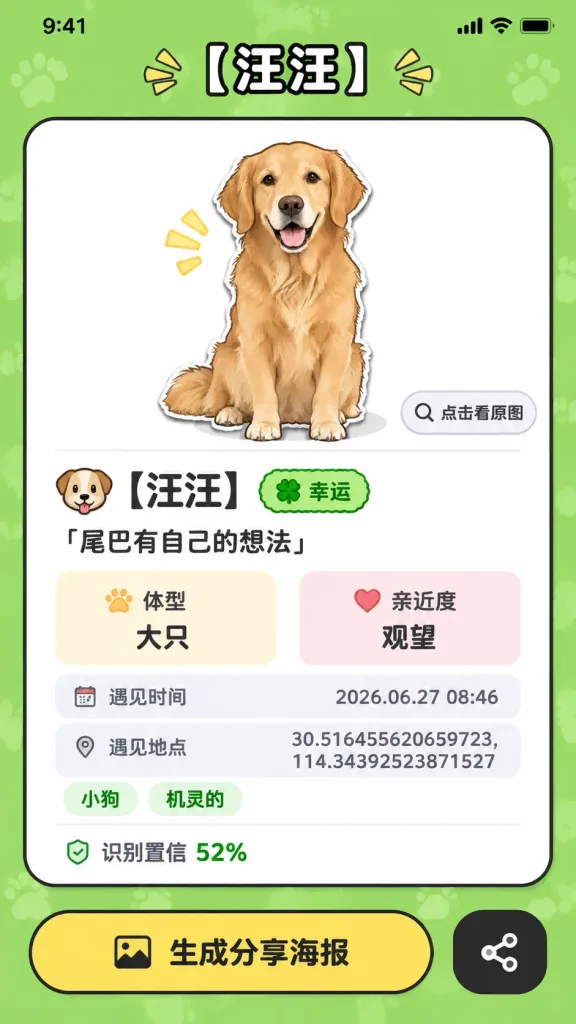
Using the reference photo as the source cat and app context, transform the camera recognition screen into a completed pet-profile result screen for a mobile mini-app. Mobile screenshot aspect ratio with an iOS-style top bar, titled "[汪汪]". The background is a bright green patterned surface hosting one large rounded rectangular card. Inside the card: - Top: A clean white preview box displaying a cute sticker-like cartoon illustration of the black-and-white cat from the reference photo, sitting with its tail raised, accompanied by a small button labeled "点击看原图" with a magnifying-glass icon. - Profile section below the illustration: 1. Name row featuring a dog emoji, "[汪汪]", and a green badge labeled "幸运". 2. Quote text: "[尾巴有自己的想法]". 3. Two small info boxes labeled "体型 大只" and "亲近度 观望". 4. Gray metadata row labeled "遇见时间" showing "[2026.06.27 08:46]". 5. Gray metadata row labeled "遇见地点" showing "[30.516455620659723, 114.34392523871527]". 6. Two pill-shaped tags labeled "小狗" and "机灵的". 7. Confidence score text: "识别置信 52%". Bottom actions below the card: - A large yellow rounded button with an image icon and text "生成分享海报". - A smaller black rounded-square button with a share icon. Style: Playful Chinese mini-program UI, thick black outlines, soft drop shadows, clean vector aesthetic. No camera scanning brackets, zoom controls, shutter button, or live camera feed.

पालतू ऐपमिनी ऐपमोबाइल ui
लेदर जर्नल्स के लिए स्प्लिट-स्क्रीन लैंडिंग पेज

लेदर जर्नल्स के लिए स्प्लिट-स्क्रीन लैंडिंग पेज

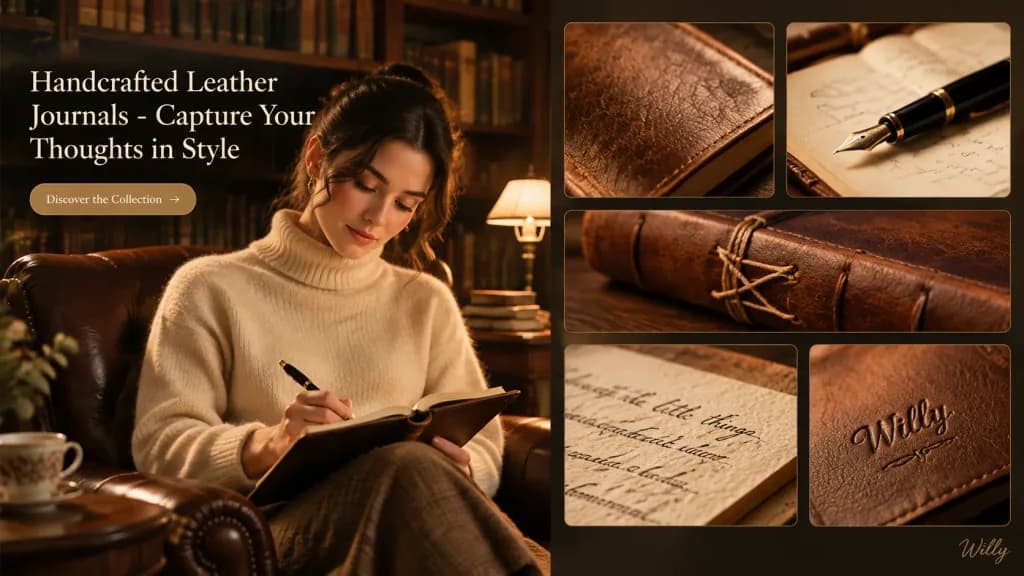
Cozy and inviting desktop landing page UI design showcasing handcrafted leather journals, 16:9 aspect ratio. LAYOUT: Split-screen layout featuring a hero image section on the left and a bento grid of detail cards on the right. HERO SECTION (Left): - Visual: [A woman with Eurasian features wearing a cream cashmere sweater, seated in an armchair in a softly lit library, writing in a leather journal with an elegant fountain pen] - Typography: Header reading "Handcrafted Leather Journals - Capture Your Thoughts in Style" - Call to Action: Sleek button reading "Discover the Collection" BENTO GRID (Right): - Card 1 (top-left): Macro close-up of the journal cover, highlighting textured leather grain - Card 2 (top-right): Elegant fountain pen resting on an open journal page - Card 3 (middle): Detailed shot of meticulous hand-stitching along the journal spine - Card 4 (bottom-left): Close-up of rich, textured paper with delicate handwritten script - Card 5 (bottom-right): Embossed personalization detail on the leather cover BACKGROUND & LIGHTING: - Background: Softly lit classic library with warm wood bookshelves filled with books, antique desk lamp, and a vintage leather armchair - Lighting: Warm Rembrandt lighting with a single warm light source, soft dramatic shadows, golden hour atmosphere - Palette: Warm earth tones, rich mahogany, caramel browns, cream, and subtle gold accents - Style: Quiet luxury, artisanal craftsmanship, clean modern web interface - Small stylish handwritten signature "[Willy]" subtly placed at the bottom-right corner

ui डिज़ाइनलैंडिंग पेजलेदर जर्नल

अक्सर पूछे जाने वाले प्रश्न

UI/UX डिज़ाइन प्रॉम्प्ट्स का उपयोग किसलिए किया जाता है?
ये कॉन्सेप्ट्स, पिचों और मूड बोर्ड्स के लिए डैशबोर्ड, ऐप स्क्रीन, लैंडिंग पेज और डिवाइस प्रेजेंटेशन के मॉकअप तैयार करने के लिए उपयोग किए जाते हैं। इस श्रेणी में 625 टेम्पलेट्स हैं।
UI मॉकअप्स के लिए मुझे किस मॉडल का उपयोग करना चाहिए?
GPT Image 2 और GPT Image 2.5 जटिल लेआउट और इंटरफ़ेस टेक्स्ट को सबसे बेहतर तरीके से संभालते हैं, यही वजह है कि अधिकांश UI टेम्पलेट्स इनकी अनुशंसा करते हैं।
क्या ये प्रॉम्प्ट्स एक काम करने वाला डिज़ाइन तैयार कर सकते हैं?
ये इंटरफ़ेस की इमेजेस बनाते हैं, एडिट करने योग्य डिज़ाइन फ़ाइलें नहीं। इनका उपयोग दिशा और प्रेजेंटेशन के लिए करें, फिर अपने डिज़ाइन टूल में स्क्रीन को फिर से तैयार करें।