
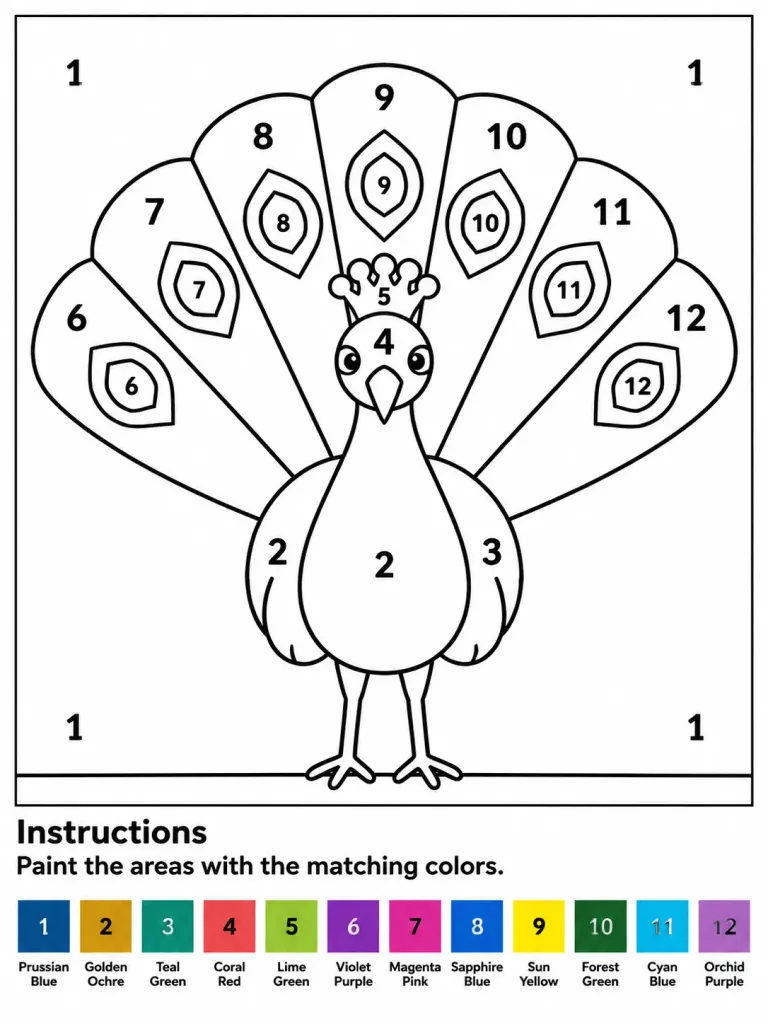
Hoja de Pintar por Números de Pavo Real
Genera una lámina imprimible en A4 de pintar por números con un pavo real y leyenda de 12 colores. Modifica el animal o la paleta para adaptarlo.
Prompt
Printable paint-by-numbers worksheet featuring a stylized peacock, designed for children or beginners, A4 portrait format, clean white background with a thin rectangular border around the main drawing. Main Artwork: Centered front-facing peacock with a large semicircular fan tail. Crisp, bold black outlines with large enclosed white regions for coloring. The peacock features a rounded body, two slim legs standing on a horizontal ground line, a narrow neck, a pointed beak, round cheek patches, a small crest, and folded wing shapes. Behind it, a fan tail divided into exactly 7 large radial feather panels labeled left to right with numbers 6, 7, 8, 9, 10, 11, and 12. Inside each panel is a polygonal feather-eye shape, also numbered 6 through 12. Additional labels on the bird: body and lower wings labeled "2", right wing labeled "3", face labeled "4", crest labeled "5". Plain background inside the border is labeled "1" in four places (top-left, top-right, bottom-left, bottom-right). All numbers are bold, black, centered, and easy to read. Bottom Section: Below the artwork border, a bold heading reading "Instructions" followed by the text "Paint the areas with the matching colors.". At the very bottom, a single horizontal row of exactly 12 square color swatches, each with a centered number and a two-line label underneath: 1 Prussian Blue, 2 Golden Ochre, 3 Teal Green, 4 Coral Red, 5 Lime Green, 6 Violet Purple, 7 Magenta Pink, 8 Sapphire Blue, 9 Sun Yellow, 10 Forest Green, 11 Cyan Blue, 12 Orchid Purple. Style: Vector line art worksheet, high-contrast black line art on pure white, zero shading, zero grayscale gradients, print-ready layout.
Qué puedes personalizar
Antes de generar, cambia estas partes del prompt por tu propio tema o texto.
“, right wing labeled”texto entre comillas“, face labeled”texto entre comillas“, crest labeled”texto entre comillas“. Plain background inside the border is labeled”texto entre comillas“Instructions”texto entre comillas“Paint the areas with the matching colors.”texto entre comillas
Detalles del prompt
- Categoría
- Póster e ilustración
- Modelo
- GPT IMAGE 2
- Costo por imagen
- 1K: 43 créditos · 2K: 86 créditos · 4K: 143 créditos
- Relación de aspecto
- 3:4
- Añadido