
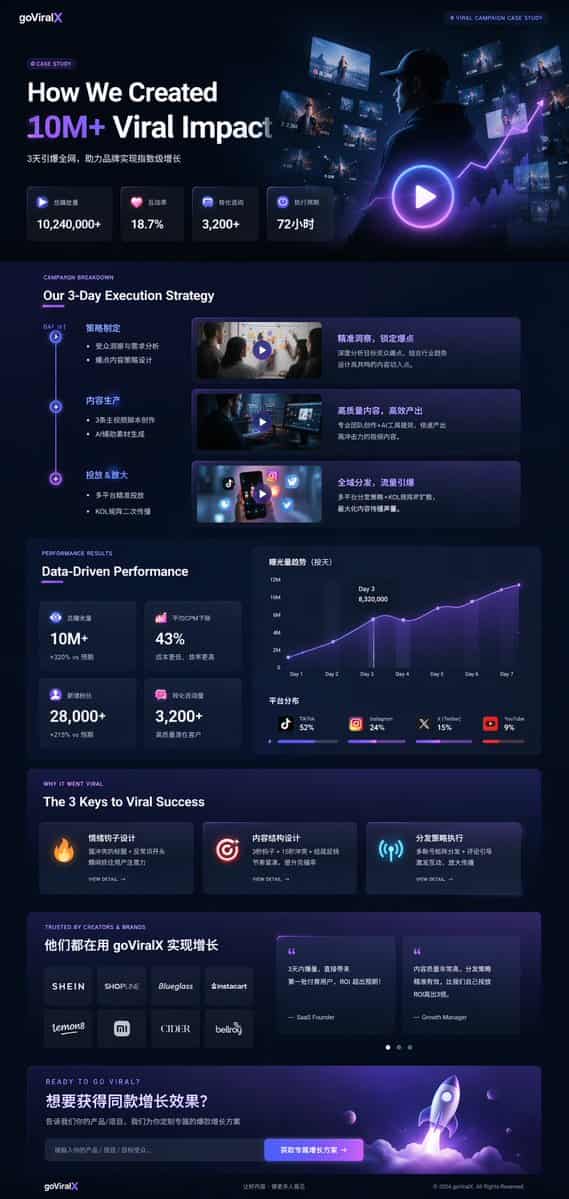
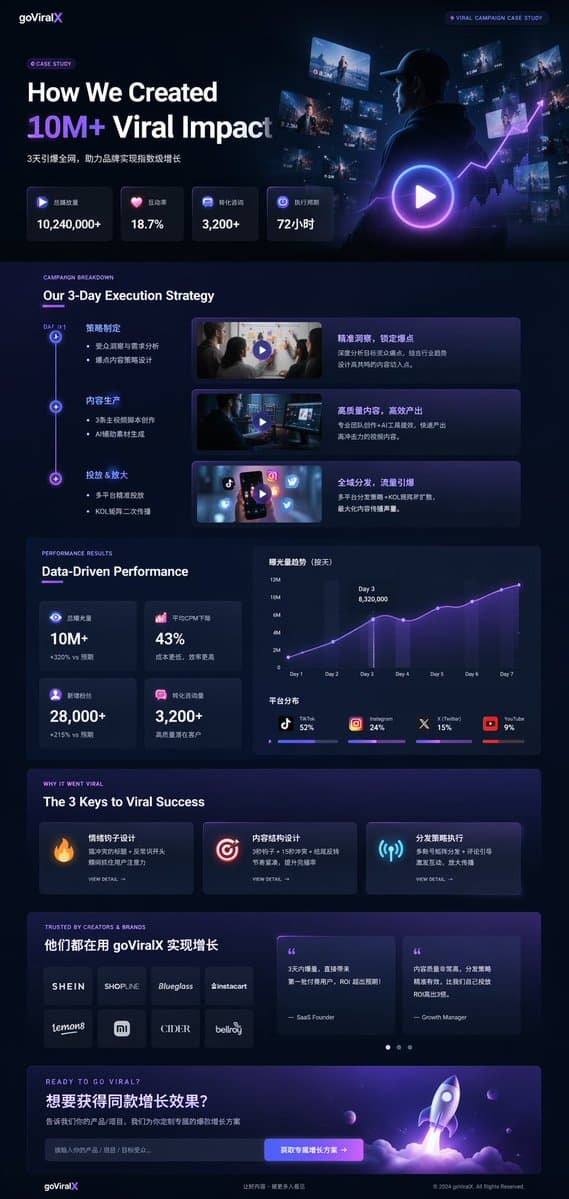
UI de Caso de Estudio de Marketing en Modo Oscuro
{ "type": "maqueta de página de aterrizaje UI/UX", "theme": "modo oscuro, estética moderna y elegante, glassmorphism, acentos brillantes en {argument name=\"primary accent color\" default=\"neon purple and blue\"}", "he…
rápido
{ "type": "maqueta de página de aterrizaje UI/UX", "theme": "modo oscuro, estética moderna y elegante, glassmorphism, acentos brillantes en {argument name=\"primary accent color\" default=\"neon purple and blue\"}", "header": { "logo": "{argument name=\"brand name\" default=\"goViralX\"}", "top_right_tag": "CASO DE ESTUDIO DE CAMPAÑA VIRAL" }, "layout": { "sections": [ { "name": "Hero", "headline": "{argument name=\"hero headline\" default=\"How We Created 10M+ Viral Impact\"}", "subheadline": "Viralizado en toda la red en 3 días, ayudando a la marca a lograr un crecimiento exponencial", "stats_row": { "count": 4, "labels": ["Reproducciones totales", "Tasa de interacción", "Consultas convertidas", "Período de ejecución"], "values": ["{argument name=\"main statistic\" default=\"10,240,000+\"}", "18.7%", "3,200+", "72 horas"] }, "visual": "toma cinematográfica de una persona con sudadera mirando pantallas digitales y gráficos brillantes, gran superposición de botón de reproducción" }, { "name": "Estrategia", "title": "Nuestra Estrategia de Ejecución de 3 Días", "layout_type": "línea de tiempo vertical", "steps_count": 3, "elements_per_step": ["nodo de línea de tiempo", "título", "viñetas", "miniatura de video con botón de reproducción", "caja de descripción"] }, { "name": "Rendimiento", "title": "Rendimiento Basado en Datos", "left_column": { "stat_cards_count": 4, "values": ["10M+", "43%", "28,000+", "3,200+"] }, "right_column": { "charts_count": 2, "chart_1": "gráfico de líneas mostrando crecimiento de 7 días con pico en el Día 3", "chart_2": "gráfico de barras horizontal segmentado mostrando distribución de plataformas (TikTok 52%, Instagram 24%, X 15%, YouTube 9%)" } }, { "name": "Claves del Éxito", "title": "Las 3 Claves del Éxito Viral", "cards_count": 3, "card_elements": ["icono brillante (fuego, diana, antena)", "título", "descripción", "enlace VER DETALLE"] }, { "name": "Prueba Social", "title": "CONFIADO POR CREADORES Y MARCAS", "left_column": { "logos_count": 8, "grid": "2x4", "brands": ["SHEIN", "SHOPLINE", "Blueglass", "instacart", "lemon8", "mi", "CIDER", "bellroy"] }, "right_column": { "testimonial_cards_count": 2, "elements": ["cita", "título del autor (Fundador SaaS, Gerente de Crecimiento)"] } }, { "name": "Llamada a la Acción", "title": "¿LISTO PARA VIRALIZARTE?", "interactive_elements": ["campo de entrada de texto", "botón brillante con texto '{argument name=\"call to action text\" default=\"获取专属增长方案 ->\"}'"], "visual": "renderizado 3D de una nave cohete despegando con llamas púrpuras y azules" } ] } }
Cómo utilizar este mensaje
Lea el mensaje UI de Caso de Estudio de Marketing en Modo Oscuro completo e identifique los requisitos del tema, el estilo, la cámara, la iluminación y la composición antes de generarlo.
Reemplace los marcadores de posición entre corchetes o estilo argumento con sus requisitos de producto, personaje, marca, escena, paleta de colores o relación de aspecto.
Abra https://www.gptimagehub.com/es/generate?promptId=cmogx4gaj00ejzpdyjfmpkq4n, genere la imagen y luego refine el mensaje con un tema, texto, diseño o restricciones negativas más específicas si es necesario.
Preguntas frecuentes inmediatas
¿Para qué se utiliza mejor el mensaje UI de Caso de Estudio de Marketing en Modo Oscuro?
Este mensaje se utiliza mejor para imágenes diseño ui / ux donde desea una estructura reutilizable, una dirección visual detallada y una calidad de salida consistente.
¿Puedo editar el mensaje antes de generarlo?
Sí. El texto completo del mensaje está visible en esta página para que pueda cambiar temas, nombres de productos, colores, composición, términos de la cámara, relación de aspecto y notas de estilo antes de la generación.
¿Qué modelo debo usar con este mensaje?
Utilice el modelo que se muestra en los metadatos del mensaje como punto de partida predeterminado. Si otro modelo de imagen admite la misma relación de aspecto y estilo de instrucción, puede adaptar el mensaje y comparar los resultados.