
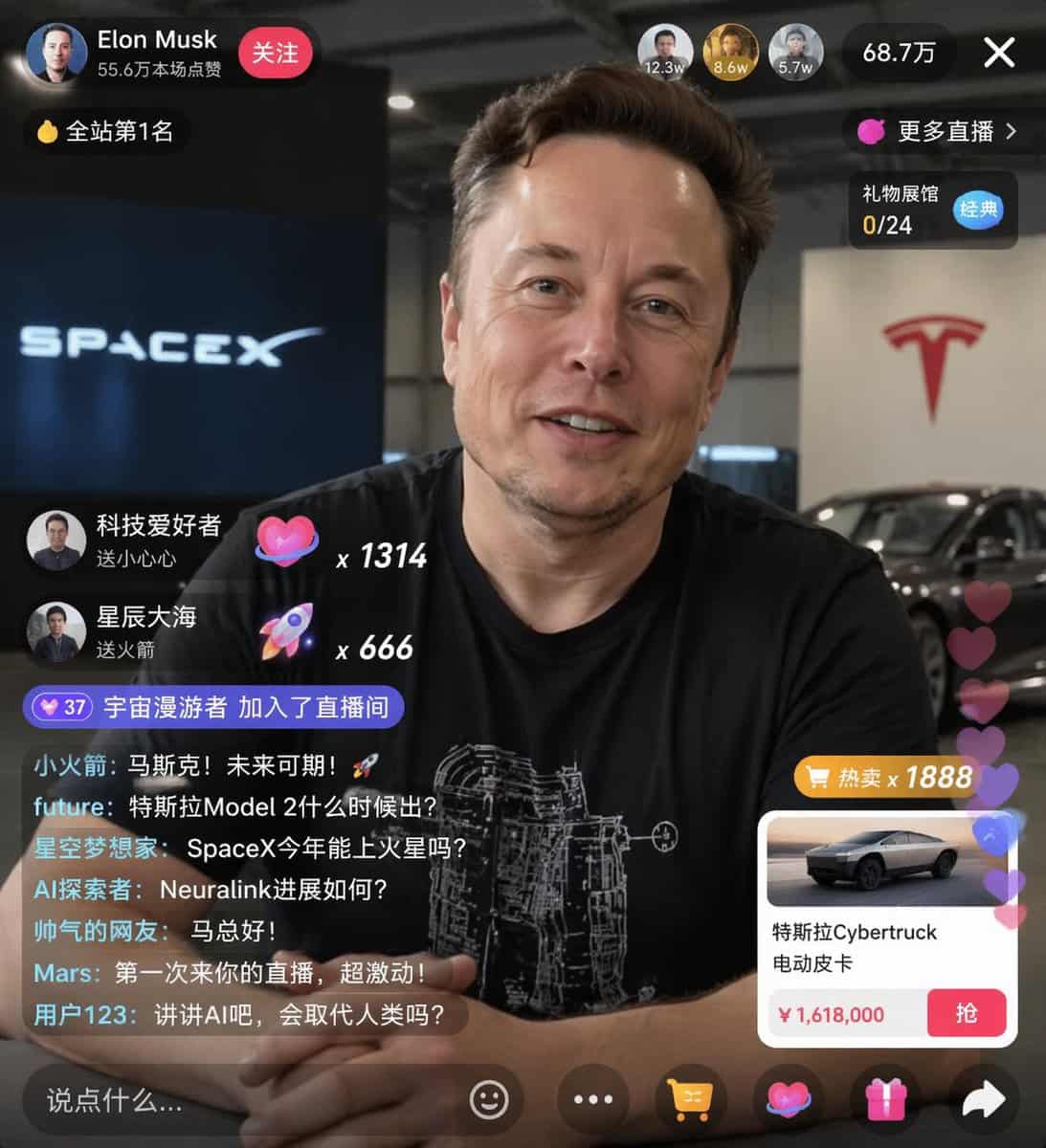
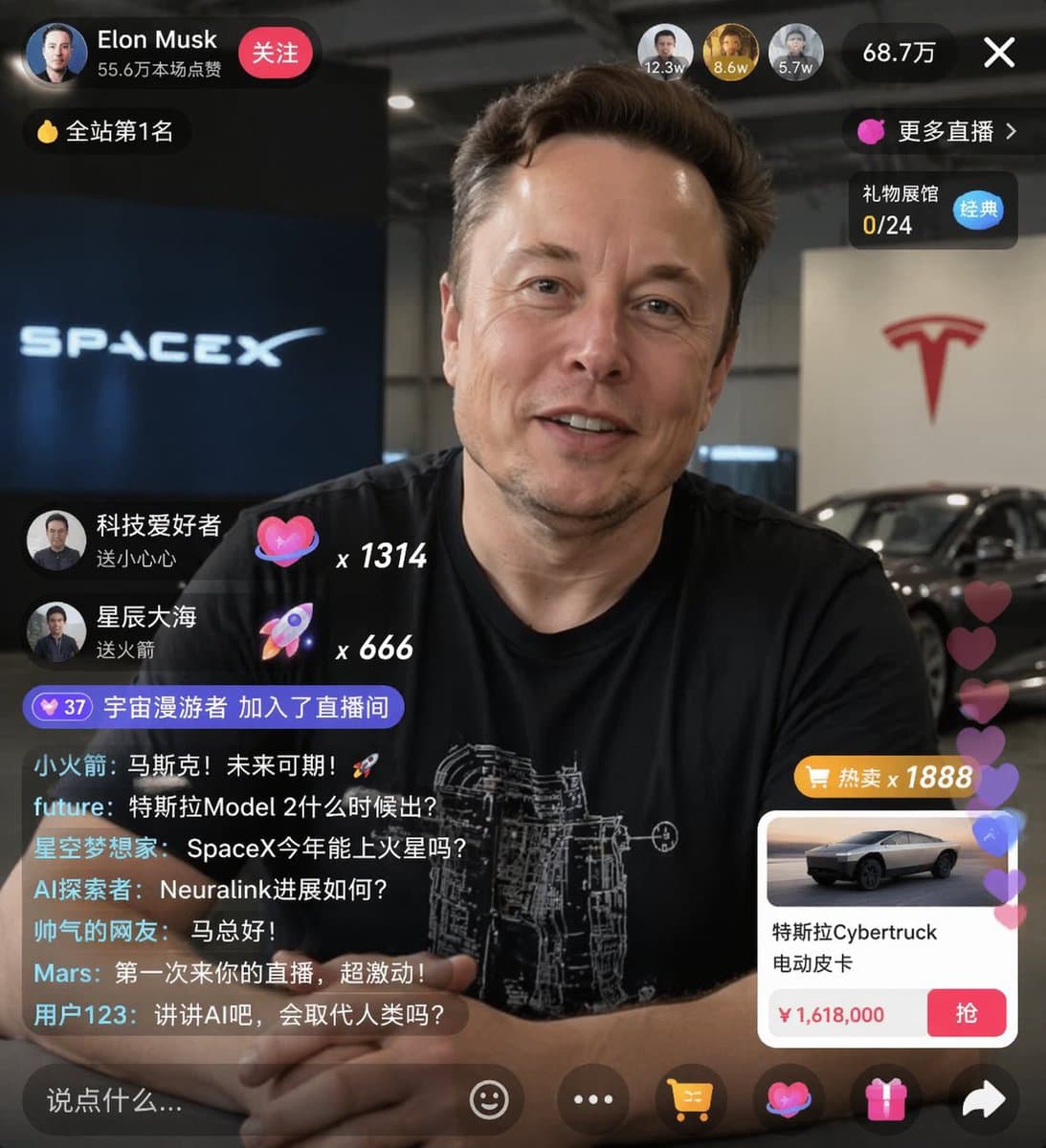
Maqueta de UI de transmisión en vivo de e-commerce
{ "type": "maqueta de UI de transmisión en vivo", "subject": { "description": "retrato de {argument name=\"host name\" default=\"Elon Musk\"}, sonriendo, vistiendo una camiseta negra con un gráfico esquemático técnico b…
rápido
{ "type": "maqueta de UI de transmisión en vivo", "subject": { "description": "retrato de {argument name=\"host name\" default=\"Elon Musk\"}, sonriendo, vistiendo una camiseta negra con un gráfico esquemático técnico blanco", "background": "el lado izquierdo muestra una pantalla con texto '{argument name=\"left background logo\" default=\"SPACEX\"}', el lado derecho muestra un '{argument name=\"right background logo\" default=\"Tesla T logo\"}' rojo y un coche oscuro" }, "ui_overlay": { "top_header": { "host_info": "avatar, nombre '{argument name=\"host name\" default=\"Elon Musk\"}', subtexto '55.6万本场点赞', botón rojo '关注'", "rank_badge": "icono de moneda de oro con '全站第1名'", "viewer_stats": "3 avatares de espectadores principales con '12.3w', '8.6w', '5.7w', total '68.7万', botón de cerrar 'X'", "right_links": "'更多直播 >', '礼物展馆 0/24' con etiqueta azul '经典'" }, "mid_left_gifts": { "count": 2, "items": [ "avatar '科技爱好者', '送小心心', icono de corazón x 1314", "avatar '星辰大海', '送火箭', icono de cohete x 666" ] }, "bottom_left_chat": { "system_message": "insignia de nivel 37 '宇宙漫游者 加入了直播间'", "message_count": 7, "messages": [ "小火箭: 马斯克!未来可期!🚀", "future: 特斯拉Model 2什么时候出?", "星空梦想家: SpaceX今年能上火星吗?", "AI探索者: Neuralink进展如何?", "帅气的网友: 马总好!", "Mars: 第一次来你的直播,超激动!", "用户123: 讲讲AI吧,会取代人类吗?" ] }, "bottom_right_product_card": { "hot_tag": "naranja '热卖 x 1888'", "image": "Tesla Cybertruck", "title": "{argument name=\"product name\" default=\"特斯拉Cybertruck 电动皮卡\"}", "price": "{argument name=\"product price\" default=\"¥ 1,618,000\"}", "button": "botón rojo '抢'", "floating_animation": "corazones translúcidos flotando hacia arriba en el borde derecho" }, "bottom_bar": { "input_field": "'说点什么...'", "icons": ["cara sonriente", "tres puntos", "carrito de compras", "caja de regalo", "compartir"] } } }
Cómo utilizar este mensaje
Lea el mensaje Maqueta de UI de transmisión en vivo de e-commerce completo e identifique los requisitos del tema, el estilo, la cámara, la iluminación y la composición antes de generarlo.
Reemplace los marcadores de posición entre corchetes o estilo argumento con sus requisitos de producto, personaje, marca, escena, paleta de colores o relación de aspecto.
Abra https://www.gptimagehub.com/es/generate?promptId=cmogwxwj3009hzpdyjdxym0wy, genere la imagen y luego refine el mensaje con un tema, texto, diseño o restricciones negativas más específicas si es necesario.
Preguntas frecuentes inmediatas
¿Para qué se utiliza mejor el mensaje Maqueta de UI de transmisión en vivo de e-commerce?
Este mensaje se utiliza mejor para imágenes diseño ui / ux donde desea una estructura reutilizable, una dirección visual detallada y una calidad de salida consistente.
¿Puedo editar el mensaje antes de generarlo?
Sí. El texto completo del mensaje está visible en esta página para que pueda cambiar temas, nombres de productos, colores, composición, términos de la cámara, relación de aspecto y notas de estilo antes de la generación.
¿Qué modelo debo usar con este mensaje?
Utilice el modelo que se muestra en los metadatos del mensaje como punto de partida predeterminado. Si otro modelo de imagen admite la misma relación de aspecto y estilo de instrucción, puede adaptar el mensaje y comparar los resultados.