
How to Prompt Seedance 2.0
Seedance 2.0 follows short, concrete prompts that describe one shot. This guide shows the structure that works, the camera terms Seedance understands, how to work from reference images, ten tested examples and the mistakes that waste a render.
Write one shot in one to three sentences: who or what is in frame, the one thing that happens, where it happens, the camera move, the light or style, and the sounds. Pick the length, ratio and resolution in the generator, not in the prompt.
The structure of a Seedance prompt
Put the parts in this order. The subject and action carry the most weight, so they come first; style words at the end fine-tune the look.
Subject + action + setting + camera move + light and style + sound
| Part | What to write | Example |
|---|---|---|
| Subject | Who or what is in frame, with one or two visual details. | A street food cook in a white apron |
| Action | One clear movement that fits the clip length. | tosses noodles in a flaming wok |
| Setting | Where it happens and the time of day. | at a busy night market |
| Camera | One named camera move and the shot size. | handheld close-up |
| Style and light | Light, weather, color or a film look. | neon signs glowing through the steam |
| Sound | What you should hear; every Seedance version renders audio. | sizzling oil and crowd chatter |
Length, ratio and resolution
Duration is a setting, not a prompt word. Seedance 2.0 makes clips of 4 to 15 seconds and Seedance 2.5 up to 30 seconds. Plan the action to fit: a 4-second clip holds one movement, such as a pour, a turn or a step; 10 seconds can hold a movement and a reaction.
Set the aspect ratio (16:9, 9:16, 1:1 and others) and the resolution in the generator as well. Writing "vertical video" or "4K" in the prompt does not change the output and can distract the model.
Camera movement glossary
Name one move per prompt. These terms are understood reliably; combine a move with a shot size (close-up, medium shot, wide shot) for the best control.
| Term | What the camera does | Use it for |
|---|---|---|
| Slow push-in | The camera moves toward the subject. | Builds focus or tension; product reveals. |
| Pull-out | The camera moves away and reveals the setting. | Endings and showing scale. |
| Tracking shot | The camera follows a moving subject from the side or behind. | Walking, running, vehicles, drifting objects. |
| Pan left / right | The camera turns on the spot horizontally. | Scanning a landscape or a room. |
| Tilt up / down | The camera turns on the spot vertically. | Revealing a face, a building or a tree. |
| Orbit | The camera circles around the subject. | Dancers, products, hero shots. |
| Crane shot | The camera rises or descends smoothly. | Opening or closing a scene over a place. |
| Dolly zoom | The camera moves while zooming the other way, so the background stretches. | Shock, vertigo, a dramatic realization. |
| Handheld | A slightly shaky, close camera. | Documentary and street scenes. |
| Aerial / drone shot | A high view moving over the scene. | Coastlines, cities, mountains. |
| FPV drone | A fast first-person flight with banking turns. | Canyons, forests, energetic intros. |
| Whip pan | A very fast pan with motion blur. | Cutting between two subjects in one shot. |
| Static shot | The camera does not move. | When the subject's motion should carry the clip. |
| Slow motion | The action plays slower than real time. | Splashes, hair, petals, birds. |
R2V and image-to-video tips
R2V (reference to video) is the Seedance mode that takes reference images, videos and audio plus a prompt; on GPT Image Hub it is called Multi-reference. Give each reference one job and cite it by its tag ("@image1 wears the jacket from @image2 and moves like the dancer in @video1, to the beat of @audio1"), keep the image references in the same style and lighting, and still describe the action and camera as you would in text to video.
A reference video can set the camera move, pacing or choreography, and a reference audio the rhythm or soundtrack; say which of these the reference is for, and what not to copy from it. Seedance 2.0 models take up to 9 images, 3 videos and 3 audio files, Seedance 2.5 up to 30, 10 and 10, and at least one image or video is needed. Image to video, where one still becomes the first frame, follows a simpler rule: the image already shows the subject and the look, so the prompt should describe only what moves or changes.
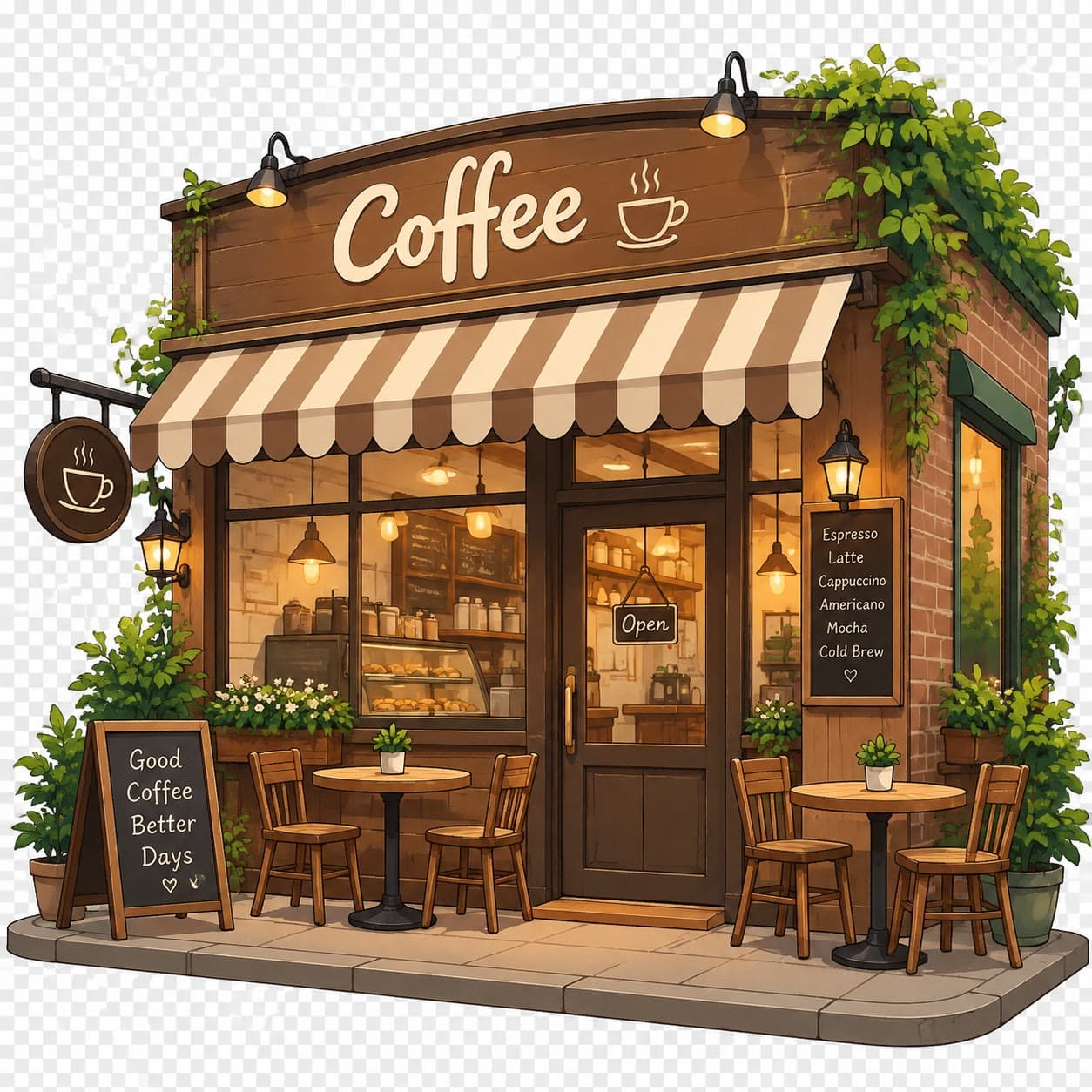
A good first-frame prompt is short. For the coffee-shop example below, the whole prompt is "rain starts falling outside, warm lights flicker on, a cat walks past the window". Repeating what is already in the image, or describing a different scene, makes the clip drift away from your still.
10 Seedance 2.0 prompt examples
Each example shows why the prompt works. Six of them have the real clip it produced; open any of them in the generator with one click.
1. Night market wok
A street food cook tosses noodles in a flaming wok at a busy night market, sizzling oil and crowd chatter, handheld close-up, neon signs glowing through the steam
Why it works: Subject, action and place in the first half; a named camera move; sound and light at the end.
2. Waves at sunset
Ocean waves crash against black volcanic rocks at sunset, glowing orange spray, seagulls calling overhead, slow aerial push-in toward the shore, cinematic
Why it works: A single landscape shot with one clear move (aerial push-in) and the sounds that sell it.
3. Latte art
A barista pours latte art into a white ceramic cup, close-up, steam rising, warm morning light through the cafe window, shallow depth of field, slow push-in
Why it works: A product shot: tight framing, warm light, shallow depth of field and a slow push-in.
4. Paper boat in the rain
a paper boat drifts down a rainy street at dusk, slow tracking shot, reflections on the wet road
Why it works: Proof that short prompts work: subject, action, time of day and one camera move.
5. A coffee shop comes to life (image to video)
rain starts falling outside, warm lights flicker on, a cat walks past the window
Why it works: Image to video: the prompt only lists what changes in the still.

6. Hummingbird in slow motion
a hummingbird hovers by a red flower in slow motion, soft morning light
Why it works: Slow motion plus soft light is enough to carry a 4-second nature clip.
7. Orbit around a flamenco dancer
A flamenco dancer in a red dress spins in an empty stone courtyard, the camera orbits her in a full circle at waist height, late afternoon sun, castanets and stamping heels
Why it works: The orbit is anchored to a height (waist level), which keeps the dancer centered.
8. Perfume bottle splash
A glass perfume bottle on a black reflective surface, water splashes up around it in slow motion, studio rim lighting, slow 180-degree orbit, a crisp splash sound
Why it works: Ad style: a clean surface, rim light, slow motion and one camera move.
9. Fisherman mending a net
An elderly fisherman mends a net on a wooden dock at dawn, close-up on his weathered hands, then a slow tilt up to his face, soft mist over the water, gulls and lapping waves
Why it works: Two camera beats in order (close-up, then tilt up) that fit a 5–8 second clip.
10. Dolly zoom in a lighthouse
A lighthouse keeper stands at the top of a spiral staircase as the camera performs a dolly zoom, the walls stretching away while he stays the same size, storm clouds outside the window, thunder rumbling, cold blue light
Why it works: A named technique with what it should look like, so the effect is unambiguous.
Common mistakes
- Writing several shots or a whole story in one prompt. Seedance makes one shot; split scenes into separate clips.
- Too much action for the length. Four seconds fits one movement.
- No camera direction, or several moves at once. Name one move.
- Putting settings in the prompt, such as "9:16", "4K" or "10 seconds". Use the generator controls instead.
- Re-describing the first frame in image to video. Describe only what changes.
- Asking for readable text, logos or captions. Video models still render text unreliably.
- Negative phrasing such as "no people". Describe what should be in frame instead.
- Forgetting sound. Every Seedance version renders audio, and naming sounds makes it fit the scene.
FAQ
How long should a Seedance prompt be?
One to three sentences, roughly 15 to 60 words, is enough for one shot. The clips on this page came from prompts of 13 to 28 words. Longer prompts are accepted (up to 2,000 characters on GPT Image Hub), but extra detail rarely helps and conflicting details make the clip less predictable.
How do I control camera movement in Seedance?
Name one move with its direction and pace, such as "slow push-in", "tracking shot from the side" or "orbit at waist height", and add a shot size. Write "static shot" when the camera should not move.
Does Seedance 2.0 add sound?
Yes. Every Seedance version on GPT Image Hub renders audio with the video. Mention the sounds you want, such as rain, waves or crowd chatter, and they usually appear.
Can I start from my own image?
Yes. Use image to video to start from your still (add a last frame too on Seedance 2.0 models), or Multi-reference to use several images, videos and audio files as references that the prompt cites as @image1, @video1 and @audio1.
Keep going