
Tek cümleyle marka görsel kılavuzu oluşturun
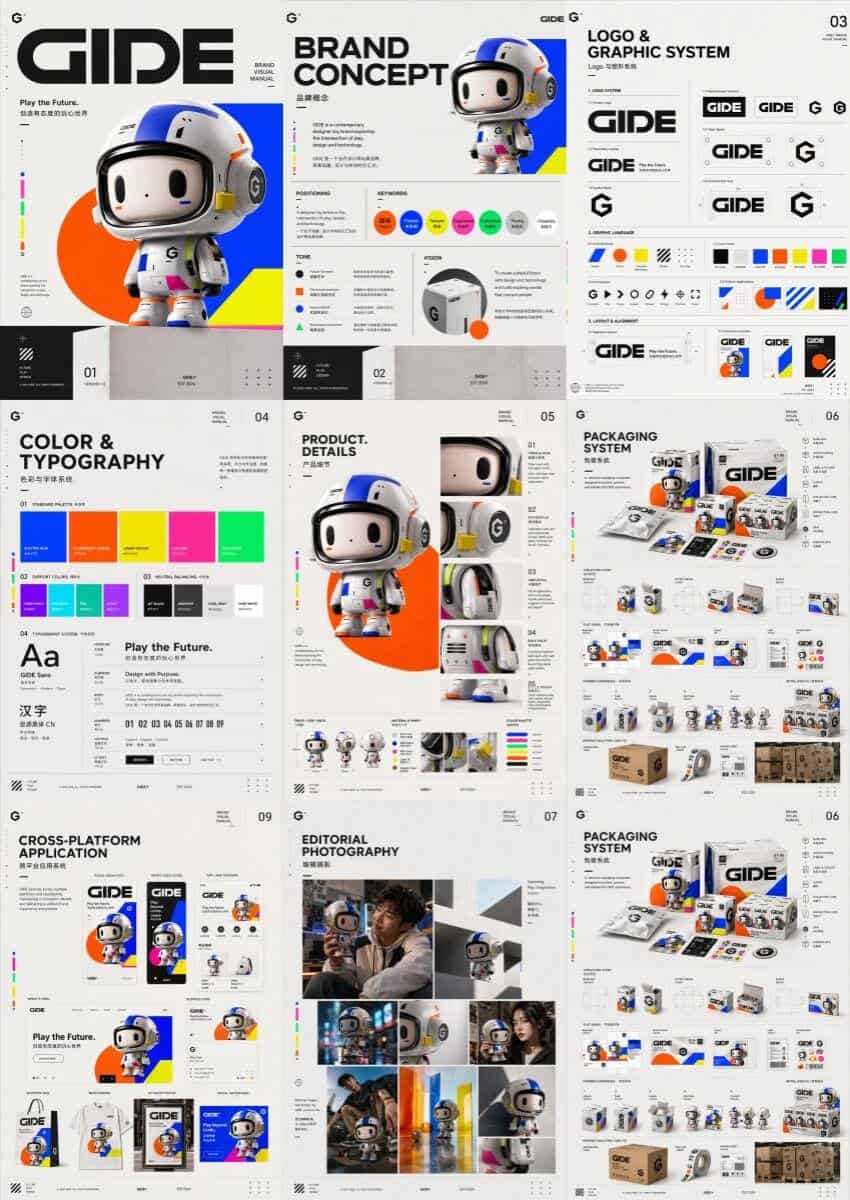
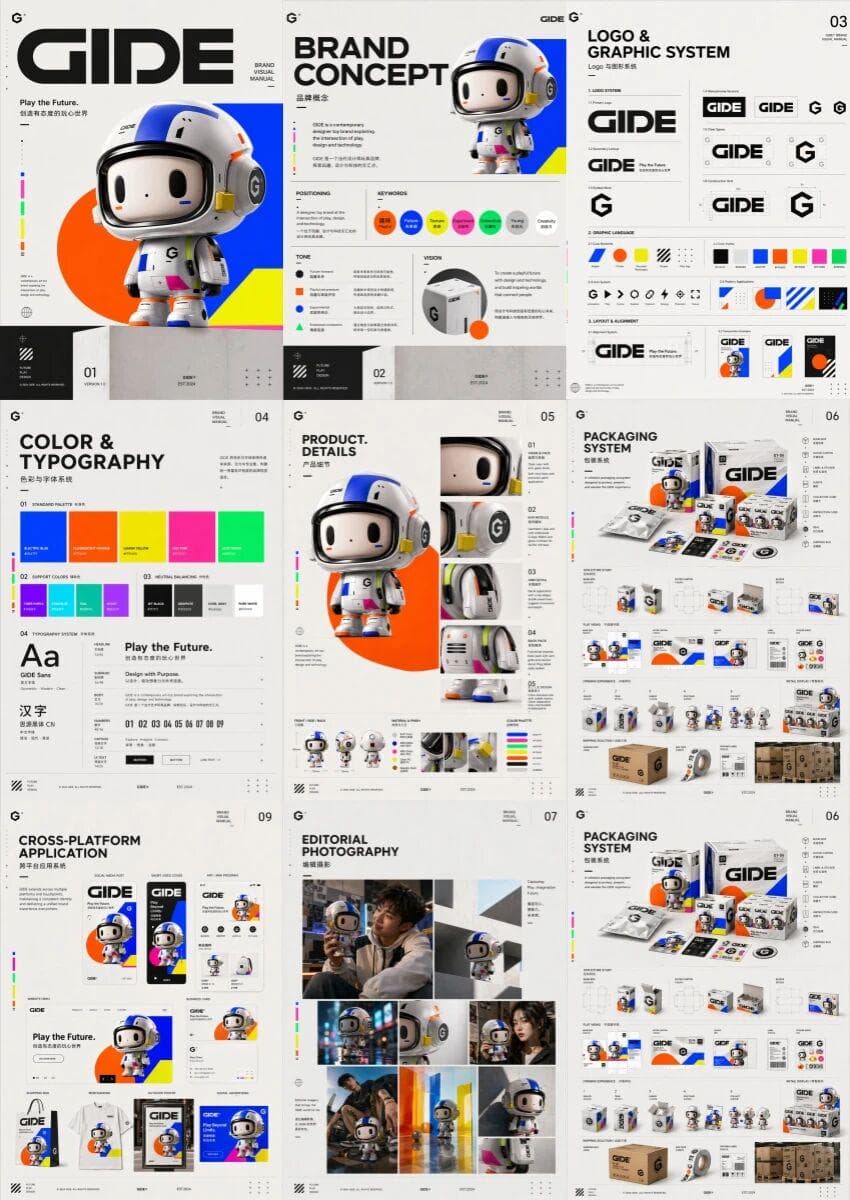
Modaya uygun oyuncak markası GIDE için, birden fazla resmin yan yana tam bir marka görsel kılavuzunda görüntülendiği üst düzey, çok sayfalı, birleştirilmiş bir marka görsel kılavuzu tasarlandı. İçerik; kapak, marka kons…
İstemi
Modaya uygun oyuncak markası GIDE için, birden fazla resmin yan yana tam bir marka görsel kılavuzunda görüntülendiği üst düzey, çok sayfalı, birleştirilmiş bir marka görsel kılavuzu tasarlandı. İçerik; kapak, marka konsepti, logo ve grafik sistemi, renkler ve yazı tipleri, ürün detayları, ambalaj tasarımı, editoryal fotoğrafçılık, sürükleyici perakende deneyimi, platformlar arası uygulama ve özet sayfasını içerir. Genel stil eğlenceli, fütüristik, renk gerilimi ve üst düzey tasarımdan oluşuyor ve modaya uygun oyunların canlılığı ile yaratıcı bir teknoloji markasının gelişmişliği arasında bir denge oluşturuyor. Görsel dil, üst düzey bir yaratıcı stüdyo düzeyinde bir marka el kitabı gibi, birleşik, kendinden emin, çağdaş ve eksiksiz bir marka dünya görüşü oluşturmak için yüksek derecede doygun parlak renkler, basit geometrik şekiller, modern yazı tipleri, dinamik ritim ve biraz gerçeküstü ifadeler içerir.
Bu istem nasıl kullanılır?
Oluşturmadan önce Tek cümleyle marka görsel kılavuzu oluşturun isteminin tamamını okuyun ve konuyu, stili, kamerayı, ışıklandırmayı ve kompozisyon gereksinimlerini tanımlayın.
Parantezli veya bağımsız değişken tarzı yer tutucuları ürününüz, karakteriniz, markanız, sahneniz, renk paletiniz veya en boy oranı gereksinimlerinizle değiştirin.
https://www.gptimagehub.com/tr/generate?promptId=cmogxn49500njxt5gzy2sswil dosyasını açın, görüntüyü oluşturun, ardından gerekirse daha spesifik konu, metin, düzen veya negatif kısıtlamalarla istemi hassaslaştırın.
Bilgi İstemi SSS
Tek cümleyle marka görsel kılavuzu oluşturun istemi en iyi ne için kullanılır?
Bu istem, yeniden kullanılabilir bir yapı, ayrıntılı görsel yön ve tutarlı çıktı kalitesi istediğiniz logo ve marka kimliği görselleri için en iyi şekilde kullanılır.
İstemi oluşturmadan önce düzenleyebilir miyim?
Evet. Bilgi istemi metninin tamamı bu sayfada görünür; böylece oluşturmadan önce konuları, ürün adlarını, renkleri, kompozisyonu, kamera terimlerini, en boy oranını ve stil notlarını değiştirebilirsiniz.
Bu istemle hangi modeli kullanmalıyım?
Bilgi istemi meta verilerinde gösterilen modeli varsayılan başlangıç noktası olarak kullanın. Başka bir görüntü modeli aynı en boy oranını ve talimat stilini destekliyorsa istemi uyarlayabilir ve sonuçları karşılaştırabilirsiniz.