
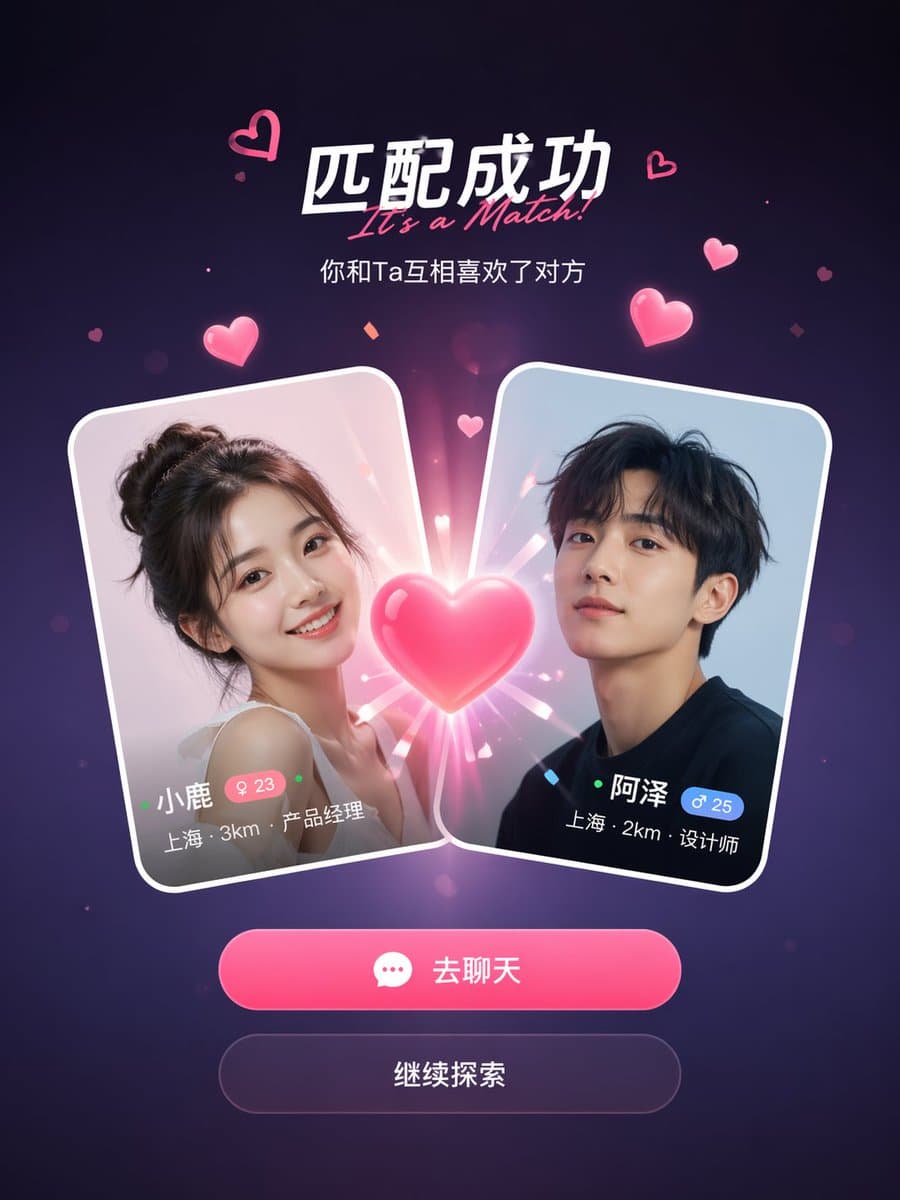
Экран успешного совпадения в социальном приложении
Пример экрана успешного совпадения в социальном приложении от GPT Image 2
Промпт
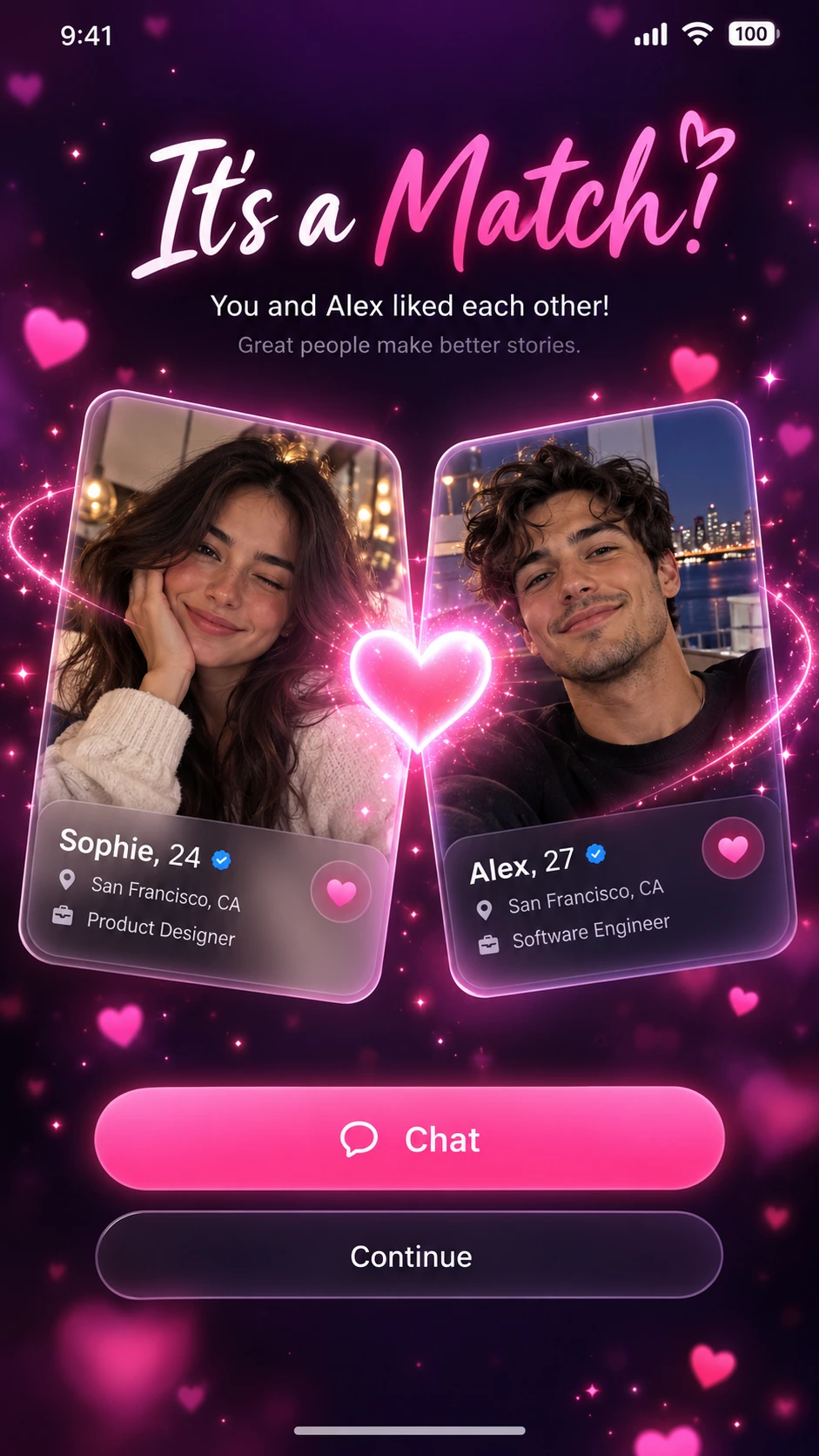
Мокап экрана успешного совпадения в приложении для знакомств. Две карточки профилей пользователей сталкиваются в центре со светящимся эффектом сердца между ними. Заголовок гласит "It's a Match!" с подзаголовком ниже. На каждой карточке отображается фото профиля, имя, возраст, местоположение и должность. Под карточками две кнопки действий: основная розовая кнопка "Chat" и второстепенная кнопка "Continue". Темно-фиолетовый градиентный фон с парящими розовыми частицами сердец и эффектами блесток. Чистый, современный дизайн мобильного UI, вертикальное соотношение сторон 9:16, реалистичная эстетика скриншота приложения, проработанные тени и края карточек в стиле glass-morphism.
Примеры изображений
Примеры композиции и стиля, созданные встроенным инструментом генерации изображений.
Руководство по использованию
Это руководство пока доступно на английском языке.
A match-success mobile screen centered on two profile cards, one emotional headline, and a clear next action. The visual hierarchy should separate celebration from navigation.
When to use
Social-app visual explorations, onboarding presentations, and interface mood boards. It is a static design concept rather than a working or interaction-tested screen.
What the existing example shows
The example uses a dark purple background, two portrait cards, a bright pink heart, and stacked Chat and Continue actions. The glowing center is the strongest focal point.
Suggested setup
- Aspect ratio
- 9:16 · Use a full mobile screen with space for a status bar, headline, profile cards, and bottom actions. Keep the primary button above the lower screen edge.
- Reference images
- Optional. Use permitted portrait assets if the profile cards need specific identities; neutral fictional profiles are enough for a concept.
What to customize
- Success messageYou found a study partner!
- Change the headline and the meaning of the primary action together so the screen tells one coherent story.
- Profile fieldsFirst name, shared subject, and preferred study time
- Use only a few short fields per card. Dense profile text is difficult to keep legible in a generated mockup.
- Action hierarchyPrimary: Start chat; secondary: Later
- Give the primary action the strongest contrast and keep celebration effects away from its text.
View a complete adaptation
Study-partner match screen
A non-dating version that keeps the two-card composition while changing the copy and profile information.
This adaptation has not been generated. The existing image belongs to the original illustration record.
Design a 9:16 mobile success-screen concept for a fictional study-partner app. Use a calm midnight-blue background with a restrained teal glow, not a field of floating particles. At the top, show the exact headline "You found a study partner!" and the short subtitle "Plan your first session". Center two slightly overlapping profile cards for fictional adult students, Maya and Alex. Each card contains a portrait, the shared subject "Physics", and the time "Evenings". Place a small connection symbol between the cards. Below them, add one prominent teal button labeled "Start chat" and one quiet secondary action labeled "Later". Keep the typography clean, the card edges distinct, and generous spacing around all controls. Show a polished static interface, without claiming functional interactions.
Troubleshooting
- Celebration effects obscure the interface
- Reduce particles and glow around text and buttons, then restore a clear top-to-bottom reading order.
- Text looks polished but is not readable
- Shorten profile fields and specify exact labels; recreate the final text and controls in a UI tool before evaluating interaction.
Editorial notes and generation record
AI-assisted editorial analysis of the source prompt and existing illustration. Settings are starting suggestions; the new adaptation is not a model test.
The existing illustration was generated with the built-in image tool. Its provider model is not disclosed. Actual image size: 941 × 1672.
Original illustration input
Create one finished image illustrating this image prompt.
Aspect ratio: 9:16.
A social dating app match success screen mockup. Two user profile cards colliding in the center with a glowing heart effect between them. The headline reads "It's a Match!" with a subtitle below. Each card shows a profile photo, name, age, location, and job title. Below the cards, two action buttons: a primary pink "Chat" button and a secondary "Continue" button. Dark purple gradient background with floating pink heart particles and sparkle effects. Clean, modern mobile UI design, 9:16 vertical aspect ratio, realistic app screenshot aesthetic, polished shadows, and glass-morphism card edges.
Сведения о промпте
- Категория
- UI / UX дизайн
- Модель
- GPT IMAGE 2
- Стоимость за изображение
- 1K: 43 кредита · 2K: 86 кредитов · 4K: 143 кредита
- Соотношение сторон
- 9:16
- Автор
- @songguoxiansen
- Добавлено
- Обновлено