
プロンプト
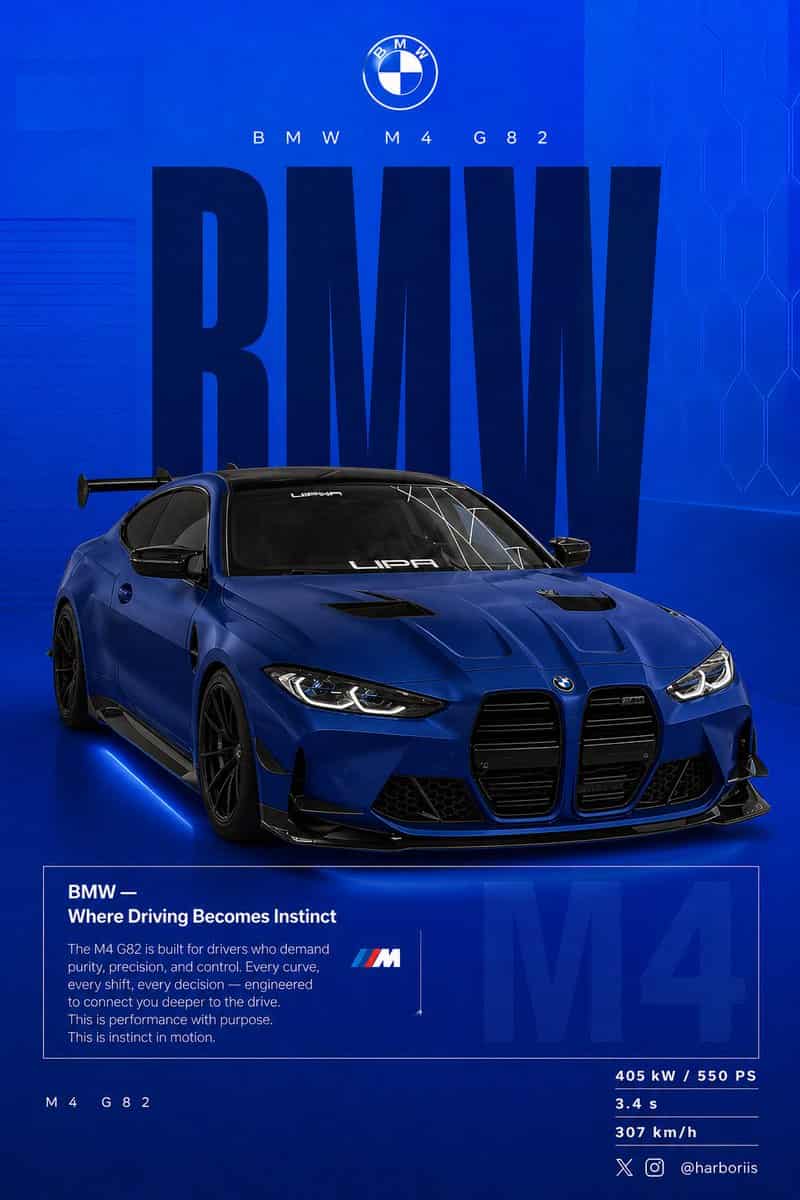
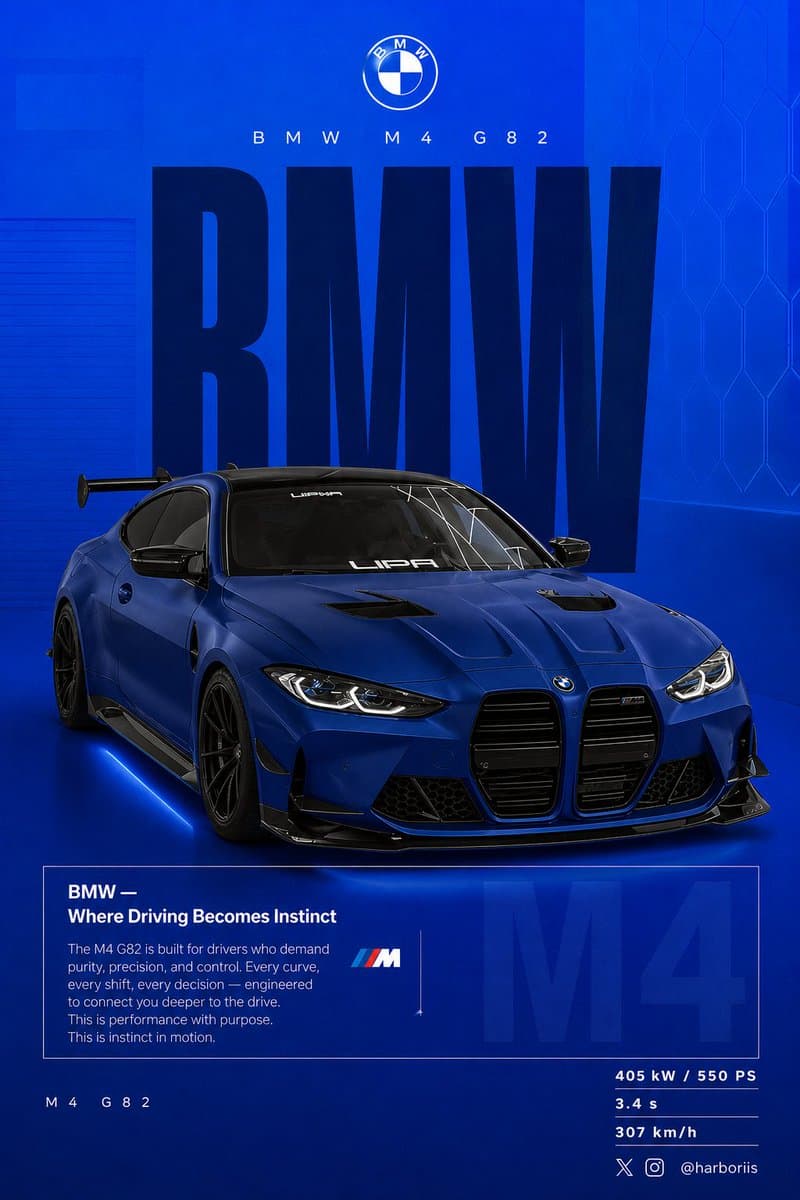
4:5縦型のソーシャルポスターを超高解像度、8K印刷品質のシャープネスで作成してください。リファレンス画像の{argument name="car model" default="BMW car"}を主題として使用し、リファレンス画像の背景構造/構図を活用しつつ、BMWテーマのデザインへ変換します。すべての黒トーンを{argument name="background color" default="high-saturation BMW blue"}のフラットな背景に置き換えます。リファレンス画像と同じレイアウト、間隔、視覚バランス、ポスター構図を保ちます。背景は上部のやや明るいエレクトリックブルーから下部のディープネイビーへの滑らかなグラデーションを使用してください。微細なグレインテクスチャ(2〜3%)と、ごく薄い矩形オーバーレイ(不透明度2〜4%)を加えます。クリーン、グラフィック、プレミアム、非写実的に仕上げます。車の下にソフトな接地影を加えます。リファレンス画像と同じBMWを使用し、{argument name="paint finish" default="matte frozen blue"}またはディープメタリックネイビーへとペイントのみを変更します。元のボディシェイプ、ホイール、スタンス、デザインの詳細はリファレンス画像から保持してください。リファレンス画像のアングルと正確に一致するリア3/4視点で車を表示します。やや高めのカメラアングルを使用してください。車を中央のやや右に配置します。視認できるカーボンルーフ、アグレッシブなリアディフューザー、シャープで制御されたリフレクション、控えめなブレーキディテールを含めます。構図はリファレンス画像と同一に保ちます。上部:ブランディング 中央部:巨大なタイポグラフィ 中心:テキストに重なる車 下部:エディトリアルブロックとスペック タイポグラフィ:プライマリーテキスト「BMW」ウルトラコンデンス・ボールド・サンセリフ、リファレンスポスターのような縦長の高いスケーリング。色はディープネイビーまたはほぼ黒。歪みのないスタティックなテキスト。構造的バックドロップとして機能。セカンダリーヘッダー:「BMW M4 G82」細フォントで広いトラッキング。ロゴエリア:BMWロゴをタイトル上部中央に配置。エディトリアルブロック:見出し「BMW — Where Driving Becomes Instinct」本文はドライバーとのつながり、コントロール、パフォーマンス、精密性に焦点を当てる。リファレンス画像と同じボックス型のエディトリアルレイアウトを使用。背景フェードテキスト:「M4」を3〜5%の不透明度でボックスの後ろに大きく配置。左下:「M4 G82」右下スペック:405 kW / 550 PS、3.4秒、307 km/h。ライティングはクリーンなスタジオライティングで、シャープながらコントロールされたハイライト。カラーグレーディングはディープブルー、高コントラスト、クリーンなブラックを使用。カメラレンズ:50mm、やや高めのリア3/4アングル。ムード:パフォーマンス。精密性。ドライバーフォーカス。右下にウォーターマークを追加:harboriis、小さなxとInstagramロゴ付き。
このプロンプトの使用方法
生成する前に、完全な BMWパフォーマンス・ソーシャルポスター プロンプトを読み、主題、スタイル、カメラ、照明、構成の要件を特定してください。
括弧で囲まれたプレースホルダーまたは引数スタイルのプレースホルダーを、製品、キャラクター、ブランド、シーン、カラーパレット、またはアスペクト比の要件に置き換えます。
https://www.gptimagehub.com/ja/generate?promptId=cmogx0n0v00blzpdykn7geqno を開いて画像を生成し、必要に応じてより具体的な件名、テキスト、レイアウト、または否定的な制約を使用してプロンプトを調整します。
プロンプトFAQ
BMWパフォーマンス・ソーシャルポスター プロンプトは何に最適ですか?
このプロンプトは、再利用可能な構造、詳細な視覚的方向性、一貫した出力品質が必要な ソーシャルメディア 画像に最適です。
生成する前にプロンプトを編集できますか?
はい。このページには完全なプロンプト テキストが表示されるため、生成前に件名、製品名、色、構成、カメラ用語、アスペクト比、スタイル メモを変更できます。
このプロンプトではどのモデルを使用すればよいですか?
プロンプトのメタデータに示されているモデルをデフォルトの開始点として使用します。別の画像モデルが同じアスペクト比と指示スタイルをサポートしている場合は、プロンプトを調整して結果を比較できます。