
Kasus Fashion Konsep Filosofis
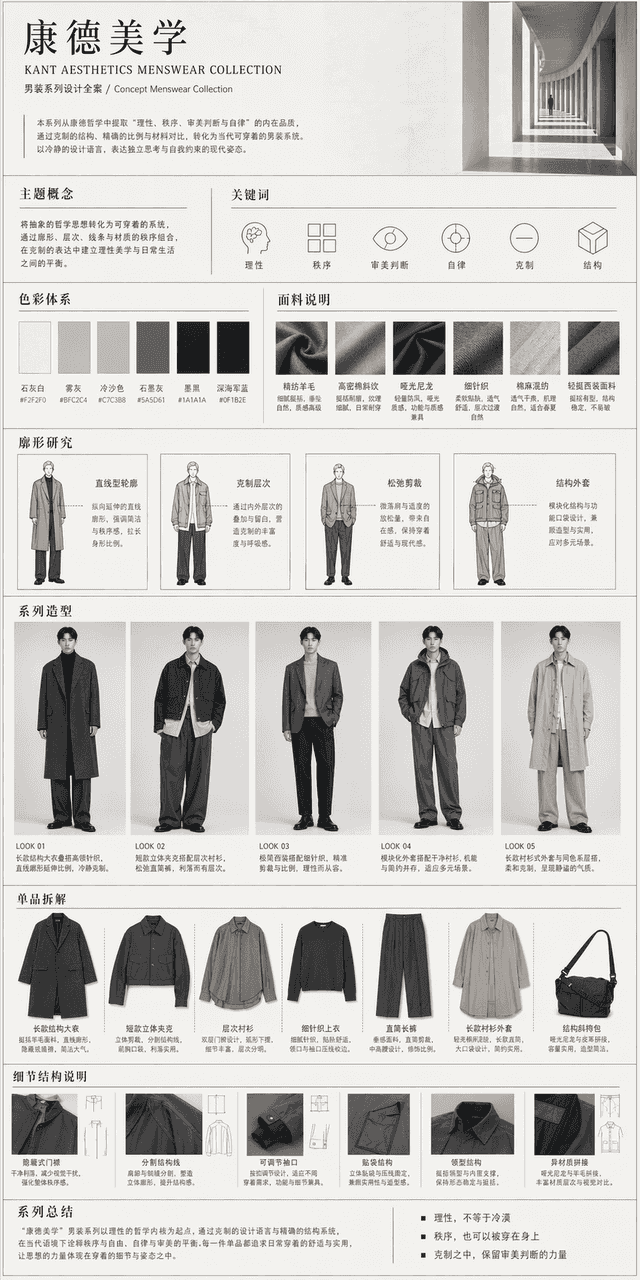
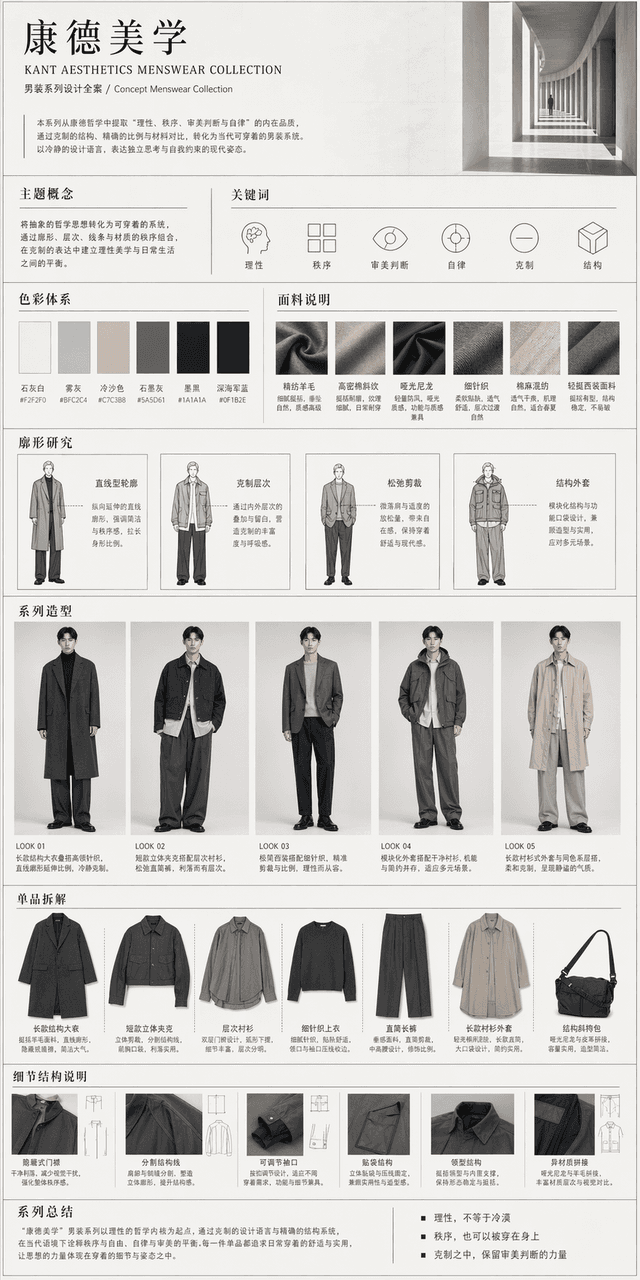
Keseluruhan proyek desain pakaian bertemakan seri pakaian pria "Kant Aesthetics". Papan pajangan untuk keseluruhan portofolio desain gambar, termasuk konsep tema, kata kunci, sistem warna, deskripsi kain, penelitian sil…
Cepat
Keseluruhan proyek desain pakaian bertemakan seri pakaian pria "Kant Aesthetics". Papan pajangan untuk keseluruhan portofolio desain gambar, termasuk konsep tema, kata kunci, sistem warna, deskripsi kain, penelitian siluet, 4-6 set tampilan lengkap, pembongkaran produk tunggal, deskripsi struktur terperinci, dan salinan ringkasan. Pakaian keseluruhannya sederhana, modern, terkendali, dan tidak berlebihan, tetapi dapat mencerminkan jejak "rasionalitas, keteraturan, penilaian estetika, dan disiplin diri" dari siluet, lapisan, proporsi, garis struktural, dan kontras material. Gayanya adalah pakaian siap pakai kelas atas, modern dan sederhana, cocok untuk dipakai sehari-hari dan praktis, seperti seri pakaian pria berkonsep yang benar-benar dapat dirilis. Terakhir, diintegrasikan ke dalam gambaran panjang ikhtisar lengkap dengan tata letak profesional, ruang putih terkendali, informasi jelas, dan temperamen keseluruhan yang rasional, kontemporer, tenang, dan maju.
Cara menggunakan perintah ini
Baca perintah Kasus Fashion Konsep Filosofis secara lengkap dan identifikasi persyaratan subjek, gaya, kamera, pencahayaan, dan komposisi sebelum membuatnya.
Ganti placeholder dalam tanda kurung atau gaya argumen dengan persyaratan produk, karakter, merek, adegan, palet warna, atau rasio aspek Anda.
Buka https://www.gptimagehub.com/id/generate?promptId=cmogxnaco00npxt5gd0oje9ml, buat gambarnya, lalu sempurnakan perintah dengan subjek, teks, tata letak, atau batasan negatif yang lebih spesifik jika diperlukan.
Pertanyaan Umum yang cepat
Untuk apa perintah Kasus Fashion Konsep Filosofis paling baik digunakan?
Perintah ini paling baik digunakan untuk gambar lainnya yang menginginkan struktur yang dapat digunakan kembali, arah visual yang mendetail, dan kualitas keluaran yang konsisten.
Bisakah saya mengedit prompt sebelum membuat?
Ya. Teks perintah lengkap terlihat di halaman ini sehingga Anda dapat mengubah subjek, nama produk, warna, komposisi, istilah kamera, rasio aspek, dan catatan gaya sebelum pembuatan.
Model mana yang harus saya gunakan dengan perintah ini?
Gunakan model yang ditampilkan dalam metadata perintah sebagai titik awal default. Jika model gambar lain mendukung rasio aspek dan gaya instruksi yang sama, Anda dapat menyesuaikan perintah dan membandingkan hasilnya.